Siemens
RFQ Ready
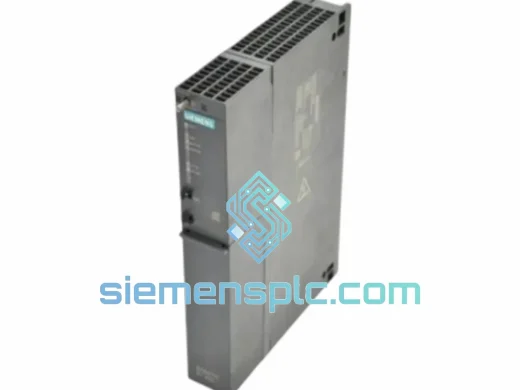
Siemens 6ES7635-0AA00-4AA0 PLC Power Supply Module – S7-600
SIMATIC
Origin DE
PLC Power Supply Module
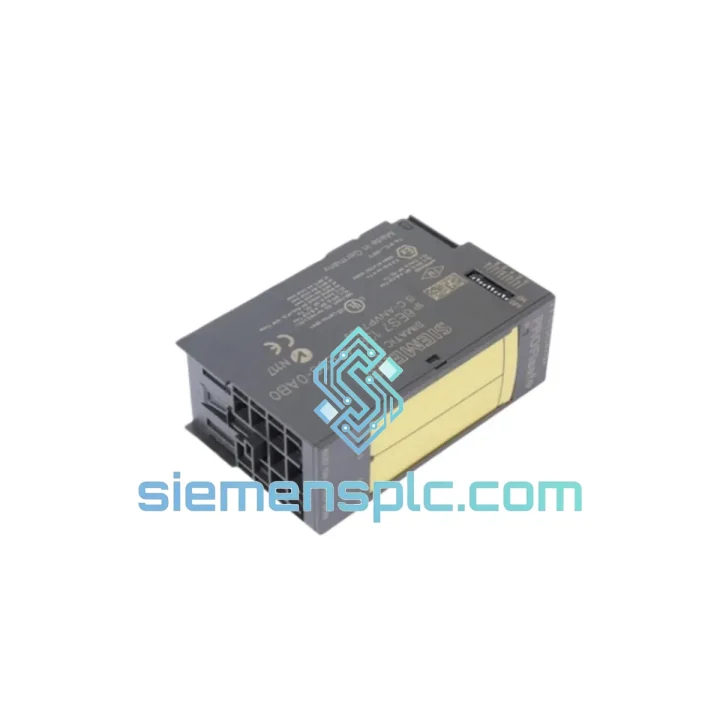
Request verified availability, condition, replacement risk review, packing options and courier lead time for 6ES7138-4FB03-0AB0.
Click Request Quote and the part number is inserted into the inquiry form automatically.
Core fields for model confirmation and RFQ routing. Detailed product narrative remains below.
Your ET 200S station just dropped a segment. The PM-E is dead, the downstream I/O is dark, and your line is standing still. You don’t need a sales pitch — you need the Siemens 6ES7138-4FB03-0AB0 in your hands by tomorrow. We stock it in Xiamen, we know how to pack it for air freight, and we’ve done this exact scenario hundreds of times. This page exists for one reason: get you back online fast.
URGENT REQUIREMENT? Contact: [email protected] | WhatsApp: +86 18359268345
| Parameter | Value |
|---|---|
| Order Number (MLFB) | 6ES7138-4FB03-0AB0 |
| Product Family | SIMATIC ET 200S |
| Module Type | PM-E (Power Module for Electronic Modules) |
| Supply Voltage | 24 V DC (20.4 V – 28.8 V) |
| Max Load Current | 10 A |
| Protection Class | IP20 |
| Mounting | 35 mm DIN rail (S7-300 standard) |
| Operating Temperature | 0 °C to +60 °C |
| Dimensions (W×H×D) | 15 mm × 81 mm × 52 mm |
| Weight | ~200 g |
| Diagnostics | Group error LED, PROFIBUS DP / PROFINET IO diagnostic support |
| Certifications | CE, RoHS, UL (Siemens factory listing) |
| Stock Status | ✔ Ready to Ship — Xiamen Warehouse |
After ten years of field calls, the 6ES7138-4FB03-0AB0 fails in predictable ways. Here’s what to check before you pull the module — and what to watch when you install the replacement.
Fault Symptom 1 — SF LED solid red, downstream I/O segment completely dark: This is the classic PM-E failure signature. The 24 V DC bus to the terminal module segment has collapsed. Measure voltage at the PM-E output connector pins before condemning the module — sometimes the upstream 24 V supply rail has sagged below 20.4 V due to a failing PSU or excessive cable drop. If supply voltage is confirmed good and the PM-E output reads zero, the module is gone. Replace it.
Fault Symptom 2 — Intermittent SF, random I/O dropouts under load: Thermal cycling has cracked the internal solder joints on the power switching stage. This typically appears after 5–8 years of continuous operation in environments above 45 °C. The module will pass a cold bench test but fail within 20 minutes of running at rated current. Don’t waste time re-seating it — order the replacement now.
Fault Symptom 3 — PROFIBUS/PROFINET diagnostic alarm, error code 0xEA or station failure: The IM (Interface Module) has lost communication with the PM-E segment. Before replacing the PM-E, check the IM firmware version — older IM 151-1 firmware revisions have a known compatibility issue with the -0AB0 hardware revision. Update the IM firmware first. If the alarm persists after firmware update, the PM-E is the culprit.
Replacement Procedure — Critical Steps:
The ET 200S PM-E was engineered for the floor, not the lab. The 6ES7138-4FB03-0AB0 carries an operating temperature range of 0 °C to +60 °C with no derating required up to 40 °C ambient — a specification that holds up in real cabinet environments where heat from adjacent drives and transformers routinely pushes internal temperatures well above room conditions.
Vibration resistance meets IEC 61131-2 Class II requirements: 10–57 Hz at 0.075 mm amplitude, 57–150 Hz at 1 g. In practice, this means the module survives continuous operation next to large servo drives, compressors, and stamping presses without connector fatigue or PCB flex cracking — failure modes that plague cheaper third-party alternatives.
Humidity tolerance is rated to 95% RH non-condensing. The conformal coating on the PCB provides a meaningful barrier against moisture ingress in coastal facilities, food processing environments, and outdoor enclosures with inadequate sealing. Units we supply are stored in climate-controlled conditions and shipped in sealed ESD bags with desiccant — they arrive in the same condition they left the factory.
The module’s IP20 rating is appropriate for installation inside a properly sealed control cabinet. If your cabinet door seals are compromised or the enclosure is located in a wash-down zone, address the enclosure integrity first — no module survives direct water exposure regardless of its internal robustness.
Our warehouse is located in Xiamen, Fujian — one of China’s primary export hubs with direct access to Xiamen Gaoqi International Airport and daily DHL and FedEx pickup schedules. This is not a drop-ship operation. Stock is physically on our shelves, inspected, and ready to pack the moment your order is confirmed.
Standard Express Timeline (DHL / FedEx International Priority):
Every shipment includes a commercial invoice, packing list, and HS code declaration (HS 8537.10) pre-prepared for customs clearance. For buyers in the EU, we can provide a EUR.1 movement certificate on request to support preferential duty treatment where applicable. Tracking numbers are sent via email and WhatsApp within 2 hours of dispatch.
For urgent orders requiring Saturday pickup or after-hours processing, contact us directly on WhatsApp — we monitor it around the clock for downtime emergencies.
Email: [email protected]
WhatsApp: +86 18359268345
Web: siemensplc.com
© 2026 siemensplc.com. All rights reserved.
We check the full part number, brand, series and visible nameplate information before quotation.
Sales confirms stock path, condition option, quantity and realistic lead time for export dispatch.
DHL, FedEx, UPS or buyer courier arrangements can be reviewed with packing requirements.
Similar brand or category products for fast comparison and multi-item RFQ lists.