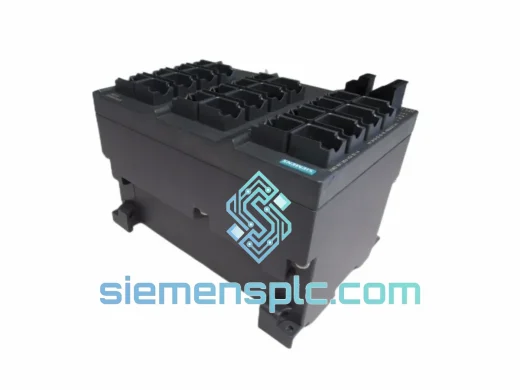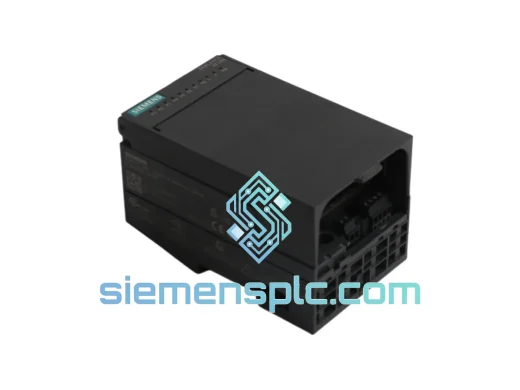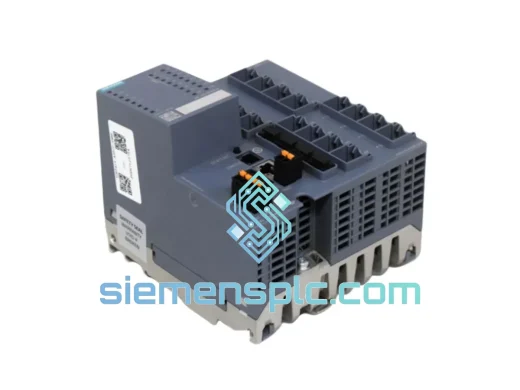
Siemens
RFQ Ready
Siemens 6GK5416-4GS00-2AM2 Industrial Ethernet Switch
SIMATIC
Origin DE
Industrial Ethernet Switch
Request verified availability, condition, replacement risk review, packing options and courier lead time for 6ES7321-1BL00-0AA0.
Click Request Quote and the part number is inserted into the inquiry form automatically.
Core fields for model confirmation and RFQ routing. Detailed product narrative remains below.
Your S7-300 rack just threw a red fault LED. The SM 321 digital input module is dead. The line is stopped. Maintenance is on the phone. You have maybe 30 minutes before production management walks in. This is exactly the scenario we built our inventory and logistics around.
The Siemens 6ES7321-1BL00-0AA0 is the 32-channel, 24 VDC digital input module for the S7-300 series — one of the most widely deployed PLC platforms in global discrete and process manufacturing. When this card fails, there is no workaround. You need a verified, original replacement in your hands as fast as physically possible. We stock it. We ship same day from Xiamen. DHL Express puts it on your bench in 24–72 hours depending on your location.
Stop reading datasheets. Call us now or keep reading for the technical detail you need to confirm this is the right part before you order.
⚡ URGENT REQUIREMENT? Contact: [email protected] | WhatsApp: +86 18359268345
| Parameter | Specification | Status |
|---|---|---|
| Part Number | 6ES7321-1BL00-0AA0 | ✅ Ready to Ship |
| Module Type | SM 321 Digital Input Module | |
| Series | Siemens SIMATIC S7-300 | |
| Number of Inputs | 32 channels | |
| Input Voltage | 24 VDC (nominal) | |
| Input Current (per channel) | Approx. 7 mA at 24 VDC | |
| Signal “1” Level | 13–30 VDC | |
| Signal “0” Level | –3 to +5 VDC | |
| Isolation | Optocoupler isolation, 500 VAC group isolation | |
| Input Delay (configurable) | 0.1 ms / 0.5 ms / 3 ms / 15 ms / 20 ms | |
| Backplane Bus Current Draw | Max. 100 mA at 5 VDC | |
| Power Dissipation | Max. 4.5 W | |
| Connector Type | 40-pin front connector (not included) | |
| Dimensions (W×H×D) | 40 × 125 × 120 mm | |
| Weight | Approx. 200 g | |
| Operating Temperature | 0 °C to +60 °C | |
| Storage Temperature | –40 °C to +70 °C | |
| Relative Humidity | 10–95%, non-condensing | |
| Degree of Protection | IP20 | |
| Certifications | CE, UL, cUL, FM, ATEX (Zone 2) | |
| Origin | Germany | |
| Availability | ✅ In Stock — Ships Same Business Day from Xiamen | |
Ten years of field calls have taught me that most SM 321 failures fall into four categories. Here is how to diagnose fast and replace clean.
Fault Pattern 1 — SF LED solid red, all 32 channels show “0” in the process image
This is the classic total module failure. The internal ASIC or optocoupler array has failed, usually from a sustained overvoltage event on the field wiring side (sensor power supply fault, inductive kick from a solenoid wired without a freewheeling diode). Confirm by swapping the front connector to a known-good SM 321 in the same rack. If the fault clears, the module is dead. Order the replacement.
Fault Pattern 2 — Intermittent channel faults, SF LED flashing
Check the front connector first. The 40-pin connector on S7-300 signal modules is a known wear point — the spring contacts fatigue after repeated removal cycles. Reseat the connector firmly. If the fault persists, check the 24 VDC sensor supply voltage at the connector pins under load. Voltage sag below 13 VDC will cause random “0” readings on otherwise healthy channels. If supply voltage is stable and the fault is channel-specific, the optocoupler for that channel group has degraded.
Fault Pattern 3 — Module not recognized by CPU after rack power cycle
The S7-300 CPU performs a hardware configuration check at startup. If the module in slot X does not match the configured module type in the hardware configuration (HW Config in STEP 7 / Device Configuration in TIA Portal), the CPU will go to STOP and log a configuration mismatch diagnostic. This happens when a replacement module of a different order number is installed. Verify the replacement 6ES7321-1BL00-0AA0 matches exactly what is configured in your project. If the original was a different variant (e.g., 6ES7321-1FF01-0AA0 with interrupt capability), you must either update the HW Config or source the exact matching variant.
Replacement Procedure — Step by Step
Configuration Note — Input Delay Setting: The 6ES7321-1BL00-0AA0 supports configurable input delay (0.1 ms to 20 ms) set in HW Config / TIA Portal device properties. The default is 3 ms. If your application uses high-speed pulse inputs or fast-switching proximity sensors, verify the delay setting is restored after replacement — it does not transfer automatically from the old module.
The SM 321 6ES7321-1BL00-0AA0 is not a commercial-grade board dressed up in an industrial housing. It is engineered from the ground up for the environments where S7-300 systems are actually deployed — and those environments are not gentle.
Vibration: The module is designed to withstand continuous sinusoidal vibration per IEC 60068-2-6 (10–58 Hz, 0.075 mm amplitude; 58–500 Hz, 1g). In practice, this covers the vibration spectrum of most industrial machinery — compressor skids, conveyor drives, press lines. The backplane bus connector and front connector locking mechanism are mechanically rated for this environment. Loose connector seating is the most common vibration-related failure mode, not the module electronics themselves.
Thermal: The 0–60 °C operating range covers the majority of industrial cabinet installations. In high-ambient environments (foundries, glass plants, outdoor cabinets in tropical climates), verify cabinet cooling is adequate. The module’s power dissipation of 4.5 W is modest, but in a fully loaded S7-300 rack with 8 signal modules, cumulative heat load requires proper cabinet ventilation design. Siemens publishes derating curves for elevated ambient temperatures — consult the S7-300 system manual if your cabinet ambient exceeds 40 °C.
Humidity and Contamination: The IP20 rating means the module is protected against solid objects larger than 12 mm but is not sealed against liquids or fine dust. In high-humidity or dusty environments (food processing, cement, mining), the cabinet must provide the environmental protection — the module relies on the enclosure. Condensation on the PCB is the primary humidity failure mechanism. If a module has been exposed to condensation, allow it to dry completely at room temperature before powering up. Do not use heat guns — thermal shock can crack solder joints.
EMC: The module meets EN 61000-6-2 (industrial immunity) and EN 61000-6-4 (industrial emissions). Optocoupler isolation provides 500 VAC group isolation between field wiring and the backplane bus, protecting the CPU from field-side transients. In high-EMC environments (large VFD installations, welding equipment nearby), ensure proper cabinet grounding and cable segregation — the module’s immunity ratings assume correct installation practice.
We operate from Xiamen, China — one of the most logistics-connected cities in Asia, with direct access to DHL Express, FedEx International Priority, and UPS Worldwide Express hubs. This is not a warehouse that ships once a week. Orders confirmed before 15:00 CST ship the same business day.
Typical Transit Times from Xiamen:
| Destination Region | DHL Express | FedEx IP |
|---|---|---|
| Southeast Asia (SG, MY, TH, ID) | 1–2 business days | 1–2 business days |
| Middle East (UAE, SA, QA) | 2–3 business days | 2–3 business days |
| Europe (DE, NL, UK, FR) | 3–4 business days | 3–4 business days |
| North America (US, CA) | 3–5 business days | 3–5 business days |
| Australia / New Zealand | 3–4 business days | 3–5 business days |
| South America (BR, CL, CO) | 4–6 business days | 4–6 business days |
| Africa | 4–7 business days | 5–7 business days |
Shipment Process: Every module is inspected, photographed, and packed in anti-static foam before dispatch. You receive a DHL or FedEx tracking number within 2 hours of shipment. For urgent orders, we can arrange Saturday delivery in most major markets. Commercial invoice and packing list are prepared to facilitate customs clearance — we have shipped to over 60 countries and know the documentation requirements for industrial electronics imports.
Customs & Import: The 6ES7321-1BL00-0AA0 is classified under HS Code 8537.10 (programmable controllers / industrial control panels). We declare accurate commercial values and provide a detailed product description on the commercial invoice to minimize customs hold risk. For destinations with strict import controls on industrial electronics (India, Brazil, certain Middle East markets), contact us before ordering — we can advise on documentation requirements and typical clearance timelines.
Emergency Freight: If standard express is not fast enough, we can arrange charter courier or hand-carry delivery for critical plant shutdowns. Contact us directly on WhatsApp to discuss options. We have done it before.
📧 Email: [email protected]
💬 WhatsApp: +86 18359268345
🌐 Web: siemensplc.com
© 2026 siemensplc.com. All rights reserved.
We check the full part number, brand, series and visible nameplate information before quotation.
Sales confirms stock path, condition option, quantity and realistic lead time for export dispatch.
DHL, FedEx, UPS or buyer courier arrangements can be reviewed with packing requirements.
Similar brand or category products for fast comparison and multi-item RFQ lists.