
Siemens
In Stock OK
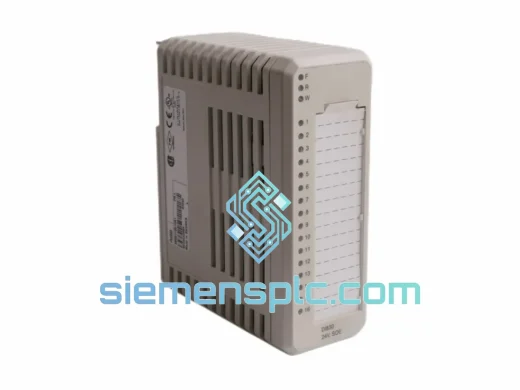
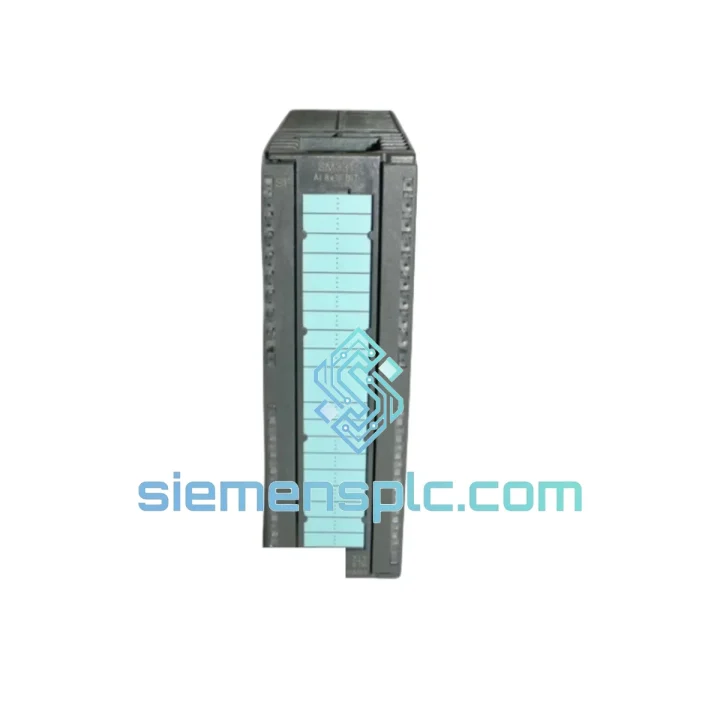
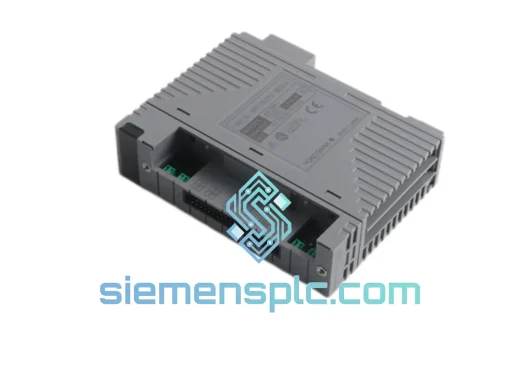
Siemens 6ES7331-7NF10-0AB0 Analog Input Module
Request verified availability, condition, replacement risk review, packing options and courier lead time for 6ES7331-7NF10-0AB0.
BrandSiemens
Part Number6ES7331-7NF10-0AB0
ConditionAvailability Check
Lead TimeRFQ Confirmation
DocumentsDatasheet / photos by RFQ
ShippingExport packing available
Auto-filled RFQ
6ES7331-7NF10-0AB0
Click Request Quote and the part number is inserted into the inquiry form automatically.
- Reply by email: [email protected]
- WhatsApp / Tel: +86 18359268345
- Mon-Sat 9:00-18:00 GMT+8
Procurement Data
Key Product Information
Core fields for model confirmation and RFQ routing. Detailed product narrative remains below.
- Brand
- Siemens
- Primary Part Number
- 6ES7331-7NF10-0AB0
- Product Type
- PLC Analog Input Module
- Series / Family
- SIMATIC S7-300
- Country of Origin
- DE
- Catalog Category
- I/O Modules
- Operating Temp.
- 0 °C to +60 °C
Model confirmed for inquiry
6ES7331-7NF10-0AB0
Send quantity, destination and urgency. The RFQ form keeps this part number attached.
Request Quote
Product Overview
6ES7331-7NF10-0AB0 Down? Every Minute of Downtime Costs You Money — We Ship Today
Your S7-300 rack just threw a fault. The SM 331 is dead. The line is stopped. You’ve already called your local distributor and heard the words nobody wants to hear: “Lead time: 8–12 weeks.” That’s not an option when a production halt is bleeding $10,000+ per hour.
We stock the Siemens 6ES7331-7NF10-0AB0 — 100% original, tested, and ready to pull from shelf in Xiamen. DHL Express to your door in 3–5 business days, anywhere on the planet. No waiting. No excuses. Just a working module on your bench.
URGENT REQUIREMENT? Contact: [email protected] | WhatsApp: +86 18359268345
Quick Technical Datasheet
| Part Number | 6ES7331-7NF10-0AB0 |
| Series | SIMATIC S7-300, SM 331 |
| Module Type | Analog Input Module |
| Input Channels | 8 (individually configurable per channel group) |
| Signal Types | Voltage ±10V/±5V/±2.5V/1–5V; Current 0–20mA/4–20mA/±20mA; Resistance 0–600Ω; TC: B, C, E, J, K, L, N, R, S, T, U |
| Resolution | 15 bits + sign |
| Conversion Time | Min. 52 ms/channel (60 Hz suppression mode) |
| Supply Voltage | DC 24 V via S7-300 backplane bus |
| Isolation | Galvanic isolation between channels and backplane |
| Operating Temperature | 0 °C to +60 °C |
| Dimensions (W×H×D) | 40 × 125 × 120 mm |
| Weight | Approx. 400 g |
| Protection Rating | IP 20 |
| Certifications | CE, UL, cULus, ATEX Zone 2 |
| Software | STEP 7 V5.4+; TIA Portal V13 SP1+ (S7-300 library) |
| Stock Status | ✔ READY TO SHIP — Xiamen Warehouse |
Troubleshooting & Replacement Tips
Fault Symptom: SF LED solid red on SM 331, CPU goes to STOP. Nine times out of ten this is a wiring fault on the field side — a shorted thermocouple, an open 4–20 mA loop, or a sensor that’s been running outside the configured measurement range long enough to latch a hardware error. Before you condemn the module, pull the front connector, power-cycle the rack, and check if the SF clears. If it does, the module is fine — go back to the field wiring.
If the module is genuinely dead, here’s the swap procedure:
- Step 1 — Document the slot address. Note the physical slot number (4–11) and the logical address assigned in STEP 7 / TIA Portal. The replacement module must occupy the exact same slot or you’ll need to update the hardware configuration and re-download.
- Step 2 — Record the channel configuration. Open the module properties in STEP 7 (HW Config → double-click SM 331). Screenshot or note every channel group’s measurement type, range, integration time, and interference frequency suppression setting. The new module ships with factory defaults — none of your settings are stored on the module itself.
- Step 3 — Power down the rack. The SM 331 is NOT hot-swappable in a standard S7-300 rack. Cut 24 VDC supply to the PS 307 before pulling the module. Failure to do so risks backplane damage and CPU faults.
- Step 4 — Seat the replacement. Slide the new 6ES7331-7NF10-0AB0 into the same slot. The S7-300 uses automatic slot addressing — no DIP switches, no address jumpers. The CPU reads the slot position at startup and assigns the configured logical address automatically.
- Step 5 — Reconnect the front connector. The keyed front connector prevents incorrect insertion. If the connector won’t seat, check that the coding key on the module matches the one on the connector from the old module.
- Step 6 — Power up and download configuration. If you’re replacing a module with an identical hardware revision (-7NF10), the existing STEP 7 project downloads without modification. If you’re crossing from -7NF00 to -7NF10 (or vice versa), verify the hardware catalog entry matches the physical module’s order number — a mismatch will generate a configuration error at startup.
- Step 7 — Verify channel readings. Force a known signal on each channel (e.g., a calibrated 4–20 mA source) and confirm the process image values in the variable table match expected engineering units. Pay attention to channels configured for thermocouple — an open TC input will read the wire-break substitute value (32767 or 7FFFh) if wire-break detection is enabled.
Common fault codes to know:
- OB 82 (Diagnostic Interrupt): Triggered when a channel detects wire break, overflow, or underflow. Check the diagnostic buffer in STEP 7 for the exact channel and error class.
- OB 86 (Rack Failure): If the module is not recognized after swap, the slot address in HW Config doesn’t match the physical slot. Re-check slot numbering — S7-300 counts from slot 4, not slot 1.
- Incorrect engineering unit scaling: If values look off after replacement, verify the measurement type and range in the module properties. A channel left at factory default (voltage ±10V) when the field device outputs 4–20 mA will produce garbage readings without throwing a fault.
Reliability in Harsh Conditions
The 6ES7331-7NF10-0AB0 was not designed for a climate-controlled server room. It was built for the floor — cement dust, coolant mist, 55°C panel interiors in summer, and the kind of vibration that loosens terminal screws over a weekend.
Siemens qualifies the SM 331 to IEC 61131-2 environmental standards: sinusoidal vibration up to 10–57 Hz at 0.075 mm amplitude and 57–150 Hz at 1g, shock resistance to 15g/11ms half-sine, and humidity cycling from 10% to 95% non-condensing. The galvanic isolation between field-side inputs and the backplane bus provides 500 VAC common-mode rejection — critical in plants where ground loops between field instruments and the control cabinet are a recurring headache.
The conformal coating on the PCB resists condensation ingress during temperature cycling, and the module’s plastic housing meets UL 94 V-0 flame retardancy. In ATEX Zone 2 installations, the module is approved for use in potentially explosive atmospheres when installed in a certified enclosure — check the ATEX certificate for the specific gas group and temperature class before deployment.
Units we ship have been stored in controlled-humidity warehousing and inspected for corrosion on the backplane connector pins — a common failure point on modules pulled from decommissioned equipment. Every unit is powered on and verified for channel response before it leaves Xiamen.
Global Express Logistics
Our warehouse is in Xiamen, Fujian — one of China’s primary export hubs with direct DHL and FedEx gateway access. Here’s what the shipping timeline actually looks like:
- Order confirmed before 14:00 CST: Same-day dispatch. The module is packed, labeled, and handed to the carrier that afternoon.
- DHL Express Worldwide: Europe 3–4 business days, North America 4–5 business days, Southeast Asia 2–3 business days, Middle East 4–5 business days.
- FedEx International Priority: Available as an alternative for destinations where FedEx has stronger coverage (e.g., remote US locations, Canada).
- Export documentation: Commercial invoice, packing list, and HS code declaration (HS 8537.10) prepared for customs clearance. For EU imports, EORI number required from the consignee — provide at time of order.
- Tracking: AWB number sent within 2 hours of dispatch. Real-time tracking link provided via email and WhatsApp.
- Duties and taxes: Shipped DAP (Delivered At Place) — import duties and local VAT are the buyer’s responsibility. We can provide a pro-forma invoice for customs pre-clearance on request.
If your plant is in a country with import restrictions on electronic components, contact us before ordering. We’ve shipped to 60+ countries and can advise on documentation requirements for your specific destination.
Contact Information
Email: [email protected]
WhatsApp: +86 18359268345
Web: siemensplc.com
© 2026 siemensplc.com. All rights reserved.
Ready to quote
[email protected]
Send This Part Number to Sales
RFQ workflow
Quality workflow ->
Confirmation Process
01Model confirmation
We check the full part number, brand, series and visible nameplate information before quotation.
02Availability reply
Sales confirms stock path, condition option, quantity and realistic lead time for export dispatch.
03Packing & courier
DHL, FedEx, UPS or buyer courier arrangements can be reviewed with packing requirements.
Continue sourcing
Browse full catalog ->
Related Automation Parts
Similar brand or category products for fast comparison and multi-item RFQ lists.
Siemens
RFQ Ready
Siemens 6ES7 315-2EH14-0AB0 CPU 315-2 PN/DP Module
SIMATIC S7-300
Origin DE
PLC CPU Module
Siemens
RFQ Ready
Siemens 6ES7315-2EH14-0AB0 CPU 315-2 PN/DP PLC Module
SIMATIC S7-300
Origin DE
PLC CPU Module
Siemens
RFQ Ready
Siemens 6ES7 321-1BL00-0AA0 Digital Input Module
SIMATIC S7-300
Origin DE
PLC Digital Input Module