Siemens
RFQ Ready
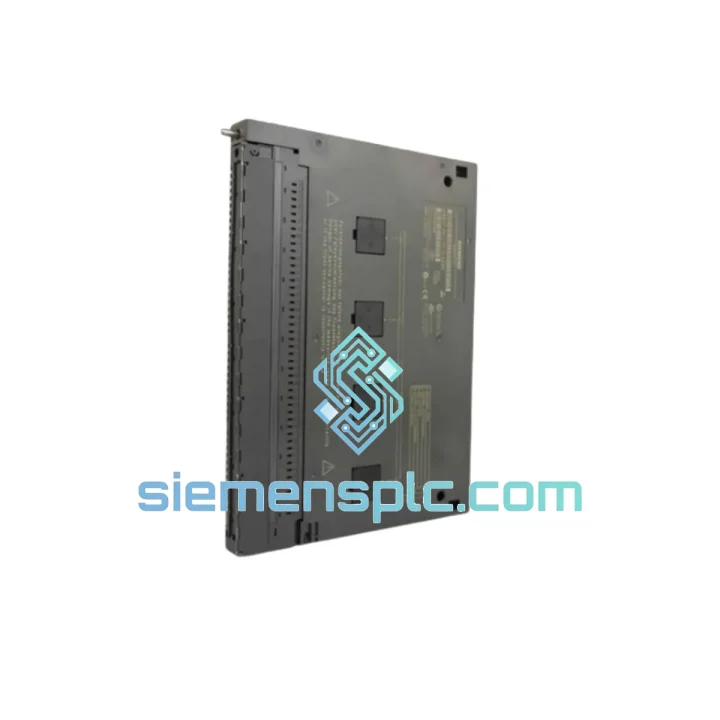
Siemens 6ES7321-1BL00-0AA0 Digital Input Module
SIMATIC
Origin DE
PLC Digital Input Module
Request verified availability, condition, replacement risk review, packing options and courier lead time for 6ES7431-1KF10-0AB0.
Click Request Quote and the part number is inserted into the inquiry form automatically.
Core fields for model confirmation and RFQ routing. Detailed product narrative remains below.
Every minute your S7-400 rack sits dark, the losses compound — halted production lines, idle crews, missed delivery windows, and the kind of phone calls nobody wants to take. The Siemens 6ES7431-1KF10-0AB0 SM431 8-channel analog input module is on the shelf right now in Xiamen. We don’t quote lead times in weeks. We quote dispatch in hours. If you’re reading this during a breakdown, stop scrolling and contact us now.
URGENT REQUIREMENT?
📧 Email: [email protected]
📱 WhatsApp: +86 18359268345
| Parameter | Specification |
|---|---|
| Part Number | 6ES7431-1KF10-0AB0 |
| Module Designation | SM 431 — Analog Input |
| Platform | SIMATIC S7-400 |
| Number of Channels | 8 × analog inputs (independently parameterizable) |
| Input Signal — Voltage | ±10 V, ±5 V, ±2.5 V, 1–5 V |
| Input Signal — Current | 0–20 mA, 4–20 mA, ±20 mA |
| Resolution | 13 bits + sign (14-bit effective) |
| Conversion Time per Channel | ≥ 1 ms (parameterizable per channel group) |
| Channel Isolation | Galvanic isolation — channel-to-channel and channel-to-backplane |
| Supply Voltage | 24 V DC via S7-400 backplane bus |
| Operating Temperature | 0 °C to +60 °C |
| Storage Temperature | −40 °C to +70 °C |
| Degree of Protection | IP20 |
| Dimensions (W × H × D) | 25 mm × 290 mm × 210 mm |
| Weight | Approx. 0.5 kg |
| Certifications | CE, UL, cULus, ATEX Zone 2 (IIC, T4) |
| Compatible Racks | UR1, UR2, ER1, ER2 (all S7-400 rack variants) |
| Programming Environment | STEP 7 V5.x / TIA Portal V13 SP1+ |
| Stock Status | ✅ Ready to Ship — Xiamen Warehouse |
Swapping a 6ES7431-1KF10-0AB0 under pressure is where mistakes happen. Here’s what 10 years of field calls have taught me — do this in order and you won’t be back on-site tomorrow.
Step 1 — Confirm the fault before you pull the module. In STEP 7 or TIA Portal, open the hardware diagnostics. Look for SF (System Fault) LED lit on the module. Check the diagnostic buffer for entries like 0x0A00 (Module not responding) or 0x0A01 (Channel fault). A lit SF with no CPU fault usually points to the SM431 itself, not the CPU or backplane.
Step 2 — Check the front connector wiring before condemning the module. The most common field failure on SM431 modules is not the module — it’s a broken wire on pin 1 or pin 3 of the 40-pin front connector (6ES7492-1AL00-0AA0). Measure continuity on your sensor loops before pulling the card. A 4–20 mA loop reading 0 mA with the transmitter powered is almost always a wiring fault, not a module fault.
Step 3 — Power down the rack before extraction. The S7-400 supports hot-swap in theory, but SM431 modules with active sensor loops can generate transient spikes on removal. Power down the PS 405/407 before pulling the module if your process allows a controlled stop. If you must hot-swap, remove the front connector first, wait 5 seconds, then extract the module.
Step 4 — Slot addressing is automatic, no DIP switches required. Unlike older S5 systems, the S7-400 SM431 uses automatic slot addressing via the backplane bus. Insert the replacement module into the same slot — the CPU will recognize it on the next power cycle or after a hardware reconfiguration download. No physical address switches to set.
Step 5 — Re-download hardware configuration if the CPU goes to STOP. If the CPU enters STOP after module insertion, the stored hardware config in the CPU does not match the physical rack. Open STEP 7 HW Config or TIA Portal Device Configuration, compile, and download to the CPU. This is the most common post-replacement issue and takes 2 minutes to fix.
Step 6 — Verify channel parameterization. The SM431 stores channel parameters (input type, range, filter time, diagnostic enable) in the CPU’s hardware config, not in the module itself. After replacement, the parameters are automatically re-applied on download. Verify in the channel properties that the input type (voltage vs. current) matches your field wiring — a mismatch will give you a flat 0 reading with no fault code.
Common fault codes on SM431:
The SM431 was not designed for a climate-controlled server room. It was designed for the floor — the kind of environment where ambient temperature swings 30 degrees between day and night, where coolant mist settles on cabinet surfaces, and where a nearby VFD generates enough EMI to corrupt lesser hardware.
The galvanic isolation between each channel and the backplane bus is the module’s most underappreciated feature in the field. In plants where multiple ground references exist across a large installation — common in petrochemical and water treatment facilities — ground loops can inject noise that destroys measurement accuracy on non-isolated modules. The 6ES7431-1KF10-0AB0 breaks those loops at the module level, protecting both the measurement signal and the CPU backplane from transient damage.
The module’s operating range of 0 °C to +60 °C covers the vast majority of industrial cabinet environments, even in tropical climates without active cooling. The conformal coating on the PCB provides additional protection against humidity and condensation — a real-world concern in coastal facilities and outdoor enclosures. Vibration resistance meets IEC 60068-2-6 test specifications, which means it handles the mechanical stress of pump stations, compressor rooms, and mobile equipment installations without connector fatigue failures.
ATEX Zone 2 certification (gas group IIC, temperature class T4) means this module can be deployed in control panels adjacent to potentially explosive atmospheres — a requirement in oil and gas wellhead installations and chemical plant junction boxes where full Zone 1 equipment is not mandated but Zone 2 compliance is.
Our warehouse is in Xiamen, Fujian — one of China’s primary export hubs with direct access to international freight lanes operated by DHL Express and FedEx International Priority. This is not a drop-ship arrangement. Stock is physically on-hand, inspected, and ready for same-day packaging on confirmed orders received before 15:00 CST.
Typical transit times from Xiamen:
All shipments include a commercial invoice, packing list, and country-of-origin declaration. For orders requiring an MSDS, Certificate of Conformance, or specific customs HS code documentation, notify us at order placement and we will prepare the paperwork before dispatch. Export compliance screening is completed on every shipment in accordance with Chinese customs regulations and applicable international trade controls.
For emergency orders where the freight cost is secondary to speed, we can arrange same-day courier collection with DHL On-Demand Delivery tracking. Contact us directly on WhatsApp for real-time coordination.
📧 Email: [email protected]
📱 WhatsApp: +86 18359268345
🌐 Web: siemensplc.com
© 2026 siemensplc.com. All rights reserved.
We check the full part number, brand, series and visible nameplate information before quotation.
Sales confirms stock path, condition option, quantity and realistic lead time for export dispatch.
DHL, FedEx, UPS or buyer courier arrangements can be reviewed with packing requirements.
Similar brand or category products for fast comparison and multi-item RFQ lists.