Siemens
RFQ Ready
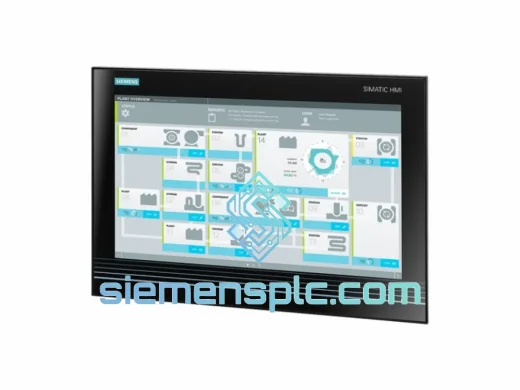
Siemens 6AV7260-5GA10-0BX0 Industrial Panel PC
SIMATIC
Origin DE
Industrial Panel PC
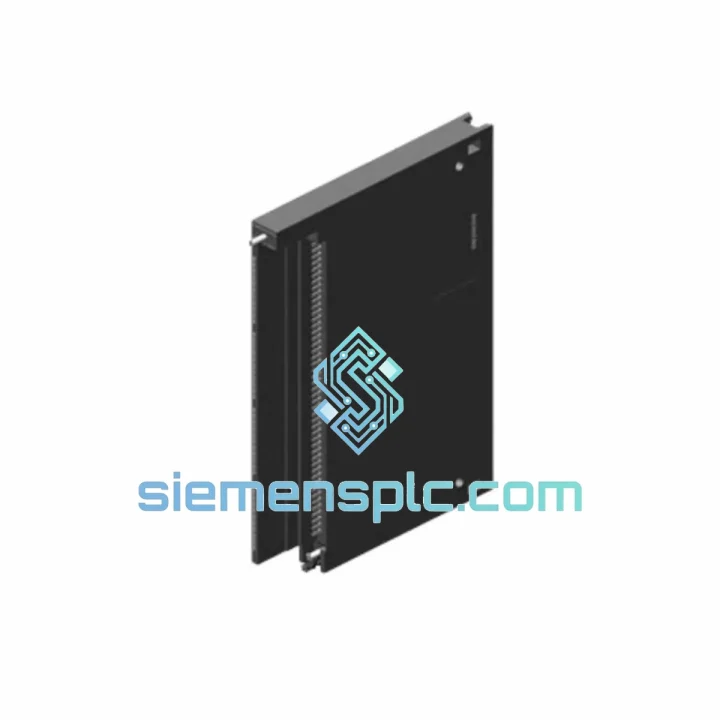
Request verified availability, condition, replacement risk review, packing options and courier lead time for 6ES7450-1AP01-0AE0.
Click Request Quote and the part number is inserted into the inquiry form automatically.
Core fields for model confirmation and RFQ routing. Detailed product narrative remains below.
Your S7-400 rack is dead. The line is stopped. Maintenance is standing by. You’ve already traced the fault to the FM450-1 counter module — slot confirmed, diagnostics clear. The only thing between you and full production is a replacement unit in your hands. That’s exactly what we do.
We stock the Siemens 6ES7450-1AP01-0AE0 in Xiamen and ship globally via DHL Express and FedEx Priority. Most orders clear customs and arrive within 3–5 business days. For critical shutdowns, contact us directly — we’ll coordinate same-day dispatch.
URGENT REQUIREMENT? Contact: [email protected] | WhatsApp: +86 18359268345
| Parameter | Value |
|---|---|
| Order Number (MLFB) | 6ES7450-1AP01-0AE0 |
| Module Type | FM 450-1 Counter Module |
| Compatible Platform | SIMATIC S7-400 |
| Counting Channels | 1 independent channel |
| Max Counting Frequency | 500 kHz |
| Counter Resolution | 32-bit |
| Encoder Interface | 24 V HTL incremental (A/B/Z) |
| Digital Inputs | 3 × 24 V DC |
| Digital Outputs | 2 × 24 V DC, 0.5 A each |
| Supply Voltage | 24 V DC via S7-400 backplane bus |
| Power Consumption | ≈ 5 W |
| Operating Temperature | 0 °C to +60 °C |
| Dimensions (W × H × D) | 25 × 290 × 210 mm |
| Weight | ≈ 500 g |
| Protection Class | IP20 |
| Certifications | CE, UL, cULus |
| Programming Environment | STEP 7 V5.x / TIA Portal V13+ |
| Function Blocks | FC450 / FB450 (bundled) |
| Stock Status | ✅ Ready to Ship — Xiamen Warehouse |
After ten years of field work on S7-400 systems, these are the failure patterns and swap pitfalls that actually matter when you’re standing on the plant floor with a dead module:
Common Fault Indicators
Replacement Procedure — Step by Step
Hardware Revision Note: The -1AP01- supersedes the -1AP00-. Both are functionally identical for standard counting applications, but the -1AP01- has an updated ASIC that improves noise immunity at frequencies above 400 kHz. If you are replacing a -1AP00- with a -1AP01-, no parameter changes are required in HW Config.
The FM450-1 was engineered for the S7-400 platform, which was built for heavy industry — not climate-controlled server rooms. The module carries IP20 protection and is rated for continuous operation from 0 °C to +60 °C ambient, with short-term excursions to 70 °C during transport. Vibration resistance meets IEC 60068-2-6 (10–58 Hz, 0.075 mm amplitude; 58–500 Hz, 1 g). Shock resistance is qualified to IEC 60068-2-27 (15 g, 11 ms half-sine).
In practice, this means the module survives the mechanical vibration of press lines, the thermal cycling of foundry environments, and the electrical noise of variable-frequency drive installations — provided the installation follows Siemens EMC guidelines: shielded encoder cables, proper PE bonding at the rack, and separation of signal and power wiring in the cable tray.
Units we ship have been stored in controlled warehouse conditions (15–25 °C, relative humidity below 75%, non-condensing). Factory-sealed units include the original desiccant pack. Each unit is inspected for physical integrity, label authenticity, and date code consistency before dispatch.
Our warehouse is located in Xiamen, Fujian Province — one of China’s primary export hubs with direct access to DHL, FedEx, and UPS international gateways. Here’s how a typical urgent order moves:
For plant shutdowns where every hour counts, contact us on WhatsApp before placing the order. We’ll confirm stock, prepare the shipment, and coordinate with the carrier for priority handling — before you’ve finished the paperwork.
Email: [email protected]
WhatsApp: +86 18359268345
Web: siemensplc.com
© 2026 siemensplc.com. All rights reserved.
We check the full part number, brand, series and visible nameplate information before quotation.
Sales confirms stock path, condition option, quantity and realistic lead time for export dispatch.
DHL, FedEx, UPS or buyer courier arrangements can be reviewed with packing requirements.
Similar brand or category products for fast comparison and multi-item RFQ lists.