Siemens
RFQ Ready
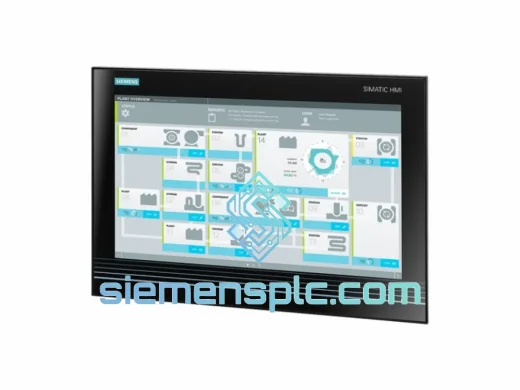
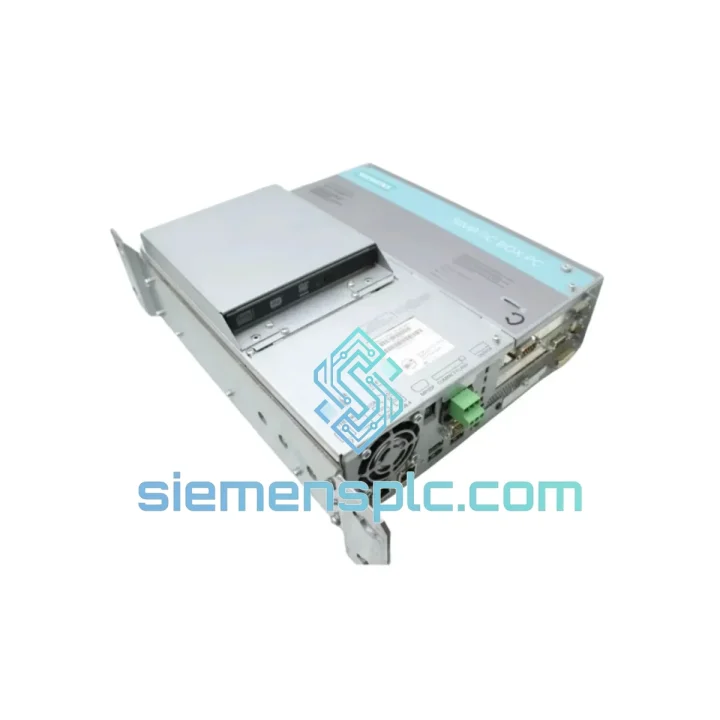
Siemens 6AV7260-5GA10-0BX0 Industrial Panel PC
SIMATIC
Origin DE
Industrial Panel PC
Request verified availability, condition, replacement risk review, packing options and courier lead time for 6ES7647-6CB06-0KA0.
Click Request Quote and the part number is inserted into the inquiry form automatically.
Core fields for model confirmation and RFQ routing. Detailed product narrative remains below.
Your SCADA server is dark. The historian is offline. Every minute the IPC647E stays dead, your production data gaps widen and your shift supervisor’s phone keeps ringing. We stock the Siemens 6ES7647-6CB06-0KA0 precisely for this moment — verified, powered-on tested, and ready to leave Xiamen on the next DHL flight out. No lead-time negotiation. No factory backorder. Just a working unit on your rack before your next maintenance window closes.
URGENT REQUIREMENT? Contact: [email protected] | WhatsApp: +86 18359268345
| Parameter | Specification | Status |
|---|---|---|
| Part Number | 6ES7647-6CB06-0KA0 | ✔ Ready to Ship |
| Product Family | SIMATIC IPC647E | |
| Form Factor | 19-inch Rack-Mount, 4U | |
| Processor | Intel Core i7-6700 (6th Gen), 4-core / 8-thread, 3.4 GHz | |
| RAM | Up to 32 GB DDR4 ECC | |
| Storage | Industrial-grade SSD + optional RAID-1 mirror | |
| Operating System | Windows 10 IoT Enterprise LTSB / Win 7 (configurable) | |
| Display Output | DVI-I × 1, DisplayPort × 1 | |
| USB Ports | USB 3.0 × 4, USB 2.0 × 2 | |
| LAN | GbE RJ45 × 2 (plant net / corporate net isolation) | |
| Serial | RS-232 × 1 | |
| Expansion | PCIe x16 × 1, PCIe x4 × 1, PCI × 2 | |
| Power Supply | 100–240 V AC, 50/60 Hz; redundant hot-swap PSU option | |
| Operating Temp | 5 °C to 45 °C | |
| Storage Temp | −20 °C to 60 °C | |
| Humidity | 10–90% RH, non-condensing | |
| Protection | IP20 (front panel) | |
| Certifications | CE, UL, cUL, FCC Class A | |
| MTBF | > 50,000 hours | |
| Weight | ~10 kg (fully configured) | |
| Origin | Germany |
Before you pull the dead unit: Screenshot or photograph every BIOS setting screen — boot order, RAID mode, TPM state, and Secure Boot status. The IPC647E BIOS is not always identical between firmware revisions, and a mismatch here will cost you another hour at 2 AM.
Common failure signatures on the 6ES7647-6CB06-0KA0:
net start MSSQLSERVER, check the SQL error log at C:Program FilesMicrosoft SQL Server...ERRORLOG before reinstalling WinCC.Swap procedure checklist (field-tested):
The IPC647E platform was not designed for a climate-controlled server room — it was designed for the reality of industrial environments where that server room is actually a repurposed electrical cabinet next to a 200-ton press. The 6ES7647-6CB06-0KA0 carries IEC 60068-2-6 vibration certification (10–500 Hz, 1 g continuous) and IEC 60068-2-27 mechanical shock rating (15 g, 11 ms half-sine). The industrial-grade SSD eliminates the single biggest vibration failure point of traditional spinning drives.
Thermal management is active and redundant: the chassis uses a front-to-rear forced-air cooling path with multiple fans. Each fan is individually monitored by the Siemens SIMATIC IPC DiagMonitor software — a fan failure triggers an alarm before temperatures reach critical thresholds, giving maintenance teams time to respond before the CPU throttles or the unit shuts down. Operating range of 5–45 °C covers the vast majority of industrial control room installations without additional HVAC engineering.
Humidity tolerance up to 90% RH non-condensing means the unit survives the seasonal humidity swings common in coastal and tropical plant environments. Conformal coating options on the PCB provide additional protection against airborne contaminants — relevant in chemical, cement, and food processing facilities where particulate and corrosive vapors are present. The IP20 front panel keeps fingers and tools out of live terminals during normal operation.
Our warehouse is located in Xiamen, Fujian, China — one of the most logistics-efficient export hubs on the mainland, with direct DHL Express and FedEx International Priority connections to major industrial hubs worldwide.
Standard dispatch timeline:
What’s included in every shipment:
For plant shutdowns and emergency replacements, tell us your deadline when you contact us. We will confirm whether same-day dispatch is achievable and select the fastest available routing. We have shipped to offshore platforms, remote mining sites, and island facilities — if there is a DHL or FedEx service point within reach of your plant, we can get this unit to you.
Email: [email protected]
WhatsApp: +86 18359268345
Web: siemensplc.com
© 2026 siemensplc.com. All rights reserved.
We check the full part number, brand, series and visible nameplate information before quotation.
Sales confirms stock path, condition option, quantity and realistic lead time for export dispatch.
DHL, FedEx, UPS or buyer courier arrangements can be reviewed with packing requirements.
Similar brand or category products for fast comparison and multi-item RFQ lists.