Siemens PLC sourcing desk · Multi-brand automation spares [email protected] +86 18359268345
Siemens In Stock OK

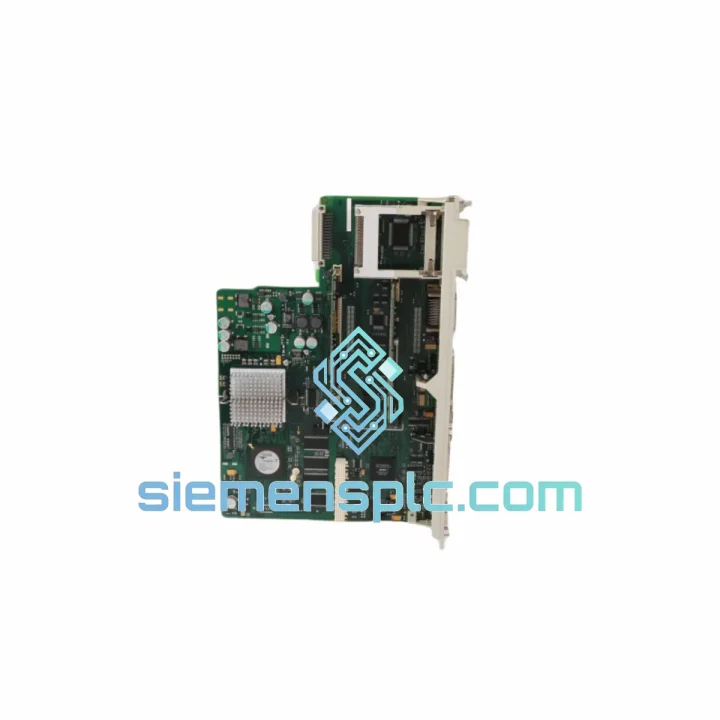
Siemens 6FC5357-0BB33-0AA1 NCU Module

Request verified availability, condition, replacement risk review, packing options and courier lead time for 6FC5357-0BB33-0AA1.

Exact part6FC5357-0BB33-0AA1 RFQ auto-fillPart number attached Export packingDHL / FedEx / UPS Sales replyEmail or WhatsApp
BrandSiemens Part Number6FC5357-0BB33-0AA1 ConditionAvailability Check Lead TimeRFQ Confirmation DocumentsDatasheet / photos by RFQ ShippingExport packing available
Auto-filled RFQ 6FC5357-0BB33-0AA1

Click Request Quote and the part number is inserted into the inquiry form automatically.

Procurement Data

Key Product Information

Core fields for model confirmation and RFQ routing. Detailed product narrative remains below.

Brand
Siemens
Primary Part Number
6FC5357-0BB33-0AA1
Product Type
NCU Module
Series / Family
SINUMERIK
Country of Origin
DE
Catalog Category
PLCs & Controllers
Operating Temp.
0 °C to +55 °C
Model confirmed for inquiry 6FC5357-0BB33-0AA1 Send quantity, destination and urgency. The RFQ form keeps this part number attached.
Request Quote
Product Overview

6FC5357-0BB33-0AA1 NCU 730.3 B: Stop the Clock on Your Downtime — Ship Today from Xiamen

Every minute your SINUMERIK 840D sl machine sits idle, you’re bleeding money. A failed NCU 730.3 B doesn’t just halt one axis — it kills the entire cell. The 6FC5357-0BB33-0AA1 integrates NC, PLC, and PROFINET communication into a single board. When it goes down, there’s no partial workaround. You need an exact replacement, fast. We stock this unit in Xiamen and can have it on a DHL Express flight within hours of order confirmation.

URGENT REQUIREMENT? Contact: [email protected] | WhatsApp: +86 18359268345

Quick Technical Datasheet

Parameter Specification
Part Number 6FC5357-0BB33-0AA1
Series SINUMERIK 840D sl
Module Type NCU 730.3 B (Numerical Control Unit)
Integrated Functions NC + PLC + Communication (single board)
Max Interpolating Axes Up to 31 axes / 12 channels
Drive Interface DRIVE-CLiQ (up to 6 ports)
Ethernet / PROFINET 2× Industrial Ethernet (X120 / X130)
USB 1× front-panel USB 2.0
CompactFlash Yes — NC software, user data, backup
Supply Voltage 24 V DC (20.4–28.8 V)
Power Consumption approx. 25 W
Operating Temperature 0 °C to +55 °C
Storage Temperature −40 °C to +70 °C
Protection Class IP20
Weight approx. 720 g
Mounting DIN rail / panel mount
Country of Origin Germany
Stock Status ✅ Ready to Ship — Xiamen Warehouse

Troubleshooting & Replacement Tips

Fifteen years of field calls on 840D sl machines teach you the same lesson: most NCU failures announce themselves before they kill the machine. Here’s what to watch and what to do when the board finally gives out.

Common Fault Codes That Point to NCU Hardware Failure

  • Alarm 4000 / 4001 — NCK hardware fault: Internal processor or memory error. A soft reset (power cycle) that clears it once is a warning. If it returns within 48 hours, the NCU is degrading. Order a spare now, not after the next trip.
  • Alarm 380500 — DRIVE-CLiQ communication error on NCU port: Before condemning the NCU, swap the DRIVE-CLiQ cable and check the motor module. If the alarm follows the NCU port regardless of cable, the NCU’s CLiQ controller is failing.
  • Alarm 6000 — PLC stop: Can be software, but repeated PLC stops with no program change and no I/O fault often indicate NCU board instability — particularly the integrated S7-300 PLC core overheating or losing RAM integrity.
  • CF card read errors / boot loops: The CompactFlash slot on the NCU is a mechanical wear point. Before replacing the NCU, try a known-good CF card. If the machine boots clean, the card was the culprit. If it still loops, the slot controller on the NCU board is gone.

Step-by-Step Replacement Procedure

  1. Backup first — no exceptions. Use SINUMERIK Operate → System → Backup to dump NC data, PLC program, drive parameters, and option data to a USB stick. If the NCU is already dead, retrieve the CF card and read it on a PC — the data partition is FAT32.
  2. Record your DRIVE-CLiQ topology. Photograph or sketch the X100–X105 port assignments before disconnecting anything. Reconnecting drives to wrong ports forces a topology re-commissioning that can take hours.
  3. Power down the NX/NCU rack completely. 24 V DC off first, then main cabinet power. Wait 60 seconds for capacitors to discharge in the SINAMICS S120 modules.
  4. Swap the NCU. The 6FC5357-0BB33-0AA1 mounts on the NX rack backplane. Release the two front locking levers, slide out, slide in the replacement. Seat firmly — a half-inserted NCU will power up but throw continuous CLiQ faults.
  5. Transfer the CF card from the old NCU to the new one. The CF card carries the machine-specific NC software license (SINUMERIK option keys). Without it, the new NCU boots in demo mode with limited axes. If the old CF card is unreadable, contact us — we can supply a pre-loaded card matched to your software version.
  6. Check the rotary address switch (S1). On the NCU 730.3 B, S1 is typically set to position 0 for standalone operation. If your machine uses multiple NCUs or a specific rack address, verify against the machine documentation before powering up.
  7. Firmware matching. The NCU firmware version must match the SINUMERIK Operate version on the PCU/TCU. Mismatched firmware causes Alarm 8 (version conflict) at startup. Check the CF card firmware folder — the version string is in the filename (e.g., NCU_SW_V4.8_SP3). If you need a specific firmware version, request it when ordering.
  8. Power up and verify. Watch the NCU LED sequence: RDY (green) should be solid within 90 seconds. A flashing RDY indicates boot failure — check CF card seating and DRIVE-CLiQ connections. Run a reference point approach on all axes before releasing the machine to production.

Reliability in Harsh Conditions

The NCU 730.3 B was engineered for the machine tool floor, not a server room. The board runs conformal-coated PCBs that resist condensation and cutting fluid mist — a real concern in grinding and turning centers where coolant vapor infiltrates even well-sealed cabinets. The operating range of 0–55 °C covers the vast majority of industrial environments, including summer conditions in non-air-conditioned shops in Southeast Asia and the Middle East.

Vibration resistance meets IEC 60068-2-6 standards, which means the board tolerates the continuous low-frequency vibration generated by large spindle motors and hydraulic units mounted in the same cabinet. The DRIVE-CLiQ connectors use a positive-locking mechanism that prevents the intermittent contact failures that plague standard RJ45 connections in high-vibration environments.

Units we ship have been stored in climate-controlled conditions and inspected for corrosion on the backplane connector pins — a common failure point on boards that have been warehoused in humid coastal environments. Every unit leaves Xiamen with connector pins cleaned and verified for continuity.

Global Express Logistics

Our Xiamen warehouse sits 40 minutes from Xiamen Gaoqi International Airport (XMN), a major DHL and FedEx hub for industrial cargo moving to Europe, North America, Southeast Asia, and the Middle East. This geography is not accidental — it cuts the time between order confirmation and aircraft departure to under 12 hours for orders placed before 18:00 CST.

Standard shipping flow:

  • Order confirmed → same-day pick, pack, and export documentation (commercial invoice, packing list, HS code 8537.10 declaration)
  • DHL Express Worldwide: Europe 3–5 business days, North America 4–6 business days, Southeast Asia 2–3 business days
  • FedEx International Priority: Available for time-critical shipments with guaranteed delivery windows
  • Tracking provided within 2 hours of handover to carrier
  • Export compliance: All Siemens automation components are reviewed against current EU dual-use and US EAR regulations before shipment. We do not ship to sanctioned destinations.

For customers in Europe with a machine down, we can coordinate with local Siemens service partners for same-day collection from our EU forwarding agent in Frankfurt. Ask about this option when you contact us.

Contact Information

Machine down? Don’t wait. Reach us directly — no ticket queues, no automated responses.

📧 Email: [email protected]
📱 WhatsApp: +86 18359268345
🌐 Web: siemensplc.com

© 2026 siemensplc.com. All rights reserved.

Ready to quote

Send This Part Number to Sales

[email protected]
RFQ workflow

Confirmation Process

Quality workflow ->
01Model confirmation

We check the full part number, brand, series and visible nameplate information before quotation.

02Availability reply

Sales confirms stock path, condition option, quantity and realistic lead time for export dispatch.

03Packing & courier

DHL, FedEx, UPS or buyer courier arrangements can be reviewed with packing requirements.