XYCOM
RFQ Ready
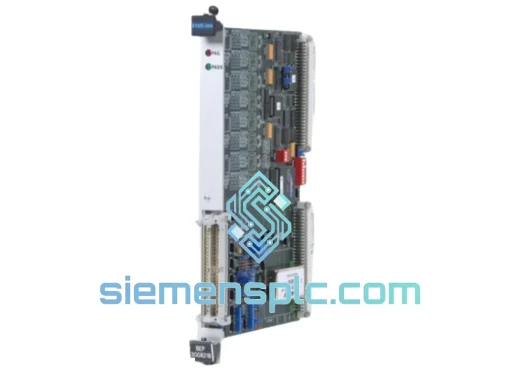
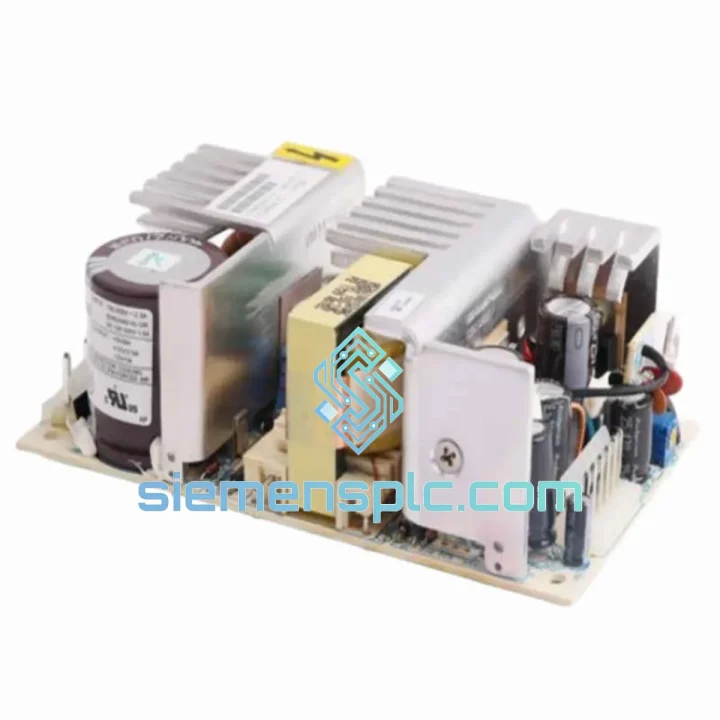
XYCOM XVME-976 VMEbus Power Supply – XVME Series
XVME Series
Origin US
VMEbus Power Supply
Request verified availability, condition, replacement risk review, packing options and courier lead time for 9960.
Click Request Quote and the part number is inserted into the inquiry form automatically.
Core fields for model confirmation and RFQ routing. Detailed product narrative remains below.
A failed operator interface doesn’t just halt one machine — it can cascade across an entire production cell. The XYCOM 9960 is a known single point of failure in legacy XYCOM 9000-series control architectures, and when it goes down, your options narrow fast. We stock verified units in Xiamen, China, and dispatch via DHL/FedEx Express within 24 hours of order confirmation. No waiting on OEM lead times. No broker runaround. Just a tested unit on its way to your plant floor.
This listing is for engineers who need the right part, right now. If you’re reading this at 2 AM during a night-shift breakdown, you’re in the right place.
URGENT REQUIREMENT? Contact: [email protected] | WhatsApp: +86 18359268345
| Parameter | Specification |
|---|---|
| Part Number | 9960 |
| Manufacturer | XYCOM (Danaher / Portescap legacy) |
| Product Family | XYCOM 9000 Series Industrial HMI |
| Type | Operator Interface / HMI Panel |
| Form Factor | Panel-mount, front-bezel flush fit |
| Display Interface | Integrated operator display with tactile keypad |
| Communication | RS-232 / RS-422 serial (OEM config dependent) |
| Power Input | Industrial DC supply (verify OEM datasheet for exact range) |
| Operating Temp | 0°C to +55°C (standard industrial ambient) |
| Country of Origin | China (CN) |
| Weight | Approx. 300 g (unit only) |
| Stock Status | ✔ Ready to Ship — Xiamen Warehouse |
| Lead Time | In-stock: dispatch within 24 hrs of payment |
| Condition | New / Tested-Functional (confirmed at order stage) |
The XYCOM 9960 fails in predictable ways. Here’s what 10 years of field calls have taught us about this unit:
Most Common Failure Modes:
Replacement Procedure — Key Steps:
Need the original XYCOM 9960 configuration file or wiring diagram? Email [email protected] — we maintain a technical document library for legacy XYCOM hardware.
The XYCOM 9960 was designed for the kind of environments that destroy consumer-grade electronics in weeks. The unit’s industrial-grade construction addresses the three main killers of panel-mount HMIs in real plant conditions:
Vibration: The 9960’s PCB assembly uses through-hole components on critical signal paths — not purely SMD — which gives it significantly better resistance to mechanical vibration than later-generation thin HMIs. In automotive stamping plants and compressor stations where panel vibration is constant, this matters. Conformal coating on the main board provides additional protection against micro-fractures at solder joints.
Thermal Cycling: Industrial panels routinely see 30°C+ swings between cold start-up and full-load operation. The 9960’s power supply section is rated for continuous operation at elevated ambient temperatures, and the unit’s thermal design accounts for convective cooling without forced airflow in most configurations. That said, if your panel enclosure runs hot (above 45°C ambient at the unit face), add a filtered cooling fan — the backlight is the first component to degrade under sustained heat stress.
Humidity and Contamination: The front bezel of the 9960 carries an IP-rated seal for panel-mount installations — but only when correctly installed with the supplied gasket. In food processing, chemical, and coastal installations, inspect the gasket condition during any planned maintenance. A degraded gasket allows moisture ingress that will eventually reach the keypad membrane and the display connector, both of which are sensitive to condensation.
Every unit we dispatch has been bench-tested under power and inspected for physical integrity. We do not ship units with cracked bezels, corroded connectors, or missing labels — these are the details that matter when you’re doing a midnight swap on a production line.
Our dispatch hub is in Xiamen, Fujian Province, China — one of China’s primary export ports with direct DHL and FedEx gateway access. Here’s how the logistics chain works from the moment you confirm your order:
We have shipped XYCOM hardware to plant engineers in Germany, Australia, Saudi Arabia, Brazil, and across Southeast Asia. The process is the same every time: fast, documented, and traceable.
For urgent requirements, technical questions, bulk pricing, or shipping queries:
© 2026 siemensplc.com. All rights reserved.
We check the full part number, brand, series and visible nameplate information before quotation.
Sales confirms stock path, condition option, quantity and realistic lead time for export dispatch.
DHL, FedEx, UPS or buyer courier arrangements can be reviewed with packing requirements.
Similar brand or category products for fast comparison and multi-item RFQ lists.