
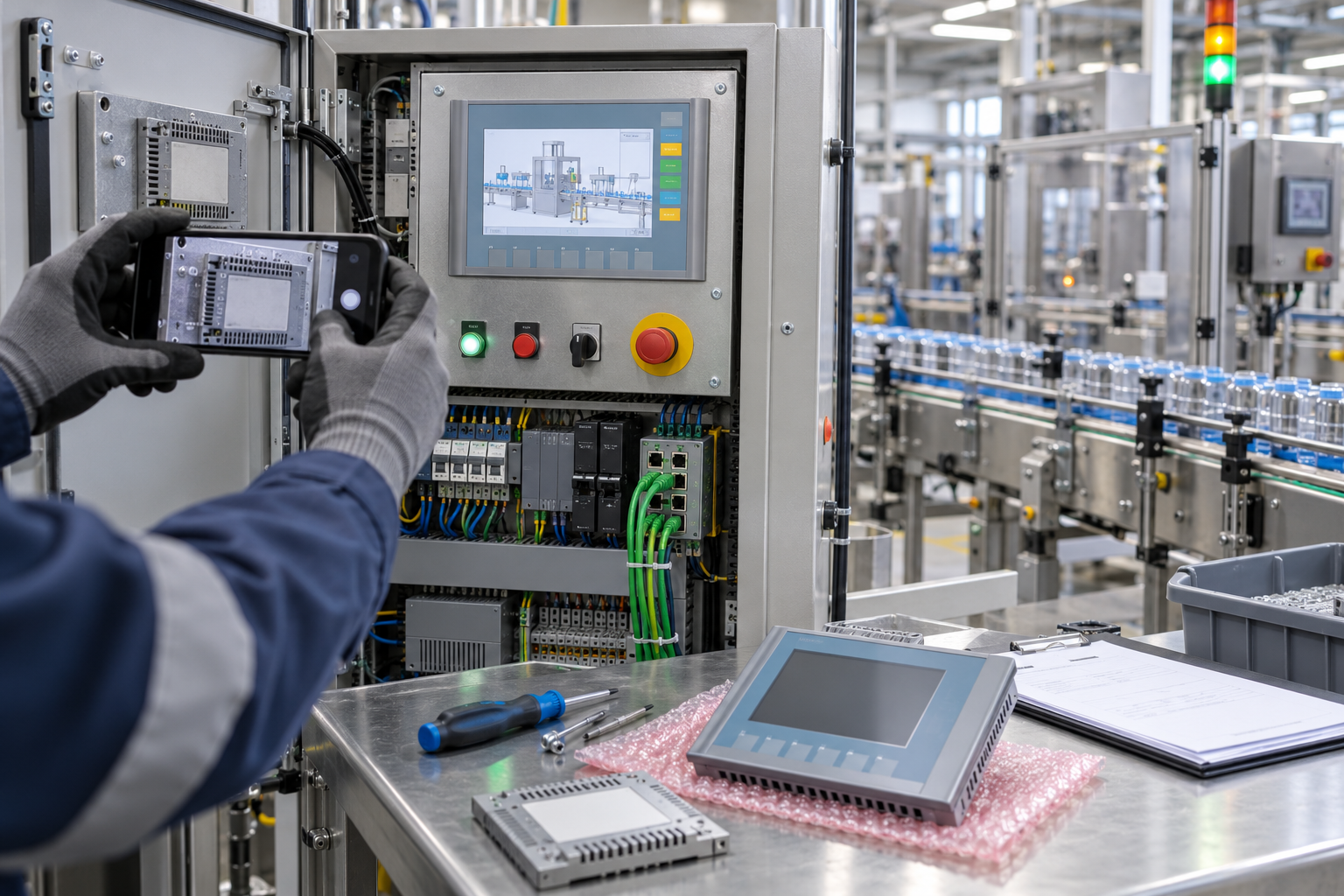
The October 2026 lifecycle milestone for Siemens KTP400 and KTP600 Basic panels is the kind of event that creates avoidable downtime when it is treated as a catalog update instead of an installed-machine risk. These panels are often mounted on small machines, compressors, packaging auxiliaries, and OEM control cabinets where the HMI is also the operator’s only practical path to alarms, recipes, manual actions, and recovery instructions.
The correct response is not to replace every panel immediately. It is to identify which MLFB is installed, how many identical panels exist, which project and runtime version they use, and what the plant needs to do if the screen fails during a production window. A verified spare may be the right answer for one machine while another deserves a controlled HMI migration.
Read The Nameplate Before Reading The Family Name
Record the complete Siemens order number, suffix, display type, communication interface, power arrangement, enclosure cutout, mounting method, firmware or runtime version, and connected PLC. Photograph the front, rear label, terminals, mounting clips, cable connectors, and the cabinet opening. The difference between a KTP400 and KTP600 is obvious; the difference between two similar order numbers is not.
Also record what the panel actually does. Does it display only status, or does it hold recipes, calibration values, user permissions, maintenance counters, manual controls, and machine recovery sequences? The more operational responsibility the panel carries, the more important the project backup and acceptance test become.
Protect Project And Runtime Evidence
Before an outage, save the HMI project, runtime version, PLC connection settings, screen list, alarm configuration, recipes, user roles, fonts, language files, and any panel-specific settings. Record the engineering software version and the workstation used to open the project. If the backup has never been restored to a test panel or simulator, label it as unverified.
The Siemens 6AV6647-0AK11-3AX0 KTP400 Basic PN panel should be matched against the actual project and network role, not just the screen size. Confirm the PN address, connector, power supply, cabinet cutout, runtime, and the PLC connection before purchasing.
The Siemens 6AV6645-0BE02-0AX0 KTP600 Basic Color PN panel requires the same evidence. A physically compatible screen can still fail the restart if the application, network settings, recipe data, or user permissions are missing.
Count The Installed Base
Make a simple table of every KTP400 and KTP600 Basic panel in the plant. Include machine, line, cabinet, MLFB, project revision, PLC type, firmware, criticality, spare quantity, last test date, and planned replacement window. Group identical panels only after confirming that the project and wiring are genuinely common.
Count the panels in service, the panels on the shelf, the panels in repair, and the panels attached to obsolete machines. A store-room count without a condition and test status can give false confidence. Mark whether the spare is new, surplus, refurbished, repaired exchange, tested used, or untested used.
Choose Recovery Or Migration
A direct recovery plan keeps the existing PLC, project, screen layout, network arrangement, and operator workflow. It is usually the lowest-risk response for a down machine when the spare is verified. A migration plan changes the HMI family, engineering environment, screen objects, alarm behavior, recipes, or user management. It can be the better long-term choice, but it needs engineering time and a commissioning window.
Do not let an HMI cutoff force an untested change into a safety-related or production-critical interface. If the plant chooses a migration, define the old and new acceptance criteria, create a rollback image, and train operators before the outage. If the plant chooses recovery, buy and test the direct spare before the old panel becomes the single point of failure.
What The HMI RFQ Must Include
Include the full MLFB, quantity, display and touch requirements, communication type, power, enclosure cutout, project and runtime version, PLC connection, acceptable condition, test evidence, destination, and required delivery date. Add photos and explain whether the part is for emergency recovery, planned replacement, test bench, or migration evaluation.
Ask the supplier to show the exact order number and revision in the quotation and to distinguish the panel from accessories such as mounting clips, cables, memory media, or power components. If a used panel is offered, request the test scope and the status of the display, touch surface, connectors, and nonvolatile memory.
Return-To-Service Checks
After installation, verify power-up, touch response, screen navigation, PLC connection, alarms, trends, recipes, user permissions, language selection, date and time, communication diagnostics, and representative machine controls. Test manual and automatic modes. Confirm that an operator can see and acknowledge the alarms required for a safe recovery.
Record the replacement serial number, runtime version, project hash or backup file, network settings, and final test result. The next panel failure should start from this evidence rather than from an empty laptop and a vague memory of how the machine used to work.
FAQ
Does the KTP400 or KTP600 lifecycle milestone stop an existing machine immediately?
No. It changes the procurement and support risk. The plant should verify the exact panel, count installed exposure, test a spare, and plan migration where the machine horizon justifies it.
Can a KTP400 and KTP600 be treated as interchangeable?
No. Screen size, order number, cutout, project behavior, communication, and mounting details must be checked. Similar family names do not prove direct compatibility.
What is the most important HMI backup?
Keep the project, runtime information, PLC connection settings, recipes, alarms, user roles, fonts, language files, and a record of the engineering workstation and software version.
Should a used HMI be accepted for emergency recovery?
It can be considered when the model, condition, display, touch surface, connectors, memory, and test evidence are clear. The responsible engineer should define acceptance before purchase.
Request a quote: Send SiemensPLC the complete MLFB, panel photos, PLC and project details, quantity, required condition, destination, and outage date. We can help identify a practical recovery or replacement route.
© 2026 SiemensPLC. All rights reserved. Official Website: https://siemensplc.com Inquiry: [email protected]