ABB
RFQ Ready
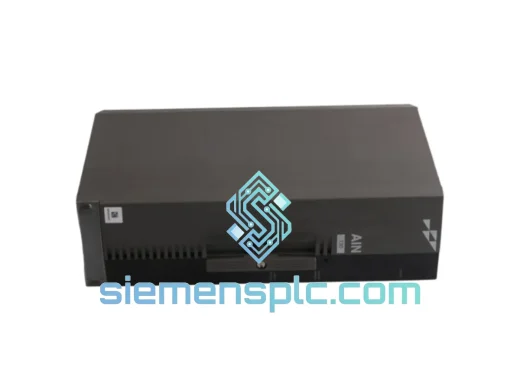
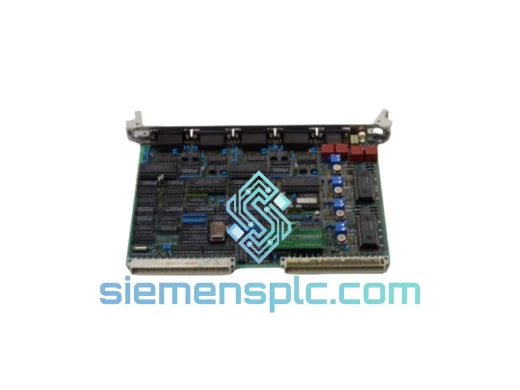
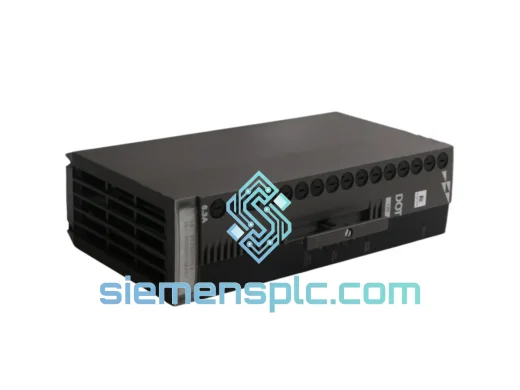
ABB P-HB-DOT-12010000 Safety Digital Output Module – AC500-S
AC500
Origin SE
Safety Digital Output Module
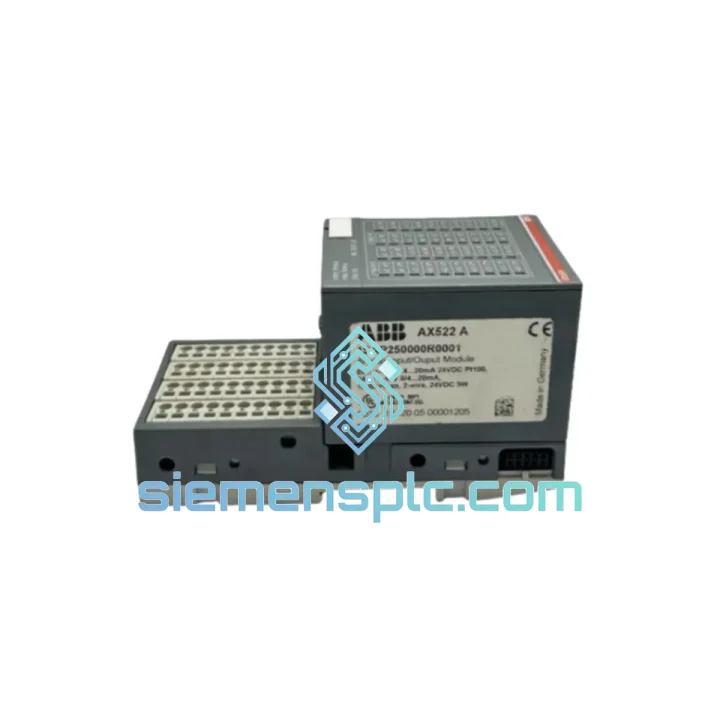
Request verified availability, condition, replacement risk review, packing options and courier lead time for 1SAP250000R0001.
Click Request Quote and the part number is inserted into the inquiry form automatically.
Core fields for model confirmation and RFQ routing. Detailed product narrative remains below.
Every minute your AC500 line sits idle costs real money. A failed AX522 digital input module doesn’t wait for business hours — and neither do we. The ABB 1SAP250000R0001 (AX522) is in stock at our Xiamen warehouse right now, tested, verified original, and ready to leave on the next DHL or FedEx cut-off. While your procurement team is still raising a PO, we’re already pulling the unit off the shelf.
This is not a grey-market listing. Every unit we ship carries full ABB traceability — batch records, hardware revision confirmation, and original anti-static packaging. If your line is down, this is the fastest legitimate path back to production.
URGENT REQUIREMENT? Contact: [email protected] | WhatsApp: +86 18359268345
| Parameter | Specification |
|---|---|
| Part Number | 1SAP250000R0001 ✅ Ready to Ship |
| Model | AX522 |
| Brand | ABB |
| Series | AC500 / S500 |
| Module Type | Digital Input (DI) |
| Number of Channels | 16 x Digital Input |
| Input Voltage | 24 VDC |
| Input Type | Sink / Source — IEC 61131-2 Type 1 & 3 |
| Signal Threshold (0) | 0 – 5 V |
| Signal Threshold (1) | 15 – 30 V |
| Input Current | ~4 mA @ 24 VDC per channel |
| Isolation | Optocoupler — field side vs. logic side |
| Backplane Bus | AC500 S500 local I/O bus |
| Required Terminal Unit | TU515 (screw) / TU516 (spring-cage) |
| Compatible CPUs | PM554 / PM564 / PM573 / PM583 / PM591 / PM595 |
| Operating Temperature | -25°C to +60°C |
| Protection Rating | IP20 |
| Dimensions (W×H×D) | 35 × 100 × 74 mm |
| Weight | ~200 g |
| Certifications | CE, UL, cUL, ATEX Zone 2 |
| Country of Origin | Germany |
| Stock Status | ✅ In Stock — Ships within 24 hrs |
Swapping an AX522 in a live AC500 rack is straightforward if you follow the sequence. Skip a step and you risk a configuration fault that keeps the line down even after the new module is seated.
Common fault indicators before failure:
Step-by-step hot-swap procedure (AC500 supports module replacement without full CPU restart in most firmware versions):
Note on ATEX Zone 2 installations: If the AX522 is installed in a Zone 2 classified area, ensure the replacement unit carries the same ATEX certification marking. Do not install a non-ATEX unit as a temporary fix in a certified panel without a formal risk assessment.
The AX522 was not designed for a climate-controlled server room. ABB engineered the AC500 S500 I/O series for the kind of environments that destroy consumer-grade electronics — and the AX522 has the test data to back it up.
The module is rated for continuous operation from -25°C to +60°C without derating, covering everything from unheated outdoor enclosures in northern climates to the radiant heat of a steel mill control cabinet. The optocoupler isolation between field and logic sides provides a hard barrier against ground loops and voltage transients that routinely kill unprotected I/O modules in heavy industrial settings.
Vibration resistance is validated to IEC 60068-2-6 — the same standard used for railway and offshore equipment qualification. The module’s DIN rail mounting via the TU515/TU516 terminal unit provides mechanical damping that protects the PCB-level connections from the resonant frequencies common in pump stations, compressor rooms, and press lines.
Humidity performance is qualified to IEC 60068-2-78 (damp heat, 40°C / 93% RH, non-condensing), making the AX522 suitable for coastal installations, food processing facilities, and paper mills where moisture ingress is a constant threat to electronics. The IP20 enclosure rating, combined with the sealed terminal unit interface, prevents particulate contamination from reaching the module’s internal circuitry under normal panel installation conditions.
EMC immunity is certified to IEC 61000-4 series — ESD, radiated immunity, conducted immunity, and surge — ensuring the module holds its input states accurately even in environments with heavy VFD switching noise, arc welding interference, or high-voltage bus switching transients.
Our warehouse is located in Xiamen, Fujian, China — one of the most logistics-connected cities in Southeast China, with direct access to DHL, FedEx, and UPS international express networks operating daily cut-offs.
Standard dispatch timeline:
Typical transit times from Xiamen:
All shipments include real-time tracking from pickup to delivery. For critical downtime situations, we can arrange Saturday delivery and hold-for-pickup at destination hub options — contact us before placing the order to confirm availability for your destination.
Export compliance: The ABB 1SAP250000R0001 is classified under HS Code 8537.10 and does not require an export license for standard commercial shipments to most destinations. We handle all customs documentation in-house — no delays from paperwork.
📧 Email: [email protected]
📱 WhatsApp: +86 18359268345
🌐 Web: siemensplc.com
© 2026 siemensplc.com. All rights reserved.
We check the full part number, brand, series and visible nameplate information before quotation.
Sales confirms stock path, condition option, quantity and realistic lead time for export dispatch.
DHL, FedEx, UPS or buyer courier arrangements can be reviewed with packing requirements.
Similar brand or category products for fast comparison and multi-item RFQ lists.