ABB
RFQ Ready
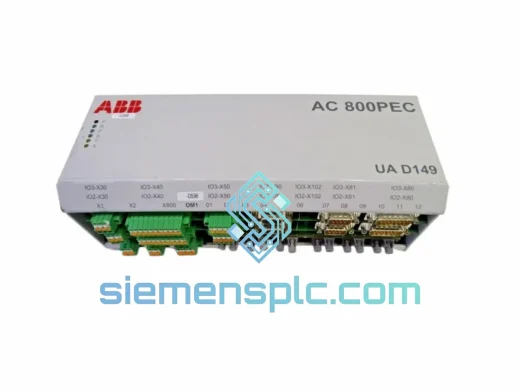
ABB HAC807B102 Analog Input Termination Unit – AC800M Series
AC800M
Origin SE
Analog Input Termination Unit
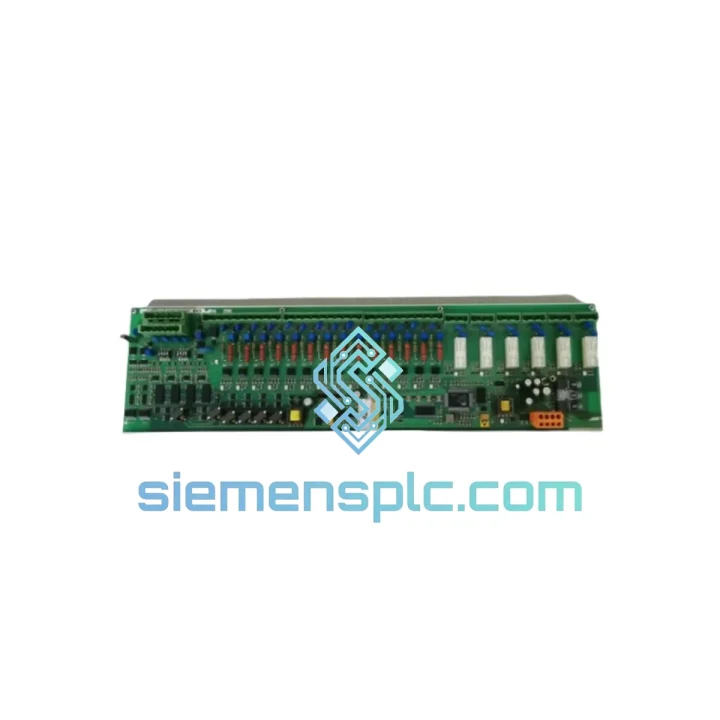
Request verified availability, condition, replacement risk review, packing options and courier lead time for 3BHB003041R0101 UFC719AE01.
Click Request Quote and the part number is inserted into the inquiry form automatically.
Core fields for model confirmation and RFQ routing. Detailed product narrative remains below.
Your AC800M DCS just lost I/O communication. Field signals are dead. Operators are blind. The process is either in manual override or already tripped. You’ve isolated the fault to the IOEC interface layer — and the UFC719AE01 is the card that’s down. You don’t need a lecture on the module’s history. You need a replacement on a plane today.
We stock the ABB 3BHB003041R0101 UFC719AE01 in Xiamen, China. DHL Express and FedEx International Priority depart daily. Most destinations in Southeast Asia, the Middle East, and Europe receive shipments within 48–72 hours of order confirmation. If your plant is bleeding money by the hour, this is the fastest path back to normal operation.
URGENT REQUIREMENT? Contact: [email protected] | WhatsApp: +86 18359268345
| Parameter | Value |
|---|---|
| Manufacturer | ABB |
| Full Part Number | 3BHB003041R0101 |
| Module Designation | UFC719AE01 |
| Function | IOEC I/O Interface — Communication bridge between IOEC I/O boards and AC800M controller bus |
| Platform | ABB Extended Automation System 800 (AC800M) |
| Cabinet Compatibility | IOEC I/O Expander Cabinet |
| Weight | 1,180 g |
| Operating Temperature | 0°C to +55°C (storage: -40°C to +70°C) |
| Humidity | 5–95% RH, non-condensing |
| Power Supply | 24 VDC via backplane |
| Communication Bus | Internal IOEC ModuleBus |
| Condition Available | New OEM / Tested Surplus |
| Stock Status | ✔ Ready to Ship — Xiamen, China |
The UFC719AE01 sits at the intersection of the IOEC I/O boards and the AC800M controller bus. When it fails, the symptom pattern is consistent: the controller loses visibility of an entire IOEC cabinet, not just individual channels. Before you pull the card, confirm the following:
Step 1 — Confirm fault isolation. In ABB Control Builder, check the hardware tree. If the entire IOEC node shows offline or red, and individual I/O boards beneath it are also unreachable, the UFC719AE01 is the prime suspect. A single board failure would only affect that board’s channels.
Step 2 — Check the ModuleBus optical fiber. The UFC719AE01 communicates via the IOEC ModuleBus. Before condemning the card, inspect the fiber optic connectors on both the UFC719AE01 and the TB820 optical port. Dirty or cracked fiber ends cause identical symptoms. Clean with IPA and lint-free swabs. If the fiber checks out, the card is the fault.
Step 3 — Note the firmware revision. The 3BHB003041R0101 revision suffix (R0101) indicates a specific hardware revision. When ordering a replacement, confirm the revision matches your existing installation. Mixing revisions within the same IOEC cabinet can cause bus arbitration issues. Check the label on the failed card before disposal.
Step 4 — Hot-swap procedure. The UFC719AE01 supports hot insertion in most AC800M configurations, but verify this in your system’s engineering documentation before attempting live replacement. In redundant IOEC configurations, switch I/O control to the redundant path first. Insert the replacement card firmly until the locking tabs engage — a partial seat will cause intermittent communication faults that are extremely difficult to diagnose.
Step 5 — Address configuration after insertion. The UFC719AE01 does not require manual DIP switch addressing in most standard IOEC configurations — the address is assigned by the cabinet slot position. However, if your IOEC cabinet uses extended addressing or non-standard slot mapping, verify the node address in Control Builder matches the physical slot. A mismatch here will prevent the controller from recognizing the new card even though it powers up normally.
Common fault codes associated with UFC719AE01 failure:
The UFC719AE01 was engineered for continuous duty in environments that would destroy consumer-grade electronics within weeks. ABB’s System 800 platform is deployed in some of the most demanding industrial sites on the planet — offshore platforms in the North Sea, pulp mills in Scandinavia, petrochemical complexes in the Middle East, and power stations across Asia. The UFC719AE01 has to survive all of them.
Vibration resistance is built into the card’s mechanical design. The PCB uses conformal coating to protect against humidity and airborne contaminants — a critical feature in coastal industrial sites where salt-laden air accelerates corrosion on unprotected boards. The backplane connector is rated for thousands of insertion cycles, which matters in maintenance-intensive environments where cards are pulled and reseated regularly during troubleshooting.
Thermal management is handled passively. The card is designed to operate continuously at ambient temperatures up to 55°C without derating — relevant in tropical climates and in cabinets where cooling systems have degraded. The wide storage temperature range (-40°C to +70°C) means the replacement unit you receive from us can be stored in a field warehouse without climate control until it’s needed.
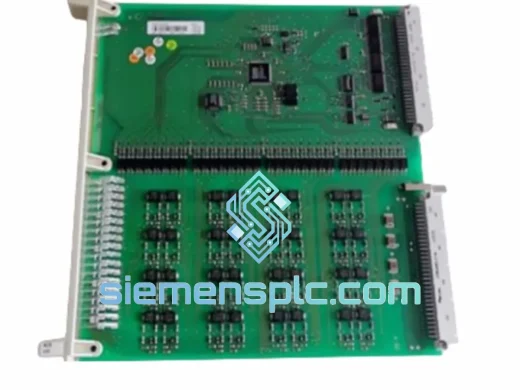
Every unit we ship has been visually inspected under magnification for PCB damage, component stress fractures, and connector pin integrity. Tested surplus units undergo power-on verification and communication bus testing before packaging. We do not ship untested boards.
Our warehouse is located in Xiamen, Fujian Province — one of China’s primary export hubs with direct access to international freight lanes. We ship via DHL Express and FedEx International Priority, both of which offer next-flight-out options for genuine plant emergencies.
Standard transit times from Xiamen:
All shipments include full export documentation: commercial invoice, packing list, certificate of origin, and packing declaration. For orders requiring CITES, dual-use, or other regulatory documentation, contact us in advance. ESD-safe anti-static packaging with foam cushioning is standard on all module shipments — the card arrives in the same condition it left our warehouse.
For genuine plant emergencies, contact us via WhatsApp for real-time coordination. We can arrange same-day dispatch for orders confirmed before 14:00 CST on business days.
Email: [email protected]
WhatsApp: +86 18359268345
Web: siemensplc.com
© 2026 siemensplc.com. All rights reserved.
We check the full part number, brand, series and visible nameplate information before quotation.
Sales confirms stock path, condition option, quantity and realistic lead time for export dispatch.
DHL, FedEx, UPS or buyer courier arrangements can be reviewed with packing requirements.
Similar brand or category products for fast comparison and multi-item RFQ lists.