ABB
RFQ Ready
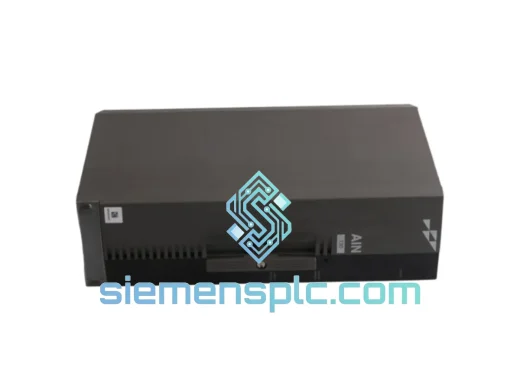
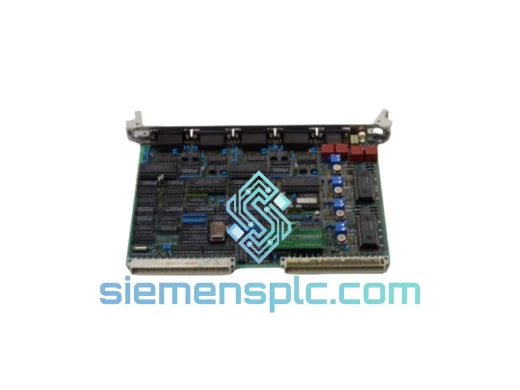
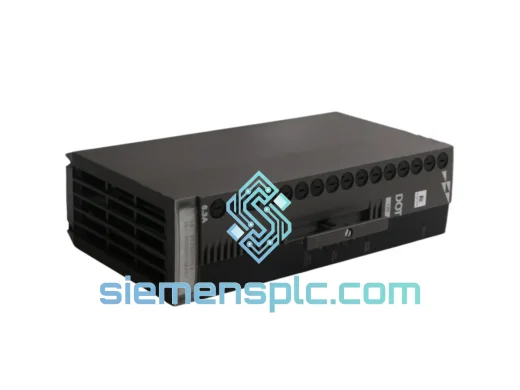
ABB P-HB-DOT-12010000 Safety Digital Output Module – AC500-S
AC500
Origin SE
Safety Digital Output Module
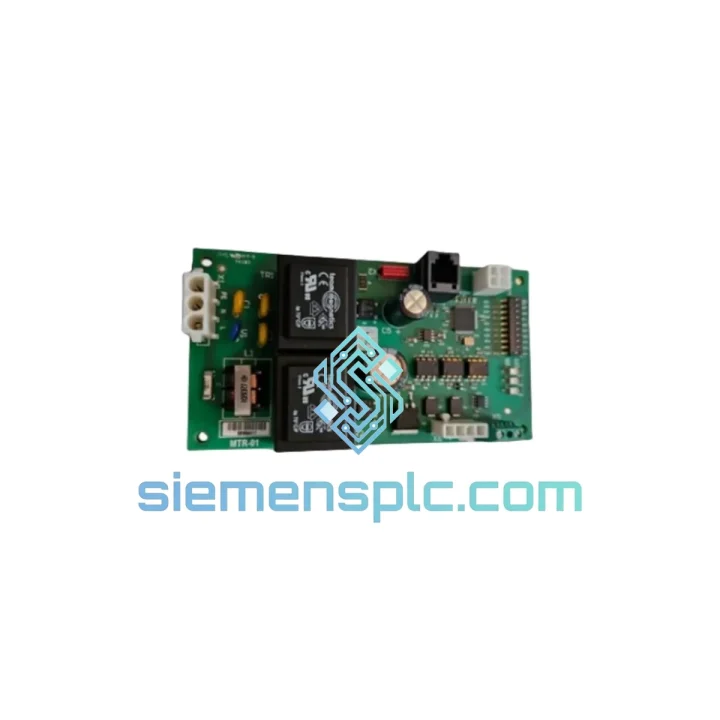
Request verified availability, condition, replacement risk review, packing options and courier lead time for LD-MUI-01.
Click Request Quote and the part number is inserted into the inquiry form automatically.
Core fields for model confirmation and RFQ routing. Detailed product narrative remains below.
Your AC500 line is down. Every minute the conveyor sits idle, every batch that misses its window, every SLA breach ticking up — it all traces back to one failed I/O module. The LD-MUI-01 is in stock right now at our Xiamen warehouse. We’ve shipped to automotive plants in Germany, chemical facilities in Saudi Arabia, and food processing lines in Southeast Asia — all on emergency timelines. We know what a stopped line costs. That’s why we don’t make you wait.
URGENT REQUIREMENT? Contact: [email protected] | WhatsApp: +86 18359268345
| Part Number | LD-MUI-01 |
| Manufacturer | ABB |
| Platform / Series | AC500 PLC I/O Expansion |
| Module Classification | Digital Mixed I/O (DI + DO) |
| Mounting | DIN Rail (EN 60715) |
| Bus Interface | AC500 Internal I/O Bus |
| Operating Temperature | -25°C to +70°C |
| Storage Temperature | -40°C to +85°C |
| Protection Rating | IP20 |
| Power Supply | Via AC500 CPU / Bus Coupler Backplane |
| Certifications | CE, UL, IEC 61131-2 |
| Country of Origin | Germany |
| Stock Status | ✔ Ready to Ship — Xiamen Warehouse |
| Condition | 100% Original, Factory-Sealed |
Ten years of field work teaches you that swapping an LD-MUI-01 is rarely just a pull-and-plug. Here’s what actually matters on the bench:
1. Confirm the Fault Before You Pull the Module
Before touching anything, check the CPU diagnostic buffer in Automation Builder. Look for error codes in the range 0x8090–0x80A0 — these point directly to I/O bus communication failures on the expansion slot. A blinking red LED on the module face combined with a solid green CPU LED almost always means the module itself has failed, not the bus coupler. If both LEDs are red, suspect the backplane connector or the bus coupler first.
2. Address Assignment — Don’t Skip This
The AC500 platform uses automatic slot-based addressing for I/O modules. When you seat the LD-MUI-01 into its slot, the CPU assigns I/O addresses based on physical position in the rack. If you’re replacing a failed unit in slot 3 of a multi-rack configuration, verify the hardware configuration in Automation Builder matches the physical slot. A mismatch here will cause the CPU to go into STOP mode immediately after power-up — a trap that wastes 30–60 minutes if you don’t know to look for it.
3. DIP Switch / Rotary Switch Settings
The LD-MUI-01 itself does not carry user-configurable DIP switches for addressing — addressing is handled by the software configuration. However, if your installation uses a bus coupler (e.g., TB5xx series) with rotary address switches, confirm the coupler address matches the Automation Builder project before powering up. A coupler address conflict will prevent the LD-MUI-01 from being recognized entirely.
4. Firmware Compatibility Check
If your AC500 CPU is running firmware below V2.4.0, verify compatibility with the LD-MUI-01 hardware revision. ABB revised the module’s internal firmware in later production batches. Mismatched firmware versions can cause intermittent I/O update failures that are extremely difficult to diagnose — the module appears online but outputs behave erratically under load. Pull the CPU firmware version from Automation Builder’s device info screen before commissioning.
5. Wiring Verification After Swap
After seating the new module, do a point-by-point I/O force test before handing back to operations. Use Automation Builder’s online monitoring to force each digital output individually and verify field device response. For inputs, use a test signal source to confirm each channel reads correctly. This takes 15 minutes and prevents a callback at 2 AM.
Common Fault Codes Reference:
The LD-MUI-01 was not designed for a climate-controlled server room. ABB built this module for the floor — where coolant mist settles on enclosure walls, where a nearby press generates 8g of vibration at 50Hz, and where summer ambient temperatures inside a non-air-conditioned panel routinely hit 55°C.
The module’s PCB is conformally coated to resist moisture ingress and condensation cycles — a critical feature in coastal facilities and tropical climates where humidity swings are extreme. The internal power regulation circuitry is rated for input voltage fluctuations common in facilities with large motor loads on shared distribution panels. Galvanic isolation on all I/O channels prevents ground loop interference from corrupting signal integrity — a persistent problem in facilities where instrumentation and power cabling share conduit runs.
Vibration tolerance is validated to IEC 60068-2-6 standards. In practice, this means the module maintains reliable operation when mounted adjacent to variable-frequency drives, compressors, and heavy stamping equipment without requiring additional vibration damping hardware. The DIN rail latch mechanism is designed to resist loosening under sustained vibration — a detail that matters when you’re doing a 12-month maintenance interval and can’t afford a module that has walked itself off the rail.
Units supplied from our Xiamen warehouse are stored in climate-controlled conditions and inspected for physical integrity before dispatch. We do not ship modules with damaged connectors, cracked housings, or compromised conformal coating — because a module that fails on day one costs everyone more than the part itself.
Our Xiamen warehouse is 40 minutes from Xiamen Gaoqi International Airport (XMN), a major DHL and FedEx hub serving direct freighter routes to Frankfurt, Dubai, Chicago, and Singapore. This geography is not accidental — it was chosen specifically to support emergency industrial shipments to Europe, the Middle East, Southeast Asia, and North America on the shortest possible transit times.
Standard Emergency Dispatch Process:
For customers in the EU, we provide EUR.1 movement certificates and origin declarations on request to support preferential duty treatment. For customers in the Middle East and Southeast Asia, we have established relationships with local customs brokers in UAE, Saudi Arabia, Malaysia, and Vietnam to accelerate clearance on time-critical shipments.
If your plant is down and you need a committed delivery window before placing an order, contact us directly. We will confirm the exact DHL/FedEx transit time to your facility before you commit — no guesswork, no surprises.
Email: [email protected]
WhatsApp: +86 18359268345
Web: siemensplc.com
© 2026 siemensplc.com. All rights reserved.
We check the full part number, brand, series and visible nameplate information before quotation.
Sales confirms stock path, condition option, quantity and realistic lead time for export dispatch.
DHL, FedEx, UPS or buyer courier arrangements can be reviewed with packing requirements.
Similar brand or category products for fast comparison and multi-item RFQ lists.