Allen-Bradley
RFQ Ready
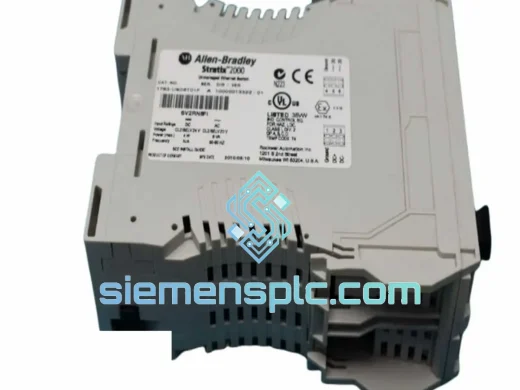
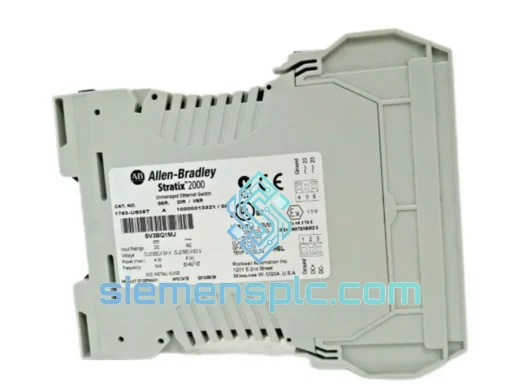
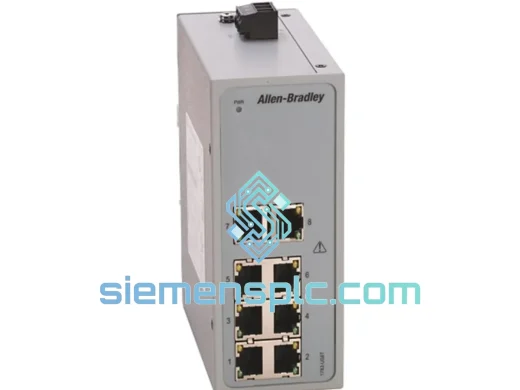
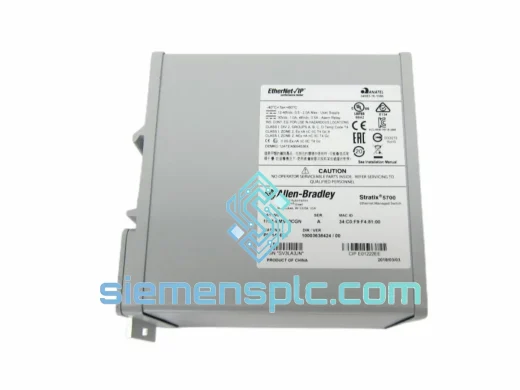
Allen-Bradley 1783-BMS10CGN Industrial Ethernet Switch – Stratix 2000
Stratix
Origin US
Industrial Ethernet Switch
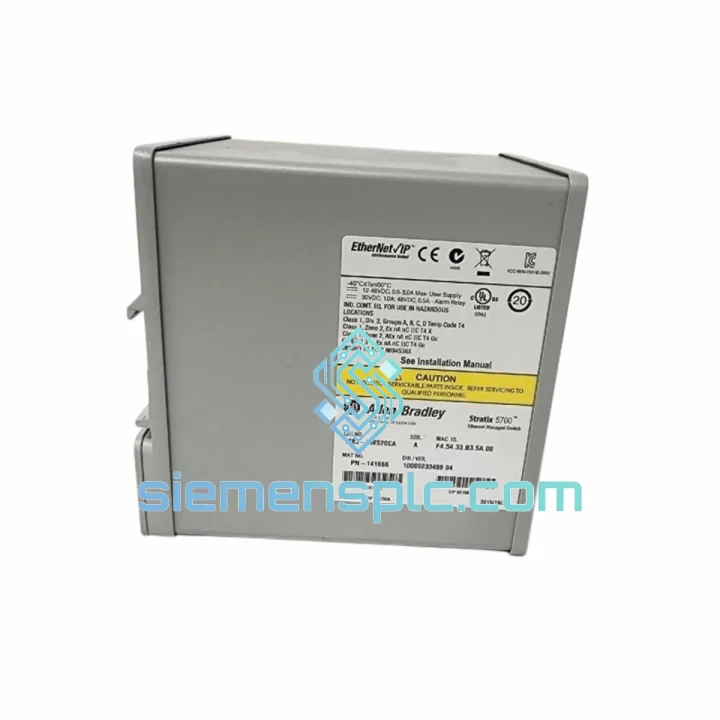
Request verified availability, condition, replacement risk review, packing options and courier lead time for 1783-BMS20CA.
Click Request Quote and the part number is inserted into the inquiry form automatically.
Core fields for model confirmation and RFQ routing. Detailed product narrative remains below.
A failed 1783-BMS20CA doesn’t just drop a switch port — it collapses your entire EtherNet/IP cell topology. DLR ring breaks, I/O adapters go offline, servo drives fault out, and your ControlLogix throws a cascade of connection timeout errors. Production stops. The clock starts. You need a verified, ready-to-ship unit in your hands before the next shift, not in three weeks from a distributor backorder queue.
We stock the Allen-Bradley 1783-BMS20CA at our Xiamen warehouse. Units are pre-inspected, firmware-verified, and packed for express air freight. DHL and FedEx international priority lanes are booked daily. From the moment you confirm your order, our logistics team moves — not tomorrow, today.
URGENT REQUIREMENT? Contact: [email protected] | WhatsApp: +86 18359268345
| Parameter | Specification | Status |
|---|---|---|
| Catalog Number | 1783-BMS20CA | ✔ Ready to Ship |
| Platform / Series | Stratix 5700 | |
| Manufacturer | Allen-Bradley / Rockwell Automation | |
| Total Ports | 20 (16 × RJ-45 + 4 × Combo SFP) | |
| Copper Ports | 16 × 10/100/1000BASE-T, Auto-MDI/MDIX | |
| SFP Uplink Ports | 4 × Combo (RJ-45 or SFP, 1 GbE) | |
| Switching Capacity | 40 Gbps non-blocking | |
| Forwarding Rate | 29.76 Mpps | |
| MAC Table Size | 16,000 entries | |
| VLAN | IEEE 802.1Q, up to 255 VLANs | |
| QoS | IEEE 802.1p, 4 queues/port, DSCP | |
| Redundancy | REP, RSTP (802.1w), MSTP (802.1s), DLR | |
| Security | 802.1X, Port ACL, DHCP Snooping, Port Security | |
| Management Interface | Web GUI, CLI (SSH/Telnet), SNMP v1/v2c/v3, Studio 5000 AOP | |
| Supply Voltage | 24 VDC (18–32 VDC range) | |
| Power Draw | ≤ 35 W typical | |
| Operating Temperature | 0 °C to +60 °C | |
| Storage Temperature | −40 °C to +85 °C | |
| Humidity | 5–95% RH, non-condensing | |
| Mounting | DIN Rail (EN 50022) | |
| Enclosure Rating | IP30 | |
| Dimensions (H×W×D) | ~145 × 75 × 120 mm | |
| Weight | ~1,700 g | |
| Certifications | UL 508, CE, cULus | |
| Country of Origin | USA |
Step 1 — Capture the running config before you pull the dead unit. If the switch is still partially responsive, SSH in and run show running-config. Save the output. You need VLAN assignments, port descriptions, trunk configurations, and any static MAC entries. If the unit is completely dead and you have no backup, check your Studio 5000 AOP — it caches the last known switch configuration and can export it.
Step 2 — Note the firmware version. The 1783-BMS20CA runs IOS-based firmware. Mismatched firmware between the failed unit and the replacement can cause AOP incompatibility or DLR ring supervisor election issues. Check your Studio 5000 version: v21–v28 maps to specific IOS firmware branches. If you are on v30+, you need firmware 15.2(7)E or later. Do not assume the replacement ships with the correct version — verify before racking it.
Step 3 — DLR ring supervisor re-election. If the failed 1783-BMS20CA was acting as the DLR ring supervisor (check your original AOP configuration — supervisor priority is set per-port), the ring will have already failed over to the backup supervisor or entered open-ring mode. After installing the replacement, do not immediately set it as supervisor. Let the ring stabilize first, verify all nodes are online, then reassign supervisor role if required. Rushing this step causes a second ring disruption.
Step 4 — VLAN and trunk reconfiguration. The 1783-BMS20CA does not retain configuration across a hardware swap. You must push the saved config to the new unit. Use the Web GUI for quick VLAN setup or CLI for bulk paste. If you use SmartPort roles (Switch, Desktop, IP Camera), reapply them per port — they are not stored in the standard running-config export.
Step 5 — Common fault codes after replacement:
The Stratix 5700 platform was not designed for a server room. It was designed for the floor — where welding robots generate broadband EMI, where coolant mist settles on panel surfaces, where ambient temperatures swing 30 degrees between morning startup and afternoon peak production.
The 1783-BMS20CA carries a conformal-coated PCB assembly that resists moisture ingress and corrosive atmospheres. The fanless thermal design eliminates the single most common failure point in industrial electronics — a bearing-worn cooling fan that fails silently and cooks the board over weeks. Heat is dissipated through the aluminum housing directly, with no moving parts to wear out.
Vibration tolerance meets IEC 60068-2-6 (sinusoidal) and IEC 60068-2-27 (shock) test profiles. In automotive press lines where the floor vibrates at 10–55 Hz continuously, units have demonstrated multi-year MTBF without mechanical failure. The DIN rail clip is spring-loaded and does not loosen under vibration — a detail that matters when you are troubleshooting a network fault and the switch has physically shifted on the rail.
The 24 VDC dual-input power architecture means a PSU failure does not take the switch offline. Both inputs are diode-ORed internally. You can hot-swap a failed PSU while the switch continues forwarding traffic — no maintenance window required, no production impact.
Operating range of 0 °C to +60 °C covers the vast majority of industrial panel environments. For outdoor or extreme-temperature applications, Rockwell offers extended-temperature variants — but for standard panel installations, the 1783-BMS20CA handles what the environment throws at it.
Our warehouse is in Xiamen, Fujian Province — one of China’s primary export hubs with direct access to Xiamen Gaoqi International Airport (XMN), a major DHL and FedEx gateway for industrial freight.
Timeline from order confirmation:
For genuine production-down emergencies, contact us via WhatsApp before placing the order. We confirm stock availability, provide a proforma invoice within 30 minutes, and coordinate same-day dispatch for orders confirmed before 16:00 CST.
Email: [email protected]
WhatsApp: +86 18359268345
Web: siemensplc.com
© 2026 siemensplc.com. All rights reserved.
We check the full part number, brand, series and visible nameplate information before quotation.
Sales confirms stock path, condition option, quantity and realistic lead time for export dispatch.
DHL, FedEx, UPS or buyer courier arrangements can be reviewed with packing requirements.
Similar brand or category products for fast comparison and multi-item RFQ lists.