Allen-Bradley
RFQ Ready
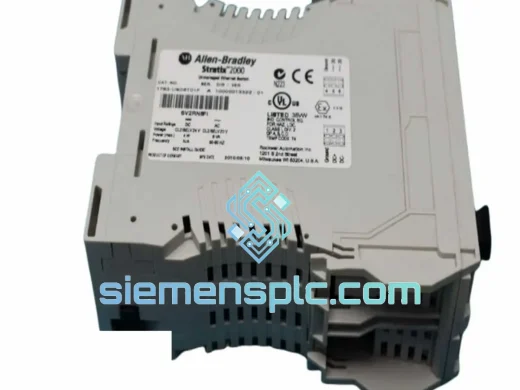
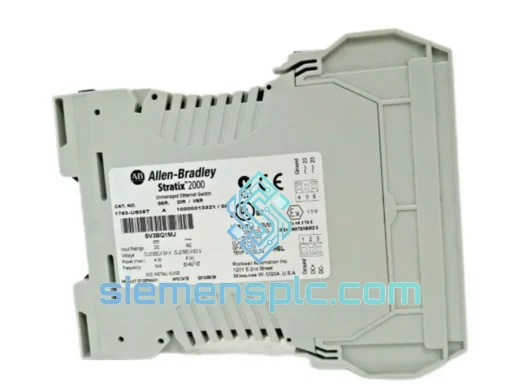
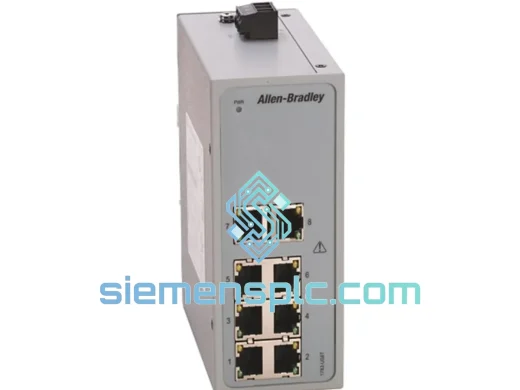
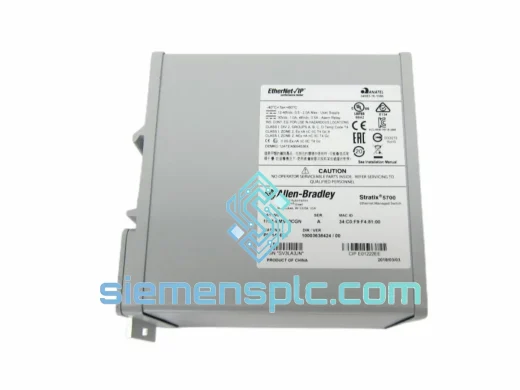
Allen-Bradley 1783-BMS10CGN Industrial Ethernet Switch – Stratix 2000
Stratix
Origin US
Industrial Ethernet Switch
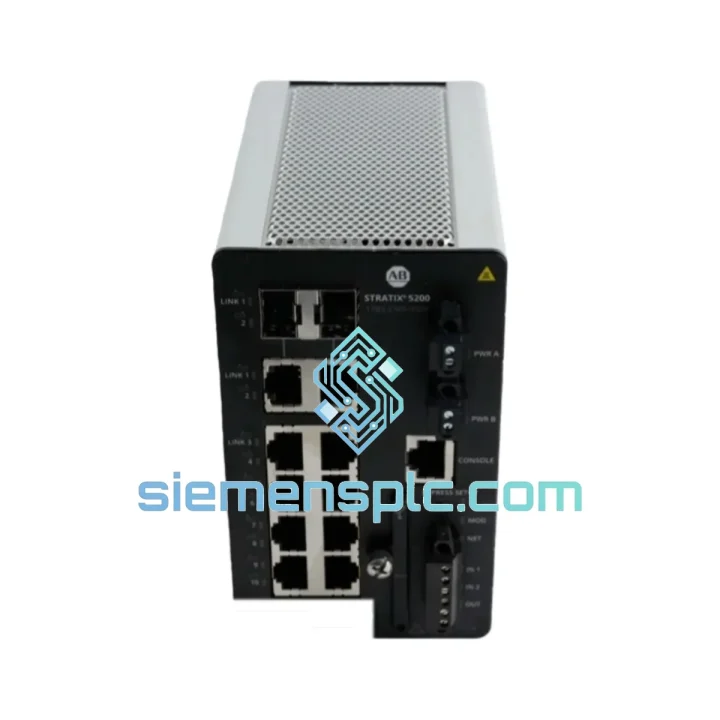
Request verified availability, condition, replacement risk review, packing options and courier lead time for 1783-CMS10DP.
Click Request Quote and the part number is inserted into the inquiry form automatically.
Core fields for model confirmation and RFQ routing. Detailed product narrative remains below.
Your line is stopped. The HMI is dark. The PLC can’t see a single node on the network. You’ve already traced the fault to the managed switch — and the part number staring back at you is 1783-CMS10DP. You don’t need a lecture on EtherNet/IP topology right now. You need the unit in your hands, tested, and ready to drop in. That’s exactly what we do.
At siemensplc.com, we stock the Allen-Bradley 1783-CMS10DP specifically for emergency replacement scenarios. Our warehouse in Xiamen ships same-day on confirmed orders before 3 PM CST. DHL Express and FedEx International Priority get this unit to your dock — whether you’re in Germany, Australia, Mexico, or Malaysia — typically within 3–5 business days. While your procurement team is still filling out a requisition form, your replacement is already in transit.
URGENT REQUIREMENT? Contact: [email protected] | WhatsApp: +86 18359268345
| Parameter | Specification |
|---|---|
| Part Number | 1783-CMS10DP |
| Series | Stratix 2000 |
| Manufacturer | Allen-Bradley / Rockwell Automation |
| Switch Type | Managed Industrial Ethernet Switch |
| Total Ports | 10 |
| Copper Ports | 8 × 10/100 Mbps RJ45 |
| Fiber Uplink Ports | 2 × 100 Mbps SFP |
| Protocol Support | EtherNet/IP, IGMP Snooping, QoS, VLAN 802.1Q, DLR |
| Power Input | Dual 24 VDC redundant |
| Operating Temperature | 0°C to 60°C |
| Mounting | DIN Rail |
| Enclosure Rating | IP30, Metal Housing |
| Weight | 1560 g |
| Certifications | UL, CE, cUL |
| Management | Web GUI, SNMP v1/v2c/v3, CLI |
| Stock Status | ✅ Ready to Ship — Xiamen Warehouse |
Common failure signatures on the 1783-CMS10DP:
Before you condemn the switch outright, run through these field checks. The 1783-CMS10DP fails in predictable ways — knowing the pattern saves you from ordering a part you don’t need, or worse, missing a secondary fault that will kill the replacement unit too.
1. Port LED dead, no link on specific RJ45 port: Most commonly caused by ESD damage to the PHY chip on that port, especially on ports connected to long cable runs in electrically noisy environments. Swap the cable first. If the link LED stays dark with a known-good cable and device, the PHY is gone. The switch needs replacement — there is no field repair for this.
2. All ports down, PWR LED solid, no management access: This is a firmware corruption or flash memory failure. Attempt a factory reset via the reset button (hold 10 seconds on power-up). If the switch does not recover to a default IP of 192.168.1.1 and the management page is unreachable, the unit is unrecoverable. Replace immediately.
3. Intermittent packet loss causing I/O connection timeouts (Major Fault on ControlLogix): Check the IGMP snooping configuration first. If multicast groups are not properly registered, EtherNet/IP I/O traffic floods all ports and saturates bandwidth. Verify via the switch’s web GUI under Multicast > IGMP Snooping. Also check for duplex mismatch — every port connected to a PLC or drive should be forced to 100 Mbps Full Duplex, not Auto.
4. DLR ring fault — one node reporting Ring Fault in Studio 5000: The 1783-CMS10DP supports DLR as a ring supervisor or ring node. If the ring supervisor is reporting a fault, use RSLinx to browse the ring and identify which node dropped. A failed switch port in the ring path will break the ring. Isolate by temporarily bypassing the suspect switch with a direct cable between the two adjacent nodes.
Replacement configuration checklist — do this before you power up the new unit:
The 1783-CMS10DP was not designed for a server room. It was designed for the panel next to the press, the cabinet above the conveyor, and the enclosure at the end of the paint line. The metal housing provides genuine mechanical protection — not just an IP30 rating on paper, but a chassis that absorbs vibration from nearby machinery without loosening internal connectors over time.
The dual 24 VDC redundant power input is the feature that matters most in a 24/7 production environment. When one power feed drops — whether from a tripped breaker, a failing PSU, or a loose terminal — the switch continues operating on the second feed without interruption, without a blink, without a single dropped packet. There is no failover delay. The redundancy is hardware-level.
Operating across 0°C to 60°C, the switch handles the thermal cycling that comes with production startups and shutdowns. In facilities where panel temperatures spike during summer or where heating is inconsistent in winter, the 1783-CMS10DP maintains stable operation without the thermal throttling or random reboots that plague commercial-grade hardware pressed into industrial service.
The SFP fiber uplinks eliminate the EMI vulnerability that copper runs create in high-noise environments — welding areas, large motor drives, and induction heating zones. Fiber carries no ground loop risk and is immune to the electrical noise that corrupts data on long copper runs. If your current installation is using copper for inter-panel runs longer than 30 meters in a noisy environment, the fiber uplinks on the 1783-CMS10DP are the fix you’ve been looking for.
Our fulfillment operation runs out of Xiamen, China — one of the most connected export hubs in Asia, with direct DHL and FedEx gateway access. Here is exactly what happens after you confirm your order:
Same day (order confirmed before 3 PM CST): The unit is pulled from stock, inspected, photographed, and packed in anti-static foam with humidity indicator cards. Export documentation — commercial invoice, packing list, and HS code declaration — is prepared in parallel.
Day 1: Shipment handed to DHL Express or FedEx International Priority at the Xiamen gateway. Tracking number issued to you within 2 hours of pickup scan.
Days 2–5 (depending on destination): Transit times by region — Southeast Asia: 2–3 business days. Europe: 3–4 business days. North America: 3–5 business days. Middle East and Australia: 4–5 business days. These are real-world averages, not marketing estimates.
For destinations with complex customs requirements — India, Brazil, Russia — we prepare full customs documentation in advance and can provide a commercial invoice in the format required by your local customs authority. We have cleared shipments into 60+ countries without delays caused by documentation errors.
If your situation is genuinely critical — line down, production stopped, every hour costing you money — contact us directly on WhatsApp. We will confirm stock, quote freight options, and get you a tracking number faster than any standard procurement process.
📧 Email: [email protected]
💬 WhatsApp: +86 18359268345
🌐 Web: siemensplc.com
© 2026 siemensplc.com. All rights reserved.
We check the full part number, brand, series and visible nameplate information before quotation.
Sales confirms stock path, condition option, quantity and realistic lead time for export dispatch.
DHL, FedEx, UPS or buyer courier arrangements can be reviewed with packing requirements.
Similar brand or category products for fast comparison and multi-item RFQ lists.