
Allen-Bradley
In Stock OK
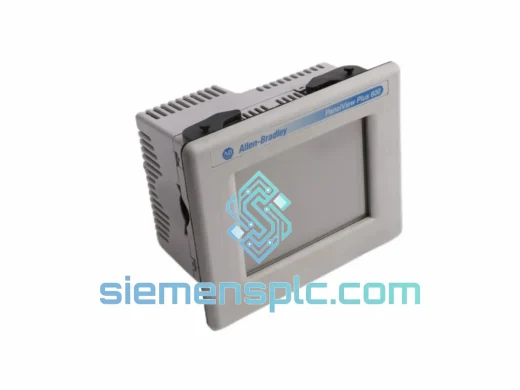
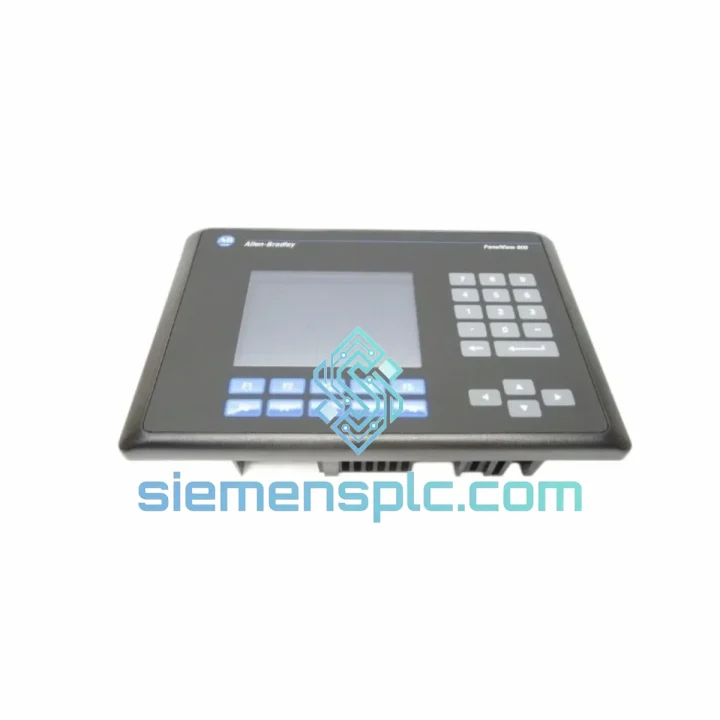
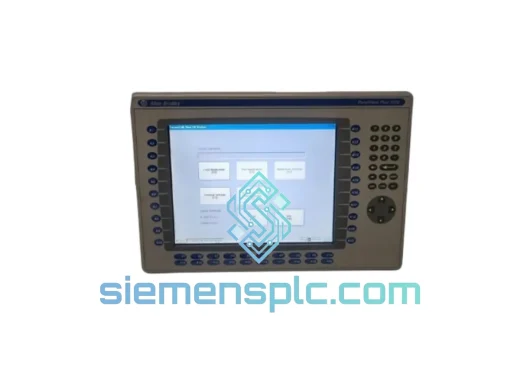
Allen-Bradley 2711-B6C5 HMI Terminal
Request verified availability, condition, replacement risk review, packing options and courier lead time for 2711-B6C5.
BrandAllen-Bradley
Part Number2711-B6C5
ConditionAvailability Check
Lead TimeRFQ Confirmation
DocumentsDatasheet / photos by RFQ
ShippingExport packing available
Auto-filled RFQ
2711-B6C5
Click Request Quote and the part number is inserted into the inquiry form automatically.
- Reply by email: [email protected]
- WhatsApp / Tel: +86 18359268345
- Mon-Sat 9:00-18:00 GMT+8
Procurement Data
Key Product Information
Core fields for model confirmation and RFQ routing. Detailed product narrative remains below.
- Brand
- Allen-Bradley
- Primary Part Number
- 2711-B6C5
- Product Type
- HMI Terminal
- Series / Family
- PanelView
- Country of Origin
- US
- Catalog Category
- HMI Panels
Model confirmed for inquiry
2711-B6C5
Send quantity, destination and urgency. The RFQ form keeps this part number attached.
Request Quote
Product Overview
Allen-Bradley 2711-B6C5 PanelView 600 — Stop the Clock on Your Downtime
Every minute your line sits idle costs real money. A failed HMI terminal shouldn’t be the reason your production schedule slips by a shift — or a day. The Allen-Bradley 2711-B6C5 PanelView 600 is one of the most widely deployed operator interface terminals in North American discrete manufacturing, and when it goes down, the pressure to source a verified replacement fast is immediate. We stock this unit in Xiamen and ship globally via DHL and FedEx Express. From your purchase order to a unit on your bench: 24–72 hours to most destinations.
This is not a refurbished-unknown-history unit. Every 2711-B6C5 we dispatch has been power-verified, communication-port tested, and packed in anti-static, foam-lined cartons. You get a working terminal, not a gamble.
URGENT REQUIREMENT? Contact: [email protected] | WhatsApp: +86 18359268345
Quick Technical Datasheet
| Part Number | 2711-B6C5 ✔ Ready to Ship |
| Brand | Allen-Bradley / Rockwell Automation |
| Series | PanelView 600 |
| Display | 6-inch Color STN LCD, 320 × 240 px (QVGA) |
| Input Method | Touchscreen + Physical Keypad (Combination) |
| Communication | DH-485 / RS-232 DF1 |
| Power Input | 24 VDC |
| Operating Temp | 0 °C to 55 °C |
| Storage Temp | -20 °C to 70 °C |
| Enclosure Rating | NEMA 4 / 4X / 12 / 13 (front face) |
| Application Memory | 512 KB |
| Weight | Approx. 2.3 kg |
| Certifications | UL 508, CE (EMC + LVD), RoHS |
| Compatible Software | PanelBuilder 32 v3.83+ |
| Stock Status | In Stock — Ships within 24 hrs of payment confirmation |
Troubleshooting & Replacement Tips
Pulled from real field scenarios. These are the failure modes and swap gotchas that catch engineers off guard on the 2711-B6C5:
Common Fault Indicators:
- Blank screen on power-up, no backlight: Backlight inverter failure — most common age-related fault on units over 8 years. Confirm 24 VDC is present at terminal block before condemning the unit. If voltage is good and screen stays dark, the unit needs replacement, not a fuse swap.
- “Communication Error” or “No Link” on DH-485: First check the 1747-CP3 adapter and cable continuity. DH-485 is a multi-drop bus — a single bad node termination resistor can pull down the entire segment. Verify node address conflicts using RSLinx or a DH-485 analyzer before assuming the HMI is at fault.
- Touchscreen registers wrong coordinates: Calibration drift after thermal cycling. On a functioning unit, hold F1 + F10 simultaneously at power-up to enter calibration mode. If the unit won’t enter calibration, the touch controller IC has likely failed — replace the terminal.
- Application won’t load after replacement: The most common swap mistake. PanelBuilder 32 application files are tied to the terminal type and firmware revision. If your replacement unit has a different firmware version than the original, you may see a “Version Mismatch” error on download. Check the firmware label on the back of the unit (e.g., Series B, Rev 3.xx). Download the matching PanelBuilder 32 runtime to the new unit before transferring the application.
- Keypad keys unresponsive after swap: Verify the application was compiled for “Touch + Keypad” input mode, not “Touch Only.” A mismatch between application input mode and hardware configuration causes selective key lockout. Recompile and re-download if needed.
Replacement Procedure — Field Checklist:
- Document the existing node address on the DH-485 network (check the DIP switches on the rear of the unit — typically SW1). The 2711-B6C5 uses a rotary or DIP switch to set the node address; match it exactly on the replacement unit before installation.
- Back up the application from the failed unit if it still powers on — use a 2711-NC13 cable and PanelBuilder 32 “Upload” function. If the unit is dead, retrieve the application from your engineering archive or the 2711-NM3 memory card if one was installed.
- Verify the replacement unit’s firmware revision matches the original. Firmware is not field-upgradeable on the standard 2711-B6C5 — if revisions differ, test the application download on the bench before committing to installation.
- Set the DIP switch node address on the replacement unit to match the original before powering up on the live network. Duplicate node addresses on DH-485 cause bus collisions that affect all nodes on the segment.
- Power up the replacement unit standalone (24 VDC, no network) and confirm display initialization before connecting to the DH-485 bus.
- Download the application via RS-232 cable, verify all screens navigate correctly, then connect to the DH-485 network and confirm communication with the PLC.
Reliability in Harsh Conditions
The PanelView 600 platform was engineered for the factory floor, not the office. The 2711-B6C5 carries a NEMA 4/4X front-face rating, meaning the operator-facing surface is sealed against directed water jets and corrosive washdown agents — a non-negotiable requirement in food processing and chemical plant environments. The STN LCD panel is rated to operate continuously at 55 °C ambient, covering the thermal envelope of most non-climate-controlled control cabinets in tropical and desert climates.
Vibration resistance is validated to IEC 68-2-6 test profiles, covering the mechanical stress of conveyor-mounted and press-adjacent installations where panel vibration is continuous rather than incidental. The sealed membrane keypad eliminates the ingress paths that kill conventional keyboards in dusty or oily environments — metal shavings, coolant mist, and hydraulic oil vapor that destroy open-frame terminals have no path into the 2711-B6C5 keypad assembly.
Units we stock are stored in climate-controlled conditions with humidity control and anti-static packaging. Long-term storage degradation — particularly electrolytic capacitor dry-out and LCD polarizer delamination — is mitigated by controlled storage and pre-shipment power-on verification. You are not receiving a unit that has been sitting in an uncontrolled warehouse for five years.
Global Express Logistics
Our dispatch hub is in Xiamen, China — a major international freight gateway with direct DHL and FedEx Express connections to hubs in Hong Kong, Shanghai, and Singapore. Transit times from order confirmation to delivery:
- Southeast Asia (SG, MY, TH, VN, ID): 2–4 business days via DHL Express
- Australia & New Zealand: 3–5 business days via FedEx International Priority
- Middle East (AE, SA, QA): 3–5 business days via DHL Express
- Europe (DE, FR, NL, PL, ES): 4–6 business days via FedEx International Priority
- North America (US, CA, MX): 3–5 business days via DHL Express or FedEx International Priority
- South America (BR, CL, CO): 5–8 business days depending on customs clearance
Every shipment includes a commercial invoice, packing list, and HS code documentation (HS 8537.10) for smooth customs clearance. For destinations with import duty sensitivities or specific customs broker requirements, contact us before ordering — we have handled complex export compliance scenarios across 40+ countries and can advise on documentation requirements specific to your destination.
Tracking numbers are issued within 4 hours of dispatch. For urgent shipments where delivery confirmation is time-critical, we can arrange signature-required delivery and real-time shipment monitoring updates via WhatsApp.
Contact Information
Email: [email protected]
WhatsApp: +86 18359268345
Web: siemensplc.com
© 2026 siemensplc.com. All rights reserved.
Ready to quote
[email protected]
Send This Part Number to Sales
RFQ workflow
Quality workflow ->
Confirmation Process
01Model confirmation
We check the full part number, brand, series and visible nameplate information before quotation.
02Availability reply
Sales confirms stock path, condition option, quantity and realistic lead time for export dispatch.
03Packing & courier
DHL, FedEx, UPS or buyer courier arrangements can be reviewed with packing requirements.
Continue sourcing
Browse full catalog ->
Related Automation Parts
Similar brand or category products for fast comparison and multi-item RFQ lists.
Allen-Bradley
RFQ Ready
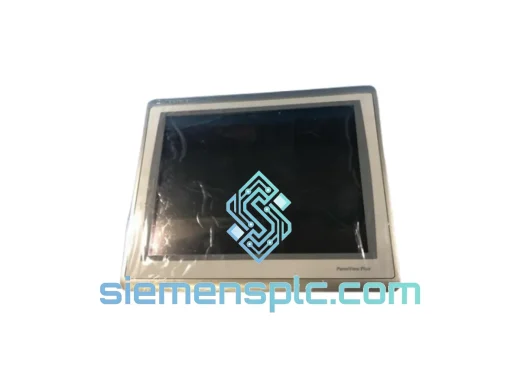
Allen-Bradley 2711P-T15C22D9P HMI Terminal
PanelView
Origin US
HMI Graphic Terminal
Allen-Bradley
RFQ Ready
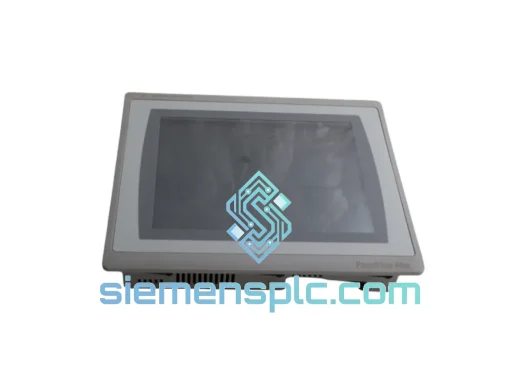
Allen-Bradley 2711P-T10C21D8S HMI Operator Terminal
PanelView
Origin US
HMI Operator Terminal
Allen-Bradley
RFQ Ready
Allen-Bradley 2711P-RN15S ControlNet Communication Module
PanelView
Origin US
PLC Communication Module