
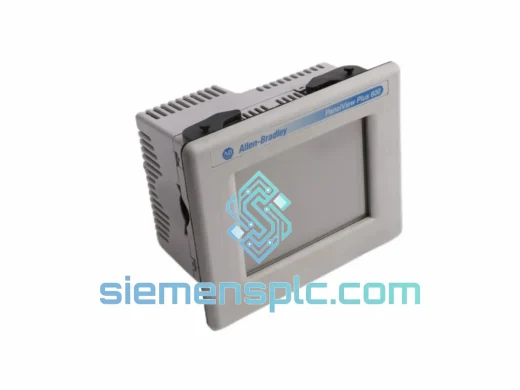
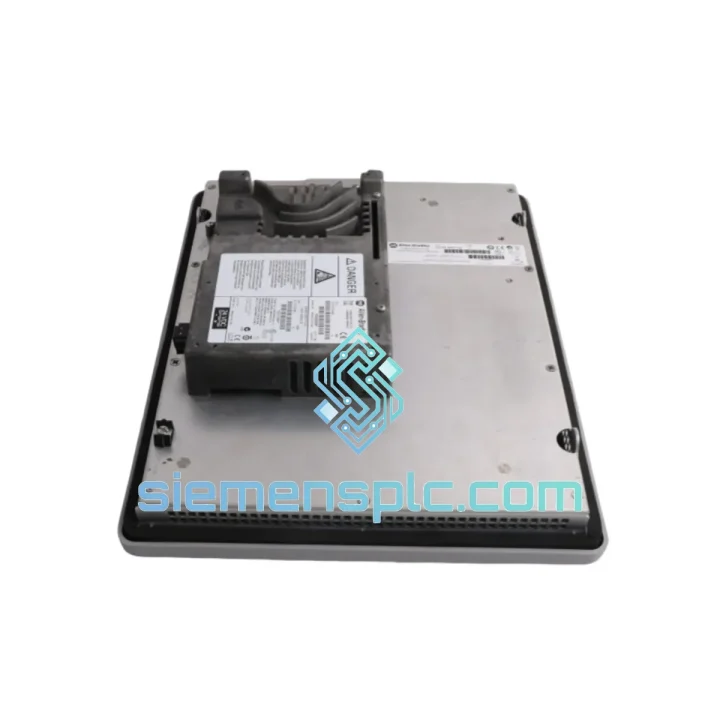
Allen-Bradley
In Stock OK
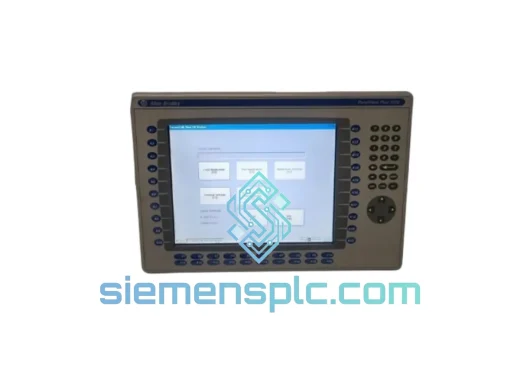
Allen-Bradley 2711P-RDT12C4D9 HMI Display Terminal
Request verified availability, condition, replacement risk review, packing options and courier lead time for 2711P-RDT12C4D9.
BrandAllen-Bradley
Part Number2711P-RDT12C4D9
ConditionAvailability Check
Lead TimeRFQ Confirmation
DocumentsDatasheet / photos by RFQ
ShippingExport packing available
Auto-filled RFQ
2711P-RDT12C4D9
Click Request Quote and the part number is inserted into the inquiry form automatically.
- Reply by email: [email protected]
- WhatsApp / Tel: +86 18359268345
- Mon-Sat 9:00-18:00 GMT+8
Procurement Data
Key Product Information
Core fields for model confirmation and RFQ routing. Detailed product narrative remains below.
- Brand
- Allen-Bradley
- Primary Part Number
- 2711P-RDT12C4D9
- Product Type
- HMI Display Terminal
- Series / Family
- PanelView
- Manufacturer
- Allen-Bradley / Rockwell Automation
- Country of Origin
- US
- Catalog Category
- HMI Panels
- Humidity
- 5–95% RH non-condensing
Model confirmed for inquiry
2711P-RDT12C4D9
Send quantity, destination and urgency. The RFQ form keeps this part number attached.
Request Quote
Product Overview
2711P-RDT12C4D9 In Stock — Cut Your Downtime Before It Cuts Your Output
Every hour your line sits idle waiting on an HMI costs real money. The Allen-Bradley 2711P-RDT12C4D9 is on the shelf in Xiamen right now. We ship same business day via DHL or FedEx Express. No lead-time games, no “check back in 8 weeks” — just a verified, original PanelView Plus 7 Standard terminal moving toward your dock.
This is a 12.1-inch widescreen TFT display-only terminal built for the PanelView Plus 7 Standard platform. It runs FactoryTalk View ME natively, connects via dual-port EtherNet/IP, and drops straight into any existing PanelView Plus 6 or Plus 7 panel cutout with zero mechanical rework. If your line is down and you need a confirmed ship date today, this is the unit.
URGENT REQUIREMENT? Contact: [email protected] | WhatsApp: +86 18359268345
Quick Technical Datasheet
| Parameter | Specification |
|---|---|
| Part Number | 2711P-RDT12C4D9 |
| Series | PanelView Plus 7 Standard |
| Manufacturer | Allen-Bradley / Rockwell Automation |
| Display | 12.1″ Widescreen TFT LCD, 1024 × 768 XGA |
| Touch Type | Analog Resistive |
| Color Depth | 65,536 colors (16-bit) |
| Backlight | LED, 50,000 hr MTBF |
| Processor | 1 GHz ARM-based |
| Memory | 512 MB RAM / 512 MB Flash |
| OS | Windows Embedded Compact 7 |
| Communication | EtherNet/IP (dual-port switch), USB Host ×2, USB Device ×1 |
| Input Voltage | 24V DC (18–32V DC range) |
| Power Draw | 30W typical |
| Operating Temp | 0°C to +55°C |
| Storage Temp | -20°C to +70°C |
| Humidity | 5–95% RH non-condensing |
| Protection Rating | NEMA 4/4X/12/13; IP65 front panel |
| Certifications | UL, CE, cUL, RCM |
| Mounting | Panel cutout, landscape |
| Dimensions (H×W×D) | 248 × 330 × 57 mm |
| Weight | 2.29 kg |
| Stock Status | ✅ Ready to Ship — Xiamen Warehouse |
Troubleshooting & Replacement Tips
Swapping a 2711P-RDT12C4D9 in the field is straightforward if you know where the failure modes hide. Here is what ten years of emergency callouts have taught:
Most Common Failure Points
- Backlight failure (most frequent): Screen goes dark but the terminal still responds to touch. Confirm by shining a flashlight at an angle — if you can faintly see the display, the LED driver board has failed, not the LCD panel itself. Full terminal replacement is the fastest fix; backlight board sourcing adds days you do not have.
- Touch calibration drift: Operator inputs register offset from the actual touch point. Usually caused by resistive layer delamination after years of thermal cycling. Recalibration via the FactoryTalk View ME diagnostics menu buys time, but drift will return. Plan the swap.
- EtherNet/IP communication loss: Terminal shows “No Connection” or “Controller Offline” on startup. Before condemning the HMI, verify the IP address assignment — the 2711P-RDT12C4D9 does not auto-assign; it holds its last configured IP in flash. If the replacement unit came from a different installation, clear the network config under System → Network Settings before connecting to your subnet.
- Flash memory corruption: Manifests as repeated boot loops or “Application Load Failed” errors. Caused by improper power cycling during a write operation. Recovery: boot to the configuration menu (hold the top-left corner during power-on), then reload the .MER application from USB.
- Firmware mismatch: If your FactoryTalk View ME application was built on v9.0 or later and the replacement terminal ships with v8.x firmware, the application will refuse to load. Check firmware version under System → About before transferring the .MER file. Upgrade firmware via USB using the PanelView Plus 7 firmware upgrade utility from Rockwell’s download center.
Step-by-Step Replacement Procedure
- Power down the panel enclosure and lock out / tag out per site LOTO procedure.
- Photograph the existing terminal’s network configuration screen (IP, subnet, gateway) before disconnecting.
- Disconnect EtherNet/IP cables and 24V DC power connector. Note cable routing — the dual-port switch means two Ethernet drops may be present.
- Remove the four panel-mount clamps from the rear bezel. The terminal slides forward out of the cutout.
- On the replacement unit, power on standalone (bench power supply, 24V DC) and configure the network settings to match the photographed values.
- Verify firmware version matches the application build version. Upgrade if necessary before installing in the panel.
- Transfer the .MER application file via USB. Confirm successful load before panel installation.
- Install in cutout, reconnect Ethernet and power, restore LOTO, power up.
- Confirm PLC tag communication is live — check the diagnostic display for active connections.
- Run a full touch calibration cycle and verify all operator inputs register correctly at each screen.
Key Configuration Notes: The 2711P-RDT12C4D9 is a display-only terminal — it carries no logic. There are no DIP switches or rotary address selectors on this unit. All addressing is software-configured. The terminal does not participate in DLR ring supervision; it is a linear endpoint on the EtherNet/IP segment.
Reliability in Harsh Conditions
The PanelView Plus 7 Standard platform was not designed for a climate-controlled server room. It was built for the floor — and the 2711P-RDT12C4D9 reflects that. The front panel carries a full IP65 / NEMA 4X rating, meaning pressurized water jets and corrosive washdown chemicals do not penetrate the display assembly. The gasket seal is a single-piece compression design; there are no multi-piece seals to misalign during reinstallation.
Vibration compliance is tested to IEC 60068-2-6, covering sinusoidal vibration profiles that match conveyor frames, compressor skids, and press machine enclosures. Shock resistance per IEC 60068-2-27 covers the kind of mechanical impulse that happens when a forklift clips a panel enclosure — the terminal survives; lesser displays do not.
The operating temperature ceiling of +55°C is not a marketing number. It is a sustained rating. In steel enclosures with poor ventilation in summer production environments, internal panel temperatures routinely exceed ambient by 15–20°C. The 2711P-RDT12C4D9 handles this without thermal throttling or display artifacts. The LED backlight assembly is rated 50,000 hours — roughly 5.7 years of continuous 24/7 operation — before reaching half-brightness. In a two-shift operation, that is well over a decade of service life from the backlight alone.
Humidity tolerance of 5–95% RH non-condensing covers coastal facilities, paper mills, and food processing environments where moisture ingress is a constant threat to electronics. The conformal coating on internal PCBs provides an additional barrier against humidity-driven corrosion on solder joints and connector pins.
Global Express Logistics
Our warehouse is located in Xiamen, Fujian — one of China’s primary export hubs with direct access to DHL, FedEx, and UPS international express networks. Orders confirmed before 15:00 CST ship the same business day. Here is what the transit timeline looks like from our dock to yours:
- Southeast Asia (Singapore, Thailand, Vietnam, Malaysia): DHL Express — 1 to 2 business days door to door.
- Europe (Germany, Netherlands, UK, Poland): FedEx International Priority — 3 to 4 business days. Customs clearance documentation (commercial invoice, packing list, HS code 8537.10) prepared and attached to every shipment.
- North America (USA, Canada, Mexico): DHL Express Worldwide — 3 to 5 business days. FDA/CBP entry documentation available on request for regulated facilities.
- Middle East (UAE, Saudi Arabia, Qatar): FedEx International Priority — 2 to 3 business days.
- Australia & New Zealand: DHL Express — 3 to 4 business days.
- South America (Brazil, Chile, Colombia): FedEx or DHL — 5 to 7 business days depending on customs clearance at destination.
Every shipment includes: a tracking number issued at time of dispatch, anti-static packaging with foam cushioning, a pre-shipment inspection report, and a copy of the commercial invoice for customs. For time-critical emergencies, we can arrange Saturday delivery and after-hours pickup coordination with the carrier — contact us directly to arrange.
We do not consolidate emergency orders into slow freight to save cost. If you need it fast, it goes express. Full stop.
Contact Information
Email: [email protected]
WhatsApp: +86 18359268345
Web: siemensplc.com
© 2026 siemensplc.com. All rights reserved.
Ready to quote
[email protected]
Send This Part Number to Sales
RFQ workflow
Quality workflow ->
Confirmation Process
01Model confirmation
We check the full part number, brand, series and visible nameplate information before quotation.
02Availability reply
Sales confirms stock path, condition option, quantity and realistic lead time for export dispatch.
03Packing & courier
DHL, FedEx, UPS or buyer courier arrangements can be reviewed with packing requirements.
Continue sourcing
Browse full catalog ->
Related Automation Parts
Similar brand or category products for fast comparison and multi-item RFQ lists.
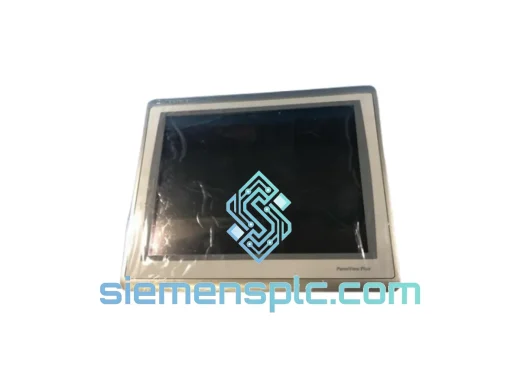
Allen-Bradley
RFQ Ready
Allen-Bradley 2711P-T15C22D9P HMI Terminal
PanelView
Origin US
HMI Graphic Terminal
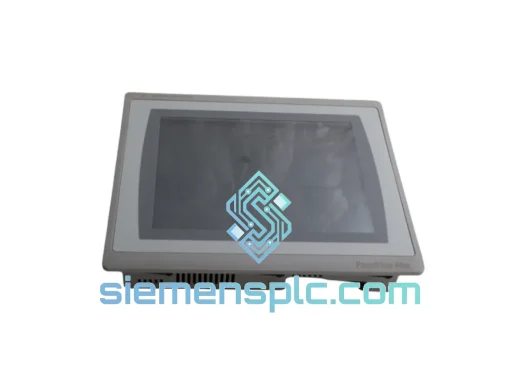
Allen-Bradley
RFQ Ready
Allen-Bradley 2711P-T10C21D8S HMI Operator Terminal
PanelView
Origin US
HMI Operator Terminal
Allen-Bradley
RFQ Ready
Allen-Bradley 2711P-RN15S ControlNet Communication Module
PanelView
Origin US
PLC Communication Module