
Allen-Bradley
In Stock OK
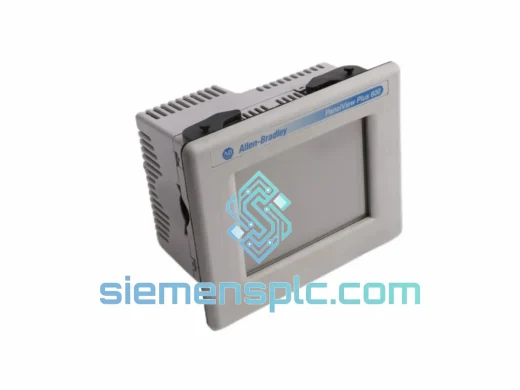
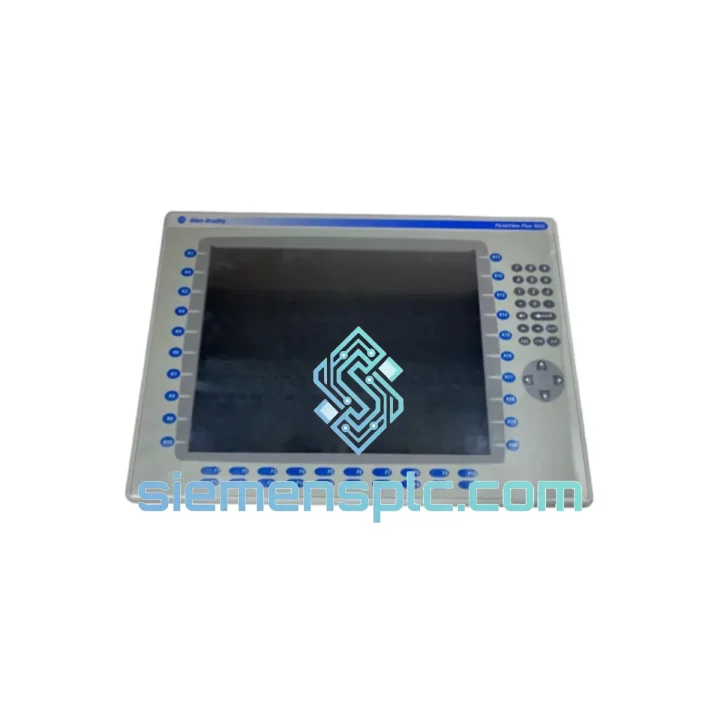
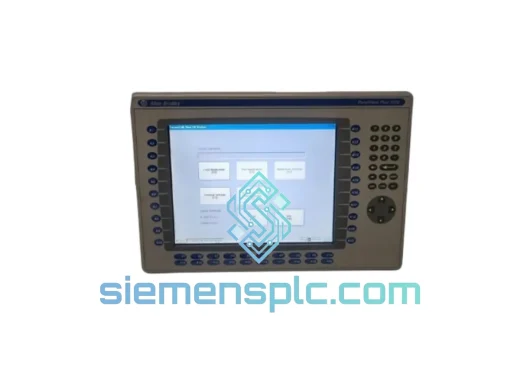
Allen-Bradley 2711P-K15C4D2 HMI Terminal
Request verified availability, condition, replacement risk review, packing options and courier lead time for 2711P-K15C4D2.
BrandAllen-Bradley
Part Number2711P-K15C4D2
ConditionAvailability Check
Lead TimeRFQ Confirmation
DocumentsDatasheet / photos by RFQ
ShippingExport packing available
Auto-filled RFQ
2711P-K15C4D2
Click Request Quote and the part number is inserted into the inquiry form automatically.
- Reply by email: [email protected]
- WhatsApp / Tel: +86 18359268345
- Mon-Sat 9:00-18:00 GMT+8
Procurement Data
Key Product Information
Core fields for model confirmation and RFQ routing. Detailed product narrative remains below.
- Brand
- Allen-Bradley
- Primary Part Number
- 2711P-K15C4D2
- Product Type
- HMI Terminal
- Series / Family
- PanelView
- Country of Origin
- US
- Catalog Category
- HMI Panels
- Operating Temp.
- 0°C to +55°C
- Humidity
- 5–95% RH non-condensing
Model confirmed for inquiry
2711P-K15C4D2
Send quantity, destination and urgency. The RFQ form keeps this part number attached.
Request Quote
Product Overview
2711P-K15C4D2 Down? Every Minute of Downtime Has a Price Tag — We Ship Today
Your line stopped. The operator screen is dead. Maintenance is on the phone. You’ve already lost 40 minutes of production and the shift supervisor is breathing down your neck. This is exactly the scenario the Allen-Bradley 2711P-K15C4D2 replacement stock at siemensplc.com was built for. We hold verified, ready-to-ship units in Xiamen — no lead time negotiation, no factory backorder queue, no waiting three weeks for a distributor to locate stock. You place the order, we ship the same business day via DHL Express or FedEx International Priority.
The 2711P-K15C4D2 is a 15-inch color TFT keypad-plus-touch HMI terminal from Rockwell Automation’s PanelView Plus 6 platform. It runs Windows CE, communicates over DH-485 and DF1 (RS-232), and is programmed via FactoryTalk View ME. It is a mature platform — widely deployed across automotive body shops, food processing lines, compressor stations, and pharmaceutical batch systems globally. When one fails, finding a verified replacement fast is the only thing that matters.
URGENT REQUIREMENT? Contact: [email protected] | WhatsApp: +86 18359268345
Quick Technical Datasheet
| Parameter | Specification |
|---|---|
| Part Number | 2711P-K15C4D2 |
| Brand | Allen-Bradley / Rockwell Automation |
| Series | PanelView Plus 6 |
| Display Size | 15-inch Color TFT LCD |
| Input Method | Keypad + Resistive Touch Screen (dual input) |
| Resolution | 1024 × 768 (XGA) |
| Operating System | Windows CE 6.0 |
| Communication Ports | DH-485, DF1 (RS-232), USB Host × 2, USB Device × 1 |
| Power Supply | 24V DC (18–32V DC range) |
| Power Consumption | ~55W typical |
| Operating Temperature | 0°C to +55°C |
| Storage Temperature | -20°C to +70°C |
| Humidity | 5–95% RH non-condensing |
| Protection Rating | NEMA 4/4X, IP65 (front panel) |
| Weight | ~4.7 kg |
| Country of Origin | United States |
| Stock Status | ✅ Ready to Ship — Xiamen, China |
Troubleshooting & Replacement Tips
Common failure modes on the 2711P-K15C4D2 in the field:
1. Blank screen / no backlight on power-up. Before condemning the terminal, verify 24VDC at the power connector pins (check both L+ and COM). A failed backlight inverter board is the most common hardware fault on units with 5+ years of runtime. If the unit powers up but the display stays dark, connect via USB and check if FactoryTalk View ME can still communicate — if yes, the logic board is intact and only the display assembly needs replacement (part: 2711P-RN15S).
2. Communication fault — DH-485 node not found. The 2711P-K15C4D2 uses a software-configured node address (not a physical DIP switch). After swapping in a replacement unit, go to: Terminal Settings → Communications → DH-485 and manually set the node address to match the failed unit’s address (typically node 1 for HMI). Baud rate must match the network — 19.2K is the most common default on legacy SLC 500 networks. Failure to set this correctly will result in a persistent “No Response” fault on every tag.
3. FactoryTalk View ME application won’t load after swap. The replacement unit ships with a clean Windows CE image. You must transfer the .MER application file via USB thumb drive. Boot the terminal, navigate to File Manager → USB, copy the .MER file to the terminal’s internal storage, then launch FactoryTalk View ME Runtime and load the application. If the application was compiled for a different terminal model or screen resolution, it will throw a resolution mismatch error — recompile in FactoryTalk View ME Studio targeting the 2711P-K15C4D2 specifically.
4. Firmware version mismatch. If the replacement unit ships with an older firmware version than the failed unit, some application features (particularly alarm history and trend objects) may behave unexpectedly. Check firmware version under Terminal Settings → System → About. Update via USB using the Rockwell Automation firmware upgrade utility. Always match the firmware major version to the FactoryTalk View ME software version used to compile the application.
5. Touch calibration drift after installation. After panel-mount installation, run the touch screen calibration routine: Terminal Settings → Input Devices → Touch Screen → Calibrate. Do this with the terminal at operating temperature — calibrating cold and then running hot will cause touch offset errors, especially at screen edges.
6. USB drive not recognized. The 2711P-K15C4D2 is selective about USB drive formatting. Use FAT32 format only, maximum 32GB. NTFS and exFAT are not supported under Windows CE. If the drive is not recognized, reformat and retry before assuming a hardware fault.
Reliability in Harsh Conditions
The PanelView Plus 6 platform was engineered for environments that destroy consumer-grade electronics. The 2711P-K15C4D2 carries an IP65 / NEMA 4X front-panel rating — it withstands direct water jets, coolant splash, and the fine metallic dust common in machining and stamping environments. The sealed front bezel prevents ingress that would otherwise corrode the display ribbon cables and touch controller board, which are the two most common environmental failure points on unrated HMI terminals.
Vibration tolerance is validated to IEC 60068-2-6 standards — the terminal survives the continuous low-frequency vibration generated by compressors, presses, and conveyor drive systems without display delamination or connector fatigue. The wide operating temperature range (0°C to +55°C) covers the majority of industrial panel enclosures, including those in non-climate-controlled outdoor substations in tropical climates.
The resistive touch screen technology used in the 2711P-K15C4D2 is deliberately chosen over capacitive for industrial use: it responds to gloved fingers, stylus input, and even light tool contact — critical in environments where operators wear cut-resistant or chemical-resistant gloves. Capacitive screens fail in these conditions. The keypad backup input means operators retain full control even if the touch layer is damaged, buying time until a replacement arrives.
Internal components are mounted on conformal-coated PCBs, providing a moisture barrier against the humidity cycling common in coastal and tropical industrial facilities. Units stored in our Xiamen warehouse are kept in climate-controlled conditions with anti-static packaging and humidity indicator cards — so the unit you receive is in the same condition as the day it left the factory.
Global Express Logistics
Our dispatch hub is in Xiamen, Fujian Province — one of China’s primary export ports with direct DHL Express and FedEx International Priority service to over 220 countries and territories. Here is the standard fulfillment sequence after order confirmation:
Day 0 (Order Confirmed): Unit pulled from climate-controlled stock, inspected, photographed, and packed in anti-static foam with outer carton. Export documentation prepared — commercial invoice, packing list, and HS code declaration (HS 8537.10 for HMI terminals).
Day 1 (Dispatch): Shipment handed to DHL Express or FedEx International Priority. Tracking number issued and emailed within 2 hours of pickup. For orders confirmed before 14:00 CST, same-day dispatch is standard.
Day 2–4 (Transit): Typical transit times — Southeast Asia: 2–3 business days. Middle East: 3–4 business days. Europe: 3–5 business days. North America: 4–6 business days. Australia: 3–4 business days.
For customers in countries with complex customs clearance (India, Brazil, Indonesia), we provide full commercial documentation sets and can arrange DDP (Delivered Duty Paid) terms on request to eliminate customs delays on your end. We have shipped to over 60 countries and understand the documentation requirements for industrial automation components in each major market.
If your situation is critical — line down, production stopped — contact us directly on WhatsApp for real-time coordination. We can arrange Saturday dispatch and expedited customs pre-clearance documentation for select destinations.
Contact Information
📧 Email: [email protected]
💬 WhatsApp: +86 18359268345
🌐 Web: siemensplc.com
© 2026 siemensplc.com. All rights reserved.
Ready to quote
[email protected]
Send This Part Number to Sales
RFQ workflow
Quality workflow ->
Confirmation Process
01Model confirmation
We check the full part number, brand, series and visible nameplate information before quotation.
02Availability reply
Sales confirms stock path, condition option, quantity and realistic lead time for export dispatch.
03Packing & courier
DHL, FedEx, UPS or buyer courier arrangements can be reviewed with packing requirements.
Continue sourcing
Browse full catalog ->
Related Automation Parts
Similar brand or category products for fast comparison and multi-item RFQ lists.
Allen-Bradley
RFQ Ready
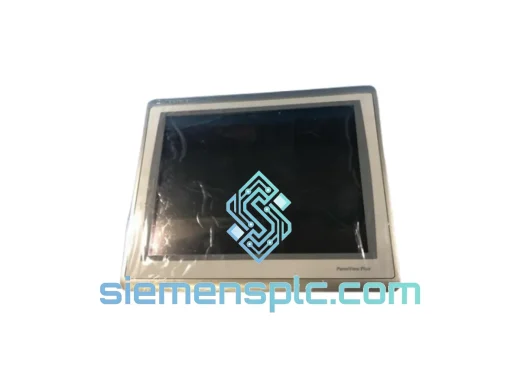
Allen-Bradley 2711P-T15C22D9P HMI Terminal
PanelView
Origin US
HMI Graphic Terminal
Allen-Bradley
RFQ Ready
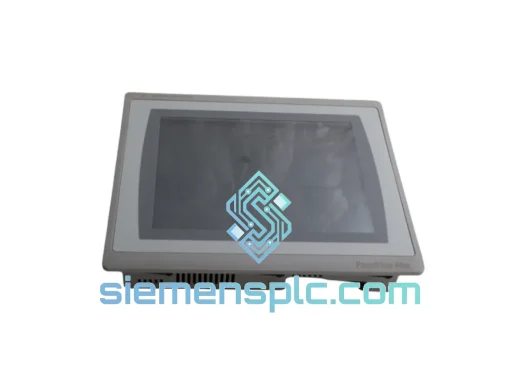
Allen-Bradley 2711P-T10C21D8S HMI Operator Terminal
PanelView
Origin US
HMI Operator Terminal
Allen-Bradley
RFQ Ready
Allen-Bradley 2711P-RN15S ControlNet Communication Module
PanelView
Origin US
PLC Communication Module