Allen-Bradley
RFQ Ready
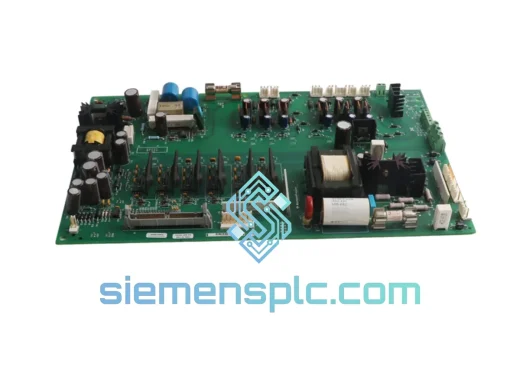
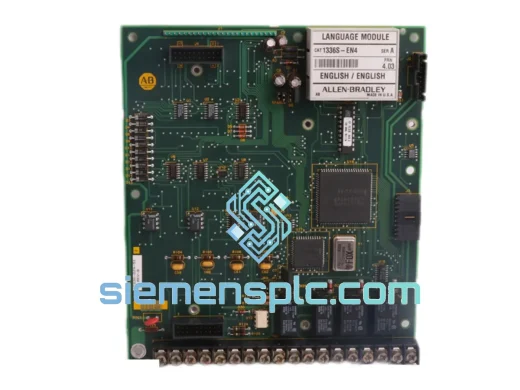
Allen-Bradley 1336S-EN4 42336-221-51 Language Module
Fast Replacement
Origin US
PLC Language Module
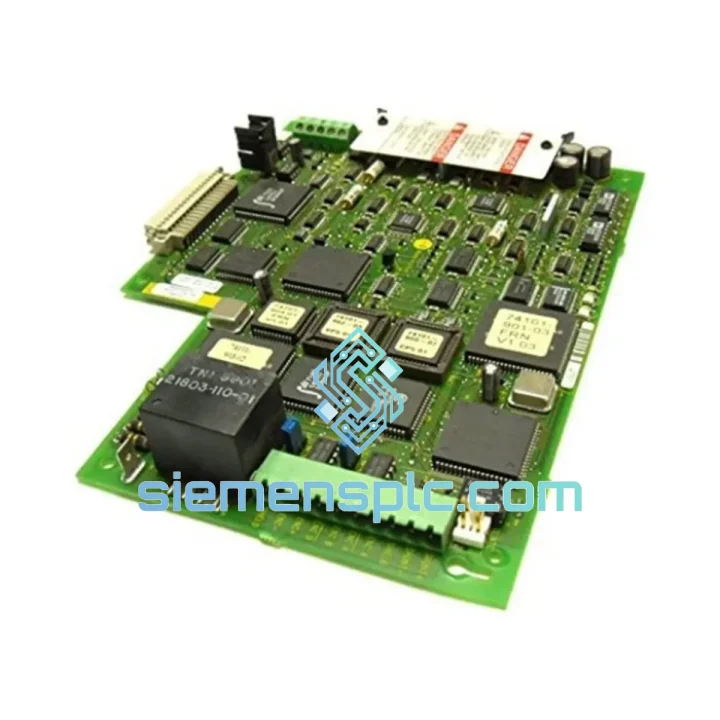
Request verified availability, condition, replacement risk review, packing options and courier lead time for 1336T-MCB-SP34B.
Click Request Quote and the part number is inserted into the inquiry form automatically.
Core fields for model confirmation and RFQ routing. Detailed product narrative remains below.
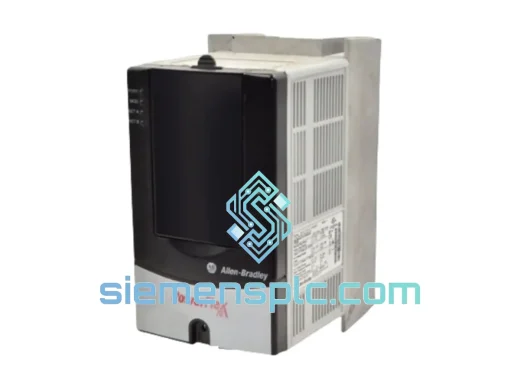
Your 1336 PLUS II drive is down. The conveyor stopped mid-shift. The pump lost regulation. The compressor tripped on a fault that won’t clear. You’ve already power-cycled it twice, pulled the fault log, and confirmed it: the main control board is dead. Every hour this line stays down costs real money — and the OEM lead time is 6–12 weeks.
We stock the Allen-Bradley 1336T-MCB-SP34B (P/N 74101-772-54) and ship from Xiamen via DHL Express. Most destinations in Southeast Asia, the Middle East, and Europe receive within 3–5 business days. North America typically 5–7 days. No waiting on Rockwell’s distribution queue. No excuses.
URGENT REQUIREMENT? Contact: [email protected] | WhatsApp: +86 18359268345
| Parameter | Value |
|---|---|
| Manufacturer | Allen-Bradley / Rockwell Automation |
| Catalog Number | 1336T-MCB-SP34B |
| Internal P/N | 74101-772-54 |
| Board Type | Main Control Board (MCB) |
| Compatible Drive Series | 1336 PLUS II (1336T frame) |
| Control Architecture | PWM switching logic, closed-loop V/Hz & vector control |
| Communication Interface | DPI (Drive Peripheral Interface) — compatible with 20-COMM-E/D adapters |
| Firmware Revision | SP34B hardware/firmware designation — verify against drive nameplate |
| Operating Temperature | 0°C to +50°C (drive enclosure ambient) |
| Weight | ~400 g |
| Condition | New / Surplus / Tested-Good (confirmed at quotation) |
| Stock Status | ✔ Ready to Ship — Xiamen Warehouse |
How to confirm the MCB is the failed component — not the gate driver or power section:
Before ordering, rule out peripheral causes. A dead MCB typically presents as: drive powers up (DC bus charges, precharge relay closes) but the keypad shows no display or locks at a blank screen; fault codes F002 (NVS Fault), F005 (Overcurrent — spurious, not load-related), or F012 (Hardware Fault) that return immediately after clearing; complete loss of DPI communication even with a known-good adapter; or the drive runs but speed reference is ignored entirely.
If the gate driver board (1336-GM1/GM2) is suspect, you’ll typically see F004 (Desaturation Fault) or asymmetric phase output. If the power section is the issue, you’ll see DC bus voltage anomalies or blown fuses. The MCB is the culprit when the drive’s intelligence layer is unresponsive while the power section appears intact.
Replacement procedure — field notes:
1. De-energize the drive and verify DC bus discharge below 50 VDC using a calibrated meter — do not rely on the keypad indicator alone. The 1336 PLUS II bus capacitors can hold lethal charge for several minutes after power removal.
2. Document the existing parameter set before board swap. If the drive was communicating, upload parameters via DriveExplorer or Studio 5000 Logix Designer. If the MCB is completely dead, you’ll need to re-enter parameters manually from the last known backup or the original commissioning sheet.
3. Note the DIP switch configuration on the existing MCB before removal. The SP34B revision uses onboard DIP switches to set node address (for DPI networks) and to enable/disable certain control modes. Photograph the switch bank before pulling the board.
4. Ground yourself with an ESD wrist strap. The MCB contains sensitive CMOS logic that can be damaged by static discharge even when the drive is de-energized.
5. Seat the replacement board firmly — the edge connector requires deliberate pressure. A partially seated board will cause intermittent faults that are extremely difficult to diagnose.
6. On first power-up after replacement, the drive will typically perform a self-test sequence. Allow it to complete before attempting to run. If F002 (NVS Fault) appears, this is normal on a new board — it indicates the parameter memory is blank. Restore your parameter backup at this point.
7. Verify motor nameplate data entry (motor FLA, voltage, frequency, poles) before issuing a run command. Running with default parameters on a mismatched motor can cause immediate overcurrent trip or motor damage.
Common fault codes associated with MCB failure in 1336 PLUS II:
F002 — NVS Fault (non-volatile storage corruption, often indicates MCB failure or power interruption during parameter write). F005 — Overcurrent with no load change (spurious, points to PWM logic fault on MCB). F012 — Hardware Fault (catch-all for MCB-level hardware failures). F048 — Adapter Fault (DPI communication lost, can be MCB or adapter — isolate by swapping adapter first). F063 — Checksum Fault (firmware/parameter memory corruption on MCB).
The 1336 PLUS II platform was engineered for continuous-duty industrial environments, and the MCB reflects that design philosophy. The board’s conformal coating protects copper traces and solder joints against condensation, airborne particulates, and mild chemical exposure — conditions common in food processing, wastewater treatment, and coastal manufacturing facilities where humidity regularly exceeds 85% RH.
Vibration resistance is achieved through through-hole component mounting on critical high-mass components (transformers, large capacitors, connectors) rather than relying solely on surface-mount adhesion. This matters in applications like compressor skids, pump stations, and mobile equipment where mechanical vibration is continuous rather than incidental.
Thermal management on the MCB is passive — the board relies on the drive’s internal airflow path to maintain junction temperatures within spec. This means the drive’s cooling fan condition is directly linked to MCB longevity. If you’re replacing an MCB that failed prematurely, inspect the cooling fan and heatsink for dust accumulation before reinstalling. A blocked airflow path will kill the replacement board within months.
Our stock is stored in a climate-controlled warehouse in Xiamen — temperature maintained at 18–25°C, humidity below 60% RH — with ESD-safe racking. Boards are individually bagged in anti-static packaging with desiccant. Long-term storage degradation is not a concern for boards shipped within 12 months of warehouse receipt.
We ship exclusively via DHL Express and FedEx International Priority from our Xiamen warehouse. Both carriers offer door-to-door tracking, and we provide the AWB number within 24 hours of payment confirmation.
Typical transit times from Xiamen: Southeast Asia (Singapore, Malaysia, Thailand, Vietnam) — 2–3 business days. Middle East (UAE, Saudi Arabia, Qatar) — 3–4 business days. Europe (Germany, Netherlands, UK, France) — 4–5 business days. North America (USA, Canada) — 5–7 business days. Australia and New Zealand — 4–5 business days.
All shipments include a commercial invoice, packing list, and country-of-origin certificate. For customers requiring HS code documentation for customs clearance, we declare under HS 8537.10 (boards, panels, consoles for electric control) with accurate declared value. We do not under-declare for customs purposes — this protects both parties from import compliance risk.
For orders requiring same-day dispatch, contact us before 14:00 CST. Orders confirmed and paid before that cutoff ship the same business day. Emergency freight via DHL Express 9:00 or 12:00 delivery services is available at additional cost for critical downtime situations — ask at inquiry.
Email: [email protected]
WhatsApp: +86 18359268345
Web: siemensplc.com
© 2026. All rights reserved.
We check the full part number, brand, series and visible nameplate information before quotation.
Sales confirms stock path, condition option, quantity and realistic lead time for export dispatch.
DHL, FedEx, UPS or buyer courier arrangements can be reviewed with packing requirements.
Similar brand or category products for fast comparison and multi-item RFQ lists.