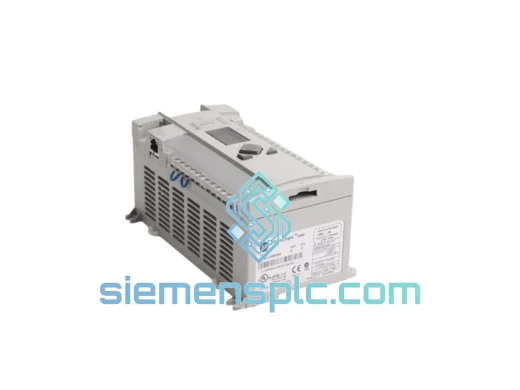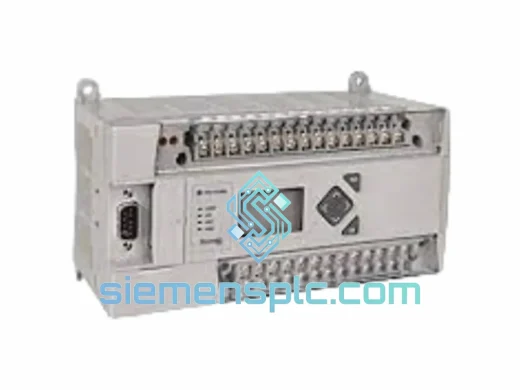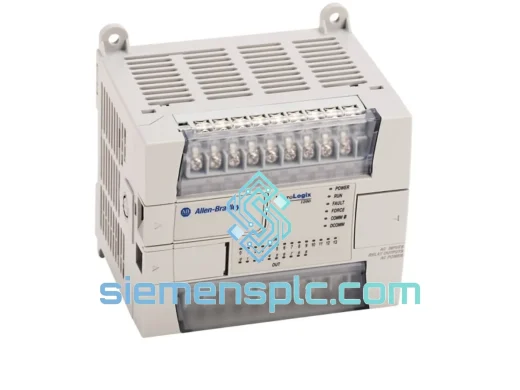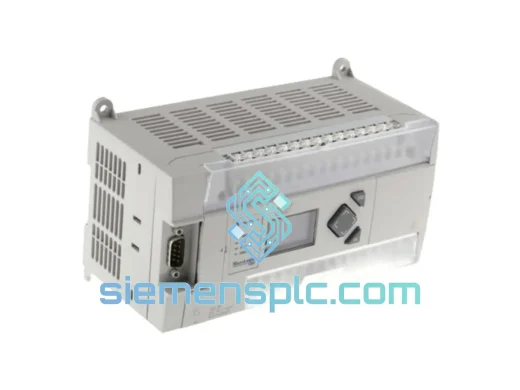
Allen-Bradley
RFQ Ready
Allen-Bradley 1766-L32BXB PLC Controller
MicroLogix
Origin US
Programmable Logic Controller
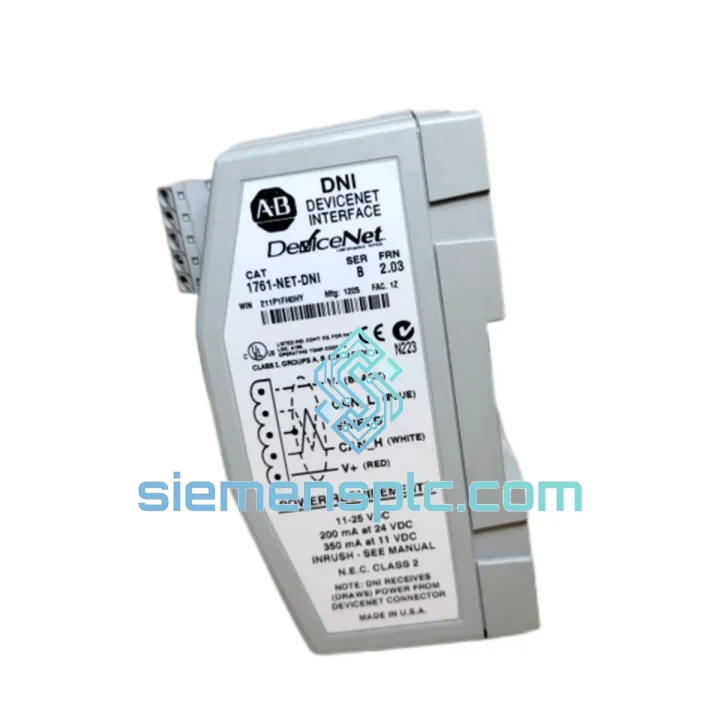
Request verified availability, condition, replacement risk review, packing options and courier lead time for 1761-NET-DNI.
Click Request Quote and the part number is inserted into the inquiry form automatically.
Core fields for model confirmation and RFQ routing. Detailed product narrative remains below.
Your MicroLogix or SLC 500 line just went dark. The 1761-NET-DNI is the single point of failure between your controller and the entire DeviceNet segment — and every minute it stays down, you’re bleeding production output. We stock verified, 100% original Allen-Bradley 1761-NET-DNI units in Xiamen, ready to pull from shelf and ship within hours. No sourcing delays. No grey-market gamble. Just the right part, moving fast.
URGENT REQUIREMENT? Contact: [email protected] | WhatsApp: +86 18359268345
| Part Number | 1761-NET-DNI |
| Brand | Allen-Bradley (Rockwell Automation) |
| Series | 1761 MicroLogix Accessories |
| Function | DeviceNet Communication Interface for MicroLogix 1000/1100/1200/1500 & SLC 500 |
| Network Protocol | DeviceNet (CAN-based, IEC 62026-3) |
| Baud Rates | 125 / 250 / 500 kbps (auto-detect or rotary-switch selectable) |
| Node Address Range | 0–63 (set via dual rotary switches on housing) |
| Host Interface | DH-485 / RS-232 Channel 0 (MicroLogix) or DH-485 port (SLC 500) |
| DeviceNet Connector | 5-pin open-style (V+, V−, CAN_H, CAN_L, Shield) |
| Power Source | DeviceNet bus-powered, 11–25 VDC |
| Operating Temperature | 0 °C to +60 °C |
| Humidity | 5–95% RH, non-condensing |
| Certifications | UL Listed, CE, cUL, ODVA DeviceNet Conformance Tested |
| Firmware | Factory-loaded Rockwell Automation firmware |
| Stock Status | ✔ Ready to Ship — Xiamen Warehouse |
| Lead Time | Ships within 1–3 business days of payment confirmation |
Swapping a 1761-NET-DNI under pressure is not plug-and-play if you skip the pre-checks. Here’s what actually matters on the bench before you bolt it in:
1. Node Address — Set It Before You Connect
The two rotary switches on the front face set the MAC ID (tens digit left, units digit right). The default from factory is typically 63 — which will conflict with most live networks. Set your target node address with the unit powered down and disconnected from the DeviceNet trunk. Connecting with a duplicate MAC ID will cause a bus fault that takes down every node on the segment, not just yours.
2. Baud Rate Lock
The 1761-NET-DNI auto-detects baud rate on power-up by listening to bus traffic. If the network is silent (e.g., scanner offline), it defaults to 125 kbps. If your segment runs at 500 kbps and the scanner comes online after the adaptor, you’ll get a comm fault (Error Code 77 or 78 in RSNetWorx). Fix: power-cycle the adaptor after the scanner is active, or manually lock baud rate via the EDS configuration in RSNetWorx for DeviceNet.
3. MS/NS LED Diagnostic Codes
The two LEDs tell you everything before you open a laptop:
4. DH-485 Cable Integrity
The 1761-NET-DNI connects to the MicroLogix via the Channel 0 RS-232/DH-485 port using a 1761-CBL-PM02 or equivalent cable. A worn or counterfeit cable is a common hidden fault — the adaptor will appear to power up normally (MS green) but the controller never sees it. Swap the cable first before condemning the module.
5. Firmware Compatibility
If you’re replacing a unit that was running on an older firmware revision and your RSNetWorx version is 10.x or later, verify the EDS file version matches. Mismatched EDS files cause parameter upload failures that look like hardware faults. Download the correct EDS from the Rockwell Automation Product Compatibility and Download Center (PCDC) using the exact catalog number and series letter.
6. Termination Check After Replacement
Every time a DeviceNet device is removed and re-inserted, there’s a risk of disturbing the trunk termination. After seating the new 1761-NET-DNI, measure impedance across CAN_H and CAN_L with all devices powered down — you should read approximately 60 Ω (two 120 Ω resistors in parallel). Anything significantly outside 55–65 Ω means a terminator is missing or damaged.
Industrial floors are not server rooms. The 1761-NET-DNI was designed for environments where vibration from presses and conveyors is constant, ambient temperatures swing from cold morning startups to mid-shift heat soak, and humidity from washdown operations or coastal air is a daily reality.
The module’s conformal-coated PCB provides a barrier against condensation and airborne contaminants — a critical feature in food processing and chemical handling facilities where washdown cycles are routine. The housing is rated for 0–60 °C continuous operation, with storage tolerance down to −40 °C, meaning units stored as cold-spare inventory in unheated warehouses remain fully functional when pulled into service.
Vibration tolerance aligns with IEC 60068-2-6 test profiles, covering the frequency ranges generated by industrial motors, pneumatic actuators, and conveyor drives. The DIN-rail mounting clip and locking connector design prevent the micro-movements that cause intermittent contact faults — the kind of fault that shows up as random comm errors on a Friday afternoon and disappears by Monday morning, wasting hours of diagnostic time.
Units we ship are stored in anti-static, humidity-controlled conditions and inspected for physical integrity before dispatch. A module that has been improperly stored — exposed to moisture, static discharge, or temperature extremes — can pass a bench power-on test and still fail within weeks in service. Our storage and handling protocols are designed to prevent exactly that scenario.
Our dispatch hub is in Xiamen, Fujian — one of China’s primary export ports with direct DHL and FedEx gateway access. Here’s how a typical urgent shipment moves:
If your plant is facing an active stoppage, flag your inquiry as URGENT — we prioritize same-day response and can coordinate with your freight forwarder or 3PL directly if needed.
Email: [email protected]
WhatsApp: +86 18359268345
Web: siemensplc.com
© 2026. All rights reserved.
We check the full part number, brand, series and visible nameplate information before quotation.
Sales confirms stock path, condition option, quantity and realistic lead time for export dispatch.
DHL, FedEx, UPS or buyer courier arrangements can be reviewed with packing requirements.
Similar brand or category products for fast comparison and multi-item RFQ lists.