
Allen-Bradley
In Stock OK
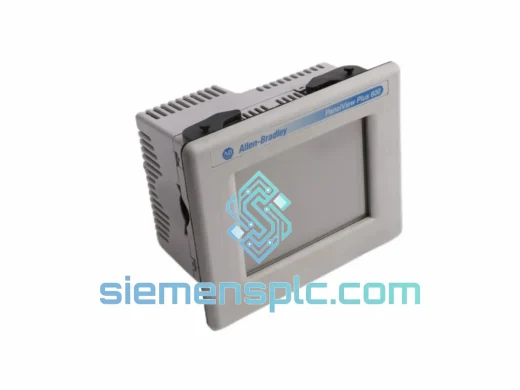
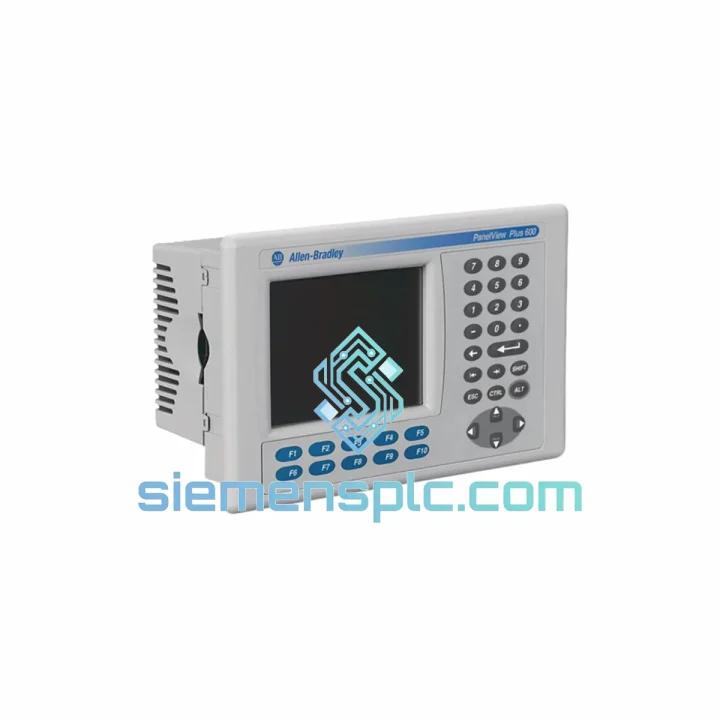
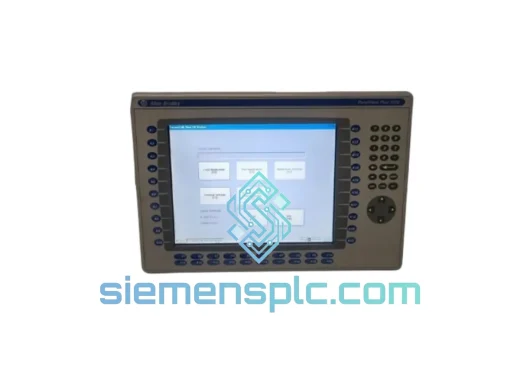
Allen-Bradley 2711P-B4C20A HMI Terminal
Request verified availability, condition, replacement risk review, packing options and courier lead time for 2711P-B4C20A.
BrandAllen-Bradley
Part Number2711P-B4C20A
ConditionAvailability Check
Lead TimeRFQ Confirmation
DocumentsDatasheet / photos by RFQ
ShippingExport packing available
Auto-filled RFQ
2711P-B4C20A
Click Request Quote and the part number is inserted into the inquiry form automatically.
- Reply by email: [email protected]
- WhatsApp / Tel: +86 18359268345
- Mon-Sat 9:00-18:00 GMT+8
Procurement Data
Key Product Information
Core fields for model confirmation and RFQ routing. Detailed product narrative remains below.
- Brand
- Allen-Bradley
- Primary Part Number
- 2711P-B4C20A
- Product Type
- HMI Terminal
- Series / Family
- PanelView
- Manufacturer
- Allen-Bradley / Rockwell Automation
- Country of Origin
- US
- Catalog Category
- HMI Panels
Model confirmed for inquiry
2711P-B4C20A
Send quantity, destination and urgency. The RFQ form keeps this part number attached.
Request Quote
Product Overview
2711P-B4C20A Down? Every Minute of Downtime Costs You Money — We Ship Today
Your line stopped. The HMI is dead. Maintenance is standing by and the shift supervisor is already on the phone. You need a Allen-Bradley 2711P-B4C20A — not next week, not in three days. Now.
We stock the 2711P-B4C20A PanelView Plus 6 Compact in Xiamen and dispatch same-day via DHL Express or FedEx Priority. From our warehouse to your panel door in 24–72 hours, anywhere on the planet. No broker delays, no customs surprises — just a verified, original unit in your hands before the next shift starts.
URGENT REQUIREMENT? Contact: [email protected] | WhatsApp: +86 18359268345
Quick Technical Datasheet
| Parameter | Specification |
|---|---|
| Part Number | 2711P-B4C20A |
| Series | PanelView Plus 6 Compact |
| Manufacturer | Allen-Bradley / Rockwell Automation |
| Display Size | 4.0″ diagonal, Color TFT LCD |
| Resolution | 320 × 240 (QVGA) |
| Touch Type | Resistive touch screen |
| Communication | DH-485 / RS-232 (DF1) |
| Power Supply | 24V DC (±10%) |
| Operating Temp | 0 °C to 55 °C |
| Storage Temp | -20 °C to 70 °C |
| IP Rating | IP65 (front panel) |
| Application Memory | 10 MB |
| OS | Windows CE |
| Software | FactoryTalk View ME v5.0+ |
| Certifications | UL, CE, cUL |
| Weight | ~920 g |
| Availability | ✅ Ready to Ship — Xiamen Stock |
Troubleshooting & Replacement Tips
Swapping a 2711P-B4C20A is straightforward if you know the traps. Here is what ten years of field calls have taught:
1. Firmware Revision Mismatch (Most Common Call-Back Cause)
The “A” suffix denotes hardware revision A. If you are replacing with a unit pulled from a different machine or sourced from surplus, check the firmware stamp on the label. FactoryTalk View ME will throw a “Terminal firmware version mismatch” warning on first download if the ME application was compiled on a newer runtime. Solution: re-download the .MER file from the engineering workstation after confirming the runtime version on the replacement unit via Settings → System → About.
2. DH-485 Node Address Conflict
The 2711P-B4C20A stores its DH-485 node address in non-volatile memory. A factory-reset or brand-new unit defaults to node 1. If your network already has a device at node 1 (common with MicroLogix 1400 defaults), you will see “No communications” immediately after power-up. Navigate to Settings → Communications → DH-485 and set the node address to match your network map — typically node 2 or 3 for the HMI.
3. RS-232 DF1 Baud Rate Lock
If communicating via RS-232 DF1 Full-Duplex, the baud rate must match the PLC port exactly. Default on the 2711P-B4C20A is 19200 baud. SLC 500 Channel 0 defaults to 9600. Mismatch produces a solid red comms LED with no error code — just silence. Fix: align both sides to 19200 or 38400 for faster screen refresh.
4. Application Transfer via CF Card
No laptop on-site? Copy the .MER file to a CompactFlash card (128 MB or 256 MB, FAT16 formatted). Insert into the card slot on the back of the terminal. On boot, the unit will prompt to load the application. This is the fastest swap method when the engineering workstation is not accessible at the machine.
5. Touch Calibration After Replacement
Resistive touch panels drift slightly between units. After loading the application, hold the top-left corner of the screen for 3 seconds during boot to enter calibration mode. Skipping this step causes operators to report “buttons not responding” — it is always calibration, not a hardware fault.
6. Fault Codes to Know
- E0001 — Application file not found on CF card or internal memory. Re-download .MER.
- E0010 — Communications timeout. Check node address and baud rate first.
- E0020 — Runtime version incompatible. Match FactoryTalk View ME version to terminal firmware.
- Blank screen, backlight on — Application loaded but display driver conflict. Power cycle twice; if persistent, re-flash firmware via FactoryTalk View ME Firmware Upgrade Wizard.
Reliability in Harsh Conditions
The 2711P-B4C20A was engineered for the factory floor, not the office. The IP65-rated front bezel creates a dust-tight, water-jet-resistant seal — critical in food processing washdown zones and outdoor pump stations. The TFT LCD panel is rated to 55 °C continuous ambient, covering the majority of panel enclosure environments even without forced-air cooling.
Vibration resistance meets IEC 60068-2-6 standards: 5–500 Hz sweep, 2G peak. This matters on press lines, compressor skids, and mobile equipment where lesser terminals develop intermittent touch faults within months. The internal PCB uses conformal coating on production runs, providing additional protection against condensation in high-humidity environments such as paper mills and coastal installations.
Shock resistance per IEC 60068-2-27 (15G, 11 ms half-sine) means the unit survives the kind of accidental drops and panel door slams that happen during maintenance windows. The aluminum die-cast rear housing dissipates heat passively — no fans, no filters to clean, no moving parts to fail.
Every unit we ship from Xiamen undergoes a power-on functional test: display uniformity check, touch grid calibration verification, and communications port continuity. We do not ship untested stock.
Global Express Logistics
Our dispatch hub is in Xiamen, Fujian, China — one of the most connected export ports in Asia, with direct DHL and FedEx gateway access. Here is how your order moves:
- Order confirmed before 14:00 CST → Same-day dispatch, DHL Express or FedEx International Priority
- Transit to Southeast Asia: 24–48 hours
- Transit to Europe / Middle East: 48–72 hours
- Transit to North America: 48–72 hours
- Transit to South America / Africa: 72–96 hours
All shipments include: commercial invoice with correct HS code (8537.10), packing list, and certificate of conformance. For customers in the EU, we provide EORI-compliant documentation. For customers in the US, we handle EEI filing where required. Tracking number is sent within 2 hours of dispatch — no chasing, no waiting.
For large-quantity orders (10+ units), sea freight via Xiamen Port is available with full container load (FCL) or less-than-container load (LCL) options. Lead time for sea freight: 18–25 days to most major ports.
Anti-static ESD bags, foam-lined cartons, and fragile labeling are standard on every shipment. The 2711P-B4C20A arrives at your door in the same condition it left our shelf.
Contact Information
📧 Email: [email protected]
📱 WhatsApp: +86 18359268345
🌐 Web: siemensplc.com
© 2026 siemensplc.com. All rights reserved.
Ready to quote
[email protected]
Send This Part Number to Sales
RFQ workflow
Quality workflow ->
Confirmation Process
01Model confirmation
We check the full part number, brand, series and visible nameplate information before quotation.
02Availability reply
Sales confirms stock path, condition option, quantity and realistic lead time for export dispatch.
03Packing & courier
DHL, FedEx, UPS or buyer courier arrangements can be reviewed with packing requirements.
Continue sourcing
Browse full catalog ->
Related Automation Parts
Similar brand or category products for fast comparison and multi-item RFQ lists.
Allen-Bradley
RFQ Ready
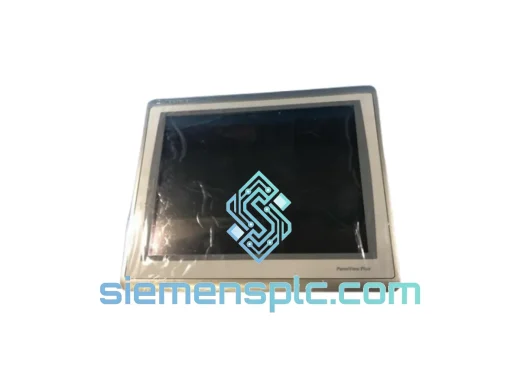
Allen-Bradley 2711P-T15C22D9P HMI Terminal
PanelView
Origin US
HMI Graphic Terminal
Allen-Bradley
RFQ Ready
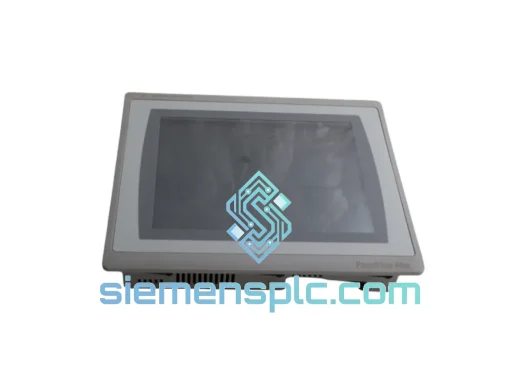
Allen-Bradley 2711P-T10C21D8S HMI Operator Terminal
PanelView
Origin US
HMI Operator Terminal
Allen-Bradley
RFQ Ready
Allen-Bradley 2711P-RN15S ControlNet Communication Module
PanelView
Origin US
PLC Communication Module