
Allen-Bradley
In Stock OK
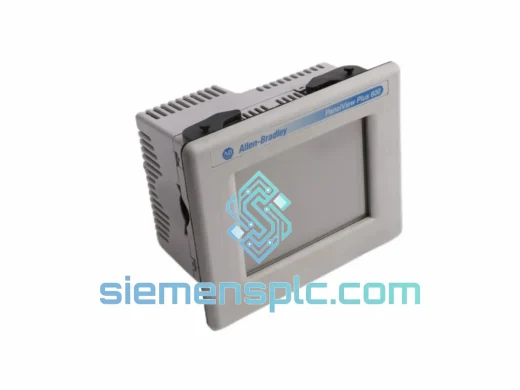
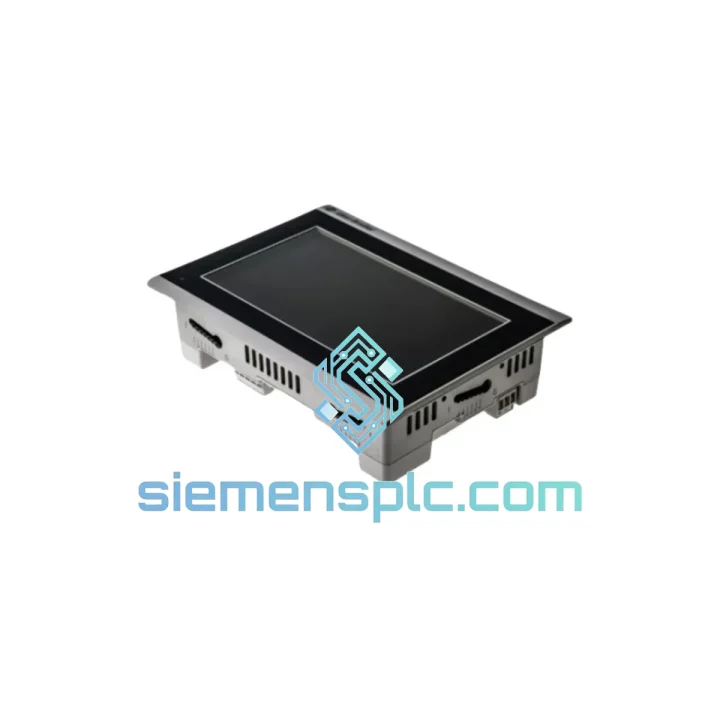
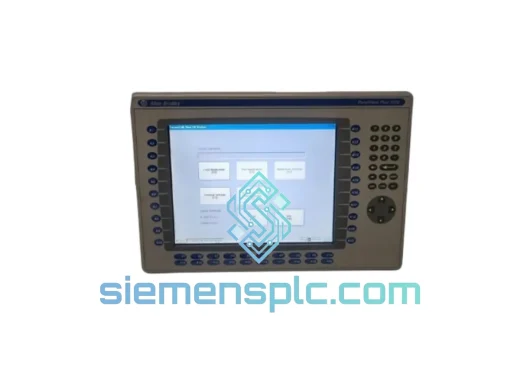
Allen-Bradley 2711R-T7T HMI Terminal
Request verified availability, condition, replacement risk review, packing options and courier lead time for 2711R-T7T.
BrandAllen-Bradley
Part Number2711R-T7T
ConditionAvailability Check
Lead TimeRFQ Confirmation
DocumentsDatasheet / photos by RFQ
ShippingExport packing available
Auto-filled RFQ
2711R-T7T
Click Request Quote and the part number is inserted into the inquiry form automatically.
- Reply by email: [email protected]
- WhatsApp / Tel: +86 18359268345
- Mon-Sat 9:00-18:00 GMT+8
Procurement Data
Key Product Information
Core fields for model confirmation and RFQ routing. Detailed product narrative remains below.
- Brand
- Allen-Bradley
- Primary Part Number
- 2711R-T7T
- Product Type
- HMI Graphic Terminal
- Series / Family
- PanelView
- Country of Origin
- US
- Catalog Category
- HMI Panels
- Humidity
- 5%–95% non-condensing
Model confirmed for inquiry
2711R-T7T
Send quantity, destination and urgency. The RFQ form keeps this part number attached.
Request Quote
Product Overview
Allen-Bradley 2711R-T7T — Stop the Clock on Your Downtime. Ship Today.
Every minute your line is down, you’re bleeding money. A failed HMI shouldn’t be the bottleneck. We stock the Allen-Bradley 2711R-T7T PanelView 800 in Xiamen and can have it moving toward your facility within hours of order confirmation. No waiting on distributor lead times. No back-order queues. Just a verified, tested unit on its way to your dock.
This is the terminal your maintenance team needs when the operator screen goes dark at 2 AM and production is at a standstill. We’ve been there. We built our inventory model around exactly that scenario.
URGENT REQUIREMENT? Contact: [email protected] | WhatsApp: +86 18359268345
Quick Technical Datasheet
| Part Number | 2711R-T7T | Stock Status | ✅ Ready to Ship |
| Brand | Allen-Bradley / Rockwell Automation | Series | PanelView 800 |
| Display | 7.0″ TFT Color LCD, WVGA | Resolution | 800 × 480 px |
| Touch Panel | Resistive Analog | Supply Voltage | 24V DC (±20%) |
| Power Draw | ≤ 12 W | Communication | EtherNet/IP (RJ-45), USB-A |
| Compatible PLCs | MicroLogix 1100/1400, Micro800, CompactLogix L1x–L3x | Programming SW | CCW v9.0+ |
| Operating Temp | 0 °C to +50 °C | Storage Temp | -20 °C to +70 °C |
| Humidity | 5%–95% non-condensing | IP Rating | IP65 front panel / NEMA 4X |
| Panel Cutout | 192 mm × 138 mm (W × H) | Mounting Depth | ≤ 57 mm |
| Memory | 128 MB Flash / 128 MB RAM | Weight | ~2.04 kg |
| Certifications | UL, CE, cULus, RCM | Origin | USA |
Troubleshooting & Replacement Tips
Swapping a 2711R-T7T in the field is straightforward if you know the traps. Here’s what ten years of emergency callouts have taught us:
1. Confirm Series Revision Before You Order
The 2711R-T7T ships in Series A and Series B. Series B introduced a revised backlight driver and minor firmware changes. Check the label on the rear housing — the series letter is stamped next to the catalog number. Mixing series in a multi-terminal installation can cause inconsistent CCW project behavior.
2. Firmware Version Must Match Your CCW Project
Before powering the replacement unit, check the firmware version via the terminal’s System menu (Settings → About). If your CCW project was built on firmware v4.011 and the replacement ships with v3.x, you’ll get a project load error. Use the USB-A port and CCW’s firmware update utility to align versions before loading the application. Mismatched firmware is the #1 cause of failed HMI swaps in the field.
3. IP Address Configuration
The 2711R-T7T does not retain IP settings from the previous unit — it ships with DHCP enabled by default. On first boot, navigate to Settings → Network and assign the static IP that matches your machine network subnet. Failure to do this before connecting to the switch will cause the PLC to lose its HMI peer and trigger a communication fault (Error Code 16#0204 on CompactLogix).
4. Project Transfer via USB
Copy the .ccwsln project file to a USB flash drive (FAT32, ≤32 GB). Insert into the terminal’s USB-A port, navigate to File Manager → USB, and load the project. This avoids needing a laptop on the floor during a hot swap. Keep a current project backup on a USB drive taped inside the panel door — standard practice for any PanelView 800 installation.
5. Common Fault Codes
- “Controller Not Found” on startup: IP address mismatch or PLC offline. Verify network config and PLC run mode.
- Blank screen with backlight on: Project not loaded or corrupt. Re-transfer via USB.
- Touch calibration drift: Resistive panels drift over time. Run calibration from Settings → Touch Calibration. If drift persists after calibration, the touch overlay is worn — unit replacement is the correct action.
- Intermittent comms loss: Check EtherNet/IP cable integrity and switch port negotiation. Force 100 Mbps full-duplex on the switch port if auto-negotiation is unstable.
- “Application Error” on project load: Firmware version mismatch. Update firmware first, then reload project.
6. Panel Gasket Inspection
When removing the failed unit, inspect the panel cutout gasket. A compressed or torn gasket on the replacement will compromise the IP65 seal. We include a fresh gasket with every unit shipped.
Reliability in Harsh Conditions
The PanelView 800 platform was designed for the factory floor, not a climate-controlled server room. The 2711R-T7T’s IP65-rated front bezel keeps out dust, coolant mist, and directed water spray — the daily reality on packaging lines, food processing facilities, and automotive assembly cells. The resistive touch panel operates reliably with gloved hands, a critical requirement in environments where operators wear cut-resistant or chemical-resistant gloves.
The unit’s operating temperature ceiling of +50 °C covers the majority of industrial panel enclosures, even in summer conditions in Southeast Asia and the Middle East where ambient temperatures push panel internals well above 40 °C. The wide 24V DC input tolerance (±20%) means the terminal keeps running through the voltage sags that accompany large motor starts on the same power bus — a scenario that kills lesser HMIs.
Vibration resistance meets IEC 60068-2-6 standards, making the 2711R-T7T suitable for mobile equipment panels, compressor skids, and press brake control cabinets where mechanical shock is a constant. Each unit we ship has been powered on, display-tested, and touch-verified. We do not ship untested stock.
Global Express Logistics
Our warehouse is located in Xiamen, Fujian — one of China’s primary export hubs with direct access to DHL, FedEx, and UPS international gateways. When you confirm an order before 3:00 PM CST, same-day dispatch is standard. Here’s how the logistics chain works:
- Day 0 (Order Confirmed): Unit pulled from shelf, powered on for final functional check, packed in anti-static bag with foam-lined carton. Commercial invoice, packing list, and country of origin certificate prepared.
- Day 0–1 (Export Clearance): Shipment tendered to DHL Express or FedEx International Priority. HS Code 8537.10 declared. Export license not required for standard HMI terminals to most destinations.
- Day 1–3 (Transit): DHL Express typically delivers to Europe in 2–3 business days, North America in 2–4 business days, Southeast Asia in 1–2 business days, Middle East in 2–3 business days.
- Tracking: AWB number sent via email within 2 hours of pickup scan. Real-time tracking link provided.
- Customs: We prepare accurate commercial documentation to minimize customs hold risk. Duties and taxes are consignee’s responsibility (DAP Incoterms). We can advise on HS code classification for your country on request.
- Packaging: Double-boxed for international transit. Inner anti-static wrap, outer corrugated carton rated for 50 kg drop test. No unit has arrived DOA due to transit damage in our shipping history.
For critical shutdowns where every hour counts, contact us on WhatsApp for real-time coordination on the fastest available routing to your location.
Contact Information
📧 Email: [email protected]
📱 WhatsApp: +86 18359268345
🌐 Web: siemensplc.com
© 2026 siemensplc.com. All rights reserved.
Ready to quote
[email protected]
Send This Part Number to Sales
RFQ workflow
Quality workflow ->
Confirmation Process
01Model confirmation
We check the full part number, brand, series and visible nameplate information before quotation.
02Availability reply
Sales confirms stock path, condition option, quantity and realistic lead time for export dispatch.
03Packing & courier
DHL, FedEx, UPS or buyer courier arrangements can be reviewed with packing requirements.
Continue sourcing
Browse full catalog ->
Related Automation Parts
Similar brand or category products for fast comparison and multi-item RFQ lists.
Allen-Bradley
RFQ Ready
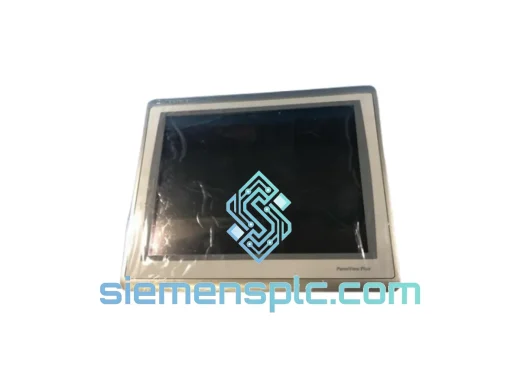
Allen-Bradley 2711P-T15C22D9P HMI Terminal
PanelView
Origin US
HMI Graphic Terminal
Allen-Bradley
RFQ Ready
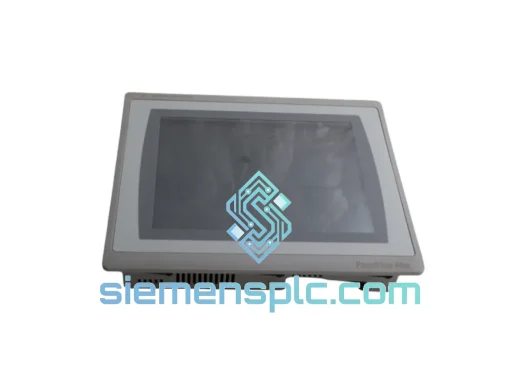
Allen-Bradley 2711P-T10C21D8S HMI Operator Terminal
PanelView
Origin US
HMI Operator Terminal
Allen-Bradley
RFQ Ready
Allen-Bradley 2711P-RN15S ControlNet Communication Module
PanelView
Origin US
PLC Communication Module