Allen-Bradley
RFQ Ready
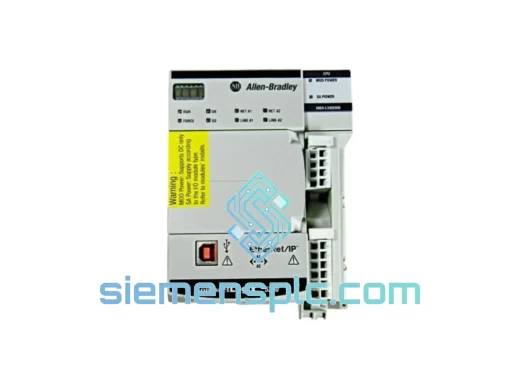
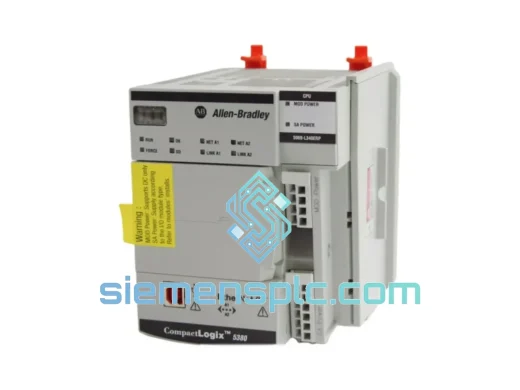
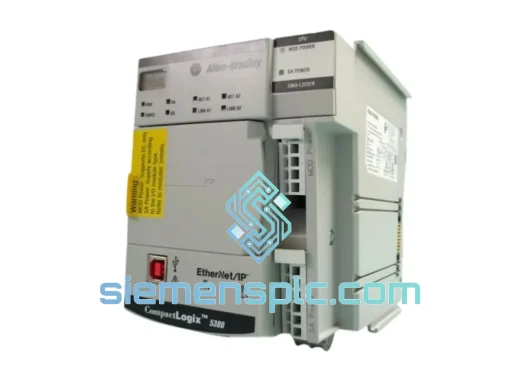
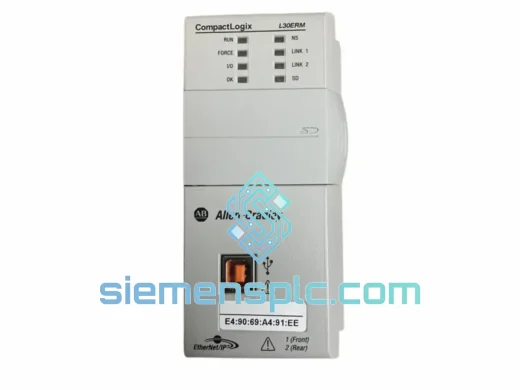
Allen-Bradley 1769-L30ERM PLC Motion Controller – CompactLogix 5370
CompactLogix
Origin US
PLC Motion Controller
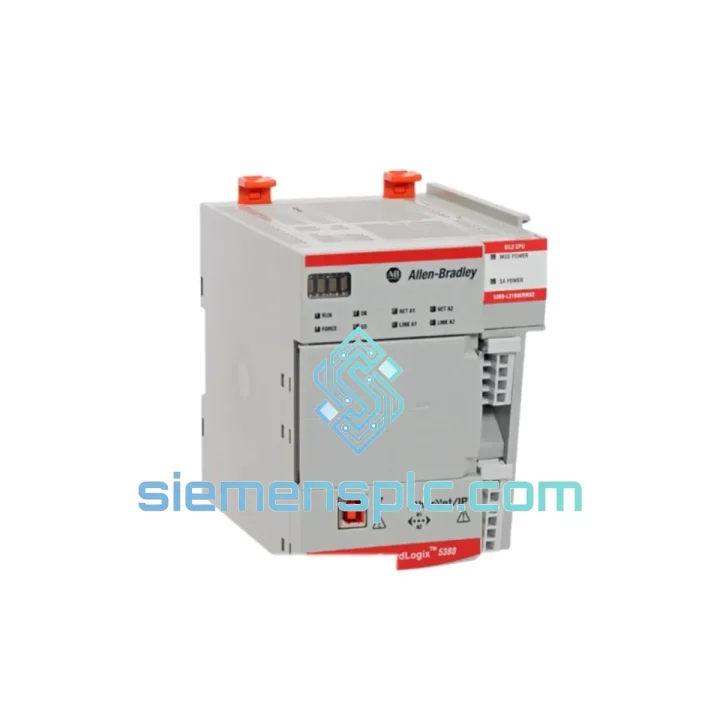
Request verified availability, condition, replacement risk review, packing options and courier lead time for 5069-L3100ERMS2.
Click Request Quote and the part number is inserted into the inquiry form automatically.
Core fields for model confirmation and RFQ routing. Detailed product narrative remains below.
A tripped safety task, a corrupted firmware state, or a hardware fault on the Allen-Bradley 5069-L3100ERMS2 doesn’t just pause a machine — it locks out an entire safety zone. Automotive press lines, AS/RS conveyors, pharmaceutical batch reactors: when the integrated safety PAC goes offline, your SIL 2 interlock chain collapses and production stops hard. We stock the 5069-L3100ERMS2 in Xiamen and ship DHL Express within hours of order confirmation. That’s the difference between a 4-hour fix and a 4-day wait.
URGENT REQUIREMENT? Contact: [email protected] | WhatsApp: +86 18359268345
| Parameter | Specification |
|---|---|
| Catalog Number | 5069-L3100ERMS2 |
| Series | CompactLogix 5380 |
| Manufacturer | Allen-Bradley / Rockwell Automation |
| Controller Type | Integrated Safety PAC (Standard + Safety on single CPU) |
| User Memory | 10 MB |
| Safety Rating | SIL 2 (IEC 62061) / PLe Cat. 4 (ISO 13849-1) |
| EtherNet/IP Ports | 2 × (supports Device Level Ring — DLR) |
| Local I/O Bus | Compact 5000 I/O (5069 series) |
| Programming Software | Studio 5000 Logix Designer v31.00+ |
| Operating Temperature | 0 °C to 60 °C |
| Power Supply Required | 5069-PA4 or 5069-PB4 |
| Certifications | CE, UL, cUL, TÜV Rheinland |
| Country of Origin | United States |
| Stock Status | ✅ Ready to Ship — Xiamen Warehouse |
Replacing a 5069-L3100ERMS2 under pressure is not the same as swapping a standard I/O card. Here’s what trips up engineers on-site:
1. Safety Task Signature Mismatch (Fault Code 0x0204)
After installing a replacement unit, Studio 5000 will flag a safety task signature mismatch if the new controller’s safety memory hasn’t been cleared. Before going online, navigate to Controller Properties → Safety and reset the safety task signature. Then perform a full safety lock/unlock cycle. Skipping this step keeps the safety outputs in a de-energized state — your E-stops won’t reset.
2. Firmware Version Must Match Exactly
The 5069-L3100ERMS2 runs firmware that is tightly coupled to the project file. If your project was built on v33.011 and the replacement ships with v34.014, you will get a firmware mismatch fault on first connection. Use ControlFLASH Plus to downgrade or upgrade the controller firmware before attempting to download the program. Do not attempt a live download across major firmware revisions.
3. DLR Ring Topology — Break Detection During Swap
If the failed controller was part of a Device Level Ring, removing it breaks the ring and triggers a network fault on all downstream nodes. Before pulling the unit, switch your managed switch (Stratix 5700/5400) to linear mode temporarily. Restore ring mode only after the replacement controller is online and the EtherNet/IP connections are re-established.
4. Safety I/O Module Re-ownership
Compact 5000 safety I/O modules (5069-IB8S, 5069-OB8S) are owned by the safety task of a specific controller. After replacing the PAC, each safety module must be re-owned. Go online, right-click each safety module in the I/O tree, select Safety → Reset Ownership. Without this step, safety outputs remain inhibited.
5. SD Card — Do Not Reuse the Old Card Blindly
The 5069-L3100ERMS2 supports an SD card for program backup and autorun. If the original controller failed due to a firmware corruption event, the SD card may carry the corrupted image. Always load a known-good project from Studio 5000 rather than relying on the SD card from a faulted unit.
Common Fault Codes at a Glance:
Industrial environments don’t care about your maintenance schedule. The 5069-L3100ERMS2 is engineered to operate where standard computing hardware fails within weeks.
The controller’s conformal-coated PCB resists condensation and airborne contaminants — a critical factor in food processing facilities where washdown cycles create humidity spikes. In automotive stamping plants, the chassis absorbs continuous vibration from press operations without connector fatigue or solder joint cracking. The operating range of 0 °C to 60 °C covers everything from cold-chain logistics facilities to steel mill auxiliary control rooms.
The dual EtherNet/IP ports with DLR support aren’t just a convenience feature — they are a fault-tolerance mechanism. A single cable cut in a DLR ring causes zero communication loss; the ring self-heals in under 3 ms. For safety-critical applications where a communication dropout triggers an emergency stop, DLR is the architecture that keeps your line running through infrastructure faults.
TÜV Rheinland certification to SIL 2 and PLe means the controller has been independently validated for use in safety instrumented functions — not just self-declared. The probabilistic failure data (PFH values) are published in the Rockwell safety reference manual and accepted by TÜV, BG, and Lloyd’s Register auditors globally.
Our Xiamen warehouse operates on a same-day dispatch model for in-stock units confirmed before 14:00 CST. Here’s how the shipment moves:
Every shipment is photographed before sealing. If a unit arrives damaged in transit, we initiate a carrier claim and dispatch a replacement within 24 hours — no lengthy RMA process.
📧 Email: [email protected]
💬 WhatsApp: +86 18359268345
🌐 Web: siemensplc.com
© 2026 siemensplc.com. All rights reserved.
We check the full part number, brand, series and visible nameplate information before quotation.
Sales confirms stock path, condition option, quantity and realistic lead time for export dispatch.
DHL, FedEx, UPS or buyer courier arrangements can be reviewed with packing requirements.
Similar brand or category products for fast comparison and multi-item RFQ lists.