Mitsubishi Electric
RFQ Ready
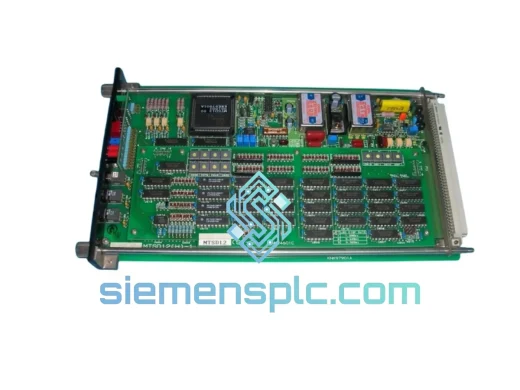
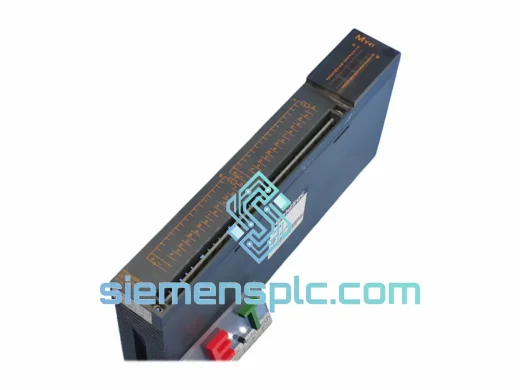
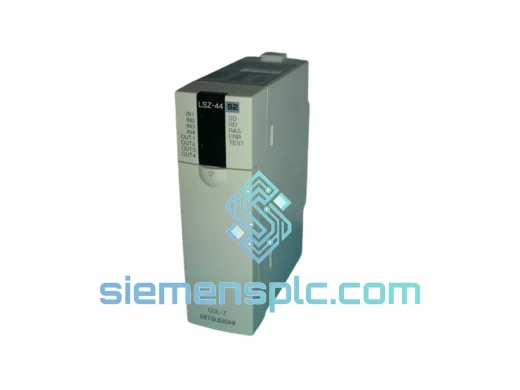
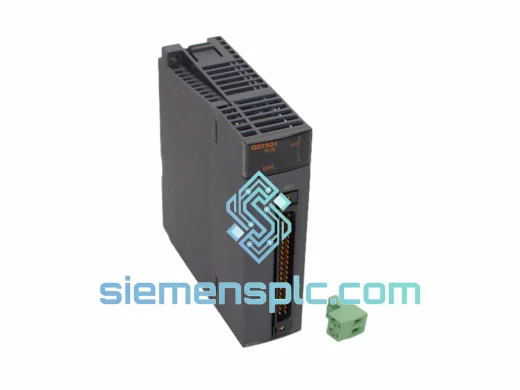
Mitsubishi SD1T0A-A SD-1T0A-08 PLC Memory Module – MELSEC iQ-R Series
MELSEC
Origin JP
PLC Memory Module
Request verified availability, condition, replacement risk review, packing options and courier lead time for IFALM11.
Click Request Quote and the part number is inserted into the inquiry form automatically.
Core fields for model confirmation and RFQ routing. Detailed product narrative remains below.
Your line is down. The MELSEC rack is dark on alarm channels. Operators are running blind, maintenance is guessing, and every minute of unplanned downtime is burning through your production schedule. You don’t need a lecture on alarm architecture right now — you need a verified IFALM11 on your bench, today. We stock it. We ship it. We’ve done this hundreds of times for plants that couldn’t wait.
The MITSUBISHI IFALM11 is the dedicated alarm annunciator board for MELSEC programmable controller systems. It handles fault signal aggregation, alarm output sequencing, and status annunciation within the MELSEC modular rack. When this board fails, your entire alarm management layer collapses — no fault acknowledgment, no alarm history, no interlock feedback. Replacing it is not optional. Getting the right one, fast, is the only variable you control right now.
URGENT REQUIREMENT? Contact: [email protected] | WhatsApp: +86 18359268345
| Parameter | Detail |
|---|---|
| Manufacturer | MITSUBISHI Electric |
| Part Number / SKU | IFALM11 |
| Module Classification | Alarm Annunciator Board |
| Compatible Platform | MELSEC Programmable Controller Series |
| Compatible CPU Families | MELSEC A-Series, FX-Series (verify rack compatibility) |
| Module Form Factor | Modular plug-in card for MELSEC base unit |
| Alarm Output Type | Discrete fault annunciation with status indication |
| Operating Temperature | 0°C to 55°C (standard industrial range) |
| Storage Temperature | -20°C to 75°C |
| Humidity | 5% to 95% RH, non-condensing |
| Country of Origin | Japan |
| Stock Status | ✅ Ready to Ship — Xiamen Warehouse |
| Condition | New / Surplus New (specify on inquiry) |
| Lead Time | Same-day dispatch for in-stock units |
Symptom pattern that points to IFALM11 failure: All alarm outputs go silent simultaneously while the CPU module continues to run normally. The MELSEC CPU shows no fault LED, but the alarm board’s own status indicator is either off or stuck solid — no blink pattern. Downstream annunciator panels go dark. This is not a wiring fault; this is board-level failure.
Before you pull the board, check these first:
Replacement procedure (field-tested sequence):
Common fault codes associated with IFALM11 degradation:
Firmware and configuration note: The IFALM11 does not carry user-programmable firmware in the traditional sense — its behavior is governed by the PLC ladder program and the I/O parameter settings in GX Works. After replacement, no firmware flashing is required. However, if your system uses special function module parameters stored in the CPU’s flash, you must re-write those parameters after the swap. Failure to do so results in the new board operating on default settings, which may not match your alarm logic.
MELSEC modules are not designed for climate-controlled server rooms. They go into steel enclosures on foundry floors, inside outdoor pump station panels in monsoon climates, and on the back wall of paint booths where ambient temperatures routinely exceed 45°C. The IFALM11 was built for exactly this environment.
The board’s PCB uses conformal coating on production variants, providing resistance to condensation and airborne contaminants — a critical feature in food processing and chemical plant installations where cleaning agents and process vapors are a constant presence. The edge connector is gold-plated on genuine MITSUBISHI units, which is why you should be skeptical of any IFALM11 that shows silver-colored contacts — that’s a counterfeit indicator.
Vibration tolerance is rated to IEC 60068-2-6 standards, covering the 10–150 Hz frequency range that covers most industrial machinery vibration profiles — press lines, compressors, conveyor drives. The module’s component mounting uses wave-soldered through-hole construction on the critical signal paths, not surface-mount only, which is why MELSEC boards outlast many of their SMT-only competitors in high-vibration environments.
Every unit we dispatch from our Xiamen warehouse is inspected for physical integrity: connector condition, PCB surface, label authenticity, and housing integrity. We do not ship boards with bent pins, cracked housings, or missing labels — those go to the reject pile, not to your plant.
Our dispatch hub is in Xiamen, China — one of the most logistics-connected export cities on the mainland, with direct DHL and FedEx gateway access. This matters when you’re counting hours, not days.
Standard export flow for urgent orders:
For customers in regions with import restrictions on electronic components, we can provide additional documentation including certificates of origin and end-user declarations. Contact us before ordering if your procurement team requires specific customs paperwork.
Email: [email protected]
WhatsApp: +86 18359268345
Web: siemensplc.com
© 2026 siemensplc.com. All rights reserved.
We check the full part number, brand, series and visible nameplate information before quotation.
Sales confirms stock path, condition option, quantity and realistic lead time for export dispatch.
DHL, FedEx, UPS or buyer courier arrangements can be reviewed with packing requirements.
Similar brand or category products for fast comparison and multi-item RFQ lists.