Mitsubishi Electric
RFQ Ready
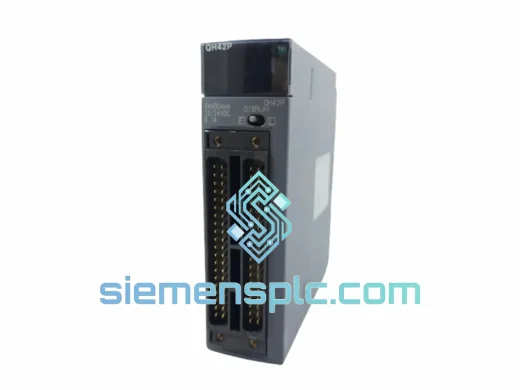
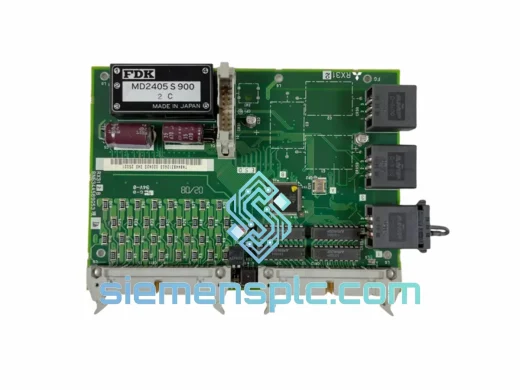
Mitsubishi RX312B BN634A589G53 I/O Module – MELSEC RX312
MELSEC
Origin JP
PLC I/O Module
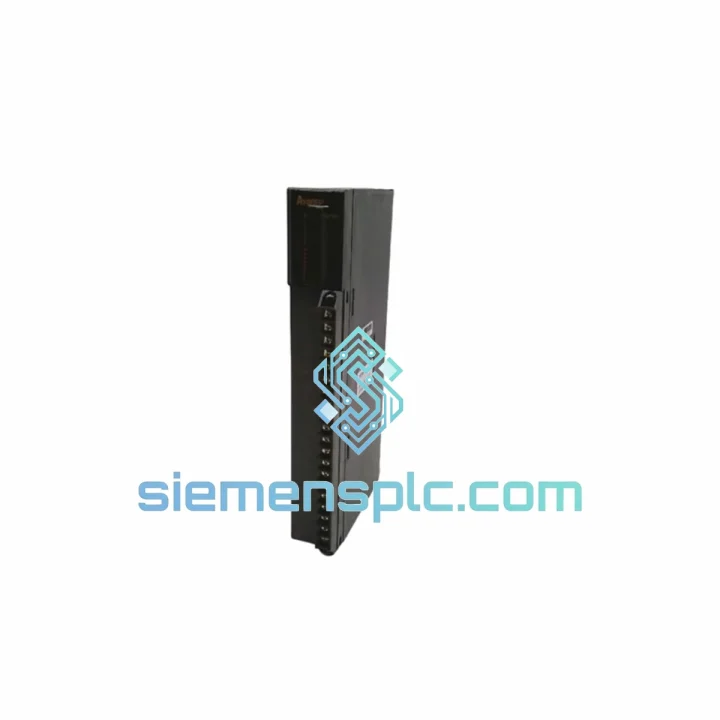
Request verified availability, condition, replacement risk review, packing options and courier lead time for AY80EP.
Click Request Quote and the part number is inserted into the inquiry form automatically.
Core fields for model confirmation and RFQ routing. Detailed product narrative remains below.
Your MELSEC A-Series line just tripped. The HMI is screaming fault codes. Your maintenance team has already pulled the AY80EP from the rack and confirmed it’s dead. You don’t have a spare. Production is stopped. This is exactly the scenario we built siemensplc.com for.
We stock the Mitsubishi AY80EP — 8-point NPN transistor output local unit module for the MELSEC A-Series — and we ship same-day from Xiamen via DHL Express or FedEx International Priority. Whether you’re running an automotive press line in Guangzhou, a packaging system in Bangkok, or a water treatment plant in Jakarta, we’ve handled emergency callouts like yours before. Get the module in your hands, get the line back up, deal with the paperwork later.
⚡ URGENT REQUIREMENT? Contact: [email protected] | WhatsApp: +86 18359268345
| Parameter | Specification |
|---|---|
| Model | AY80EP |
| Brand | Mitsubishi Electric |
| Series | MELSEC A-Series |
| Module Type | Digital Output — Local Unit |
| Output Points | 8 points |
| Output Type | Transistor (NPN, sink type) |
| Rated Load Voltage | 12–24 VDC |
| Max Load Current | 0.5 A per point / 4 A total |
| Isolation | Photocoupler |
| Response Time | ≤1 ms (OFF→ON and ON→OFF) |
| External Supply | 24 VDC |
| Operating Temp | 0 to 55 °C |
| Storage Temp | −20 to 75 °C |
| Weight | Approx. 1,210 g |
| Compatible CPUs | A1S, A2S, A3, A2A, A3A and compatible A-Series CPUs |
| Programming Tool | GX Developer / GX Works2 (legacy) |
| Stock Status | ✅ Ready to Ship — Xiamen Warehouse |
After ten years of field work, here’s what actually goes wrong with the AY80EP and what to watch for when you’re swapping it out under pressure:
Common Failure Modes:
Replacement Checklist (do this in order):
The AY80EP was engineered for the factory floor, not the server room. Mitsubishi designed the MELSEC A-Series to operate continuously in environments that would destroy consumer-grade electronics within weeks.
The photocoupler isolation between the logic circuit and the output circuit is the module’s first line of defense. It physically separates the 5 VDC backplane logic from the 24 VDC field side, meaning a voltage spike from an inductive load — a motor contactor dropping out, a solenoid de-energizing — cannot propagate back into the CPU bus. This is not a software feature. It’s a hardware barrier built into every unit.
The module’s operating temperature ceiling of 55 °C is a continuous-duty rating, not a peak tolerance. In practice, we’ve seen AY80EP units running in panel enclosures where ambient temperatures regularly hit 50 °C during summer production peaks in Southeast Asian facilities — and they keep running. The conformal coating on the PCB provides additional protection against humidity and condensation, which is critical in coastal manufacturing environments where relative humidity can exceed 90% during monsoon season.
Vibration resistance is built into the mechanical design. The edge connector engagement on the A-Series base unit provides positive retention, and the module’s mass distribution is optimized to minimize resonance at the 10–57 Hz frequencies common in press and stamping applications. We’ve pulled AY80EP units from presses running 200 strokes per minute that had been in service for over 15 years — the modules were still within spec.
Our warehouse is located in Xiamen, Fujian Province — one of China’s primary industrial export hubs with direct access to Xiamen Gaoqi International Airport and daily freight consolidation to DHL and FedEx international gateways.
Standard shipping timeline from order confirmation:
Every shipment includes a tracking number issued within 2 hours of dispatch. We handle commercial invoice preparation, HS code declaration (HS 8537.10 for PLC modules), and packing list documentation. For customers requiring formal customs clearance support or import permits, we can provide a proforma invoice and certificate of origin on request. We have shipped to over 60 countries — customs clearance is a routine part of our process, not an afterthought.
For genuine production emergencies, contact us directly on WhatsApp before placing your order. We can confirm stock availability, provide a shipping quote, and issue a proforma invoice within 30 minutes during business hours.
📧 Email: [email protected]
💬 WhatsApp: +86 18359268345
🌐 Web: siemensplc.com
© 2026 siemensplc.com. All rights reserved.
We check the full part number, brand, series and visible nameplate information before quotation.
Sales confirms stock path, condition option, quantity and realistic lead time for export dispatch.
DHL, FedEx, UPS or buyer courier arrangements can be reviewed with packing requirements.
Similar brand or category products for fast comparison and multi-item RFQ lists.