Yokogawa
RFQ Ready
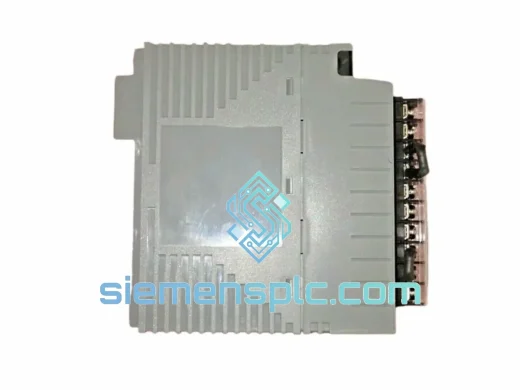
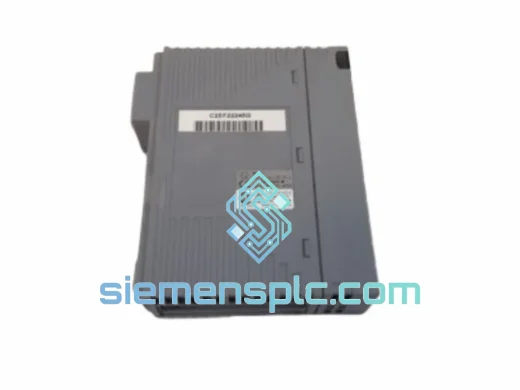
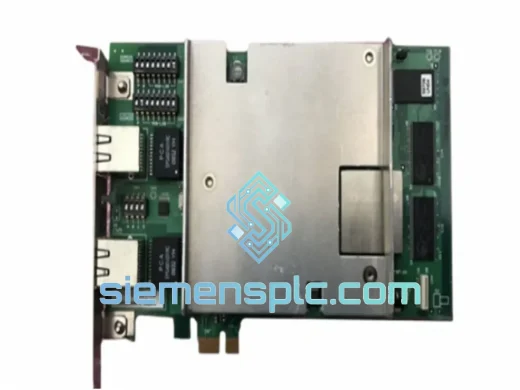
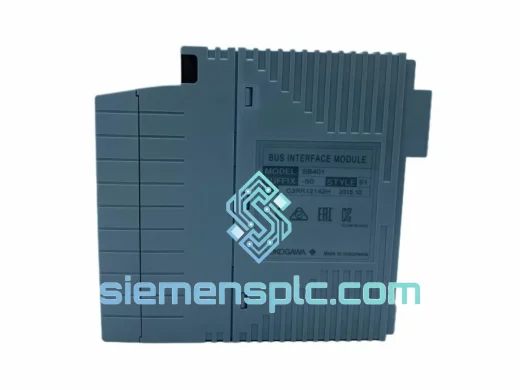
Yokogawa SB401-50 Serial Bus Interface Module – CENTUM VP
CENTUM VP
Origin JP
Serial Bus Interface Module
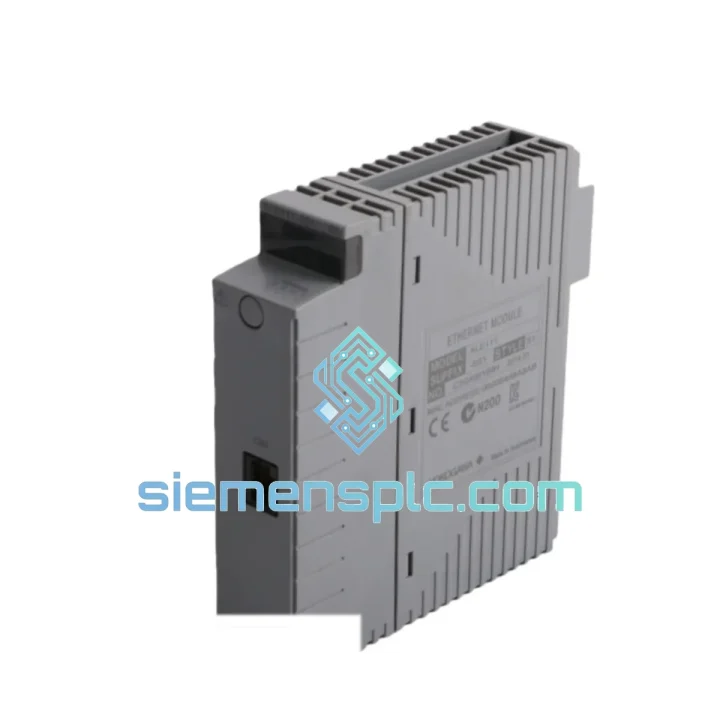
Request verified availability, condition, replacement risk review, packing options and courier lead time for ALE111-S51.
Click Request Quote and the part number is inserted into the inquiry form automatically.
Core fields for model confirmation and RFQ routing. Detailed product narrative remains below.
Your Vnet/IP backbone just dropped. Operator stations are dark. The FCS is isolated. Every minute that passes is lost production, a potential safety event, and a conversation you don’t want to have with plant management. The Yokogawa ALE111-S51 is the Ethernet communication module that sits at the nerve center of your CENTUM VP architecture — and when it fails, nothing else matters until it’s replaced. We stock it. We ship it fast. From Xiamen to your site via DHL or FedEx, typically within 24–72 hours of order confirmation.
This isn’t a listing for a generic automation part. The ALE111-S51 is a precision-specified module for Yokogawa’s CENTUM VP integrated production control platform — the DCS backbone trusted in refineries, LNG terminals, and chemical complexes across Asia, the Middle East, and Europe. Losing this module mid-campaign is not a scheduled maintenance event. It’s a crisis. We built our inventory and logistics model around exactly that scenario.
URGENT REQUIREMENT? Contact: [email protected] | WhatsApp: +86 18359268345
| Parameter | Specification |
|---|---|
| Part Number / SKU | ALE111-S51 |
| Manufacturer | Yokogawa Electric Corporation |
| Series | CENTUM VP |
| Module Function | Ethernet Communication Module (Vnet/IP) |
| Network Protocol | Vnet/IP over IEEE 802.3 Ethernet |
| Redundancy Support | Dual-redundant network path capable |
| Mounting | CENTUM VP compatible rack backplane |
| Weight | 260 g |
| Country of Origin | Japan |
| Condition | New / Tested Surplus |
| Stock Status | ✔ Ready to Ship — Xiamen Warehouse |
| Lead Time | 24–72 hrs after order confirmation |
| Documentation | Commercial invoice, packing list, COO, test report |
After ten years of emergency callouts, here’s what actually goes wrong with the ALE111-S51 and what you need to know before you swap it:
1. Confirm the fault is the module, not the network switch. Before pulling the ALE111-S51, check the Vnet/IP managed switch port LEDs and run a ping test from the engineering workstation to the FCS node. A dead switch port mimics a failed communication module perfectly. Swap the cable to a known-good port first — takes 30 seconds and saves you from condemning a healthy module.
2. Common fault indicators on CENTUM VP HIS:
3. Slot addressing — do not assume. The ALE111-S51 uses backplane slot-based addressing within the CENTUM VP FCS chassis. Before removal, document the exact slot position. The replacement module must be installed in the identical slot. CENTUM VP does not auto-reassign node addresses on slot change — a mismatch will leave the FCS offline even after hardware swap.
4. Firmware version matching. Pull the firmware revision from the existing module label or from the CENTUM VP engineering tool (System View → FCS → Module Properties) before ordering. The ALE111-S51 has had multiple firmware revisions tied to CENTUM VP software releases (R5.x, R6.x). Installing a module with a mismatched firmware baseline may require a field firmware update via the engineering workstation before the FCS comes back online. We can advise on firmware compatibility — send us your CENTUM VP software revision when you inquire.
5. Redundant configuration swap procedure. If your system runs dual ALE111-S51 modules in a redundant pair, switch control to the standby path before pulling the primary. Confirm the standby is carrying traffic (check HIS network status display), then remove the faulty primary. Install the replacement, allow the CENTUM VP system to auto-detect and synchronize the new module — this typically takes 60–120 seconds. Do not force a manual switchback until synchronization is confirmed complete.
6. ESD discipline. The ALE111-S51 contains sensitive Ethernet PHY and backplane interface circuitry. Ground yourself to the cabinet chassis before handling. Do not place the module on unprotected surfaces. We ship in ESD-safe bags — keep the replacement in the bag until the moment of installation.
The ALE111-S51 was not designed for a climate-controlled server room. It was built for the realities of industrial process control: ambient temperatures that swing from sub-zero winter startups to 55°C summer cabinet interiors, humidity that condenses on cold surfaces during plant washdowns, and vibration profiles from compressors and pumps that run 24/7 for years without stopping.
Yokogawa’s manufacturing process for CENTUM VP modules subjects each unit to thermal cycling across the full operating range, vibration testing per IEC 60068-2-6, and humidity exposure per IEC 60068-2-78. The backplane connector on the ALE111-S51 uses gold-plated contacts rated for thousands of insertion cycles — critical in environments where modules are pulled and reseated during maintenance cycles. The conformal coating on the PCB provides a barrier against airborne contaminants common in petrochemical and refinery environments: hydrogen sulfide, chlorine compounds, and particulate matter that corrode unprotected circuit boards within months.
Every unit we ship — whether new factory stock or tested surplus — is inspected for connector integrity, PCB surface condition, and label authenticity before it leaves our warehouse. Tested surplus units undergo a power-on functional check and Vnet/IP communication handshake verification. We do not ship modules that have not passed our inspection protocol, regardless of time pressure. A module that fails on arrival costs you more than the delay of a proper check.
Our warehouse is located in Xiamen, Fujian — one of China’s primary export hubs with direct access to DHL, FedEx, and UPS international express networks. When you confirm an order, here’s exactly what happens:
If your plant is down and you need the fastest possible delivery, tell us when you contact us. We will check carrier cut-off times, select the optimal routing, and in some cases arrange courier pickup directly from our facility outside standard collection windows.
Email: [email protected]
WhatsApp: +86 18359268345
Web: siemensplc.com
© 2026 siemensplc.com. All rights reserved.
We check the full part number, brand, series and visible nameplate information before quotation.
Sales confirms stock path, condition option, quantity and realistic lead time for export dispatch.
DHL, FedEx, UPS or buyer courier arrangements can be reviewed with packing requirements.
Similar brand or category products for fast comparison and multi-item RFQ lists.