

Siemens
RFQ Ready
Siemens 6AV7240-0HC07-0PA0 Industrial Panel PC Motherboard – SIMATIC IPC477D
SIMATIC
Origin DE
Industrial Panel PC Motherboard
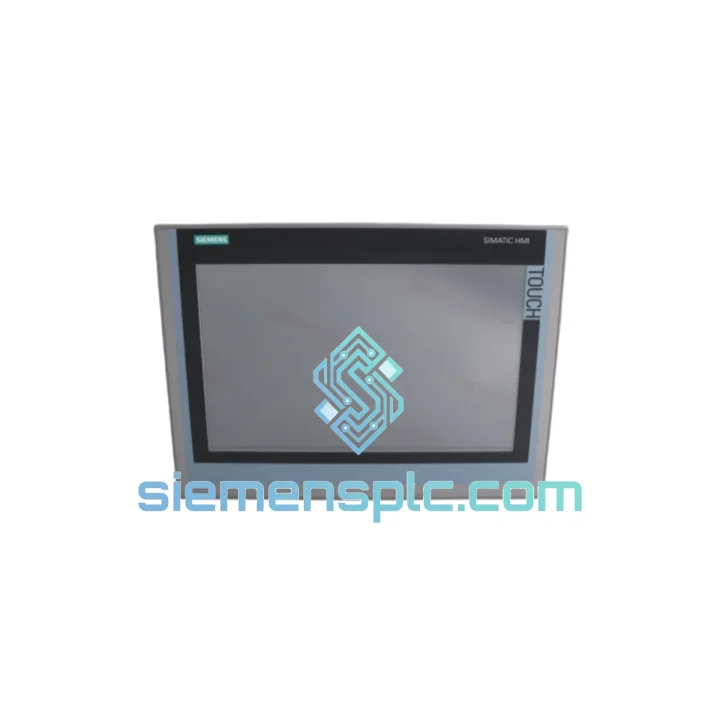
Request verified availability, condition, replacement risk review, packing options and courier lead time for 6AV2124-1QC02-0AX1.
Click Request Quote and the part number is inserted into the inquiry form automatically.
Core fields for model confirmation and RFQ routing. Detailed product narrative remains below.
Your line is down. Every hour the TP1500 Comfort sits dark costs you real money — production losses, penalty clauses, idle crews. We stock the Siemens 6AV2124-1QC02-0AX1 precisely for this moment. Verified unit, pre-tested, packed and ready to hand to DHL before your shift ends. No lead-time negotiation. No factory backorder. Just a working panel on its way to your site.
URGENT REQUIREMENT? Contact: [email protected] | WhatsApp: +86 18359268345
| Part Number | 6AV2124-1QC02-0AX1 ✅ Ready to Ship |
| Series | SIMATIC HMI TP1500 Comfort |
| Manufacturer | Siemens AG |
| Display | 15.4″ Widescreen TFT, 1280 × 800 px (WXGA), 16M colors |
| Touch Type | Resistive, single-touch |
| CPU | 800 MHz ARM Cortex-A8 |
| RAM / Flash | 128 MB DDR2 / 24 MB internal + SD slot |
| OS | Windows CE 6.0 |
| Engineering Tool | WinCC (TIA Portal) V13 SP1 and above |
| PROFINET | 2× RJ45 integrated switch, 10/100 Mbit/s |
| MPI / PROFIBUS DP | 1× RS-485, 9-pin Sub-D |
| USB | 2× USB 2.0 Type-A (host) + 1× Type-B (device) |
| Supply Voltage | 24 V DC (19.2–28.8 V), typ. 25 W |
| Protection Rating | IP65 front / IP20 rear |
| Operating Temp | 0 °C to +50 °C |
| Vibration | IEC 60068-2-6: 5–9 Hz / 3.5 mm; 9–150 Hz / 1 g |
| Shock | IEC 60068-2-27: 15 g / 11 ms |
| Panel Cutout | 398 × 280 mm |
| Dimensions (W×H×D) | 421 × 307 × 56 mm |
| Weight | ~4.26 kg |
| Certifications | CE, UL, cUL, DNV GL; ATEX Zone 2 optional |
| Country of Origin | Germany |
| Stock Status | ✅ In Stock — Ships within 24 hours |
After ten years of emergency callouts, these are the failure modes and swap pitfalls that actually bite engineers on-site:
Common Failure Signatures
Replacement Procedure — Critical Steps
Fault Codes Worth Knowing
The TP1500 Comfort was not designed for a climate-controlled server room. It was built for the floor — and the 6AV2124-1QC02-0AX1 proves it every day in environments that destroy lesser panels.
The IP65-rated front bezel keeps cutting fluid, wash-down spray, and fine metallic dust out of the display assembly. The resistive touch surface operates reliably with wet gloves — a capacitive panel would be useless in the same conditions. Internal conformal coating on the main PCB provides a secondary barrier against humidity ingress through the rear IP20 enclosure.
Vibration tolerance is validated to IEC 60068-2-6 at 1 g across the 9–150 Hz band — covering the resonance frequencies of most industrial machinery including compressors, presses, and conveyor drives. The shock rating of 15 g at 11 ms (IEC 60068-2-27) means the panel survives the kind of mechanical impact that happens when a forklift clips a control cabinet.
Thermal performance is equally serious. The fanless design eliminates the single most common failure point in industrial electronics. Operating range of 0 °C to +50 °C covers everything from cold-store logistics to foundry environments. Storage down to -20 °C means units can be warehoused in unheated facilities without risk of cold-soak damage to the LCD.
EMC performance on the -0AX1 hardware revision was specifically improved over -0AX0, with enhanced filtering on the PROFINET ports and the 24 V DC input. In high-noise environments — variable frequency drives, large contactors, welding equipment nearby — this matters. Panels that fail EMC testing in the field are almost always -0AX0 units running in environments that were upgraded after the original installation.
Our warehouse is in Xiamen, Fujian — one of China’s primary industrial export hubs with direct access to DHL, FedEx, and UPS international gateways. This is not a drop-ship arrangement. Stock is physically on our shelves, inspected, and ready to move.
Standard dispatch timeline: Orders confirmed before 14:00 CST ship same business day. Orders confirmed after 14:00 ship next morning. You receive a tracking number by email within two hours of handover to the carrier.
DHL Express Worldwide: Xiamen to most of Europe in 2–3 business days. Southeast Asia in 1–2 days. North America in 3–4 days. Middle East in 2–3 days. DHL is our primary carrier for industrial components — their dangerous goods handling and customs brokerage experience reduces clearance delays significantly.
FedEx International Priority: Available as an alternative for destinations where FedEx has stronger last-mile coverage, particularly in North America and Latin America. Transit times are comparable to DHL.
Documentation package included with every shipment: Commercial invoice with HS code 8537.10, packing list, certificate of origin (China), and a pre-shipment inspection report. For customers requiring ECCN classification documentation or end-user certificates, contact us at order placement — we process these routinely.
Customs clearance: We declare accurate commercial values and correct HS codes on every shipment. We do not under-declare. This protects you from customs holds and penalties that would extend your downtime far beyond the original panel failure.
If your site is in a country with import restrictions on industrial electronics, contact us before ordering. We have experience routing shipments through compliant channels for customers in regulated markets.
📧 Email: [email protected]
💬 WhatsApp: +86 18359268345
🌐 Web: siemensplc.com
© 2026 siemensplc.com. All rights reserved.
We check the full part number, brand, series and visible nameplate information before quotation.
Sales confirms stock path, condition option, quantity and realistic lead time for export dispatch.
DHL, FedEx, UPS or buyer courier arrangements can be reviewed with packing requirements.
Similar brand or category products for fast comparison and multi-item RFQ lists.


