

Siemens
In Stock OK
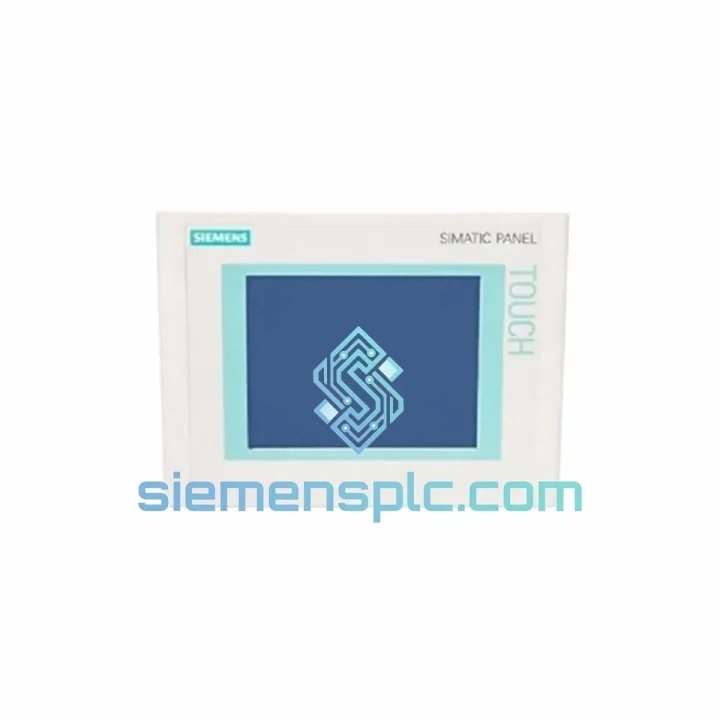
Siemens 6AV6642-0AA11-0AX1 HMI Touch Panel
Request verified availability, condition, replacement risk review, packing options and courier lead time for 6AV6642-0AA11-0AX1.
BrandSiemens
Part Number6AV6642-0AA11-0AX1
ConditionAvailability Check
Lead TimeRFQ Confirmation
DocumentsDatasheet / photos by RFQ
ShippingExport packing available
Auto-filled RFQ
6AV6642-0AA11-0AX1
Click Request Quote and the part number is inserted into the inquiry form automatically.
- Reply by email: [email protected]
- WhatsApp / Tel: +86 18359268345
- Mon-Sat 9:00-18:00 GMT+8
Procurement Data
Key Product Information
Core fields for model confirmation and RFQ routing. Detailed product narrative remains below.
- Brand
- Siemens
- Primary Part Number
- 6AV6642-0AA11-0AX1
- Product Type
- HMI Touch Panel
- Series / Family
- WinCC
- Country of Origin
- DE
- Catalog Category
- HMI Panels
- Operating Temp.
- 0 °C to +50 °C
Model confirmed for inquiry
6AV6642-0AA11-0AX1
Send quantity, destination and urgency. The RFQ form keeps this part number attached.
Request Quote
Product Overview
Siemens 6AV6642-0AA11-0AX1 TP177A — Stop the Clock on Your Downtime
Every minute your line is down, you’re bleeding money. A failed HMI panel shouldn’t be the reason your production schedule collapses. The Siemens 6AV6642-0AA11-0AX1 — the SIMATIC TP177A 5.7″ touch panel — is one of the most widely deployed operator interfaces in discrete and process manufacturing across Asia, Europe, and the Americas. When it fails, you need a verified replacement on your bench today, not in three weeks.
We stock the 6AV6642-0AA11-0AX1 in Xiamen and ship globally via DHL Express and FedEx Priority. Orders confirmed before 14:00 CST dispatch same day. No minimum order. No waiting for a distributor to locate stock. You call, we ship.
URGENT REQUIREMENT? Contact: [email protected] | WhatsApp: +86 18359268345
Quick Technical Datasheet
| Parameter | Specification |
|---|---|
| Part Number | 6AV6642-0AA11-0AX1 |
| Series | SIMATIC TP177A |
| Display Size | 5.7″ STN Monochrome LCD |
| Resolution | 320 × 240 px (QVGA) |
| Touch Technology | Resistive (glove-operable) |
| Communication Interface | MPI / PROFIBUS DP, RS-422/485 |
| Configuration Software | WinCC Flexible 2005 SP2 or higher |
| Supply Voltage | 24 V DC (20.4–28.8 V) |
| Power Consumption | Max. 8 W |
| Front Panel Protection | IP65 |
| Operating Temperature | 0 °C to +50 °C |
| Storage Temperature | −20 °C to +60 °C |
| Relative Humidity | 10–90% RH (non-condensing) |
| User Memory | 512 KB |
| Panel Cutout | 192 × 137 mm |
| Dimensions (W×H×D) | 196 × 141 × 52 mm |
| Weight | Approx. 0.9 kg |
| Certifications | CE, UL, cULus, RoHS |
| Country of Origin | Germany |
| Stock Status | ✅ Ready to Ship — Xiamen Warehouse |
Troubleshooting & Replacement Tips
The TP177A is a workhorse, but after years of continuous operation in harsh environments, failure modes follow predictable patterns. Here is what you need to know before you pull the old panel and rack the new one.
Common Failure Modes:
- Backlight failure (most frequent): The STN panel’s CCFL backlight degrades over time. Symptom: display is completely dark but the unit still responds to touch. Before condemning the panel, check 24 V DC supply at the connector — a sagging rail below 20.4 V will cause identical symptoms. If supply is solid, the backlight inverter or CCFL tube has failed. Full panel replacement is the field-practical solution.
- Touch calibration drift: Resistive touch layers accumulate pressure fatigue. If operators report button presses registering offset from the visual target, recalibrate via the TP177A built-in calibration routine (hold touch during power-on). If drift persists, the touch overlay has delaminated — replace the unit.
- MPI/PROFIBUS communication loss (Error 1289 / 1290): Check termination resistors at both ends of the bus segment. The TP177A RS-485 transceiver is sensitive to bus voltage levels. Verify bus cable shielding is grounded at one end only. If the panel shows “Connection to PLC interrupted” after a power cycle, confirm the MPI address in Transfer settings matches the configured address in WinCC Flexible — address conflicts after a panel swap are the number one cause of commissioning delays.
- Project transfer failure via MPI: WinCC Flexible must match the panel firmware version. The 6AV6642-0AA11-0AX1 ships with firmware compatible with WinCC Flexible 2005 SP2 through 2008 SP3. Running WinCC Flexible 2004 or earlier requires an engineering station upgrade before transfer.
- Panel boots to Transfer mode and will not load project: Normal behavior when no project is loaded. Connect via MPI cable (6ES7901-0BF00-0AA0) from your PG/PC and transfer the project from WinCC Flexible. Ensure Transfer is enabled in the panel Start Center settings.
Replacement Checklist — Before You Power On:
- Verify 24 V DC supply is within spec (20.4–28.8 V) before connecting the new panel
- Confirm MPI address setting — default is address 1; match your existing network configuration
- Check WinCC Flexible project version compatibility with panel firmware
- Inspect MPI/PROFIBUS connector for bent pins — common cause of intermittent comms after panel swap
- Torque panel mounting clamps evenly to prevent front bezel distortion and IP65 seal compromise
- Run touch calibration immediately after first power-on with project loaded
- Back up your WinCC Flexible project to a PC before decommissioning the old panel if it still powers on
Reliability in Harsh Conditions
The SIMATIC TP177A was engineered for the factory floor, not the office. The 6AV6642-0AA11-0AX1 carries an IP65 rating on its front panel — fully sealed against dust ingress and low-pressure water jets. That means it survives daily wash-down cycles in food processing lines and the metal swarf clouds in machining cells without degradation to the sealing gasket or display clarity.
The resistive touch screen operates reliably with gloved hands — a non-negotiable requirement in chemical plants, cold storage facilities, and heavy fabrication shops where capacitive touch panels simply fail. Operating temperature range of 0 °C to +50 °C covers the vast majority of industrial enclosure environments, even in summer without forced cooling.
Vibration resistance meets IEC 60068-2-6 standards — the panel holds its mounting integrity and electrical connections under continuous vibration loads generated by compressors, presses, and conveyor drives. The STN display is immune to the washout effects that plague TFT panels under direct sunlight or high-ambient-light conditions common in outdoor enclosures and skylighted production halls.
Units we ship have been stored in climate-controlled conditions and inspected for connector integrity, label authenticity, and housing condition before dispatch. We do not ship panels with cracked bezels, corroded connectors, or missing mounting hardware.
Global Express Logistics
Our dispatch hub is in Xiamen, Fujian, China — one of China’s primary export ports with direct DHL and FedEx gateway access. Here is how your order moves:
- Order confirmed before 14:00 CST: Same-day dispatch. Tracking number issued within 2 hours of pickup.
- DHL Express Worldwide: Xiamen to Europe (Germany, Netherlands, UK): 3–4 business days. Xiamen to North America (US, Canada): 4–5 business days. Xiamen to Southeast Asia: 2–3 business days.
- FedEx International Priority: Available as alternative carrier. Preferred for US destinations with customs brokerage requirements.
- Export Documentation: Commercial invoice, packing list, and certificate of origin issued with every shipment. HS Code 8537.10 declared for customs clearance. ECCN classification EAR99 — no export license required for most destinations.
- Packaging: Anti-static bag, foam-lined carton, fragile labeling. The panel arrives at your site in the same condition it left our warehouse.
- Bulk orders (5+ units): Air freight consolidation available for cost reduction. Contact us for a freight quote before placing large orders.
We have shipped the 6AV6642-0AA11-0AX1 to maintenance teams in Germany, Thailand, Mexico, Australia, and the UAE. Time zone is not a barrier — WhatsApp inquiries are monitored around the clock for urgent requirements.
Contact Information
Email: [email protected]
WhatsApp: +86 18359268345
Web: siemensplc.com
© 2026 siemensplc.com. All rights reserved.
Ready to quote
[email protected]
Send This Part Number to Sales
RFQ workflow
Quality workflow ->
Confirmation Process
01Model confirmation
We check the full part number, brand, series and visible nameplate information before quotation.
02Availability reply
Sales confirms stock path, condition option, quantity and realistic lead time for export dispatch.
03Packing & courier
DHL, FedEx, UPS or buyer courier arrangements can be reviewed with packing requirements.
Continue sourcing
Browse full catalog ->
Related Automation Parts
Similar brand or category products for fast comparison and multi-item RFQ lists.
Siemens
RFQ Ready
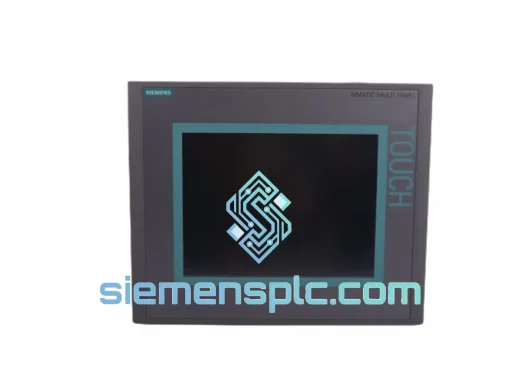
Siemens 6AV6643-0CD01-1AX1 HMI Operator Panel – SIMATIC OP 177B
WinCC
Origin DE
HMI Operator Panel
Siemens
RFQ Ready
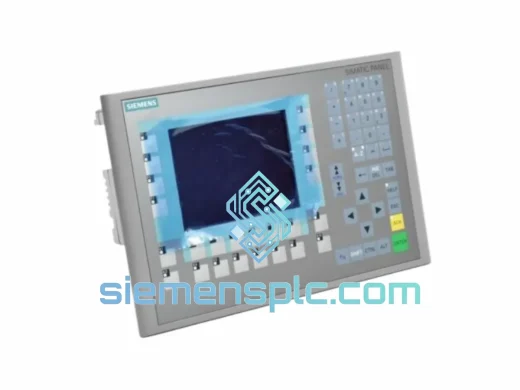
Siemens 6AV6643-0BA01-1AX0 HMI Operator Panel – SIMATIC TP 177B
WinCC
Origin DE
HMI Operator Panel