

Siemens
RFQ Ready
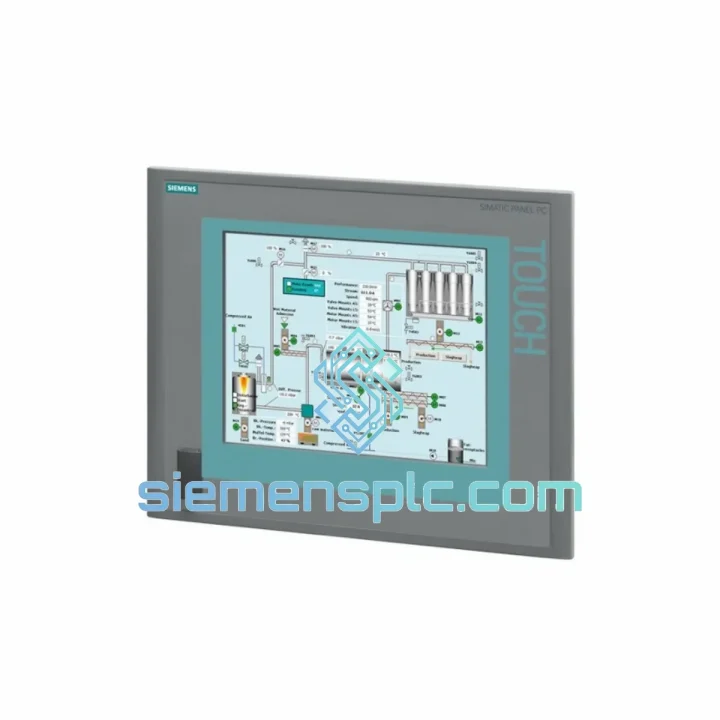
Siemens 6AV7240-0HC07-0PA0 Industrial Panel PC Motherboard – SIMATIC IPC477D
SIMATIC
Origin DE
Industrial Panel PC Motherboard
Request verified availability, condition, replacement risk review, packing options and courier lead time for 6AV7884-2AA10-2BA0.
Click Request Quote and the part number is inserted into the inquiry form automatically.
Core fields for model confirmation and RFQ routing. Detailed product narrative remains below.
Your line is down. Every hour costs real money — production losses, penalty clauses, idle crews. The Siemens 6AV7884-2AA10-2BA0 SIMATIC IPC 477C is on our shelf in Xiamen right now. We don’t quote lead times in weeks. We quote in hours. From our warehouse to your dock via DHL Express, this 15″ industrial Panel PC ships the same business day on confirmed orders placed before 15:00 CST. If your SCADA station just went dark, this is the page you needed to find.
The IPC 477C is not a commodity HMI — it is a full-spec industrial PC running Intel Core i5 silicon, dual Ethernet, and a front-panel IP65 seal. It integrates natively with WinCC, TIA Portal, and STEP 7 without driver gymnastics. When the original unit fails, there is no acceptable substitute. You need the exact part number, the exact firmware baseline, and a supplier who has done this swap before. That is us.
URGENT REQUIREMENT? Contact: [email protected] | WhatsApp: +86 18359268345
| Parameter | Specification | Status |
|---|---|---|
| Part Number | 6AV7884-2AA10-2BA0 | ✔ Ready to Ship |
| Product Series | SIMATIC HMI IPC 477C | — |
| Manufacturer | Siemens AG | — |
| Display | 15″ Widescreen TFT, 1024 × 768 px (XGA) | — |
| Touch Technology | Resistive single-touch | — |
| Processor | Intel® Core™ i5 (embedded) | — |
| RAM | 4 GB DDR3 | — |
| Storage | CFast / HDD (order-code dependent) | — |
| Operating System | Windows Embedded Standard 7 / Win 7 Ultimate | — |
| Interfaces | USB 2.0 × 4, RJ45 Ethernet × 2, DVI-I, RS-232 | — |
| Supply Voltage | 24 V DC | — |
| Front Panel Protection | IP65 | — |
| Operating Temperature | 0 °C to +50 °C | — |
| Mounting | Panel cut-out, portrait or landscape | — |
| Weight | ~12 kg | — |
| Country of Origin | Germany | — |
| Shipping Origin | Xiamen, China | ✔ Same-Day Dispatch |
Ten years of field work teaches you that most IPC 477C failures fall into four categories. Here is what to check before you pull the unit — and what to watch when you install the replacement.
1. Black screen on power-up (no POST): Nine times out of ten this is a failed CFast card or a corrupted boot sector on the HDD variant. Before condemning the IPC itself, swap the CFast card with a known-good image. If POST returns, you saved yourself a hardware replacement. If the screen stays black after CFast swap, the motherboard or backlight inverter is the culprit — order the 6AV7884-2AA10-2BA0 replacement unit.
2. WinCC Runtime crashes / BSOD on startup: Check Windows Event Viewer for INACCESSIBLE_BOOT_DEVICE or KERNEL_DATA_INPAGE_ERROR. These point to storage failure. Also verify that the WinCC version matches the OS image — mixing WinCC V7.x with a V13 SP2 image causes runtime instability that looks like hardware failure but is purely a software mismatch.
3. Touchscreen unresponsive or drifting: The resistive touch controller on the IPC 477C is calibrated via the Siemens touch calibration utility in the Control Panel. Before replacing the unit, run a full 9-point calibration. If drift persists after calibration, the touch overlay has delaminated — common in high-humidity environments. The replacement unit ships with a factory-calibrated overlay; re-run calibration after installation to match your panel glass thickness.
4. Ethernet port not recognized after replacement: The IPC 477C uses Intel 82574L NICs. On a fresh OS image, Windows may assign different interface indices to the two ports. Your WinCC project binds to a specific adapter name (Local Area Connection 1 vs. 2). Open Network Connections, rename the adapters to match the original configuration, then restart the WinCC service. Failure to do this causes PROFINET communication loss even though the hardware is fully functional.
Configuration checklist before going live:
The IPC 477C was not designed for an office. It was designed for the kind of environment where a standard PC lasts three months before the fan clogs with metal dust and the motherboard corrodes. Siemens built this unit to IEC 61131-2 mechanical and electrical standards, which means it has been validated against the conditions that actually kill industrial electronics.
The front panel achieves IP65 ingress protection — fully sealed against dust and direct water jets. In food and beverage lines where daily washdowns are standard, this is not optional, it is the minimum acceptable spec. The aluminum die-cast housing dissipates heat without relying on a high-speed fan that will eventually fail. Vibration resistance is validated to EN 60068-2-6 (sinusoidal, 10–58 Hz, 0.075 mm amplitude; 58–500 Hz, 1g). In press shops, stamping lines, and compressor rooms where the floor vibrates continuously, this matters more than any benchmark score.
Operating temperature range of 0 °C to +50 °C covers the majority of industrial enclosures without supplemental cooling. The unit has been tested for humidity up to 95% non-condensing — relevant for coastal plants, paper mills, and chemical processing environments where condensation is a daily reality. EMC compliance to EN 61000-4 series ensures the unit does not drop off the network when a large drive starts or a welding robot fires nearby.
When you install a replacement 6AV7884-2AA10-2BA0, you are not installing a compromise. You are restoring the exact specification the system was designed around.
Our warehouse is in Xiamen, Fujian — one of China’s primary export hubs with direct DHL and FedEx gateway access. Here is exactly how your order moves from our shelf to your site:
Day 0 (Order Confirmed Before 15:00 CST): Unit is pulled from stock, inspected, and packed in anti-static foam with original Siemens carton where available. Commercial invoice, packing list, and certificate of origin are generated. Export classification is confirmed under HS 8537.10 (or applicable subheading for your destination).
Day 1: DHL Express or FedEx International Priority pickup from our facility. Tracking number issued to your email within 2 hours of handover. For orders to the EU, US, Southeast Asia, and Middle East, transit time is typically 2–4 business days door-to-door.
Customs clearance: We pre-declare all shipments with accurate HS codes and declared values. For destinations requiring import licenses or end-user certificates (e.g., certain dual-use classifications), we advise in advance — no surprises at customs. We have shipped to Germany, the Netherlands, India, Saudi Arabia, Mexico, and Australia without clearance delays on standard industrial automation parts.
Emergency freight options: For genuine production-stop situations, we can arrange same-day courier handover to a freight forwarder operating overnight charters from Xiamen Gaoqi International Airport. Contact us directly on WhatsApp for emergency logistics coordination.
Every shipment is fully insured. If a unit arrives damaged in transit, we replace it — no argument, no lengthy claims process on your end.
Ready to place an order or need a compatibility check before you commit?
© 2026 siemensplc.com. All rights reserved.
We check the full part number, brand, series and visible nameplate information before quotation.
Sales confirms stock path, condition option, quantity and realistic lead time for export dispatch.
DHL, FedEx, UPS or buyer courier arrangements can be reviewed with packing requirements.
Similar brand or category products for fast comparison and multi-item RFQ lists.


