ProSoft Technology
RFQ Ready
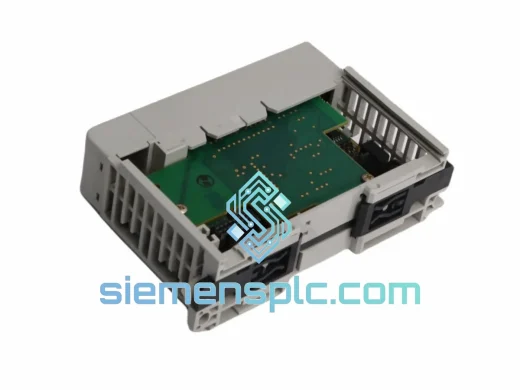
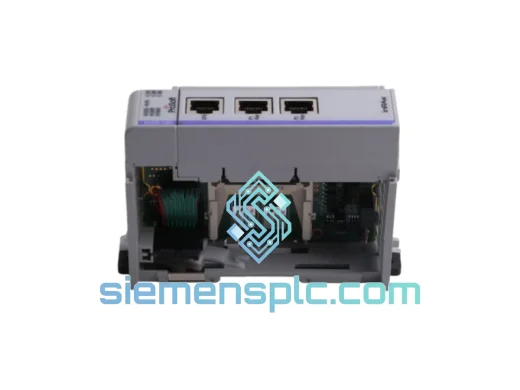
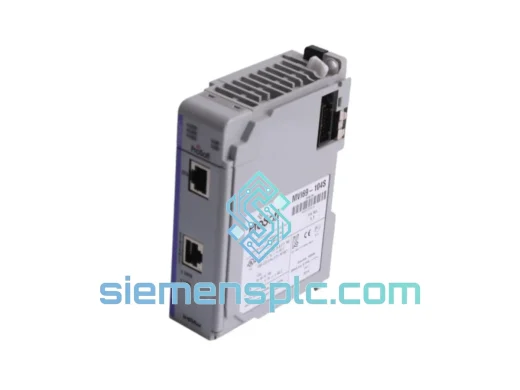
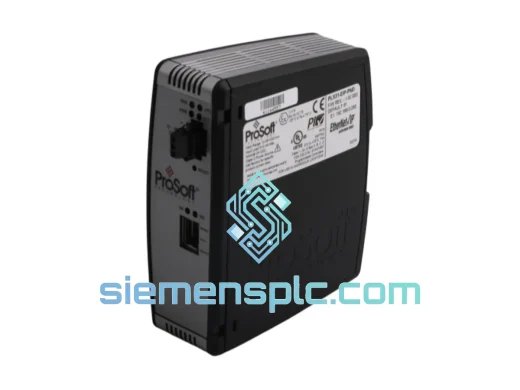
ProSoft PLX31-EIP-PND Protocol Gateway – PLX31 Series
Origin US
Protocol Gateway
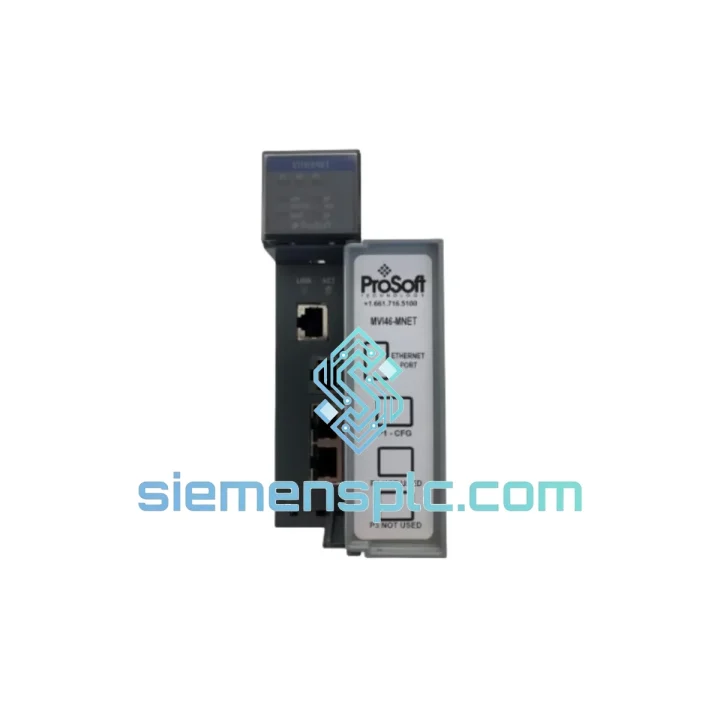
Request verified availability, condition, replacement risk review, packing options and courier lead time for MVI46-MNET.
Click Request Quote and the part number is inserted into the inquiry form automatically.
Core fields for model confirmation and RFQ routing. Detailed product narrative remains below.
Every minute your SLC 500 system sits idle, the losses compound. A failed MVI46-MNET doesn’t just kill one machine — it can cascade across an entire production cell, halting output, triggering penalty clauses, and burning through maintenance budgets. We stock the ProSoft MVI46-MNET precisely for this moment. Verified-original, bench-tested, and ready to ship from Xiamen within hours of your order confirmation. No waiting on distributor lead times. No gray-market risk. Just a clean, drop-in module that gets your Modbus TCP/IP link restored before the next shift.
URGENT REQUIREMENT? Contact: [email protected] | WhatsApp: +86 18359268345
| Parameter | Specification |
|---|---|
| Part Number | MVI46-MNET |
| Manufacturer | ProSoft Technology |
| Target Platform | Allen-Bradley SLC 500 (1746 chassis) |
| Protocol | Modbus TCP/IP — Client & Server (simultaneous) |
| Network Interface | 10/100 Mbps Ethernet, RJ-45 |
| Max TCP Connections | 10 simultaneous sessions |
| Data Table Capacity | Up to 5,000 registers (configurable) |
| Backplane Current Draw | 800 mA @ 5 VDC |
| Operating Temperature | 0 °C to 60 °C |
| Storage Temperature | −40 °C to 85 °C |
| Humidity | 5 % to 95 % RH, non-condensing |
| Slot Footprint | Single slot, 1746 I/O chassis |
| Configuration Tool | ProSoft Configuration Builder (PCB) |
| Firmware Update | Field-upgradeable via Ethernet |
| Certifications | CE, UL, cUL |
| Stock Status | ✅ Ready to Ship — Xiamen Warehouse |
Swapping an MVI46-MNET under pressure is where most field mistakes happen. Here is the sequence that keeps you out of trouble:
Step 1 — Confirm the fault is the module, not the network. Before pulling the card, ping the module’s IP from a laptop on the same subnet. If you get no response AND the module’s Ethernet LED is dark, the module is almost certainly dead. If the LED is active but PCB diagnostics show CRC errors, check your managed switch port — duplex mismatch kills Modbus TCP sessions silently.
Step 2 — Export your PCB configuration first. Connect ProSoft Configuration Builder to the live (or last-known-good) module via Ethernet and export the .PPF project file before you cut power. If the module is already dead, retrieve the .PPF from your engineering laptop or DCS backup folder. Do not attempt to reconfigure from memory — register mapping errors will cost you another hour of downtime.
Step 3 — Note the slot address. The MVI46-MNET uses the SLC 500 backplane slot number to define its M0/M1 file addresses in RSLogix 500. Slot 1 maps to I:1 and O:1, slot 3 maps to I:3 and O:3, and so on. If the replacement module goes into a different physical slot, you must update every MSG instruction in your ladder program that references the old slot. Missing even one will cause silent data corruption.
Step 4 — Check firmware revision before insertion. Connect the new module to a laptop via Ethernet before installing it in the chassis. Open PCB, connect to the module, and verify the firmware version matches your .PPF file’s target revision. A firmware mismatch between the configuration file and the module can cause the module to boot into a fault state. Firmware upgrades take under three minutes via PCB’s built-in update tool.
Step 5 — Download configuration and verify LED sequence. After seating the module and powering the chassis, the correct boot sequence is: APP LED flashes amber during initialization, then goes solid green. CFG LED should be off after a successful configuration download. If APP stays red, the module has rejected the configuration — check your IP address settings and Modbus register block sizes against the .PPF file.
Common fault codes to know:
Industrial floors are not server rooms. The MVI46-MNET is engineered to operate where conditions are genuinely hostile — not just inconvenient. The module’s conformal-coated PCB variant (MVI46-MNET-H) handles environments where condensation, cutting fluid mist, and airborne particulates are daily realities. The standard MVI46-MNET itself is rated to 60 °C continuous operation, which covers the vast majority of panel enclosures even in tropical climates without forced air cooling.
Vibration is the silent killer of backplane-mounted modules. ProSoft’s mechanical design uses a locking lever that maintains positive backplane contact under IEC 60068-2-6 vibration profiles — the same standard applied to automotive and heavy machinery control panels. Field reports from cement plant and mining installations confirm stable operation under continuous 2G vibration loads that would loosen lesser modules within weeks.
Power quality matters too. The module draws cleanly regulated 5 VDC from the SLC 500 backplane, isolating its Ethernet circuitry from the noisy 24 VDC field wiring that runs alongside it. This galvanic separation prevents the ground loops and common-mode noise that corrupt Modbus TCP frames in electrically dense panels — a failure mode that is frequently misdiagnosed as a network or software problem.
For installations in coastal or chemical processing environments where corrosion is a concern, the MVI46-MNET-H conformal-coated variant is available from the same Xiamen stock. Specify at time of order.
Our Xiamen warehouse operates on a same-business-day dispatch model for orders confirmed before 15:00 CST. Here is exactly what happens after you place your order:
Hour 0–2: Order confirmation and stock verification. You receive a WhatsApp or email confirmation with the specific serial number of the unit allocated to your order.
Hour 2–4: Final functional test — Ethernet link-up, PCB connectivity check, and firmware version confirmation. Unit is photographed and packaged in anti-static foam with original-style labeling.
Hour 4–8: DHL Express or FedEx International Priority pickup. Tracking number sent to your registered contact within 30 minutes of carrier collection.
Transit times from Xiamen:
All shipments include commercial invoice, packing list, and certificate of origin for customs clearance. For projects requiring HS code pre-classification or import duty estimates, contact us before ordering — we handle this daily for customers in regulated markets.
Emergency air freight upgrades (next-flight-out courier) are available for critical shutdowns. Contact us via WhatsApp for real-time freight options and cost estimates.
Email: [email protected]
WhatsApp: +86 18359268345
Web: siemensplc.com
© 2026
We check the full part number, brand, series and visible nameplate information before quotation.
Sales confirms stock path, condition option, quantity and realistic lead time for export dispatch.
DHL, FedEx, UPS or buyer courier arrangements can be reviewed with packing requirements.
Similar brand or category products for fast comparison and multi-item RFQ lists.