ProSoft Technology
RFQ Ready
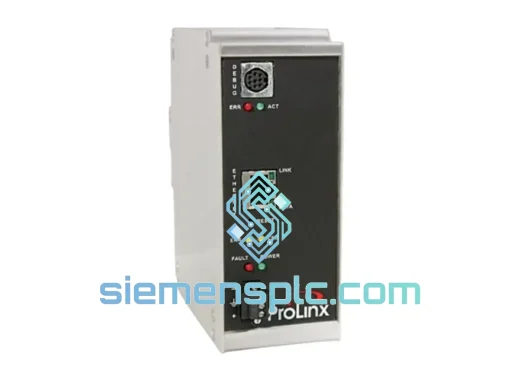
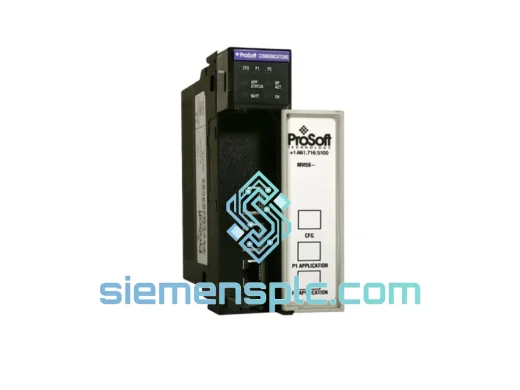
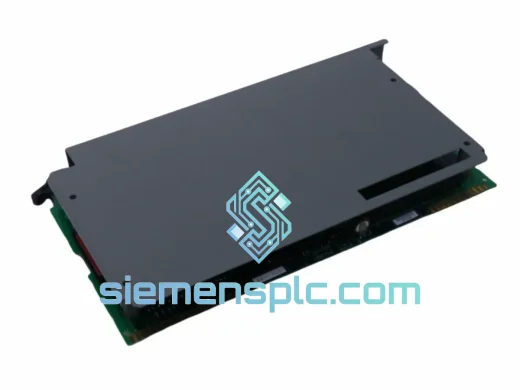
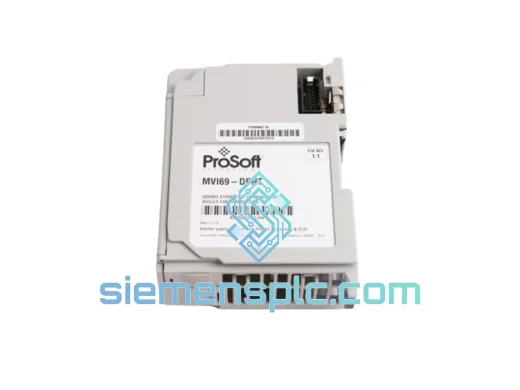
ProSoft MVI69-DFNT PLC Communication Module – MVI69 Series
CompactLogix 1769 Series
Origin US
PLC Communication Module
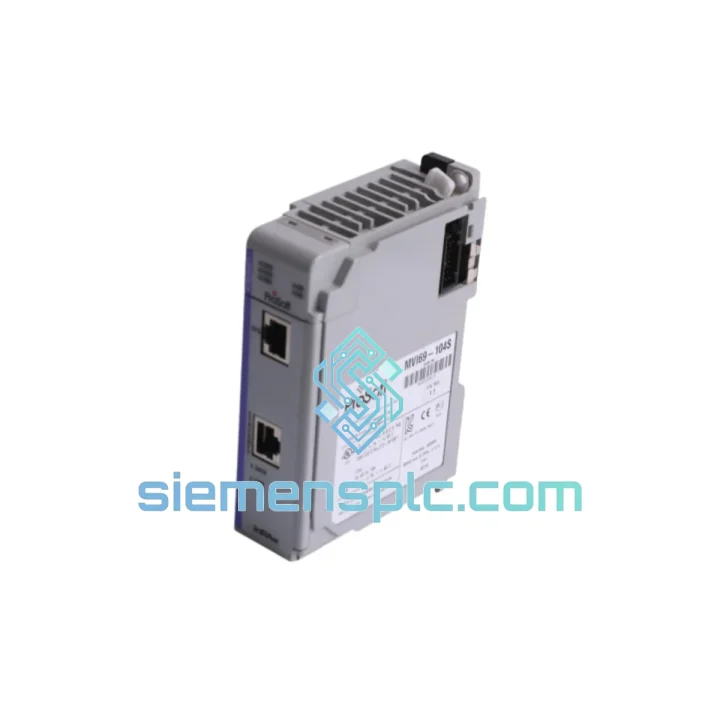
Request verified availability, condition, replacement risk review, packing options and courier lead time for MVI69-104S.
Click Request Quote and the part number is inserted into the inquiry form automatically.
Core fields for model confirmation and RFQ routing. Detailed product narrative remains below.
The alarm came in at shift change. Trend displays frozen. The CompactLogix processor is healthy, the 1769 backplane shows no faults, the Ethernet switch port is active — but the IEC 60870-5-104 TCP session between your substation and the SCADA master has been dead for 40 minutes. No ASDU traffic. No supervisory frames. The MVI69-104S has stopped responding at the hardware level, and there is no firmware reload, no PLC logic patch, and no network workaround that recovers a failed communication module. You need a physical replacement unit on-site before the next operational window.
We stock the ProSoft MVI69-104S at our Xiamen facility — not on order, not inbound, physically on the shelf. Each unit is individually tested, sealed in anti-static packaging with silica gel desiccant and a humidity indicator card, and ready for same-day dispatch via DHL Express or FedEx International Priority. Orders confirmed before 15:00 CST ship the same calendar day. That is a hard operational commitment tied to physical inventory — not a lead-time estimate.
The MVI69-104S occupies a single 1769 slot and draws power entirely from the CompactLogix backplane — no external 24 VDC supply required. It presents a fully compliant IEC 60870-5-104 controlled station (server/slave) interface to any SCADA master over standard TCP/IP Ethernet on port 2404. All protocol framing, ASDU construction, and supervisory frame management are handled internally by the module’s onboard processor, completely offloading that overhead from the CompactLogix L-series CPU. When this module fails, nothing else in the 1769 rack substitutes for it. The path back to SCADA visibility is a correctly configured replacement unit — nothing else.
URGENT REQUIREMENT? Contact: [email protected] | WhatsApp: +86 18359268345
| Parameter | Specification |
|---|---|
| Part Number | MVI69-104S |
| Manufacturer | ProSoft Technology |
| Module Series | MVI69 — Allen-Bradley 1769 Compact I/O |
| Protocol | IEC 60870-5-104 Controlled Station (Server) |
| Network Port | 10/100 Mbps Ethernet, RJ-45, TCP/IP |
| Default TCP Port | 2404 (field-configurable) |
| Backplane Compatibility | 1769 CompactLogix, MicroLogix 1500 |
| Slot Footprint | 1 × 1769 slot |
| Bus Current Consumption | 800 mA @ 5 VDC (backplane-powered) |
| Configuration Port | RS-232 DB-9 CFG port, ProSoft Configuration Builder (PCB) |
| Operating Temperature | 0 °C to +60 °C |
| Storage Temperature | -40 °C to +85 °C |
| Humidity Rating | 5% – 95% RH, non-condensing |
| PCB Protection | Full conformal coating — salt fog, moisture, corrosion resistant |
| Certifications | IEC 60870-5-104, IEC 61131-2, CE, UL Listed |
| Unit Weight | 180 g |
| Country of Origin | United States |
| Dispatch Point | Xiamen, China |
| Availability | ✔ In Stock — Same-Day Dispatch Before 15:00 CST |
Isolate hardware failure from network fault first. Ping the module’s configured IP from the engineering workstation. If the IP is unreachable and the RUN LED is off or cycling red-green, the hardware has failed. If the RUN LED is solid green but the SCADA master cannot establish a TCP session, the fault is upstream — check the managed switch for VLAN misassignment, MAC-based port security lockouts, or a firewall ACL blocking TCP 2404 between the substation LAN segment and the SCADA server. A misconfigured switch and a dead module produce identical symptoms at the SCADA console. Confirm the hardware fault before ordering.
Extract the configuration file before the module goes cold. If the module is still partially responsive, connect a laptop to the RS-232 CFG port via a DB-9 null-modem cable. Open ProSoft Configuration Builder, select the MVI69-104S device, and upload the current .mvi69 configuration file. This file holds the module IP, subnet mask, default gateway, TCP port assignment, T1/T2/T3 supervisory timer values, maximum simultaneous client connections, and the complete ASDU data map linking IEC 104 information object addresses to CompactLogix register offsets. On a substation project with several hundred mapped points, losing this file means rebuilding the entire data map from scratch against the Studio 5000 tag database — measured in hours under operational pressure.
Match firmware revision on the replacement unit. In PCB, navigate to Diagnostics → Module Information and record the firmware revision string (e.g., 1.07.000). The replacement must run the same major firmware version. ProSoft does not guarantee behavioral compatibility across major revisions. If the replacement ships with a newer firmware, download the matching version from ProSoft’s firmware archive and flash it via the CFG port before commissioning. Firmware flashing takes under five minutes — do not skip this under time pressure.
Physical swap — power down, no exceptions. De-energize the CompactLogix rack at the 1769 power supply. Remove the right-side end cap from the failed MVI69-104S, slide the module straight out of the 1769 bus connector, and seat the replacement unit firmly until the bus connector clicks. Reattach and lock the end cap. The 1769 bus connector is not rated for live insertion. Hot-swapping risks corrupting the processor’s I/O table and can damage backplane bus pins on both the replacement module and adjacent devices in the rack.
Commission and verify with a General Interrogation. Load the saved .mvi69 file into PCB and download it to the replacement module via the CFG port. Cycle rack power. In Studio 5000, go online with the processor and confirm the MVI69-104S backplane input and output data registers are updating at the expected scan rate. On the SCADA master, trigger a General Interrogation (GI) command. The module must respond with a complete data set within the configured GI timeout window. An incomplete GI response typically means the mapped point count in PCB exceeds the module’s configured maximum information objects — audit the data map against the object count limit in PCB.
Field fault reference:
Substations, offshore platforms, water treatment facilities, and compressor skids are not controlled environments. Cabinet temperatures in tropical installations reach 55 °C by mid-afternoon. Coastal chemical plants push ambient humidity to the edge of condensation. Diesel generator starts inject voltage transients onto the 24 VDC bus that destroy consumer-grade electronics within weeks of installation. The MVI69-104S is engineered to operate continuously inside these conditions — not pass a certification test and degrade in the field.
ProSoft designs the MVI69 series to IEC 61131-2 environmental requirements — the same standard governing the CompactLogix processor it sits beside. The PCB carries a full conformal coating that resists moisture ingress, salt fog, and the corrosive atmospheres found in offshore and chemical processing environments. Vibration tolerance covers the continuous mechanical shock profiles of pump stations and compressor skids where structural vibration is a permanent operating condition, not an occasional event.
The -40 °C to +85 °C storage temperature range is a practical field specification. It means replacement units can be warehoused in unheated field depots in northern climates or hot desert storage containers without degradation — a real consideration for remote site spares management where the nearest climate-controlled facility is hundreds of kilometers away. Every unit we dispatch from Xiamen is stored in a climate-controlled warehouse, individually sealed in anti-static bags with silica gel desiccant packs and humidity indicator cards. The humidity indicator card ships inside the sealed bag — if it reads above 30% RH on arrival, the shipment was compromised in transit and we replace it.
Our Xiamen warehouse is 40 minutes from Xiamen Gaoqi International Airport (XMN), a primary cargo hub with direct freighter connections to Frankfurt (FRA), Dubai (DXB), Los Angeles (LAX), and Singapore (SIN). Orders confirmed before 15:00 CST ship the same calendar day on DHL Express or FedEx International Priority — whichever routing delivers fastest to your destination port.
Typical door-to-door transit times:
Every shipment includes a commercial invoice with correct HS code classification, a detailed packing list, and a certificate of origin. Customers requiring additional import documentation — EUR.1 movement certificates, Form A GSP certificates, or chamber of commerce attestations — should request these at order confirmation. We coordinate through our licensed freight forwarder at no additional charge.
For plant-down emergencies, contact us directly on WhatsApp at +86 18359268345. State your situation, destination port, and required delivery date. We confirm physical stock availability, issue a proforma invoice within 30 minutes, and initiate packaging immediately upon payment confirmation. We accept T/T bank transfer, PayPal, and major credit cards — whichever clears fastest for your procurement team under emergency conditions.
Email: [email protected]
WhatsApp: +86 18359268345
Web: siemensplc.com
© 2026 siemensplc.com. All rights reserved.
We check the full part number, brand, series and visible nameplate information before quotation.
Sales confirms stock path, condition option, quantity and realistic lead time for export dispatch.
DHL, FedEx, UPS or buyer courier arrangements can be reviewed with packing requirements.
Similar brand or category products for fast comparison and multi-item RFQ lists.