

Siemens
RFQ Ready
Siemens 6AV7240-0HC07-0PA0 Industrial Panel PC Motherboard – SIMATIC IPC477D
SIMATIC
Origin DE
Industrial Panel PC Motherboard
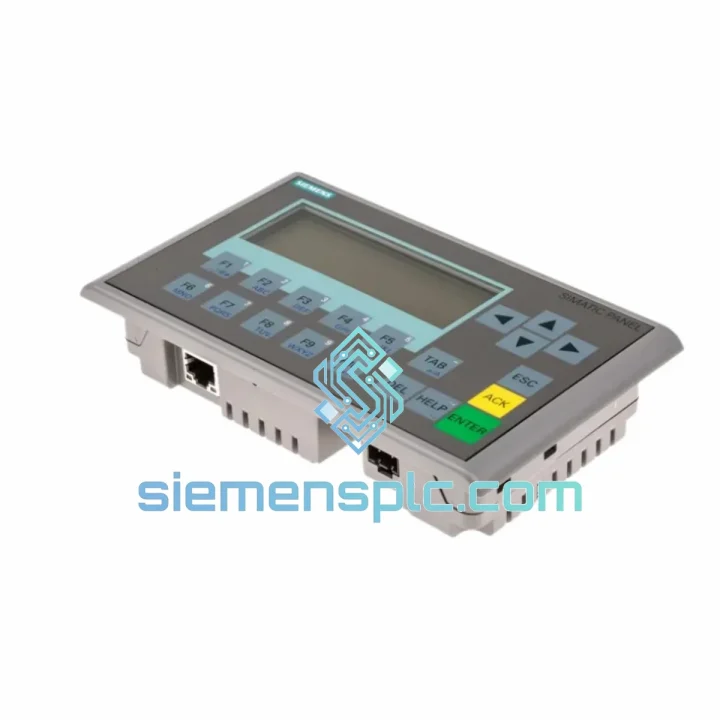
Request verified availability, condition, replacement risk review, packing options and courier lead time for 6AV6647-0AH11-3AX1.
Click Request Quote and the part number is inserted into the inquiry form automatically.
Core fields for model confirmation and RFQ routing. Detailed product narrative remains below.
Every minute your line sits idle costs real money. The Siemens 6AV6647-0AH11-3AX1 KTP400 Basic Mono PN is one of the most widely deployed compact HMI panels in Asian and European manufacturing — and when it fails, the pressure to restore production is immediate. We stock this unit in Xiamen, tested and ready to ship same day via DHL or FedEx. No waiting on factory lead times. No customs delays from Europe. You call, we ship.
URGENT REQUIREMENT? Contact: [email protected] | WhatsApp: +86 18359268345
| Parameter | Specification |
|---|---|
| Part Number | 6AV6647-0AH11-3AX1 |
| Product Family | SIMATIC HMI KTP400 Basic Mono PN |
| Display Size | 4.0″ monochrome STN LCD |
| Resolution | 320 × 240 px (QVGA) |
| Input Method | 4 function keys + resistive touch |
| Communication | PROFINET IO (1× RJ45) |
| Power Supply | 24 V DC |
| Power Consumption | ≈ 3.6 W |
| Operating Temp. | 0 °C to +50 °C |
| Storage Temp. | −20 °C to +60 °C |
| Protection Rating | IP65 (front panel) |
| Dimensions (W×H×D) | 144 × 108 × 38 mm |
| Weight | ≈ 820 g |
| Certifications | CE, UL, cULus |
| Engineering Software | WinCC Basic / TIA Portal V13 SP1+ |
| Max Tag Count | 500 tags |
| Stock Status | ✔ Ready to Ship — Xiamen Warehouse |
After ten years of field work on SIMATIC panels, here are the failure modes I see most often with the KTP400 Mono PN — and what to watch for when you swap one in:
Common Failure Symptoms
Replacement Checklist — Do This Before You Power On the New Unit
The KTP400 Basic Mono PN was engineered for the factory floor, not the office. The IP65-rated front bezel keeps cutting fluid, coolant mist, and fine metal dust out of the display assembly — the failure mode we see in non-rated panels within six months of installation in machining environments. The operating temperature ceiling of +50 °C covers the vast majority of control cabinet installations, even in Southeast Asian facilities without air conditioning.
Vibration resistance is validated to IEC 60068-2-6: 5–150 Hz, 1 g continuous. In practice, this means the panel survives direct mounting on press frames and compressor skids without the connector fatigue failures common in consumer-grade touch screens. The STN monochrome display has no color filter layer to delaminate — a known long-term failure mode in early color TFT panels used in similar applications.
Units we ship from our Xiamen stock are stored in climate-controlled conditions, individually wrapped in anti-static bags with silica gel desiccant. Every unit is powered on and checked for display uniformity, touch response, and PROFINET link-up before it leaves the warehouse. We do not ship untested stock.
Our dispatch warehouse is located in Xiamen, Fujian — one of China’s primary electronics export hubs with direct DHL and FedEx gateway access. Here is what the shipping timeline actually looks like:
All shipments include a commercial invoice, packing list, and certificate of origin. HS Code 8537.10 is pre-declared for customs clearance. For customers in countries with import duty exemptions on industrial automation components, we can provide supporting documentation on request. We have shipped to 47 countries — customs clearance issues are rare and we handle them proactively when they occur.
For orders requiring air freight on pallets (multiple units, bulk MRO orders), we coordinate with our freight forwarder for consolidated air cargo with door-to-door delivery. Contact us for a freight quote before ordering if your shipment exceeds 10 units.
Email: [email protected]
WhatsApp: +86 18359268345
Web: siemensplc.com
© 2026 siemensplc.com. All rights reserved.
We check the full part number, brand, series and visible nameplate information before quotation.
Sales confirms stock path, condition option, quantity and realistic lead time for export dispatch.
DHL, FedEx, UPS or buyer courier arrangements can be reviewed with packing requirements.
Similar brand or category products for fast comparison and multi-item RFQ lists.


