

Siemens
RFQ Ready
Siemens 6AV7240-0HC07-0PA0 Industrial Panel PC Motherboard – SIMATIC IPC477D
SIMATIC
Origin DE
Industrial Panel PC Motherboard
Request verified availability, condition, replacement risk review, packing options and courier lead time for 6ES7634-2BF02-0AE3.
Click Request Quote and the part number is inserted into the inquiry form automatically.
Core fields for model confirmation and RFQ routing. Detailed product narrative remains below.
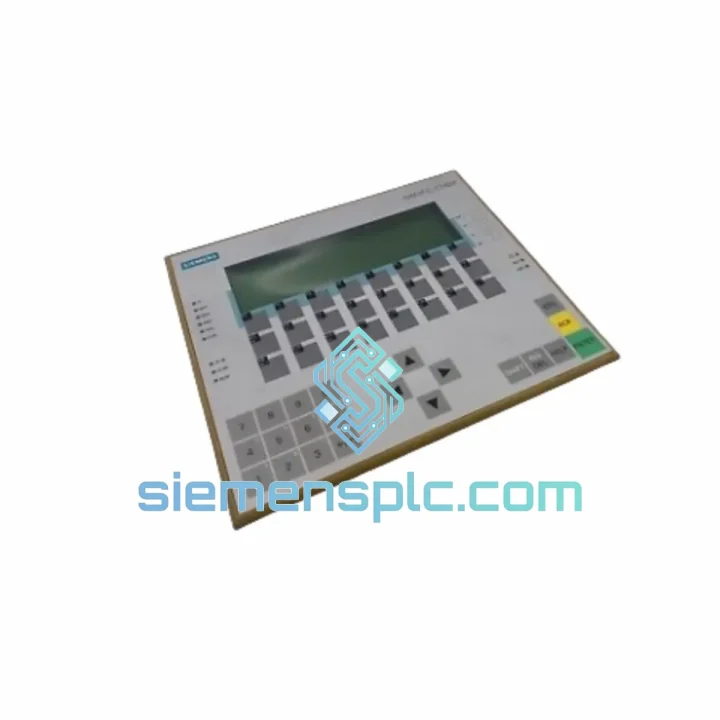
Your C7-634 DP just went dark. The line is stopped. Maintenance is on the phone. You’ve already pulled the unit and confirmed it’s the Siemens 6ES7634-2BF02-0AE3 — the integrated SIMATIC C7-634 DP compact panel controller that runs your PROFIBUS-DP network, your local I/O, and your operator interface all in one box. There is no quick workaround. You need an exact hardware-revision match, and you need it now.
We stock the 6ES7634-2BF02-0AE3 in Xiamen. Units are bench-tested, revision-verified, and packed for express air freight before your courier arrives. DHL and FedEx International Priority transit times to most of Europe, Southeast Asia, and the Americas run 2–4 business days door-to-door. That is the difference between a two-day outage and a two-week parts-hunt.
URGENT REQUIREMENT?
📧 [email protected] | 💬 WhatsApp: +86 18359268345
| Parameter | Specification | Status |
|---|---|---|
| Part Number | 6ES7634-2BF02-0AE3 | ✅ Ready to Ship |
| Product Series | SIMATIC C7-634 DP | |
| Integrated CPU | Equivalent to S7-300 CPU 314 | |
| Work Memory | 96 KB (program + data) | |
| Load Memory | 512 KB Flash EPROM + MMC slot | |
| Onboard DI / DO | 16 × 24 V DC in / 16 × 24 V DC 0.5 A out | |
| Display | 5.7″ STN monochrome LCD, 320 × 240 px | |
| PROFIBUS-DP | Master / Slave, up to 12 Mbit/s, 125 slaves | |
| MPI Port | 187.5 kbit/s — live programming without DP disruption | |
| RS-232 | PtP — ProTool HMI configuration | |
| Supply Voltage | 24 V DC (20.4 – 28.8 V DC) | |
| Current Draw | ≈ 1.2 A @ 24 V DC | |
| Operating Temp | 0 °C to +55 °C | |
| Storage Temp | −20 °C to +70 °C | |
| Front Panel IP | IP65 (rear: IP20) | |
| Dimensions | 310 × 230 × 120 mm (approx.) | |
| Weight | ≈ 1.6 kg | |
| Programming Tool | STEP 7 V5.x + ProTool | |
| Hardware Revision | 0AE3 | ✅ Verified Before Dispatch |
| Certifications | CE, UL, cUL | |
| Origin | Germany | |
| Warranty | 12 months — DOA swap within 7 business days |
Before you pull the unit — confirm the fault is in the C7, not upstream:
Hardware revision matching — non-negotiable:
The suffix 0AE3 is not cosmetic. It defines the PCB revision, firmware baseline, and MMC compatibility. Installing a 0AE2 unit into a 0AE3 slot may cause firmware mismatch errors on first power-up. Always cross-reference the label on the rear of the failed unit before ordering.
Step-by-step swap procedure:
Common fault codes on the C7-634 DP:
The C7-634 DP was engineered for the factory floor, not the server room. The front panel carries an IP65 rating — dust-tight and protected against water jets — making it suitable for direct panel mounting in food processing, chemical dosing, and wash-down environments without an additional protective cover. The rear electronics are IP20, housed inside the control cabinet.
Vibration resistance meets IEC 61131-2 Class 1 requirements: 10–57 Hz at 0.075 mm amplitude, 57–150 Hz at 1 g. In practice, this covers conveyor drives, compressor rooms, and press-line control cabinets where panel-mounted equipment takes continuous mechanical stress. The membrane keypad has no moving parts subject to wear — rated for over one million actuations under normal industrial use.
Thermal performance is validated across 0 °C to +55 °C operating range with no forced cooling required. The unit is convection-cooled; the only requirement is adequate clearance above and below the panel cutout for airflow. In high-ambient installations (foundries, glass plants), verify cabinet internal temperature does not exceed 55 °C at the C7 mounting location — not at the cabinet door.
The Flash EPROM load memory eliminates battery dependency for program storage. Even after extended storage or a dead backup battery, the CPU will load and execute the user program from Flash on power-up. Only retentive data blocks and the real-time clock require battery backup — a much smaller risk surface than older EEPROM-based systems.
Each unit we dispatch from Xiamen undergoes a bench power-on test at 24 V DC nominal, a PROFIBUS-DP loopback check, and a visual inspection of all connector pins and the display backlight. Hardware revision is confirmed against the order specification before packing. Units that fail any check are quarantined — they do not ship.
Our warehouse is located in Xiamen, Fujian, China — one of China’s primary export hubs with direct access to Xiamen Gaoqi International Airport (XMN) and daily DHL, FedEx, and UPS consolidation flights to major global hubs.
Standard express routing for urgent orders:
For orders placed and payment confirmed before 14:00 CST, same-day dispatch is standard for in-stock units. You receive a DHL/FedEx tracking number within 2 hours of pickup. We provide a proforma invoice for your finance team and a detailed packing list for your incoming goods inspection team — no surprises at customs.
For extremely time-critical situations — line-down, safety system failure, contractual penalty exposure — contact us directly on WhatsApp. We can arrange hand-carry courier from Xiamen to your destination airport for next-flight-out delivery when standard express is not fast enough.
📧 Email: [email protected]
💬 WhatsApp: +86 18359268345
🌐 Web: siemensplc.com
© 2026 siemensplc.com. All rights reserved.
We check the full part number, brand, series and visible nameplate information before quotation.
Sales confirms stock path, condition option, quantity and realistic lead time for export dispatch.
DHL, FedEx, UPS or buyer courier arrangements can be reviewed with packing requirements.
Similar brand or category products for fast comparison and multi-item RFQ lists.


