Siemens
RFQ Ready
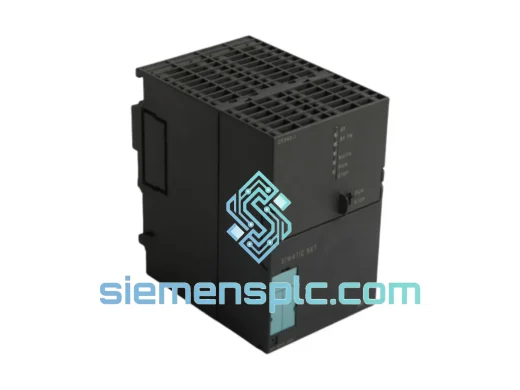
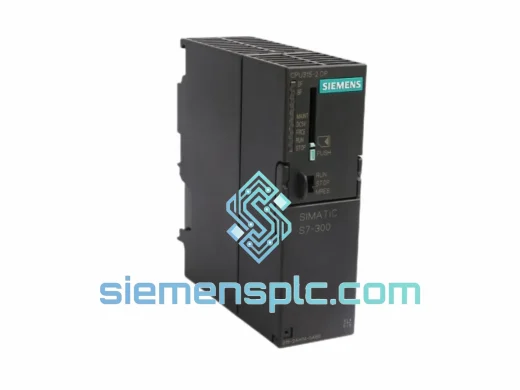
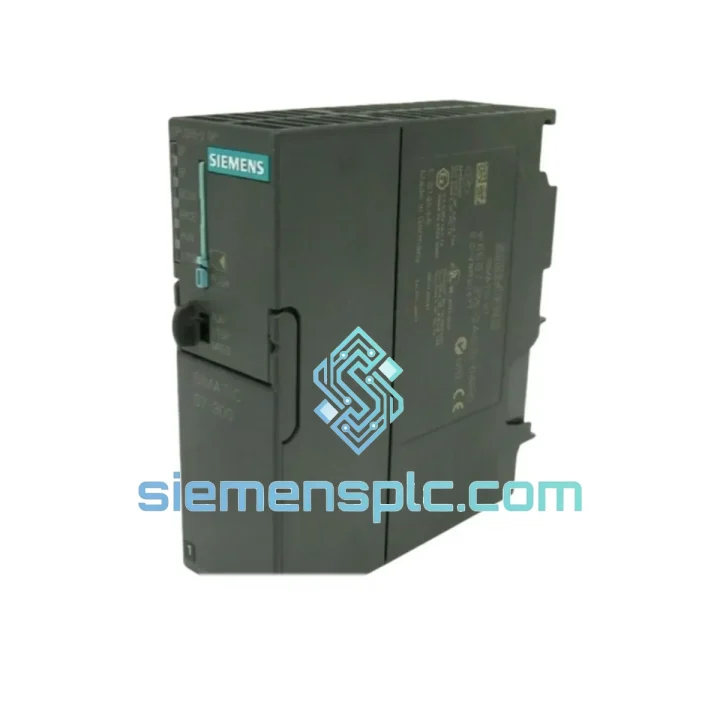
Siemens 6ES7 315-2EH14-0AB0 CPU 315-2 PN/DP PLC Module
SIMATIC S7-300
Origin DE
PLC CPU Module
Request verified availability, condition, replacement risk review, packing options and courier lead time for 6GK1543-0AA02.
Click Request Quote and the part number is inserted into the inquiry form automatically.
Core fields for model confirmation and RFQ routing. Detailed product narrative remains below.
Your S7-300 rack just lost its Ethernet link. The line is down. Maintenance is on the phone. You already know the CP 343-1 is the culprit — you’ve seen this failure before. What you need right now is not a datasheet. You need a unit on a plane tonight.
We stock the Siemens 6GK1543-0AA02 in Xiamen and ship globally via DHL Express and FedEx International Priority. Most orders placed before 16:00 CST clear customs documentation the same day. For critical plant shutdowns, contact us directly — we move fast.
URGENT REQUIREMENT? Contact: [email protected] | WhatsApp: +86 18359268345
| Parameter | Value | Status |
|---|---|---|
| Order Number (MLFB) | 6GK1 543-0AA02 | ✅ Ready to Ship |
| Product Family | CP 343-1 | |
| Compatible Platform | SIMATIC S7-300 | |
| Network Interface | RJ45, 10/100 Mbit/s (IEEE 802.3) | |
| Supported Protocols | ISO Transport, TCP/IP, UDP, S7 Communication, FETCH/WRITE, SEND/RECEIVE | |
| Max. Simultaneous Connections | 16 | |
| Power Supply | Via S7-300 backplane bus (no external 24 VDC required) | |
| Operating Temperature | 0 °C to +60 °C | |
| Storage Temperature | −40 °C to +70 °C | |
| Relative Humidity | 5% to 95%, non-condensing | |
| Dimensions (W × H × D) | 40 × 125 × 120 mm | |
| Weight | Approx. 300 g | |
| Engineering Software | STEP 7 v5.4+; TIA Portal V13 SP1+ (via HSP) | |
| Certifications | CE, UL, cULus, FM, ATEX (Zone 2) | |
| Country of Origin | Germany | |
| Firmware | V2.x (field-upgradeable via STEP 7) |
After ten years of field work on S7-300 systems, these are the failure patterns and swap pitfalls that actually matter when you’re standing in front of a dead rack:
Common Failure Indicators
Step-by-Step Replacement Procedure
Configuration Checklist Before Commissioning
The CP 343-1 was not designed for a climate-controlled server room. It was built for the plant floor — and the 6GK1543-0AA02 reflects that in every design decision.
The module meets IEC 61131-2 environmental requirements, which means it has been validated against the kind of abuse that kills consumer-grade networking hardware within months. Vibration resistance is rated to 10–58 Hz at 0.075 mm amplitude and 58–150 Hz at 1g — covering the resonance frequencies of most industrial machinery including compressors, conveyors, and press lines. Shock resistance is validated at 15g / 11 ms per IEC 60068-2-27, which handles the kind of mechanical impact that occurs during rack installation, forklift proximity events, and emergency shutdowns.
Thermal performance is equally serious. The operating range of 0 °C to +60 °C covers the majority of industrial enclosure environments, including poorly ventilated control cabinets in summer. The internal components are selected for extended temperature cycling — the module is designed to survive thousands of power-on/power-off cycles without degradation of the backplane connector interface.
Humidity tolerance up to 95% non-condensing means the module handles the moisture levels found in food processing, chemical plants, and coastal facilities without corrosion-related failures — provided the control cabinet maintains positive pressure or adequate sealing. Units that have failed in high-humidity environments almost always show evidence of cabinet seal failure, not module design weakness.
EMC performance meets EN 61000-6-2 (industrial immunity) and EN 61000-6-4 (industrial emissions). In practice, this means the CP 343-1 operates correctly in the presence of variable frequency drives, large motor starters, and welding equipment — the three most common sources of conducted and radiated interference on the plant floor. If you are experiencing intermittent communication errors that correlate with VFD operation, the issue is almost certainly cable routing or grounding, not the CP itself.
Every unit we ship has been inspected for physical integrity, connector condition, and label authenticity. We do not sell modules with damaged backplane connectors, missing firmware labels, or evidence of prior field use without disclosure.
Our warehouse is located in Xiamen, Fujian Province — one of China’s primary export hubs with direct access to DHL, FedEx, and UPS international gateways. This is not a drop-ship operation. Stock is physically on our shelves.
Standard Express Timeline (DHL / FedEx International Priority):
What happens after you place your order:
For plant shutdown emergencies, contact us via WhatsApp before placing the order. We can confirm stock availability, prepare documentation in advance, and in some cases arrange same-day dispatch for orders received before 14:00 CST.
Import duties and VAT are the responsibility of the buyer. We provide accurate commercial invoices to support customs clearance. We do not under-declare shipment values.
Email: [email protected]
WhatsApp: +86 18359268345
Web: siemensplc.com
© 2026 siemensplc.com. All rights reserved.
We check the full part number, brand, series and visible nameplate information before quotation.
Sales confirms stock path, condition option, quantity and realistic lead time for export dispatch.
DHL, FedEx, UPS or buyer courier arrangements can be reviewed with packing requirements.
Similar brand or category products for fast comparison and multi-item RFQ lists.