GE Fanuc
In Stock OK
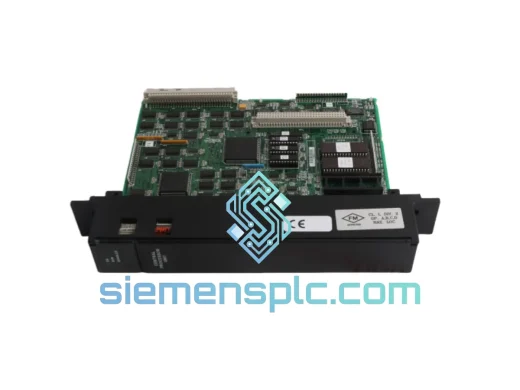
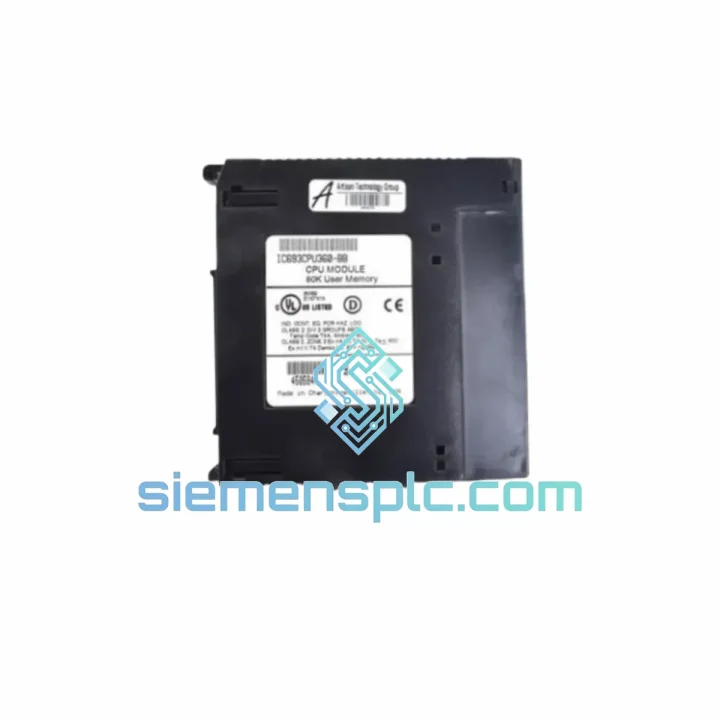
GE Fanuc IC693CPU360 PLC CPU Module
Request verified availability, condition, replacement risk review, packing options and courier lead time for IC693CPU360.
BrandGE Fanuc
Part NumberIC693CPU360
ConditionAvailability Check
Lead TimeRFQ Confirmation
DocumentsDatasheet / photos by RFQ
ShippingExport packing available
Auto-filled RFQ
IC693CPU360
Click Request Quote and the part number is inserted into the inquiry form automatically.
- Reply by email: [email protected]
- WhatsApp / Tel: +86 18359268345
- Mon-Sat 9:00-18:00 GMT+8
Procurement Data
Key Product Information
Core fields for model confirmation and RFQ routing. Detailed product narrative remains below.
- Brand
- GE Fanuc
- Primary Part Number
- IC693CPU360
- Product Type
- PLC CPU Module
- Series / Family
- Fanuc
- Country of Origin
- US
- Catalog Category
- Robotics & Motion
- Operating Temp.
- 0°C to 60°C
- Humidity
- 5%–95% non-condensing
Model confirmed for inquiry
IC693CPU360
Send quantity, destination and urgency. The RFQ form keeps this part number attached.
Request Quote
Product Overview
IC693CPU360 Down? Every Minute Costs You Money — We Ship Today
A CPU failure on a Series 90-30 rack doesn’t announce itself politely. One moment the line is running; the next, the CPU fault LED is solid red, the HMI is frozen, and your maintenance team is staring at a dead rack with a production schedule that won’t wait. The GE Fanuc IC693CPU360 is the brain of one of the most widely deployed PLC platforms in North American and global manufacturing — and when it fails, there is no workaround. You need an exact, tested, firmware-compatible replacement in your hands as fast as physically possible.
We stock the IC693CPU360 in Xiamen and ship globally via DHL Express and FedEx International Priority. Orders confirmed before 5 PM CST typically leave the same day. While your procurement team is still filling out the purchase order, we’re already pulling the unit off the shelf and running the pre-ship power-on test. That’s the difference between a 6-hour outage and a 3-day one.
URGENT REQUIREMENT? Contact: [email protected] | WhatsApp: +86 18359268345
Quick Technical Datasheet
| Parameter | Specification |
|---|---|
| Part Number | IC693CPU360 |
| Brand | GE Fanuc (Emerson) |
| Series | Series 90-30 |
| User Memory | 360 KB |
| Logic Scan Speed | 0.3 ms / 1K logic |
| Discrete I/O Capacity | Up to 2,048 points |
| Communication Port | 1 × RS-232 (built-in, SNP/SNP-X) |
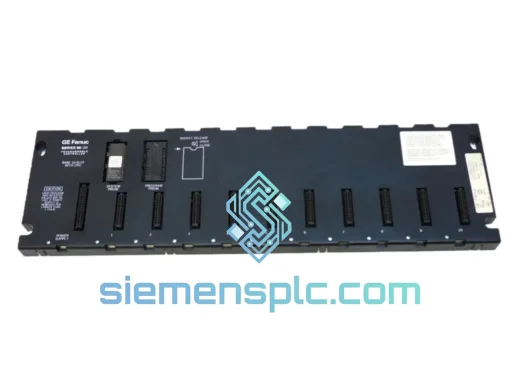
| Rack Compatibility | Series 90-30 5-slot & 10-slot baseplates |
| Programming Software | Proficy Machine Edition, VersaPro, Logicmaster 90 |
| Operating Temperature | 0°C to 60°C |
| Storage Temperature | -40°C to 85°C |
| Humidity | 5%–95% non-condensing |
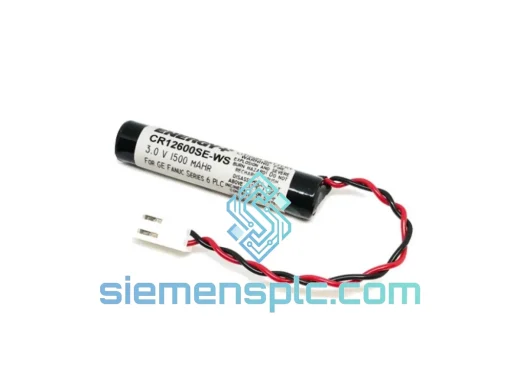
| Memory Backup | Onboard lithium battery (IC693ACC301) |
| Form Factor | Single-slot CPU module |
| Weight | ~300 g |
| Stock Status | ✅ Ready to Ship — Xiamen Warehouse |
Troubleshooting & Replacement Tips
Fault Diagnosis Before You Pull the Module
Before condemning the IC693CPU360, rule out the obvious: check the rack power supply output voltage (IC693PWR321/322 should hold +5 VDC ±5% under load), inspect the backplane connector for bent pins or oxidation, and verify the battery LED status. A flashing battery LED means the onboard lithium cell is depleted — this alone can cause erratic CPU behavior, spurious fault codes, and failed program retention after power cycling. Replace the IC693ACC301 battery first if the unit has been in service more than 3 years.
Common Fault Codes on the IC693CPU360
- %SW1 / System Fault Table entries 0x0041–0x0043: Hardware fault detected in CPU. Typically indicates internal memory corruption or failed self-diagnostics. Module replacement required.
- %SW1 bit 0 (CPU Fault): Solid red CPU LED with no communication response — check RS-232 cable and port settings first (19200 baud, 8N1, SNP protocol). If port is unresponsive, the CPU is likely failed.
- I/O Bus Fault (Fault Table 0x0060–0x006F): Often caused by a failed I/O module in the rack, not the CPU itself. Isolate by removing I/O modules one at a time before replacing the CPU.
- Program Memory Checksum Error: Occurs after battery failure or power surge. Attempt a full program clear and reload from backup before replacing hardware.
Step-by-Step Replacement Procedure
- Document current firmware revision before removal. Connect via RS-232 with Proficy ME or VersaPro, navigate to Target → Properties → Controller and record the firmware version string (e.g., Rev 10.xx). The replacement unit must match or exceed this revision — downgrading firmware on a running system can cause program incompatibility.
- Back up the program. Upload the full program including configuration, ladder logic, and data tables to your programming workstation. Do not assume the replacement unit will retain the previous program — it won’t.
- Power down the rack. The IC693CPU360 is NOT hot-swappable. Remove rack power completely before extracting the module. Failure to do so risks backplane damage.
- Seat the replacement module firmly. The IC693CPU360 uses a card-edge connector. Apply even pressure until the module is fully seated and the retaining screws engage. A partially seated module will power on but generate intermittent I/O faults.
- Check DIP switch SW1. On the IC693CPU360, SW1 position 1 controls the SNP address. If your system uses a multi-drop RS-232 configuration, verify the switch setting matches the original module’s address. Default (all OFF) sets the CPU to SNP address 0.
- Power up and verify self-test. On initial power-up, the CPU runs a full self-diagnostic. All LEDs will cycle. Normal completion: RUN LED solid green, FAULT LED off. If FAULT LED remains on, check the fault table immediately via Proficy ME.
- Download the program and configuration. Download the hardware configuration first, then the program. Sequence matters — downloading program before hardware config can cause I/O module mismatch faults.
- Verify I/O scan and force table. After going to RUN mode, check that all I/O modules are scanning correctly. Clear any residual force table entries from the previous session before handing back to operations.
Firmware Compatibility Note: If sourcing a replacement IC693CPU360 from the secondary market, always verify the firmware revision matches your existing system. Proficy Machine Edition versions 8.x and later require CPU firmware Rev 9.0 or higher for full feature support. Older firmware revisions may not support all function blocks available in current ME libraries.
Reliability in Harsh Conditions
The Series 90-30 platform was engineered for the factory floor, not the server room. The IC693CPU360 carries a conformal coating on its PCB assembly, providing resistance to airborne contaminants including cutting fluid mist, hydraulic oil vapor, and industrial dust — conditions that kill consumer-grade electronics within months. The module is rated for continuous operation from 0°C to 60°C ambient, covering the thermal range of most enclosed control panels even in non-air-conditioned facilities in tropical climates.
Vibration resistance meets IEC 68-2-6 standards, qualifying the IC693CPU360 for installation in environments with continuous mechanical vibration — stamping press control panels, compressor skids, and mobile equipment enclosures included. The card-edge backplane connection, while requiring careful seating during installation, provides a mechanically robust electrical interface that outperforms screw-terminal or ribbon-cable connections in high-vibration applications.
Humidity tolerance up to 95% non-condensing means the IC693CPU360 handles the moisture swings common in food processing facilities, coastal installations, and outdoor-rated enclosures without the corrosion failures that plague inadequately protected electronics. Units we supply are inspected for board-level corrosion and oxidation at the connector before shipment — a step that catches the most common failure mode in surplus industrial electronics before it becomes your problem.
Global Express Logistics
Our warehouse is located in Xiamen, Fujian Province — one of China’s primary export hubs with direct access to DHL, FedEx, and UPS international gateway facilities. This geography is not accidental: Xiamen’s port and air cargo infrastructure allows us to move urgent shipments to most major industrial centers worldwide within 3–5 business days under normal customs conditions.
Standard Shipping Process:
- Day 0 (Order Confirmed): Unit pulled from shelf, power-on test completed, firmware revision documented, ESD-safe anti-static bag sealed, foam-cushioned export carton prepared.
- Day 0–1 (Dispatch): Shipment booked with DHL Express or FedEx International Priority. AWB number and tracking link sent to buyer within 2 hours of carrier pickup.
- Day 1–3 (In Transit): Xiamen → Hong Kong or Shanghai gateway → destination country hub. Real-time tracking available via carrier portal.
- Day 3–5 (Delivery): Door-to-door delivery to most destinations in North America, Europe, Southeast Asia, and the Middle East. Remote locations may require 1–2 additional days.
All shipments include a commercial invoice with accurate HS code classification (HS 8537.10 for PLC modules) and declared value documentation to facilitate smooth customs clearance. For buyers in countries with import duty exemptions on industrial automation components, we can provide supporting technical documentation upon request. We do not under-declare shipment values — accurate documentation protects both parties and prevents customs holds that defeat the purpose of express shipping.
For orders requiring same-day dispatch, contact us directly via WhatsApp before 3 PM CST. We will confirm stock availability, run the pre-ship test, and have the unit booked with the carrier before close of business.
Contact Information
📧 Email: [email protected]
💬 WhatsApp: +86 18359268345
🌐 Web: siemensplc.com
© 2026 siemensplc.com. All rights reserved.
Ready to quote
[email protected]
Send This Part Number to Sales
RFQ workflow
Quality workflow ->
Confirmation Process
01Model confirmation
We check the full part number, brand, series and visible nameplate information before quotation.
02Availability reply
Sales confirms stock path, condition option, quantity and realistic lead time for export dispatch.
03Packing & courier
DHL, FedEx, UPS or buyer courier arrangements can be reviewed with packing requirements.
Continue sourcing
Browse full catalog ->
Related Automation Parts
Similar brand or category products for fast comparison and multi-item RFQ lists.