KUKA
In Stock OK
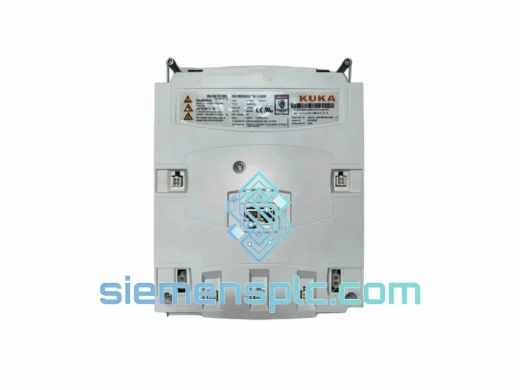
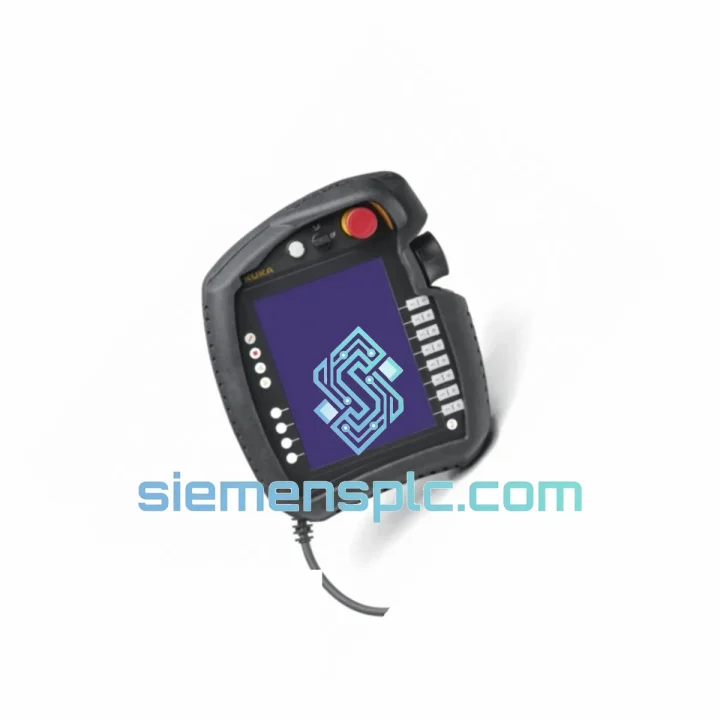
KUKA KRC4-SMARTPAD Teach Pendant
Request verified availability, condition, replacement risk review, packing options and courier lead time for KRC4-SMARTPAD.
BrandKUKA
Part NumberKRC4-SMARTPAD
ConditionAvailability Check
Lead TimeRFQ Confirmation
DocumentsDatasheet / photos by RFQ
ShippingExport packing available
Auto-filled RFQ
KRC4-SMARTPAD
Click Request Quote and the part number is inserted into the inquiry form automatically.
- Reply by email: [email protected]
- WhatsApp / Tel: +86 18359268345
- Mon-Sat 9:00-18:00 GMT+8
Procurement Data
Key Product Information
Core fields for model confirmation and RFQ routing. Detailed product narrative remains below.
- Brand
- KUKA
- Primary Part Number
- KRC4-SMARTPAD
- Product Type
- Teach Pendant
- Series / Family
- KRC4 Series
- Country of Origin
- DE
- Catalog Category
- HMI Panels
- Operating Temp.
- 0 °C to +45 °C
Model confirmed for inquiry
KRC4-SMARTPAD
Send quantity, destination and urgency. The RFQ form keeps this part number attached.
Request Quote
Product Overview
KRC4-SMARTPAD Down? Every Minute Costs You — We Ship Same Day from Xiamen
Your KRC4 robot is frozen. The line is stopped. Maintenance is standing by with nothing to do. You’ve already pulled the error log — it points straight to the SmartPAD. The teach pendant is dead, cracked, or throwing a persistent KSS 00040 / KSS 00041 communication fault that won’t clear no matter how many times you cycle power. You need a replacement unit, not a quote that takes three days to come back.
We stock the KUKA KRC4-SMARTPAD in Xiamen and ship globally via DHL Express and FedEx International Priority. Orders confirmed before 14:00 CST go out the same business day. That’s the only promise that matters when your production is down.
URGENT REQUIREMENT? Contact: [email protected] | WhatsApp: +86 18359268345
Quick Technical Datasheet
| Parameter | Specification | Status |
|---|---|---|
| Part Number | KRC4-SMARTPAD | ✔ Ready to Ship |
| Compatible Controllers | KRC4, KRC4 compact, KRC4 smallsize, KRC4 midsize | — |
| KSS Compatibility | KSS 8.2 / 8.3 / 8.5 / 8.6 / 8.7 | — |
| Display | 8.4″ color touchscreen, 800 × 600 px, capacitive | — |
| Communication Interface | KUKA SmartPAD proprietary bus + USB 2.0 host | — |
| Safety Device | 3-position enabling switch (EN ISO 13849-1, Cat.3 / PLd) | — |
| Emergency Stop | Integrated illuminated E-Stop, dual-channel | — |
| Ingress Protection | IP54 | — |
| Operating Temperature | 0 °C to +45 °C | — |
| Storage Temperature | −25 °C to +70 °C | — |
| Weight | Approx. 1.1 kg | — |
| Cable (Standard) | 10 m; 20 m / 30 m extensions available | — |
| Origin | Germany | — |
| Condition | 100% Original KUKA — New / Surplus | ✔ In Stock |
Troubleshooting & Replacement Tips
Step 1 — Confirm the fault is in the SmartPAD, not the cable or controller port. Swap the 10 m cable first if you have a spare. KSS faults KSS 00040 (SmartPAD not connected) and KSS 00041 (SmartPAD communication error) can both be triggered by a damaged cable or a corroded X19 connector on the KRC4 cabinet. Inspect the connector pins before condemning the pendant itself.
Step 2 — Check the SmartPAD bus voltage. With a multimeter on the X19 port, you should read 24 VDC on the power supply pins. If voltage is absent, the fault is upstream in the controller’s internal PSU — not the SmartPAD. Replacing the pendant will not fix a dead PSU.
Step 3 — Verify KSS version before ordering. The KRC4-SMARTPAD hardware is compatible across KSS 8.x, but units shipped with KSS 8.2 firmware may display a version mismatch warning when connected to a controller running KSS 8.6 or 8.7. This is a non-critical warning in most cases and does not prevent operation, but confirm with your system integrator if the cell runs safety-rated options like KUKA.SafeOperation.
Step 4 — Hot-swap procedure. The KRC4-SMARTPAD supports hot-swap in T1 and T2 modes with the appropriate safety precautions. In AUT/EXT mode, disconnecting the pendant triggers a STOP 1. If your process cannot tolerate a stop, install a SmartPAD bypass plug (KUKA part 00-168-334) before disconnecting. Do not attempt hot-swap without the bypass plug in AUT mode — the robot will fault and may require a full restart sequence.
Step 5 — Post-replacement checks. After connecting the new SmartPAD, navigate to Main Menu → Help → Info and verify the pendant firmware version is recognized by KSS. Run a full axis mastering check if the robot was powered down during the swap. Confirm all safety inputs (E-Stop, enabling device) are functional before returning to automatic mode.
Common fault codes associated with SmartPAD failure:
- KSS 00040 — SmartPAD not connected / bus timeout. Check cable and X19 connector first.
- KSS 00041 — SmartPAD communication error. Indicates data corruption on the bus — usually cable damage or a failing pendant PCB.
- KSS 01234 — Enabling device not recognized. Faulty 3-position switch inside the pendant — unit must be replaced.
- KSS 06024 — E-Stop circuit open. Can be pendant E-Stop button failure or wiring. Isolate by testing with a known-good pendant.
Reliability in Harsh Conditions
The KRC4-SMARTPAD is built for the floor, not the office. The IP54 enclosure keeps out metal dust, coolant mist, and weld spatter — the three things that kill most electronics in a fabrication environment. The housing is polycarbonate-reinforced with a rubberized overmold on the grip zones, designed to survive the drop from a robot arm height that happens eventually on every production floor.
The 8.4″ capacitive touchscreen is rated for gloved operation and maintains responsiveness in ambient temperatures up to 45 °C — relevant if your cell sits next to a furnace or in a non-air-conditioned press shop. The internal PCB uses conformal coating on critical signal traces, providing baseline protection against humidity and condensation during temperature cycling between shifts.
Vibration resistance meets EN 60068-2-6 test profiles, which covers the continuous low-frequency vibration typical of stamping presses and conveyor-adjacent robot installations. The enabling device switch is rated for a defined actuation cycle life — if your operators are running high-cycle programs with frequent T1 jogging, track the switch actuation count and plan a proactive replacement before it fails mid-shift.
Every unit we dispatch is bench-tested: display, touchscreen calibration, enabling device continuity, E-Stop dual-channel function, and USB port. We do not ship untested stock.
Global Express Logistics
Our warehouse is in Xiamen, Fujian — one of China’s primary export hubs with direct access to DHL, FedEx, and UPS international gateways. Transit times from order confirmation to delivery:
- Southeast Asia (SG, MY, TH, VN, ID) — 2–3 business days via DHL Express
- Europe (DE, PL, CZ, IT, ES, FR) — 3–5 business days via FedEx International Priority
- North America (US, CA, MX) — 3–5 business days via DHL Express or FedEx
- Middle East (AE, SA, TR) — 3–4 business days via DHL Express
- Australia / New Zealand — 3–4 business days via FedEx International Priority
All shipments include: commercial invoice, packing list, and certificate of origin. For EU imports, we provide HS code 8537.10 documentation. For US imports, we provide HTS classification and can arrange a formal entry if shipment value requires it. Dangerous goods declaration is not required for this product.
Tracking numbers are issued within 2 hours of dispatch. We send proactive updates if a shipment is held at customs — we handle the paperwork, you focus on getting your line back up.
Contact Information
Email: [email protected]
WhatsApp: +86 18359268345
Web: siemensplc.com
© 2026 siemensplc.com. All rights reserved.
Ready to quote
[email protected]
Send This Part Number to Sales
RFQ workflow
Quality workflow ->
Confirmation Process
01Model confirmation
We check the full part number, brand, series and visible nameplate information before quotation.
02Availability reply
Sales confirms stock path, condition option, quantity and realistic lead time for export dispatch.
03Packing & courier
DHL, FedEx, UPS or buyer courier arrangements can be reviewed with packing requirements.
Continue sourcing
Browse full catalog ->
Related Automation Parts
Similar brand or category products for fast comparison and multi-item RFQ lists.
KUKA
RFQ Ready
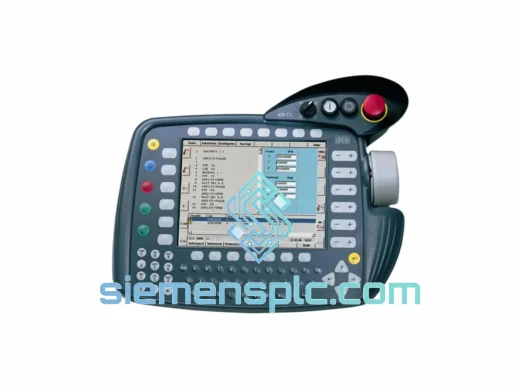
KUKA 00-291-556 C5 HMI Touch Screen Assembly – KR C5 Series
KR C5 HMI Panel
Origin DE
HMI Touch Screen Assembly