Woodward
RFQ Ready
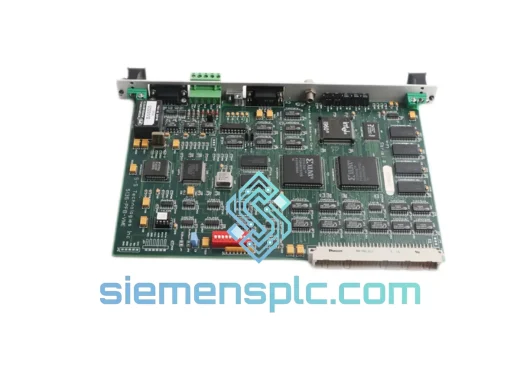
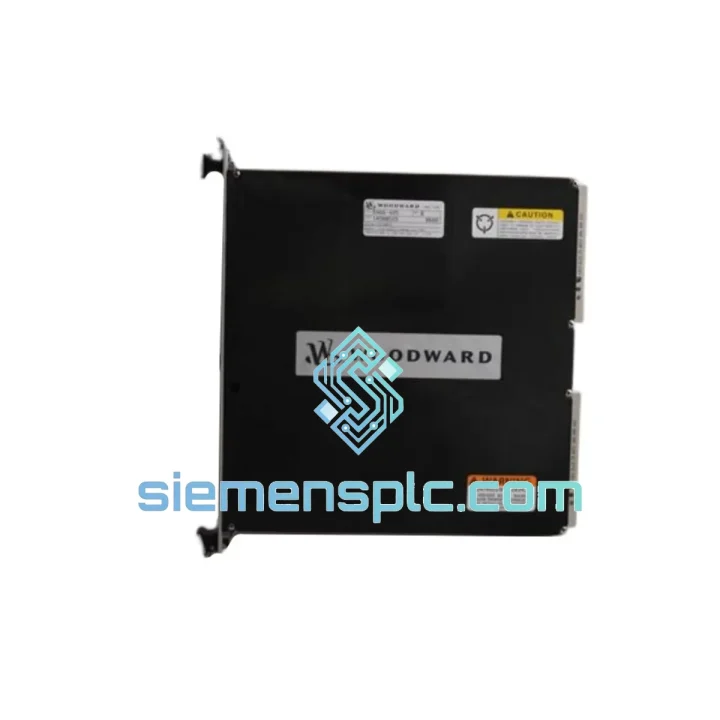
WOODWARD 5136-PFB-VME Profibus Interface Card
VME Series
Origin US
Profibus Interface Card
Request verified availability, condition, replacement risk review, packing options and courier lead time for PCU1000.
Click Request Quote and the part number is inserted into the inquiry form automatically.
Core fields for model confirmation and RFQ routing. Detailed product narrative remains below.
Your turbine HMI is blind. SCADA telemetry has flatlined. The shift supervisor is on the phone and the plant manager is already asking for an ETA. If you’re running a WOODWARD NetCon controller — NetCon 5000, NetCon 10, or NetCon 20 — and the serial communication backbone has dropped, the PCU1000 is the single component standing between you and full system restoration. There is no generic substitute. There is no workaround that doesn’t involve weeks of firmware re-engineering and a full safety re-validation. You need the original card, tested and ready to install.
We stock the WOODWARD PCU1000. It ships from Xiamen within 24 hours of order confirmation via DHL Express or FedEx International Priority. For a gas turbine generating 50 MW at $40/MWh, every hour of forced outage costs $2,000 in lost generation alone — before you factor in contractual penalties, emergency labor, and the cost of manual override staffing. A verified PCU1000 in your hands tomorrow morning is not a procurement decision; it is a financial recovery operation.
⚡ URGENT REQUIREMENT? Contact: [email protected] | WhatsApp: +86 18359268345
| Parameter | Specification |
|---|---|
| Part Number | PCU1000 |
| Manufacturer | WOODWARD |
| Series | NetCon |
| Module Type | PCI Serial Network Interface Card |
| Bus Interface | PCI 32-bit, 33 MHz |
| Protocol | WOODWARD NetCon proprietary serial bus |
| Power Supply | 3.3 V / 5 V via PCI backplane |
| Operating Temperature | 0 °C to +60 °C |
| Storage Temperature | −40 °C to +85 °C |
| Humidity | 5%–95% RH, non-condensing |
| Compatible Platforms | NetCon 5000, NetCon 10, NetCon 20 |
| Weight | 300 g |
| Certifications | CE, IEC 61511 compatible |
| Country of Origin | United States |
| Stock Status | ✔ Ready to Ship — Ships within 24 hrs |
Fault Symptom Recognition
Before pulling the card, confirm the fault is actually the PCU1000 and not a cable or upstream CPU issue. Typical failure signatures: NetCon controller logs a persistent Serial Bus Fault or Communication Timeout alarm; WOODWARD Watch Window loses connection to the controller even when the Ethernet path is intact; the PCI slot LED (if fitted) is dark or flashing amber instead of steady green. If the CPU board itself is healthy and the serial cable continuity checks out, the PCU1000 is the next logical suspect.
Pre-Swap Checklist
Swap Procedure (Field Summary)
Common Post-Swap Issues
The PCU1000 was not designed for a server room. It was designed for turbine control cabinets — environments where ambient temperatures routinely exceed 45 °C, where compressor vibration transmits through the floor into the cabinet base, and where humidity swings from desert-dry to tropical-saturated depending on the season and the plant’s cooling system status.
The card’s PCB uses conformal coating on critical signal traces to resist moisture ingress and condensation-induced leakage currents — a failure mode that kills uncoated boards within months in coastal or high-humidity installations. The PCI edge connector is gold-plated to resist the fretting corrosion that develops on tin-plated contacts in vibrating environments, where micro-movement between the card and slot gradually destroys the contact surface and produces the intermittent communication faults that are notoriously difficult to diagnose.
Onboard components are selected for extended temperature range operation. Electrolytic capacitors — the component most likely to fail first in a hot cabinet — are rated for 105 °C service life, not the 85 °C parts used in commercial-grade electronics. This matters in a cabinet where the internal temperature at the top of the rack can be 15–20 °C above ambient when the cooling fan is marginal.
Vibration resistance is achieved through a combination of component selection (no socketed ICs that can walk out under vibration), PCB mounting (the PCI bracket provides a second mechanical anchor point beyond the edge connector), and the use of conformal coating that acts as a mechanical damper for small surface-mount components. Units that have been in service for 10+ years in gas turbine enclosures and returned for inspection routinely show no mechanical degradation beyond normal surface oxidation.
Our dispatch hub is in Xiamen, China — a major international freight gateway with daily DHL Express and FedEx International Priority departures to every major industrial region. When you confirm an order before 14:00 CST, the unit is picked, inspected, documented, and handed to the carrier the same business day.
Typical transit times from Xiamen:
Every shipment includes a full documentation package: commercial invoice, packing list, Certificate of Conformance (COC), and Country of Origin declaration. HS Code 8537.10 is applied as standard — verify against your customs authority’s current tariff schedule. For shipments requiring an import permit or end-user certificate, notify us at the time of inquiry so we can prepare the necessary paperwork in parallel with order processing.
Packaging is ESD-safe bag → rigid foam insert → double-wall corrugated carton, with fragile and ESD-sensitive labels applied. The carton is sized to meet IATA dangerous goods exemption thresholds for electronic components, avoiding the additional documentation burden of full DG classification. For multi-unit orders, individual units are separately bagged and foam-separated within a single outer carton to prevent contact damage in transit.
Real-time tracking is provided via the carrier’s online portal. For shipments to regions with customs clearance delays (India, Brazil, certain Middle East countries), we proactively provide the commercial invoice and COC in advance so your customs broker can pre-clear the shipment before it arrives at the port of entry.
📧 Email: [email protected]
💬 WhatsApp: +86 18359268345
🌐 Web: siemensplc.com
© 2026 siemensplc.com. All rights reserved.
We check the full part number, brand, series and visible nameplate information before quotation.
Sales confirms stock path, condition option, quantity and realistic lead time for export dispatch.
DHL, FedEx, UPS or buyer courier arrangements can be reviewed with packing requirements.
Similar brand or category products for fast comparison and multi-item RFQ lists.