
Provib Tech
In Stock OK
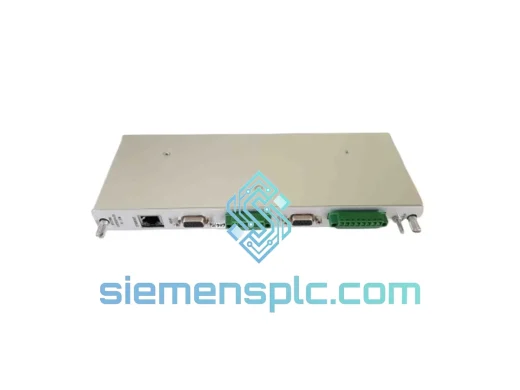
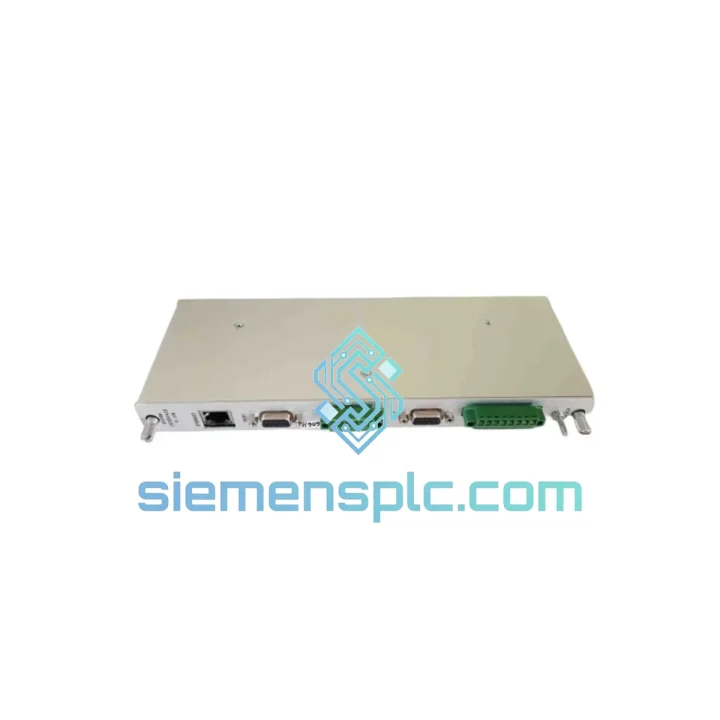
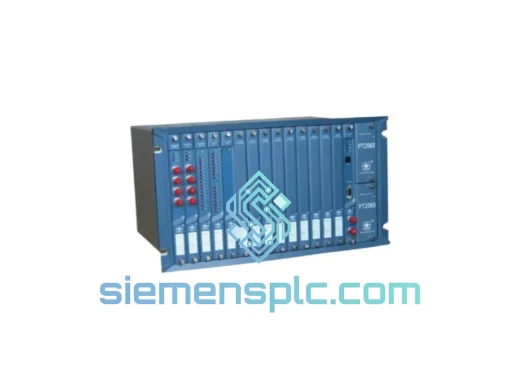
Provib Tech PT2060/91-A0-H Vibration SIM Module
Request verified availability, condition, replacement risk review, packing options and courier lead time for PT2060/91-A0-H.
BrandProvib Tech
Part NumberPT2060/91-A0-H
ConditionAvailability Check
Lead TimeRFQ Confirmation
DocumentsDatasheet / photos by RFQ
ShippingExport packing available
Auto-filled RFQ
PT2060/91-A0-H
Click Request Quote and the part number is inserted into the inquiry form automatically.
- Reply by email: [email protected]
- WhatsApp / Tel: +86 18359268345
- Mon-Sat 9:00-18:00 GMT+8
Procurement Data
Key Product Information
Core fields for model confirmation and RFQ routing. Detailed product narrative remains below.
- Brand
- Provib Tech
- Primary Part Number
- PT2060/91-A0-H
- Product Type
- Vibration Monitoring Module
- Product Family
- Other series
- Manufacturer
- Provib Tech
- Country of Origin
- US
- Catalog Category
- Sensors & Switches
Model confirmed for inquiry
PT2060/91-A0-H
Send quantity, destination and urgency. The RFQ form keeps this part number attached.
Request Quote
Product Overview
PT2060/91-A0-H Down? Every Minute of Unplanned Downtime Costs You — We Ship Today
A failed System Interface Module in your PT2060 vibration protection rack doesn’t just trigger an alarm — it blinds your entire machinery protection loop. Turbines, compressors, pumps: without the PT2060/91-A0-H online, your rotating equipment runs unprotected. That’s not a maintenance issue. That’s a liability.
We stock the Provib Tech PT2060/91-A0-H in Xiamen and ship globally via DHL Express and FedEx Priority. Same-day dispatch on confirmed orders before 15:00 CST. While your procurement team is still raising a PO, your replacement module is already at the airport.
URGENT REQUIREMENT? Contact: [email protected] | WhatsApp: +86 18359268345
Quick Technical Datasheet
| Parameter | Specification |
|---|---|
| Manufacturer | Provib Tech |
| Part Number | PT2060/91-A0-H |
| Series | PT2060 Vibration Monitoring & Protection |
| Module Function | System Interface 91 — SIM (System Interface Module) |
| Slot Designation | Slot 91 (System Interface slot in PT2060 rack) |
| Orientation | Horizontal (H suffix) |
| Configuration Code | A0 — Standard, no special options |
| Form Factor | Rack-mount, PT2060 chassis compatible |
| Power Supply | Via rack backplane — no external power required |
| Communication | Proprietary Provib Tech backplane bus |
| Compatible Firmware | PT2060 rack firmware v2.x and above |
| Weight | Approx. 800 g |
| Origin | China (CN) |
| Condition | New / Tested Surplus |
| Availability | ✅ Ready to Ship — Xiamen Warehouse |
Troubleshooting & Replacement Tips
Ten years of field calls on PT2060 racks have taught me one thing: most SIM failures are misdiagnosed. Before you condemn the PT2060/91-A0-H, run through this checklist.
Common Fault Indicators:
- SIM COMM FAULT or RACK BUS ERROR on the operator console — primary indicator of a failed or unseated SIM module.
- All channels on the rack reporting simultaneously — not a sensor issue. The SIM is the common path; if it’s down, everything downstream looks dead.
- Intermittent trip signals with no corresponding vibration event — backplane communication dropout, often caused by a degraded SIM connector or failing onboard oscillator.
- Rack fails to initialize after power cycle — SIM module not responding during boot handshake.
Before You Pull the Module:
- Check the rack’s front-panel LED status. A solid red on the SIM slot confirms module fault. A flashing amber typically means communication retry — reseat the module first before ordering a replacement.
- Inspect the backplane connector pins for oxidation or mechanical damage. A bent pin on the rack side means the SIM is not the root cause.
- Verify rack firmware version. PT2060/91-A0-H requires firmware v2.x minimum. Running v1.x? The module will not initialize — this is a firmware issue, not a hardware failure.
Replacement Procedure (Field-Verified):
- Step 1 — Inhibit the rack: Place the PT2060 rack in bypass/inhibit mode from the DCS or local panel before removing the SIM. Pulling a live SIM without inhibit will trigger spurious trips across all channels.
- Step 2 — Document the configuration: The PT2060/91-A0-H does not store channel configuration locally — all parameters reside in the rack’s central configuration memory. However, note the slot address and any jumper/DIP switch settings visible on the module face before extraction.
- Step 3 — Check DIP switch S1: On the A0-H variant, DIP switch S1 (8-position) sets the rack node address for multi-rack systems. Match the new module’s S1 setting exactly to the failed unit. Mismatch here causes the rack to appear as a duplicate node — you’ll see a NODE CONFLICT alarm within 30 seconds of power-up.
- Step 4 — Seat and lock: Insert the replacement module firmly until both ejector levers click. A partially seated SIM will power up but fail the backplane communication test — the most common cause of “replaced the module but still getting faults.”
- Step 5 — Restore and verify: Remove inhibit, allow the rack to complete its self-test sequence (typically 45–90 seconds), and confirm all channel OK indicators return to green. If SIM COMM FAULT persists after a confirmed good module, the fault is on the rack backplane — escalate to a rack-level inspection.
Reliability in Harsh Conditions
The PT2060/91-A0-H is built for the environments where failures are least acceptable. Offshore platforms, gas compression stations, and power generation turbine halls share one thing: the conditions are brutal and the tolerance for downtime is zero.
The module’s conformal-coated PCB resists condensation and airborne contaminants — critical in coastal and tropical installations where humidity regularly exceeds 90% RH. The backplane connector uses gold-plated contacts rated for 500+ insertion cycles, maintaining signal integrity even in high-vibration installations where rack-mounted equipment is subject to continuous mechanical stress from adjacent rotating machinery.
Operating temperature range covers -20°C to +70°C ambient, with the module’s onboard thermal management maintaining stable oscillator performance across the full range. In petrochemical environments where ambient temperatures in instrument rooms can spike during summer shutdowns, this headroom matters. The module has been validated against IEC 60068-2 vibration and shock profiles — it won’t fail from the same vibration it’s designed to measure.
ESD protection on all I/O lines guards against the transient events common during maintenance activities in live panels. The A0-H variant’s horizontal orientation also improves convective cooling in densely populated racks, reducing thermal stress on long-running installations.
Global Express Logistics
Our warehouse is located in Xiamen, Fujian, China — one of China’s primary export hubs with direct access to DHL, FedEx, and UPS international gateways. This is not a drop-ship operation. Stock is physically on our shelves, inspected, and ready.
Standard Dispatch Process:
- Orders confirmed before 15:00 CST ship same business day.
- Export documentation (commercial invoice, packing list, ECCN classification) prepared in parallel with packing — no delays at customs clearance.
- ESD-safe anti-static packaging with foam insert protection. The module arrives in the same condition it left our warehouse.
- Tracking number provided within 2 hours of dispatch.
Typical Transit Times (Express):
- Southeast Asia (Singapore, Malaysia, Thailand): 2–3 business days
- Middle East (UAE, Saudi Arabia, Qatar): 3–4 business days
- Europe (Germany, Netherlands, UK): 3–5 business days
- North America (USA, Canada): 4–6 business days
- Australia / New Zealand: 3–5 business days
For plant shutdowns with hard deadlines, contact us directly. We coordinate with freight forwarders for next-flight-out options when standard express timelines are not sufficient. We’ve shipped to offshore platforms in the North Sea and to refineries in the Middle East on 24-hour turnarounds — if there’s a flight, we’ll get it on it.
Contact Information
For urgent sourcing, technical questions, or bulk project pricing on the Provib Tech PT2060/91-A0-H:
- Email: [email protected]
- WhatsApp: +86 18359268345
- Web: siemensplc.com
© 2026 siemensplc.com. All rights reserved.
Ready to quote
[email protected]
Send This Part Number to Sales
RFQ workflow
Quality workflow ->
Confirmation Process
01Model confirmation
We check the full part number, brand, series and visible nameplate information before quotation.
02Availability reply
Sales confirms stock path, condition option, quantity and realistic lead time for export dispatch.
03Packing & courier
DHL, FedEx, UPS or buyer courier arrangements can be reviewed with packing requirements.
Continue sourcing
Browse full catalog ->
Related Automation Parts
Similar brand or category products for fast comparison and multi-item RFQ lists.
Provib Tech
RFQ Ready
Provib Tech PT2060/90-A1-B1-H Proximity Module – PT2060 Series
Origin US
Proximity Module
Provib Tech
RFQ Ready
Provib Tech PT2060/53-A0-H Vibration Monitoring Module
PT2060 Series
Origin US
Vibration Monitoring Module
Provib Tech
RFQ Ready
Provib Tech PT2060/90-A1-B1 Vibration Monitor
Origin Germany
Vibration Monitor