ABB
RFQ Ready
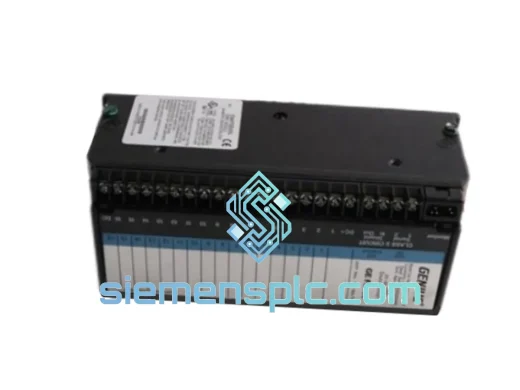
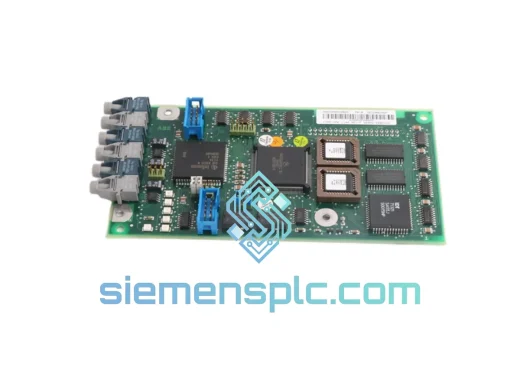
ABB YPK114A 3ASD399002B20 Drive Communications Module
Origin SE
Drive Communications Module
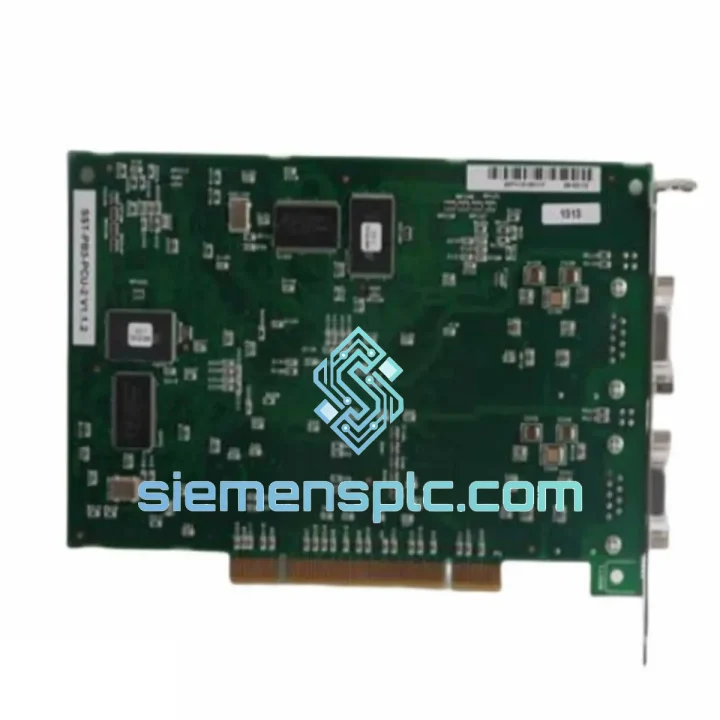
Request verified availability, condition, replacement risk review, packing options and courier lead time for SST-PB3-PCU.
Click Request Quote and the part number is inserted into the inquiry form automatically.
Core fields for model confirmation and RFQ routing. Detailed product narrative remains below.
Your PROFIBUS network is silent. The HMI shows no communication. The line is stopped. You’ve already traced the fault to the SST-PB3-PCU ISA interface card — and now you need a replacement in your hands, not in two weeks. We stock the SST-PB3-PCU at our Xiamen warehouse and ship via DHL Express within 24 hours of order confirmation. One call, one card, line back up.
⚡ URGENT REQUIREMENT? Contact: [email protected] | WhatsApp: +86 18359268345
| Part Number | SST-PB3-PCU |
| Manufacturer | SST Automation (Woodhead / Molex lineage) |
| Bus Interface | ISA — half-length card |
| Protocol | PROFIBUS DP (EN 50170 / IEC 61158) |
| Operating Modes | DP Master Class 1 & 2 / DP Slave |
| Baud Rate | 9.6 kbit/s – 12 Mbit/s (auto-detect) |
| Max DP Slaves | 125 nodes |
| Physical Connector | DB9 female (RS-485, standard PROFIBUS pinout) |
| Isolation | Optical isolation on PROFIBUS port |
| Power | +5 VDC from ISA bus |
| Operating Temp | 0°C to +60°C |
| Storage Temp | -40°C to +85°C |
| Humidity | 5%–95% RH, non-condensing |
| Certifications | CE, FCC Class A |
| Software | SST Config Utility; Windows XP/7/10 drivers; OPC Server compatible |
| GSD File | Available for slave mode configuration |
| Stock Status | ✅ Ready to Ship — Xiamen Warehouse |
After ten years of field work on PROFIBUS networks, these are the failure patterns that keep showing up with the SST-PB3-PCU — and what to do about them before you even open the chassis.
Symptom: Card not recognized by OS after installation
The ISA bus requires manual I/O address and IRQ assignment — there is no Plug-and-Play on ISA. Open Device Manager, check for resource conflicts. The SST-PB3-PCU defaults to I/O base address 0x300 and IRQ 5. If another device owns those resources, you’ll get a silent failure. Reassign via the SST Configuration Utility before the driver loads. On Windows 10 systems, also verify that the ISA slot is enabled in BIOS — some industrial PC BIOSes disable legacy bus support by default.
Symptom: PROFIBUS communication established but cyclic data is corrupted or intermittent
Ninety percent of the time this is a termination problem, not a card fault. Confirm that both physical ends of the PROFIBUS segment have active termination enabled (the termination switch on the DB9 connector set to ON). A missing or double termination at one end causes reflections that corrupt token passing. Also verify cable shielding is grounded at one point only — typically at the master end. Floating shields on long cable runs pick up EMI and inject noise directly into the RS-485 differential pair.
Symptom: Specific slave nodes drop out intermittently under load
Check the Tslot (slot time) and Tset (setup time) parameters in your GSD configuration. If the master’s polling cycle is too aggressive for slower slave devices, you’ll see sporadic diagnostic messages (DX telegrams) and eventual node exclusion. Increase Tslot by 10–20% increments and monitor. Also confirm that the SST-PB3-PCU firmware version matches the GSD file revision — a mismatch between firmware and GSD timing parameters is a known source of intermittent slave dropouts.
Replacement procedure — step by step:
Firmware note: If the replacement card ships with a different firmware revision than the failed unit, download the matching firmware from SST’s archive and flash before commissioning. Mismatched firmware between master card and GSD file is the single most common cause of post-replacement communication failures that get misdiagnosed as hardware faults.
The SST-PB3-PCU was not designed for office environments. It was built for the floor — automotive stamping lines, chemical processing units, water treatment facilities, and pharmaceutical batch reactors. The optical isolation barrier on the PROFIBUS port handles the ground potential differences that routinely appear between control room equipment and field devices in large industrial plants. Without it, a single ground fault on the field side can destroy the host PC’s serial interface — the SST-PB3-PCU absorbs that fault and keeps the host alive.
The onboard RS-485 transceiver is rated for the full industrial temperature range and is protected against the transient voltages generated by motor drives, contactors, and solenoid valves switching on shared cable trays. The card’s conformal coating option (available on select production runs) provides additional protection against condensation in environments where temperature cycling causes moisture ingress — common in outdoor enclosures and unheated production areas in northern climates.
Vibration resistance meets IEC 60068-2-6 test Fc requirements, making the card suitable for installation in mobile equipment and machinery-mounted control panels where constant mechanical vibration would degrade solder joint integrity on lesser hardware. Units supplied from our Xiamen stock are inspected for solder joint integrity and connector seating before dispatch — we do not ship cards that have been stored improperly or show signs of prior field damage.
Our Xiamen warehouse is 40 minutes from Xiamen Gaoqi International Airport, a major DHL and FedEx hub for southern China. That proximity is not accidental — it means your urgent order moves from our shelf to an international flight the same day, not the next morning.
Standard dispatch timeline for in-stock SST-PB3-PCU units:
For plant shutdowns or production emergencies, contact us directly on WhatsApp — we can arrange weekend dispatch and provide real-time shipment updates throughout transit. We have shipped to 60+ countries and understand the customs documentation requirements for industrial electronics in major import markets including the EU, USA, Australia, India, and the GCC states.
📧 Email: [email protected]
💬 WhatsApp: +86 18359268345
🌐 Web: siemensplc.com
© 2026 siemensplc.com. All rights reserved.
We check the full part number, brand, series and visible nameplate information before quotation.
Sales confirms stock path, condition option, quantity and realistic lead time for export dispatch.
DHL, FedEx, UPS or buyer courier arrangements can be reviewed with packing requirements.
Similar brand or category products for fast comparison and multi-item RFQ lists.