Westinghouse
RFQ Ready
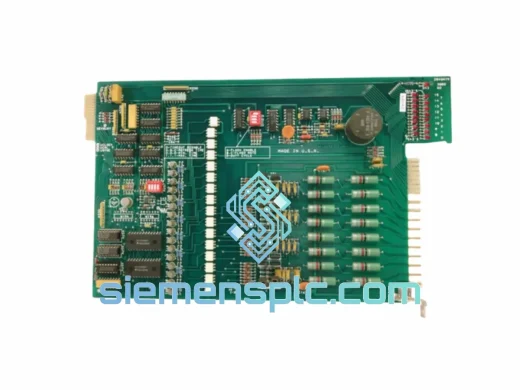
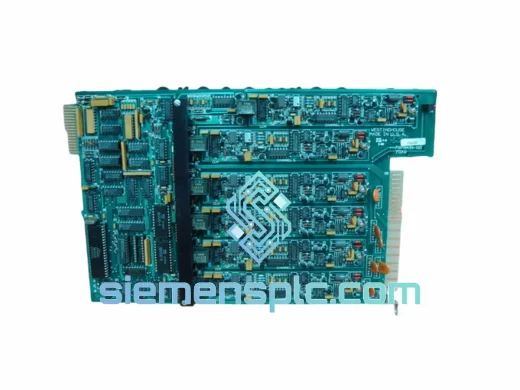
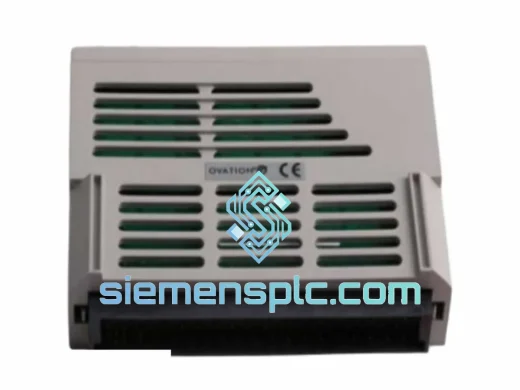
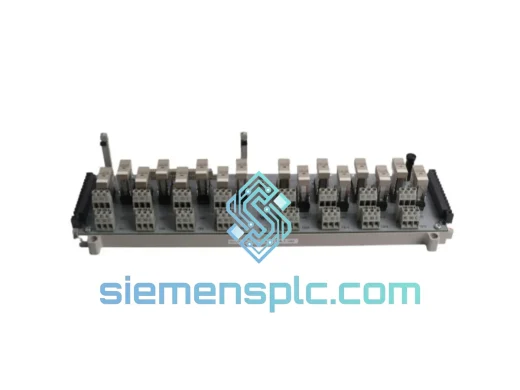
Westinghouse 1C31223G01 Relay Base Assembly
Ovation
Origin US
Relay Base Assembly
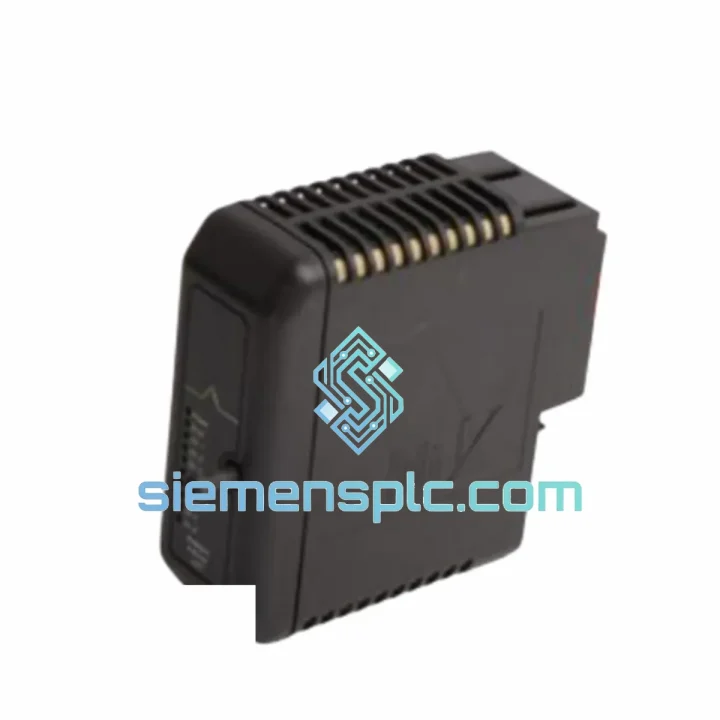
Request verified availability, condition, replacement risk review, packing options and courier lead time for 1C31232G01.
Click Request Quote and the part number is inserted into the inquiry form automatically.
Core fields for model confirmation and RFQ routing. Detailed product narrative remains below.
Every minute your Ovation DCS is offline, the losses compound. A tripped controller module in a power plant or refinery doesn’t wait for procurement cycles. The Westinghouse 1C31232G01 Controller Module is on our shelf in Xiamen right now — inspected, verified, and ready to clear customs before your maintenance window closes. We’ve shipped this exact part to power stations in Southeast Asia, the Middle East, and Europe on 48-hour turnarounds. This page exists because downtime is not a theoretical problem.
URGENT REQUIREMENT? Contact: [email protected] | WhatsApp: +86 18359268345
| Parameter | Specification |
|---|---|
| Manufacturer | Westinghouse Electric (Emerson / Ovation) |
| Part Number / SKU | 1C31232G01 |
| Product Category | DCS Controller Module |
| Platform | Ovation Distributed Control System (DCS) |
| Series | 1C31 / Ovation |
| Form Factor | Single-slot plug-in card module |
| Bus Interface | Ovation proprietary backplane bus |
| Operating Voltage | +5 VDC via backplane (internal regulation) |
| Operating Temperature | 0°C to +60°C |
| Storage Temperature | -40°C to +85°C |
| Humidity | 5% to 95% RH, non-condensing |
| Weight | ~320 g |
| Country of Origin | China (Xiamen warehouse) |
| Condition | New / OEM-equivalent refurbished (specify at order) |
| Warranty | 12 months |
| Stock Status | Ready to Ship — Same/Next Business Day |
The 1C31232G01 sits at the heart of the Ovation controller chassis. When it fails, the symptoms are rarely subtle — you’ll see a solid red FAULT LED, loss of communication on the controller network segment, or the Ovation workstation throwing Controller Offline or Redundancy Fault alarms. Here is what a decade of field replacements has taught:
Step 1 — Confirm the fault is the module, not the backplane. Before pulling the card, check the backplane power rails with a multimeter at the edge connector. A sagging +5 V rail (below 4.75 V) will kill the module processor and mimic a hardware failure. If rails are good, the module is the culprit.
Step 2 — Note the rotary address switch position before removal. The 1C31232G01 uses a physical rotary switch (SW1) on the front faceplate to set the controller node address on the Ovation network. Photograph it before you pull the card. Mismatching the address on the replacement is the single most common cause of a new-module-same-fault callback.
Step 3 — Firmware revision matching. Ovation controller firmware is tightly coupled to the DCS software version running on the operator workstation. Check the existing module firmware label or query via Ovation Developer Studio under Controller Properties then Firmware Version. If your replacement ships with a different firmware revision, download the matching firmware via the Ovation Engineering Workstation before the controller will synchronize. Mismatched firmware produces a persistent Version Mismatch fault that looks like a hardware defect.
Step 4 — Redundancy pair considerations. If this controller runs in a redundant pair, replacing only the faulted module requires a controlled switchover. Force the healthy module to primary via the Ovation console, then hot-swap the faulted secondary. Never pull both modules simultaneously — the process will go open-loop.
Step 5 — Post-insertion self-addressing. After seating the replacement, the 1C31232G01 performs a self-test sequence of approximately 45 to 90 seconds. The STATUS LED will cycle amber to green if the node address, firmware, and backplane communication are all valid. A persistent amber indicates the module is waiting for a firmware download. A return to red after the self-test cycle points to a backplane slot fault — try an adjacent slot before condemning the replacement unit.
Common fault codes:
The 1C31232G01 was engineered for continuous operation in environments that would destroy consumer-grade electronics. The PCB uses conformal coating across all active components, providing a moisture barrier rated to IEC 60068-2-78 damp heat conditions — directly relevant for coastal power plants and tropical process facilities where humidity regularly exceeds 80% RH. Vibration resistance meets IEC 60068-2-6 sinusoidal testing at 10 to 150 Hz at 1g, which covers the mechanical stress of turbine hall installations where the floor never truly stops moving.
Thermal management is entirely passive — no fans, no moving parts. The module dissipates heat through the chassis backplane and front-panel convection path. This design is deliberate: in a 24/7 control system, every rotating component is a scheduled failure. Units we supply from stock are stored in climate-controlled conditions at 18 to 24 degrees Celsius and below 60% RH, with ESD protection from the moment they leave original packaging until they reach your receiving dock.
We do not supply modules that have been field-stripped, re-labeled, or subjected to uncontrolled storage. Every unit undergoes visual inspection of the PCB, connector pins, and front-panel faceplate before it is listed as available. If a unit shows any sign of corrosion, pin damage, or label tampering, it does not ship.
Our warehouse is in Xiamen, Fujian Province — one of China’s primary export hubs with direct access to Xiamen Gaoqi International Airport and the Xiamen port complex. This geography is deliberate. It means your 1C31232G01 can be on a DHL or FedEx aircraft within hours of order confirmation, not days.
We handle all export documentation in-house. If your plant requires an End-User Certificate, Certificate of Origin, or pre-shipment inspection report, notify us at order placement and we prepare the documents before dispatch. No surprises at customs.
Email: [email protected]
WhatsApp: +86 18359268345
Web: siemensplc.com
© 2026 siemensplc.com. All rights reserved.
We check the full part number, brand, series and visible nameplate information before quotation.
Sales confirms stock path, condition option, quantity and realistic lead time for export dispatch.
DHL, FedEx, UPS or buyer courier arrangements can be reviewed with packing requirements.
Similar brand or category products for fast comparison and multi-item RFQ lists.