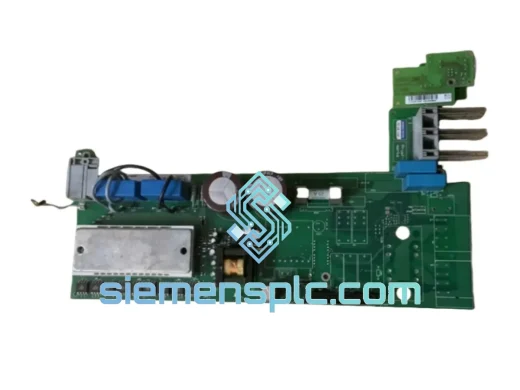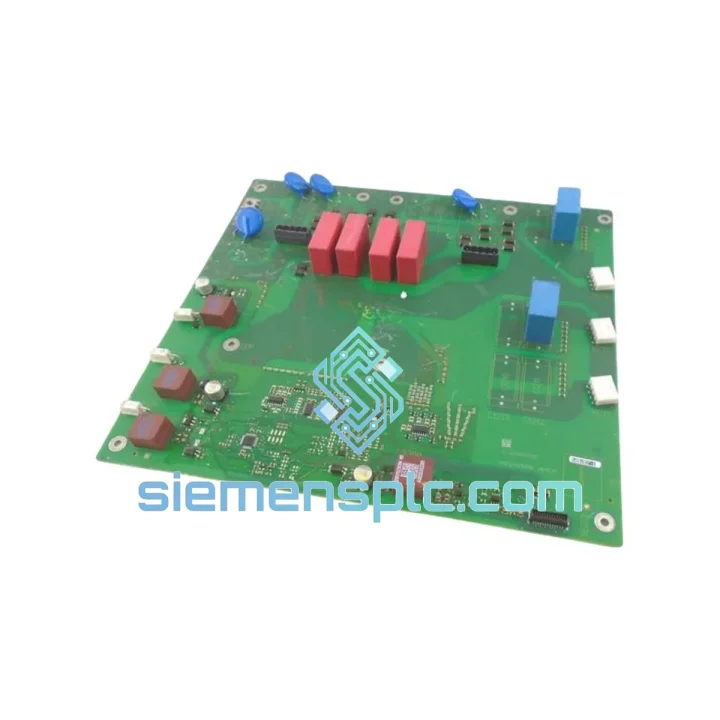
Siemens
In Stock OK
Siemens A5E31429340 HMI Panel Accessory
Request verified availability, condition, replacement risk review, packing options and courier lead time for A5E31429340.
BrandSiemens
Part NumberA5E31429340
ConditionAvailability Check
Lead TimeRFQ Confirmation
DocumentsDatasheet / photos by RFQ
ShippingExport packing available
Auto-filled RFQ
A5E31429340
Click Request Quote and the part number is inserted into the inquiry form automatically.
- Reply by email: [email protected]
- WhatsApp / Tel: +86 18359268345
- Mon-Sat 9:00-18:00 GMT+8
Procurement Data
Key Product Information
Core fields for model confirmation and RFQ routing. Detailed product narrative remains below.
- Brand
- Siemens
- Primary Part Number
- A5E31429340
- Product Type
- HMI Accessory
- Product Family
- Other series
- Manufacturer
- Siemens AG
- Country of Origin
- DE
- Catalog Category
- HMI Panels
- Operating Temp.
- 0 °C to +50 °C
Model confirmed for inquiry
A5E31429340
Send quantity, destination and urgency. The RFQ form keeps this part number attached.
Request Quote
Product Overview
Siemens A5E31429340 — Stop the Clock on Your Downtime
Every minute your HMI panel is offline, your production line is bleeding money. Whether it’s a Comfort Panel on an automotive press or a Basic Panel on a packaging line, a failed accessory like the A5E31429340 can cascade into hours of unplanned downtime. We stock this part in Xiamen and ship globally — because waiting two weeks for a factory order is not an option when your shift supervisor is standing over your shoulder.
URGENT REQUIREMENT? Contact: [email protected] | WhatsApp: +86 18359268345
Quick Technical Datasheet
| Parameter | Value |
|---|---|
| Part Number | A5E31429340 |
| Manufacturer | Siemens AG |
| Product Family | SIMATIC HMI |
| Component Type | HMI Panel Accessory |
| Country of Origin | Germany |
| Compatible Panels | SIMATIC HMI Comfort / Basic / Mobile Panel series |
| Operating Temperature | 0 °C to +50 °C |
| Storage Temperature | −20 °C to +70 °C |
| Protection Rating | Per SIMATIC HMI panel IP specification |
| Certifications | CE, UL, RoHS |
| Weight | Approx. 200 g |
| Stock Status | ✅ Ready to Ship — Xiamen Warehouse |
| Lead Time | Same-day dispatch on confirmed orders before 14:00 CST |
Troubleshooting & Replacement Tips
The A5E31429340 is a mechanical/electrical accessory within the SIMATIC HMI panel assembly. Before you pull the old part, run through this checklist — skipping steps here is how you turn a 30-minute swap into a 4-hour nightmare.
Step 1 — Confirm the fault is the accessory, not the panel itself. On SIMATIC HMI Comfort Panels, check the diagnostic buffer via the Start Center → Diagnostics menu. If you’re seeing persistent “Panel hardware fault” or the display is physically loose/misaligned, the accessory is the likely culprit. On Basic Panels (KTP series), a blank screen with backlight active often points to a connector or mounting accessory failure rather than the display module.
Step 2 — Power down correctly. SIMATIC HMI panels do not have a graceful shutdown sequence like a PLC CPU. Cut 24 VDC supply at the panel terminal block. Do not simply kill the main breaker — residual capacitor charge can damage the panel’s internal bus if the accessory is disturbed under power.
Step 3 — Check for address conflicts before reassembly. If your HMI communicates via PROFINET, verify the device name and IP address assignment in TIA Portal (Device & Networks → PROFINET interface). A replaced accessory that alters the panel’s physical configuration may trigger a topology mismatch alarm on the PLC side. Re-download the HMI device configuration if the panel was offline for more than a few minutes — some S7-1500 CPUs will lock the PROFINET port after repeated connection failures.
Step 4 — Firmware check post-replacement. After reassembly, boot the panel and verify the firmware version in Start Center → System → Device Information. If the panel was previously running a specific firmware version required by your TIA Portal project (e.g., V16 or V17 runtime), confirm the version matches. A firmware mismatch will cause the HMI project to fail loading with error code 0x00000004 or similar runtime initialization errors.
Step 5 — Common fault codes to watch for:
- “Connection to PLC lost” on startup: Usually a PROFINET configuration issue, not the accessory. Check cable seating and switch port assignment.
- “Hardware configuration mismatch”: Re-download HMI configuration from TIA Portal after any physical panel change.
- Panel freezes at Siemens logo: Corrupted project file or SD card issue — not related to the accessory. Reload project via USB or SD card.
- Touchscreen unresponsive after reassembly: Check that the touch connector ribbon is fully seated. A partial connection causes intermittent or dead touch zones.
Reliability in Harsh Conditions
The SIMATIC HMI platform — and every accessory in the A5E series — is engineered for environments that would destroy consumer-grade electronics within weeks. Siemens validates these components against IEC 61131-2 environmental requirements, which means they are tested for:
- Vibration: Sinusoidal vibration per IEC 60068-2-6, covering the 5–150 Hz range typical of motor-driven machinery, conveyor systems, and compressor rooms. The A5E31429340 mounting interface is designed to maintain mechanical integrity under continuous vibration without fastener loosening.
- Shock: Half-sine shock pulses per IEC 60068-2-27 — relevant for panels mounted on mobile equipment or near hydraulic press operations where impact loads are routine.
- Temperature cycling: Validated across the full −20 °C to +70 °C storage range and 0 °C to +50 °C operating range. Thermal expansion coefficients of the accessory materials are matched to the panel housing to prevent stress cracking over thousands of thermal cycles.
- Humidity and condensation: Tested to 95% relative humidity (non-condensing) per IEC 60068-2-78. For food processing and outdoor enclosure applications where condensation is a real risk, the panel’s IP65/IP66 front face protection is maintained only when the accessory is correctly installed — a misaligned or damaged accessory breaks the seal.
- EMC immunity: The SIMATIC HMI platform carries CE marking with full EMC compliance per EN 61000 series. Accessories are part of the certified assembly — using non-OEM parts voids this certification and can introduce conducted or radiated interference into your control system.
In short: this is not a part you substitute with a generic equivalent. The cost of an EMC failure or a panel seal breach in a pharmaceutical or food-grade environment far exceeds the cost of sourcing the correct OEM accessory.
Global Express Logistics
Our Xiamen warehouse operates on a same-day dispatch model for in-stock parts confirmed before 14:00 CST. Here is exactly what happens after you place your order:
- Order confirmation (within 2 hours): You receive a proforma invoice with part number, quantity, unit price, and shipping cost. Payment via T/T, PayPal, or Western Union.
- Export documentation (same day): Commercial invoice, packing list, and certificate of conformity prepared. HS Code 8537.10 declared for customs clearance. For EU destinations, EUR.1 or origin declaration provided on request.
- DHL Express / FedEx International Priority: Typical transit times — Southeast Asia: 1–2 days. Europe: 3–5 days. North America: 3–4 days. Middle East: 2–3 days. Australia: 3–5 days.
- Tracking: AWB number sent within 4 hours of dispatch. Real-time tracking link provided via email and WhatsApp.
- Customs clearance support: We provide all documentation required for smooth customs clearance. For destinations with import restrictions on electronic components, we advise on correct declaration procedures — contact us before ordering if your country has specific import requirements.
We have shipped SIMATIC components to over 40 countries. If your production line is down, tell us your deadline — we will find the fastest routing available.
Contact Information
📧 Email: [email protected]
💬 WhatsApp: +86 18359268345
🌐 Web: siemensplc.com
© 2026 siemensplc.com. All rights reserved.
Ready to quote
[email protected]
Send This Part Number to Sales
RFQ workflow
Quality workflow ->
Confirmation Process
01Model confirmation
We check the full part number, brand, series and visible nameplate information before quotation.
02Availability reply
Sales confirms stock path, condition option, quantity and realistic lead time for export dispatch.
03Packing & courier
DHL, FedEx, UPS or buyer courier arrangements can be reviewed with packing requirements.
Continue sourcing
Browse full catalog ->
Related Automation Parts
Similar brand or category products for fast comparison and multi-item RFQ lists.

Siemens
RFQ Ready
Siemens 6AV7240-0HC07-0PA0 Industrial Panel PC Motherboard – SIMATIC IPC477D
SIMATIC
Origin DE
Industrial Panel PC Motherboard