Siemens
In Stock OK
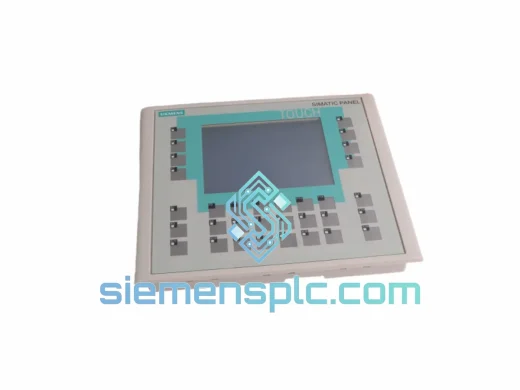
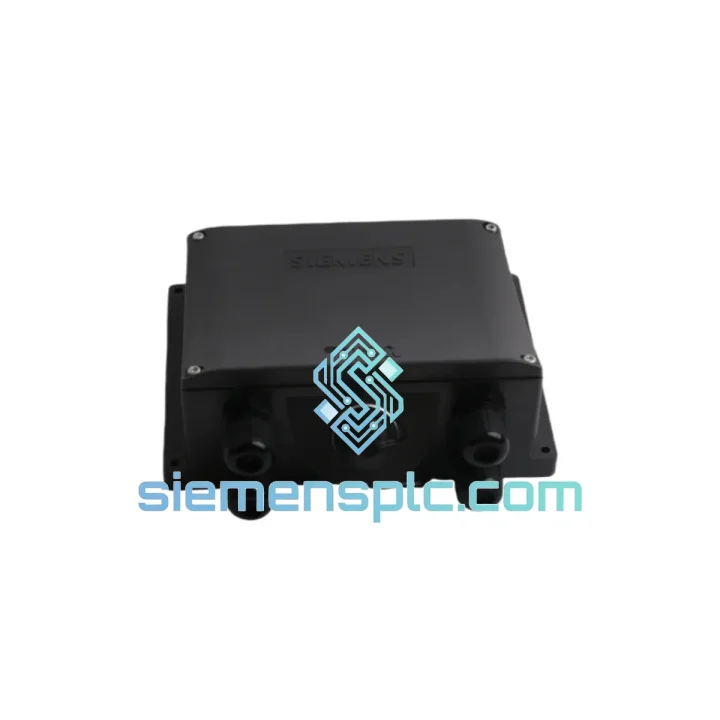
Siemens 6AV6671-5AE00-0AX0 HMI Mobile Panel
Request verified availability, condition, replacement risk review, packing options and courier lead time for 6AV6671-5AE00-0AX0.
BrandSiemens
Part Number6AV6671-5AE00-0AX0
ConditionAvailability Check
Lead TimeRFQ Confirmation
DocumentsDatasheet / photos by RFQ
ShippingExport packing available
Auto-filled RFQ
6AV6671-5AE00-0AX0
Click Request Quote and the part number is inserted into the inquiry form automatically.
- Reply by email: [email protected]
- WhatsApp / Tel: +86 18359268345
- Mon-Sat 9:00-18:00 GMT+8
Procurement Data
Key Product Information
Core fields for model confirmation and RFQ routing. Detailed product narrative remains below.
- Brand
- Siemens
- Primary Part Number
- 6AV6671-5AE00-0AX0
- Product Type
- HMI Mobile Panel
- Series / Family
- WinCC
- Country of Origin
- DE
- Catalog Category
- HMI Panels
- Operating Temp.
- 0 °C to +50 °C
Model confirmed for inquiry
6AV6671-5AE00-0AX0
Send quantity, destination and urgency. The RFQ form keeps this part number attached.
Request Quote
Product Overview
6AV6671-5AE00-0AX0 Down? Every Minute Costs You Money — We Ship Today
Your SIMATIC Mobile Panel is dead. The line is stopped. Maintenance is standing by. You’ve already pulled the unit, confirmed the fault, and now you need a verified replacement in hand — not in three weeks. The Siemens 6AV6671-5AE00-0AX0 is in stock at our Xiamen warehouse, inspected, and ready to dispatch within hours of order confirmation. This is not a backorder listing. This is a live unit.
URGENT REQUIREMENT? Contact: [email protected] | WhatsApp: +86 18359268345
Quick Technical Datasheet
| Parameter | Specification |
|---|---|
| Part Number | 6AV6671-5AE00-0AX0 |
| Brand | Siemens AG |
| Product Family | SIMATIC HMI Mobile Panel |
| Software Platform | WinCC Flexible Runtime |
| Display Type | Color TFT Resistive Touchscreen |
| Resolution | 320 × 240 px (QVGA) |
| Supply Voltage | 24 V DC (via connecting cable) |
| Communication | PROFINET / Industrial Ethernet (RJ45) |
| Safety Features | 3-position enabling button + E-Stop |
| Protection Rating | IP65 (front) / IP54 (rear) |
| Operating Temperature | 0 °C to +50 °C |
| Storage Temperature | −20 °C to +60 °C |
| Weight | ~440 g (unit only) |
| Certifications | CE, UL, cULus |
| Country of Origin | Germany |
| Stock Status | ✔ Ready to Ship — Xiamen Warehouse |
Troubleshooting & Replacement Tips
After ten years of field work, the failure patterns on the 6AV6671-5AE00-0AX0 are predictable. Here’s what you need to know before you swap the unit:
Most Common Failure Modes:
- Touchscreen unresponsive or erratic input: Resistive touch layers degrade under sustained glove use or chemical exposure. Before condemning the panel, clean the screen surface and recalibrate via the WinCC Flexible system menu. If calibration fails to hold across power cycles, the touch controller is gone — replace the unit.
- Enabling button fault / safety relay drop-out: The 3-position enabling switch is a mechanical component with a rated cycle life. If the machine safety relay trips intermittently with no operator input change, the enabling switch contact is worn. This is not a software issue. The panel must be replaced — the enabling circuit is not field-serviceable.
- PROFINET communication loss (flashing LNK LED, no data): First check the spiral cable connector at the connecting box — the RJ45 contacts corrode in humid environments. If the cable checks out, verify the IP address assignment hasn’t shifted after a PLC firmware update. The panel IP is configured in WinCC Flexible project settings, not on the panel itself.
- Panel powers on but WinCC runtime won’t load: Corrupt project transfer. Reload the project from the engineering station via WinCC Flexible → Transfer → Manual Transfer. If the panel rejects the transfer repeatedly, the internal flash storage is failing — replace the unit.
- E-Stop button physically stuck or won’t reset: The mushroom button uses a twist-to-release mechanism. If it won’t release after correct procedure, the button assembly is mechanically failed. Do not attempt to bypass — replace the panel and document the failure for your safety audit trail.
Replacement Configuration Checklist:
- Confirm the replacement unit matches the exact order number — sub-variants exist with different cable lengths and connecting box compatibility.
- Verify WinCC Flexible version compatibility: the 6AV6671-5AE00-0AX0 requires WinCC Flexible 2008 SP3 or later. Check your engineering station license before transfer.
- After physical swap, perform a full enabling button function test before returning the machine to production. Document the test result per your site’s LOTO/safety procedure.
- Re-run the touchscreen calibration routine on first boot of the replacement unit — factory calibration is a baseline, not a final setting.
- If your connecting box has a keyed socket, confirm the replacement panel’s cable connector key matches. Siemens uses different key positions across Mobile Panel generations.
Reliability in Harsh Conditions
The 6AV6671-5AE00-0AX0 was not designed for office environments. It was built for the floor — where coolant mist settles on every surface, where forklifts vibrate the concrete, and where ambient temperatures swing 30 degrees between morning startup and afternoon peak production.
IP65 front-face protection means pressurized water jets won’t penetrate the display seal — relevant for food processing lines, washdown zones, and outdoor machine enclosures. The rear housing at IP54 handles dust ingress and splash from any direction. The spiral cable assembly is rated for repeated flexion cycles; it won’t fatigue-crack after a few months of daily use the way a standard patch cable would.
Vibration resistance is validated to IEC 60068-2-6 test profiles — the panel survives the resonance frequencies common in press lines, compressor rooms, and rail-mounted equipment. The resistive touchscreen, unlike capacitive alternatives, responds correctly through standard industrial gloves and remains functional when the surface is wet. In environments where operators wear nitrile or leather gloves as standard PPE, this matters.
The housing material resists common industrial chemicals including cutting fluids, hydraulic oil, and mild cleaning agents. The integrated E-Stop and enabling button are rated for the mechanical cycle counts demanded by high-frequency commissioning and maintenance workflows. This is a panel built to outlast the machine it’s attached to — when it does fail, it’s usually because the application pushed it beyond its rated envelope, not because of a design weakness.
Global Express Logistics
Our dispatch hub is in Xiamen, China — one of the country’s primary export ports with direct DHL and FedEx gateway access. Here’s how the shipment process works from the moment you confirm your order:
- Order confirmation → same-day pick and pack: Units confirmed before 15:00 CST are packed and booked for collection the same business day. Export documentation — commercial invoice, packing list, and certificate of origin — is prepared in parallel.
- DHL Express / FedEx International Priority: Transit times from Xiamen: Southeast Asia 1–2 days, Europe 3–4 days, North America 3–5 days, Middle East 2–3 days. We select the carrier with the fastest confirmed transit for your destination at time of booking.
- Tracking provided within 2 hours of dispatch: AWB number sent directly to your email. You can monitor the shipment in real time — no chasing required.
- Export compliance: All shipments include accurate HS code classification (8537.10), declared value matching your invoice, and EEI filing where required. We do not under-declare — your customs clearance will not be held up by documentation errors.
- Packaging: Anti-static foam insert, double-wall carton, and fragile/orientation labels. The panel arrives in the same condition it left our warehouse.
If your plant is facing a production stoppage and you need the fastest possible delivery, contact us directly on WhatsApp before placing the order. We can confirm the exact dispatch window and carrier ETA for your location before you commit.
Contact Information
Email: [email protected]
WhatsApp: +86 18359268345
Web: siemensplc.com
© 2026 siemensplc.com. All rights reserved.
Ready to quote
[email protected]
Send This Part Number to Sales
RFQ workflow
Quality workflow ->
Confirmation Process
01Model confirmation
We check the full part number, brand, series and visible nameplate information before quotation.
02Availability reply
Sales confirms stock path, condition option, quantity and realistic lead time for export dispatch.
03Packing & courier
DHL, FedEx, UPS or buyer courier arrangements can be reviewed with packing requirements.
Continue sourcing
Browse full catalog ->
Related Automation Parts
Similar brand or category products for fast comparison and multi-item RFQ lists.
Siemens
RFQ Ready
Siemens 6AV6643-0CD01-1AX1 HMI Operator Panel – SIMATIC OP 177B
WinCC
Origin DE
HMI Operator Panel
Siemens
RFQ Ready
Siemens 6AV6643-0BA01-1AX0 HMI Operator Panel – SIMATIC TP 177B
WinCC
Origin DE
HMI Operator Panel