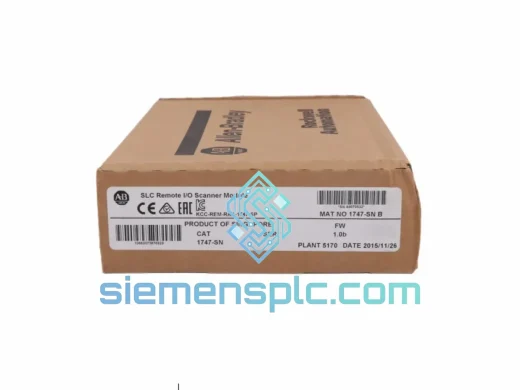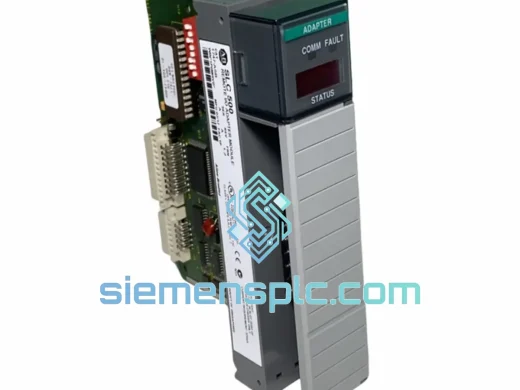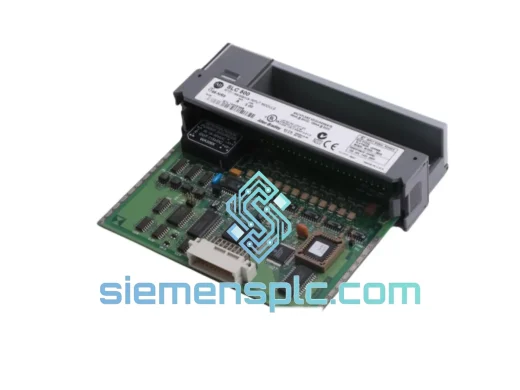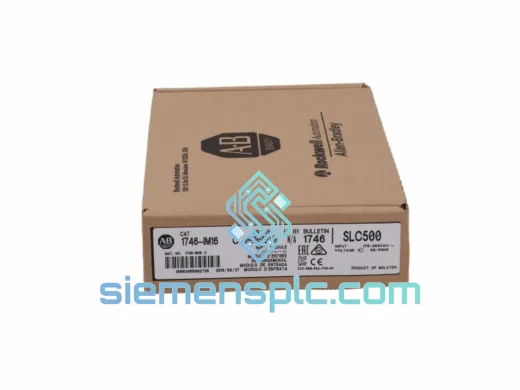
Allen-Bradley
RFQ Ready
Allen-Bradley AIM16 PLC Input Module – SLC 500 Series
SLC 500
Origin US
PLC Input Module
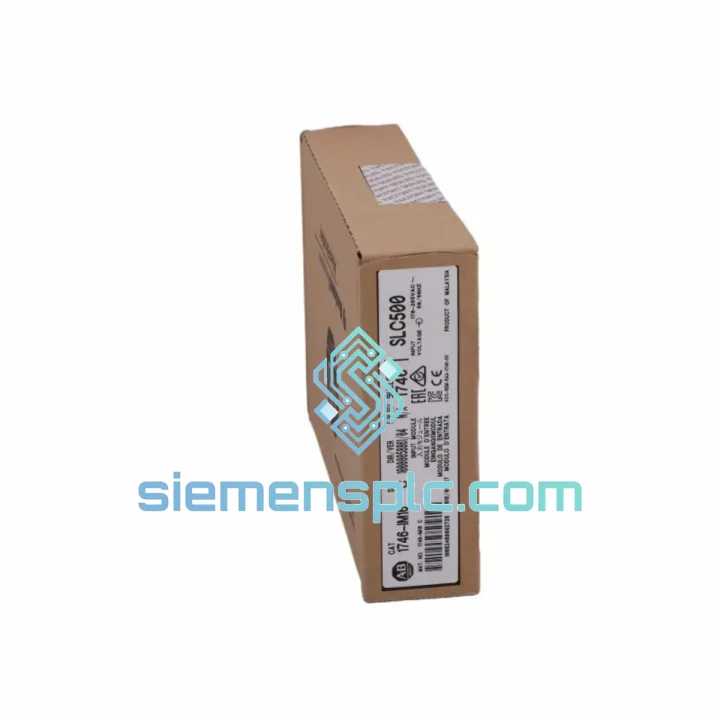
Request verified availability, condition, replacement risk review, packing options and courier lead time for DIM16.
Click Request Quote and the part number is inserted into the inquiry form automatically.
Core fields for model confirmation and RFQ routing. Detailed product narrative remains below.
Your SLC 500 rack just threw a fault. The DIM16 is dead. Every minute that conveyor sits idle, every batch that doesn’t run, every shift that goes unproductive — that’s real money walking out the door. We’ve been there. We know what a stuck production line costs at 2 AM. That’s exactly why we stock the Allen-Bradley DIM16 in Xiamen, pre-tested, boxed, and ready to clear customs before your maintenance team finishes the incident report.
This is not a catalog listing. This is a field-ready replacement module, sourced from verified channels, inspected before it ships, and backed by engineers who have swapped these cards in live panels. If you need it fast, we move fast.
⚡ URGENT REQUIREMENT? Contact: [email protected] | WhatsApp: +86 18359268345
| Parameter | Value |
|---|---|
| Part Number | DIM16 |
| Manufacturer | Allen-Bradley (Rockwell Automation) |
| Series | SLC 500 / 1746 |
| Module Type | Discrete Input — 16-Point |
| Rated Input Voltage | 240V AC (nominal) |
| Input Voltage Range | 195 – 265V AC |
| Input Frequency | 47 – 63 Hz |
| Input Current per Point | ~8–10 mA @ 240V AC |
| ON-State Voltage Min | 159V AC |
| OFF-State Voltage Max | 40V AC |
| Isolation | Optical (field ↔ backplane) |
| Backplane Current Draw | ~75 mA @ 5V DC |
| Operating Temperature | 0°C to 60°C |
| Compatible Chassis | 1746-A4 / A7 / A10 / A13 |
| Compatible Processors | SLC 5/01, 5/02, 5/03, 5/04, 5/05 |
| Status Indicators | Per-point LED |
| Weight | ~450 g |
| Stock Status | ✅ Ready to Ship — Xiamen Warehouse |
The DIM16 fails in predictable ways. Here’s what field experience actually looks like when you’re standing in front of a dead rack:
Fault Code 0071 / Input Module Fault: The processor has lost communication with the DIM16 on its assigned slot. Before condemning the module, pull it, clean the backplane connector with IPA, reseat firmly, and cycle power. If the fault returns immediately, the module is gone. If it clears and returns intermittently, suspect the backplane connector pins or a marginal power supply — check your 1746-P series PSU output under load.
Partial Input Failure (some points dead, others live): This is almost always internal optocoupler degradation, accelerated by years of 240V AC switching transients. There is no field repair. Swap the module. While you’re in there, check the field wiring terminal block for carbon tracking or loose screws — a loose 240V AC wire is what killed the optocouplers in the first place.
Replacement Procedure — Step by Step:
Configuration Note: The DIM16 is a passive discrete input module — it has no DIP switches, no node address settings, and no firmware to match. Slot position in the 1746 chassis is the only addressing parameter. If you are replacing a module in a running system where the I/O configuration is already defined in the processor, the swap is transparent as long as the slot number is preserved.
The SLC 500 platform was engineered for the factory floor, not the server room. The DIM16 reflects that design philosophy. Its optical isolation barrier physically separates the 240V AC field side from the 5V DC backplane logic — a transient on the field wiring cannot propagate to the processor. This is not a software feature. It is a hardware boundary built into every unit.
The module’s operating range of 0°C to 60°C covers the majority of industrial panel environments, including poorly ventilated enclosures in summer. The removable terminal block design means field wiring survives a module swap without re-termination, eliminating the risk of wiring errors during a high-pressure maintenance event.
Units we ship have been stored in controlled conditions — temperature-regulated, humidity-monitored, anti-static packaged. We do not pull modules from scrapped machines and rebox them. Every DIM16 leaving our Xiamen facility goes through a visual inspection covering connector pin condition, label integrity, and housing damage before it is cleared for shipment. If it doesn’t pass, it doesn’t ship.
Our warehouse is located in Xiamen, Fujian — one of China’s primary export hubs with direct access to DHL Express, FedEx International Priority, and UPS Worldwide Express lanes. For most destinations in Southeast Asia, the Middle East, and Europe, transit time runs 3–5 business days from the moment your order is confirmed. North America typically clears in 5–7 business days depending on customs processing.
We handle export documentation in-house: commercial invoice, packing list, and HS code classification (8537.10 for PLC modules). For customers in countries with import duty sensitivities, we can advise on declared value structuring within legal bounds. All shipments are fully insured. Tracking numbers are issued within 24 hours of dispatch and sent directly to your contact email.
For genuinely urgent situations — line-down, production halt, penalty clause exposure — contact us on WhatsApp before placing an order. We can confirm stock, pull the unit, and have it at the Xiamen DHL hub the same day if you reach us before 16:00 CST. That’s the fastest path from your fault alarm to a module in your hands.
📧 Email: [email protected]
📱 WhatsApp: +86 18359268345
🌐 Web: siemensplc.com
© 2026 siemensplc.com. All rights reserved.
We check the full part number, brand, series and visible nameplate information before quotation.
Sales confirms stock path, condition option, quantity and realistic lead time for export dispatch.
DHL, FedEx, UPS or buyer courier arrangements can be reviewed with packing requirements.
Similar brand or category products for fast comparison and multi-item RFQ lists.