
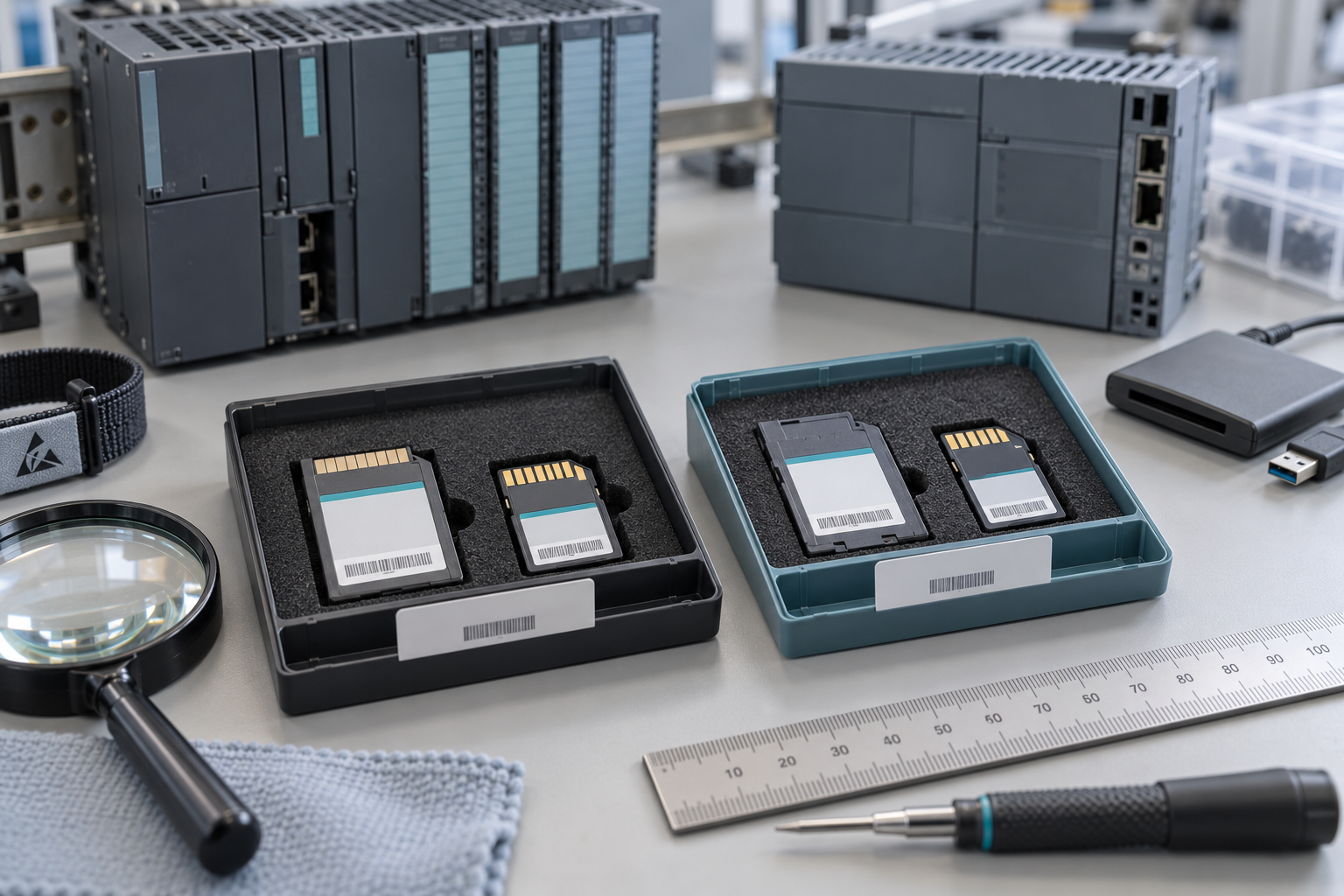
Two small Siemens memory cards can look like a minor purchasing detail beside a controller worth far more. During recovery, however, choosing the wrong card generation or preparing it with the wrong tool can stop the job before the application is loaded. The useful distinction is not simply capacity. It is the card family, supported controller and preparation method.
For plants maintaining both S7-300 and S7-1500 equipment, a shared drawer marked PLC memory is too vague. Keep SIMATIC Micro Memory Cards, commonly called MMCs, distinct from the SIMATIC Memory Cards used with newer controllers, commonly called SMCs. This article addresses that stock-identification boundary; it is not a procedure for bypassing software protection or reconstructing an unavailable project.
A two-family purchasing comparison
| Question | Legacy MMC requirement | Newer SMC requirement |
|---|---|---|
| Which controller? | Confirm the exact supported S7-300 or related CPU. | Confirm the exact supported S7-1200 or S7-1500 CPU and card role. |
| Which identification? | Preserve the full 6ES7953 order code where applicable. | Preserve the full 6ES7954 order code where applicable. |
| Which preparation tool? | Use the supported Siemens programming equipment and instructions. | Use the documented Siemens card workflow; a normal reader is not permission to format freely. |
| What does capacity prove? | Only one selection property. | Only one selection property. |
The table is an identification aid, not a complete compatibility chart. Order-code families contain variants, and the CPU documentation remains authoritative. Do not treat the first seven digits or a familiar physical shape as approval for a substitution.
Siemens’ S7-300/S7-400 to S7-1500 migration guide distinguishes the older MMC’s Siemens-specific handling from the newer card’s use with a standard reader. That difference is easy to lose when a purchasing database merges both under the same generic description.
Capacity is necessary information, not the whole decision
Record the exact CPU order number, firmware context, installed card code and intended use. Then determine the required capacity using the project’s supported tools and documentation. Do not assume that buying the largest card in a catalog resolves every compatibility or application question.
A replacement request for a 6ES7953-8LG11-0AA0 S7-300 memory card should remain distinct from an inquiry for a 6ES7954-8LC03-0AA0 SIMATIC Memory Card. The links identify two different order codes; they are not a recommendation to exchange one for the other.
Also distinguish blank replacement media from a prepared application card. A blank card may be the correct hardware but still require an approved project, software version, access rights and a controlled preparation process. A card containing files is not necessarily a verified recovery asset for the intended machine.
Protect the original before preparing the spare
If the installed card is the only remaining source of useful application information, do not use it for experimentation. Preserve its identity and current state, and follow an authorized recovery process. A request from an operating system to initialize or format media is not an instruction to proceed.
Siemens’ S7-1500 memory-card documentation warns against formatting SIMATIC cards with Windows tools. Being readable through a commercially available reader does not make the card equivalent to general-purpose removable storage. Use the supported Siemens workflow for the exact platform and software version.
For older MMCs, do not transfer newer SMC handling assumptions across generations. Identify the required programming device or supported equipment before promising a recovery deadline. A warehouse can have the correct spare card while the maintenance team lacks the tools or project needed to prepare it.
Keep three things in the recovery package
The first is the physical card, identified by its complete order code and condition. The second is the authorized application material with its revision and provenance. The third is the preparation and verification route: supported software, access arrangements, responsible engineer and approved acceptance criteria.
None substitutes for the others. A project archive does not create compatible media. Correct media does not guarantee that the project matches the current machine. A successful file copy does not establish that the controller starts with the intended application and retained-data behavior.
Any preparation or recovery test should protect the running process. Use the appropriate controlled environment and approved procedures. Do not insert experimental cards into production equipment merely to see what happens; card behavior depends on platform and configured role, and the consequences can extend beyond a failed file transfer.
Make receiving and issue records unambiguous
Photograph the supplied label and compare it with the approved purchase. If an alternative code is offered, request the compatibility evidence before accepting it. Record whether the item is blank, supplied with known content or awaiting inspection. Unknown content should be handled through the supported process, not trusted because it arrived on branded media.
Use separate stock descriptions and bins for MMC and SMC families. When a card is prepared for a specific asset, record that reservation and project association. Returning it to general stock without updating its status can lead another engineer to mistake application-specific content for a blank spare.
Finally, make the record accessible to the people who respond outside normal hours. A concise inventory entry linking the exact card, supported CPU and recovery-package location is more useful than a folder of photographs with no asset association.
Frequently asked questions
Can I replace a SIMATIC card with an ordinary SD card of the same size?
Do not assume that physical format or capacity establishes support. Use media explicitly supported for the exact CPU and application. A consumer card is not automatically an approved SIMATIC replacement.
Can I format an SMC in Windows before downloading the project?
No. Siemens warns against Windows formatting. Follow the supported Siemens procedure for the exact card and controller, preserving any required evidence before changing content.
Does a larger capacity make an MMC compatible with an SMC-based CPU?
No. Capacity does not change the card family or controller support. Resolve compatibility first, then select the appropriate capacity.
What should I send with an urgent memory-card inquiry?
Provide the CPU and card order codes, photographs, intended card role and whether an approved project and preparation tools are available. That separates a hardware shortage from a recovery-process gap.
Send SiemensPLC those details for a precise card quotation. Keep hardware sourcing distinct from application recovery so the replacement is both correctly identified and ready for its approved next step.
Image: AI-generated editorial illustration, not an exact product photograph or installation reference.
© 2026 SiemensPLC. All rights reserved. Official Website: https://siemensplc.com Inquiry: [email protected] | WhatsApp/Tel: +86 18359268345