Siemens PLC sourcing desk · Multi-brand automation spares [email protected] +86 18359268345
ABB In Stock OK

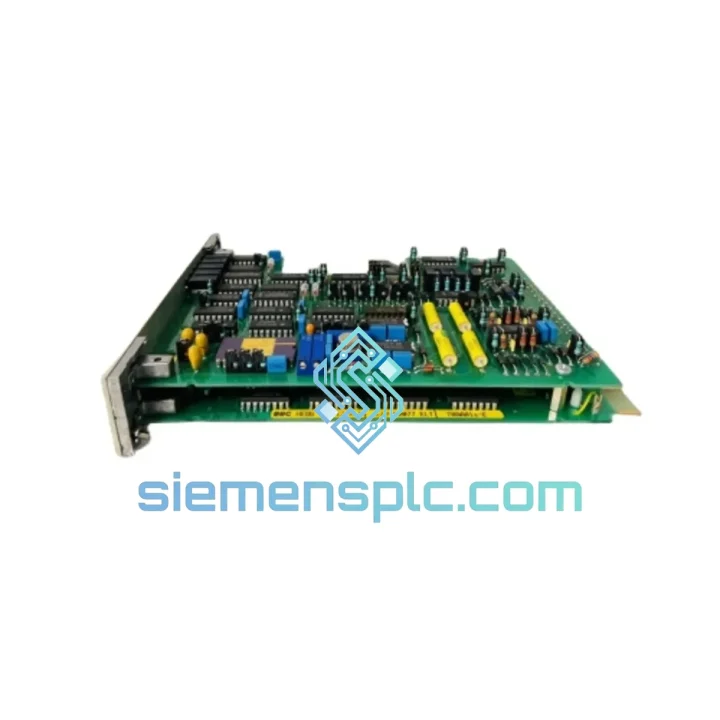
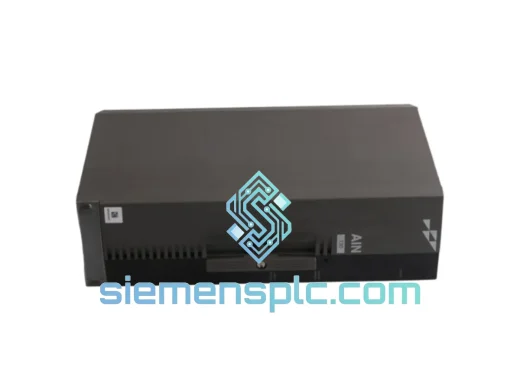
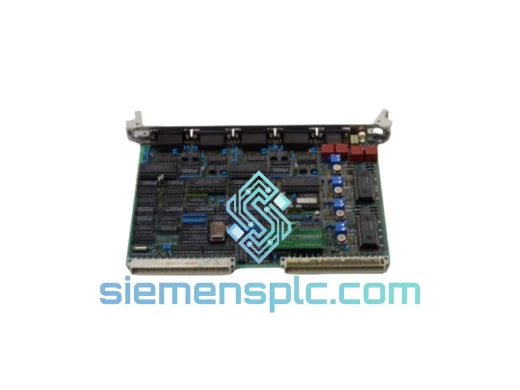
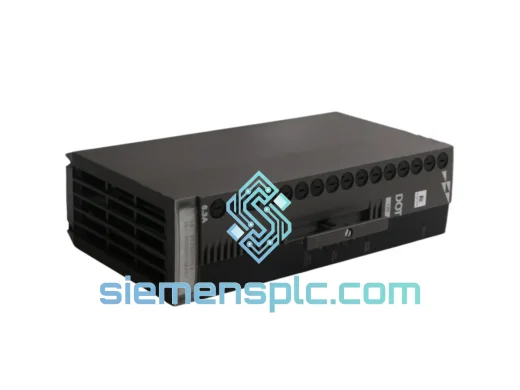
ABB 70AA01 a-E Analog Output Module

Request verified availability, condition, replacement risk review, packing options and courier lead time for 70AA01 a-E.

Exact part70AA01 a-E RFQ auto-fillPart number attached Export packingDHL / FedEx / UPS Sales replyEmail or WhatsApp
BrandABB Part Number70AA01 a-E ConditionAvailability Check Lead TimeRFQ Confirmation DocumentsDatasheet / photos by RFQ ShippingExport packing available
Auto-filled RFQ 70AA01 a-E

Click Request Quote and the part number is inserted into the inquiry form automatically.

Procurement Data

Key Product Information

Core fields for model confirmation and RFQ routing. Detailed product narrative remains below.

Brand
ABB
Primary Part Number
70AA01 a-E
Product Type
Analog Output Module
Series / Family
AC500
Manufacturer
ABB
Country of Origin
SE
Catalog Category
I/O Modules
Operating Temp.
0 °C to +60 °C
Model confirmed for inquiry 70AA01 a-E Send quantity, destination and urgency. The RFQ form keeps this part number attached.
Request Quote
Product Overview

ABB 70AA01 a-E: Stop the Bleeding — Get Your Line Back Online Today

Every minute your AC500 DCS is down, the losses stack up. A failed analog output module shouldn’t cost you a shift, a batch, or a contract. The ABB 70AA01 a-E is in stock at our Xiamen warehouse right now — verified original, tested, and ready to ship via DHL or FedEx within 24 hours of order confirmation. We’ve seen this module fail at the worst possible times: mid-campaign in a chemical reactor, during a night shift at a water treatment plant, on a Friday afternoon before a long weekend. That’s exactly why we keep it on the shelf.

URGENT REQUIREMENT? Contact: [email protected] | WhatsApp: +86 18359268345

Quick Technical Datasheet

Part Number 70AA01 a-E  ✅ Ready to Ship
Manufacturer ABB
Series AC500 / Freelance DCS
Module Function Analog Output
Output Channels 4 channels (configurable per channel)
Output Signal 4–20 mA / 0–10 V DC (software-selectable)
Resolution 16-bit DAC per channel
Backplane Interface AC500 high-speed backplane bus
Supply Voltage 24 V DC via backplane (no external PSU required)
Operating Temperature 0 °C to +60 °C
Storage Temperature -25 °C to +70 °C
Protection Rating IP20
Isolation Channel-to-channel galvanic isolation
Diagnostics Wire-break detection, short-circuit protection, status LED per channel
Compatible Base Units TB511, TB521, TB541 series
Compatible CPUs PM554, PM564, PM591, PM592, PM595
Certifications CE, UL
Country of Origin Germany
Weight 400 g
Mounting DIN rail via AC500 base unit slot
Stock Status ✅ In Stock — Xiamen, China

Troubleshooting & Replacement Tips

Most Common Failure Modes on the 70AA01 a-E

After handling dozens of AC500 DCS emergency calls, these are the failure patterns that show up most often with this module:

  • Channel output frozen at last value: The DAC on one or more channels locks up, typically after a power transient or backplane communication fault. The CPU reports no error, but the field device (valve, VFD) stops responding. Swap the module — don’t waste time trying to reset it in-place.
  • Intermittent 4–20 mA drift: Output signal wanders ±0.5 mA under load. Usually caused by internal reference voltage degradation after 5–8 years of continuous operation in high-ambient-temperature environments. Calibration won’t fix this — the module needs replacement.
  • Wire-break fault on all channels simultaneously: If all four channels throw a wire-break diagnostic at once, the fault is almost never in the field wiring. Check the backplane connector pins on the base unit first. If pins are clean and seated, the module’s internal bus interface has failed.
  • Module not recognized after hot-swap: The AC500 CPU fails to enumerate the new module. This is a firmware mismatch issue — see configuration notes below.

Step-by-Step Replacement Procedure

  1. Document current configuration: Before pulling the module, export the AC500 project from Automation Builder and note the I/O mapping for the 70AA01 a-E slot. Screenshot the channel configuration (signal type, range, filter settings) from the hardware configurator.
  2. Check firmware compatibility: The replacement module must match the firmware generation of your existing AC500 system. Mismatched firmware between the CPU and I/O module is the #1 cause of post-swap enumeration failures. Verify via Automation Builder → Hardware → Module Properties → Firmware Version. If the new module ships with a newer firmware, update the CPU firmware first before inserting.
  3. Power-down or hot-swap decision: The AC500 platform supports hot-swap on most base units. However, if your process cannot tolerate a brief output glitch during module insertion (e.g., controlling a safety-critical valve), perform a controlled shutdown. For non-critical loops, hot-swap is safe — insert the module firmly until the latch clicks.
  4. No DIP switch or address configuration required: Unlike older Siemens S5 or Modicon I/O, the 70AA01 a-E uses automatic slot-based addressing via the AC500 backplane. The CPU assigns the module address based on its physical slot position. No rotary switches, no jumpers — just seat it and let the system enumerate.
  5. Verify channel configuration in Automation Builder: After insertion, go online with the CPU. The module should appear in the hardware tree. Confirm that channel signal types (mA vs. V) match your field wiring. If the project was built with the old module’s firmware profile, you may need to update the hardware catalog in Automation Builder before downloading.
  6. Force-test each channel: Before handing back to operations, use the Automation Builder force table to drive each channel to 4 mA, 12 mA, and 20 mA. Verify at the field device with a calibrated clamp meter. Don’t skip this — a channel that reads correctly in software but has a wiring fault will cause a process upset the moment you release control.
  7. Clear diagnostic buffer: After successful replacement, clear the CPU diagnostic buffer to remove residual fault entries from the failed module. Operations teams will thank you for a clean event log.

Common Fault Codes to Know

  • 0x8090 / Module hardware fault: Internal DAC or bus interface failure. Module replacement required.
  • 0x8091 / Configuration mismatch: Module firmware does not match the hardware configuration in the CPU project. Update firmware or reconfigure hardware catalog.
  • 0x8010 / Wire break detected: Check field wiring continuity first. If all channels fault simultaneously, suspect the module itself.
  • 0x8020 / Short circuit on output: Field device load impedance too low, or wiring short. Disconnect field wiring and test module output into a known resistive load (250–500 Ω for 4–20 mA).

Reliability in Harsh Conditions

The 70AA01 a-E wasn’t designed for a climate-controlled server room. ABB built this module for the kind of environments where panels run hot, humidity swings with the seasons, and vibration from nearby motors never fully stops. Here’s what it’s rated to handle — and what we’ve seen it survive in the field:

Thermal endurance: Continuous operation at 60 °C ambient is the rated limit, but in practice, well-ventilated panels keep the module junction temperature well below the derating threshold. The internal components are selected for industrial temperature grades — not commercial-grade parts running at their limits. In chemical plant environments where panel cooling fails during summer peaks, this module has continued operating where cheaper alternatives have not.

Vibration and mechanical shock: The AC500 platform meets IEC 60068-2-6 (sinusoidal vibration) and IEC 60068-2-27 (mechanical shock) standards. The 70AA01 a-E’s backplane connector uses a positive-latch mechanism that maintains contact integrity under continuous vibration — a critical detail in compressor rooms and pump stations where panel vibration is a constant background condition.

Humidity and condensation: Rated to IEC 60068-2-78 (damp heat, 40 °C / 93% RH). The conformal coating on the PCB provides a barrier against condensation-induced corrosion, which is the primary long-term failure mechanism in coastal and tropical installations. Modules sourced from our warehouse are stored in climate-controlled conditions and shipped with desiccant packs to prevent moisture ingress during transit.

EMC immunity: Meets EN 61000-4 series for conducted and radiated immunity. The galvanic isolation between channels and between the channel circuitry and the backplane bus provides a hard barrier against ground loop currents — a common source of signal corruption in large industrial installations with multiple earthing points.

Global Express Logistics

Our warehouse is located in Xiamen, Fujian Province — one of China’s primary export hubs with direct access to international freight lanes. When you place an order before 14:00 CST, we target same-day dispatch. Here’s how the logistics chain works:

  • Order confirmation → warehouse pick: Within 2 hours of payment confirmation, the module is pulled from stock, inspected, and packed in anti-static foam with a moisture barrier bag.
  • Export documentation: Commercial invoice, packing list, and certificate of origin are prepared in parallel. For customers requiring a specific HS code declaration or customs value documentation, notify us at order time.
  • Carrier selection: DHL Express and FedEx International Priority are our primary carriers for urgent shipments. Both offer door-to-door tracking with customs clearance included. For large orders or freight-sensitive destinations, UPS Worldwide Express or TNT are available as alternatives.
  • Transit times (typical): Southeast Asia 1–2 business days; Europe 3–4 business days; North America 3–5 business days; Middle East and Africa 4–6 business days. These are carrier estimates — actual delivery depends on customs clearance at destination.
  • Customs and duties: We declare goods accurately. For EU customers, we can provide EUR.1 movement certificates where applicable. For US customers, we include HTS code documentation to facilitate CBP clearance. Duties and import taxes are the buyer’s responsibility unless DDP terms are agreed in advance.
  • Tracking: A tracking number is sent to your email within 4 hours of dispatch. For urgent shipments, we proactively monitor the shipment and notify you of any customs holds or delays.

If your plant is down and every hour counts, call or WhatsApp us directly. We will confirm stock, process payment, and have the module moving the same day.

Contact Information

📧 Email: [email protected]
💬 WhatsApp: +86 18359268345
🌐 Web: siemensplc.com
© 2026 siemensplc.com. All rights reserved.

Ready to quote

Send This Part Number to Sales

[email protected]
RFQ workflow

Confirmation Process

Quality workflow ->
01Model confirmation

We check the full part number, brand, series and visible nameplate information before quotation.

02Availability reply

Sales confirms stock path, condition option, quantity and realistic lead time for export dispatch.

03Packing & courier

DHL, FedEx, UPS or buyer courier arrangements can be reviewed with packing requirements.