ABB
In Stock OK
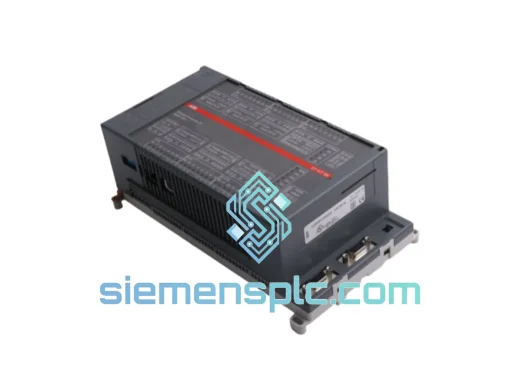
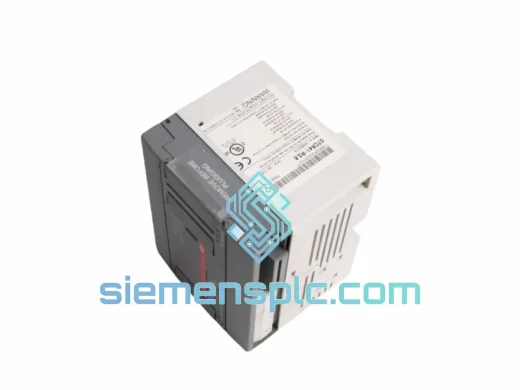
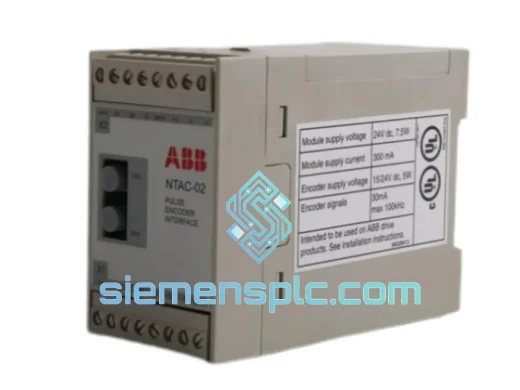
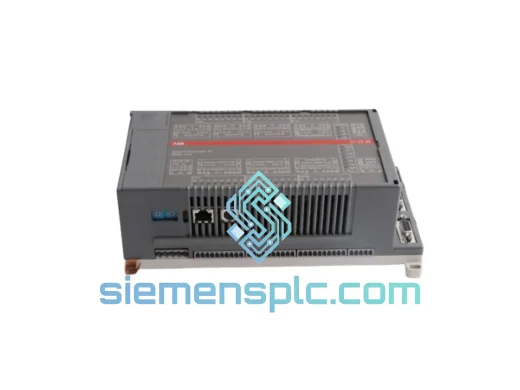
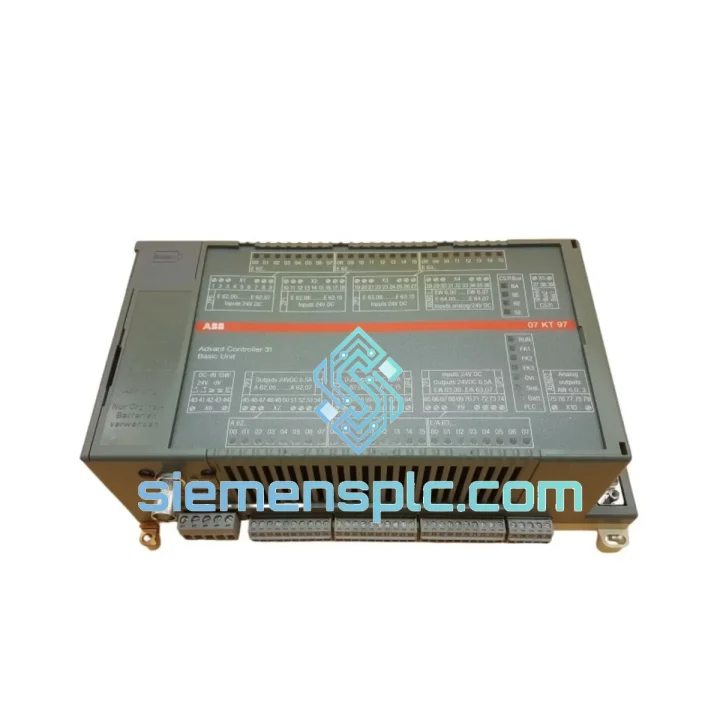
ABB 07KT97 WT97 PLC CPU Module
Request verified availability, condition, replacement risk review, packing options and courier lead time for 07KT97 WT97.
BrandABB
Part Number07KT97 WT97
ConditionAvailability Check
Lead TimeRFQ Confirmation
DocumentsDatasheet / photos by RFQ
ShippingExport packing available
Auto-filled RFQ
07KT97 WT97
Click Request Quote and the part number is inserted into the inquiry form automatically.
- Reply by email: [email protected]
- WhatsApp / Tel: +86 18359268345
- Mon-Sat 9:00-18:00 GMT+8
Procurement Data
Key Product Information
Core fields for model confirmation and RFQ routing. Detailed product narrative remains below.
- Brand
- ABB
- Primary Part Number
- 07KT97 WT97
- Product Type
- PLC CPU Module
- Series / Family
- Advant
- Manufacturer
- ABB
- Country of Origin
- SE
- Catalog Category
- PLCs & Controllers
- Operating Temp.
- 0 °C to +55 °C
Model confirmed for inquiry
07KT97 WT97
Send quantity, destination and urgency. The RFQ form keeps this part number attached.
Request Quote
Product Overview
ABB 07KT97 WT97 — Stop the Clock on Your Downtime: Same-Day Dispatch Available
Your line is stopped. Every minute the AC31 rack sits dark, you’re bleeding production output, missing delivery windows, and fielding calls from plant management. The ABB 07KT97 WT97 CPU Basic Unit is the heart of the Advant Controller 31 system — and when it fails, nothing else in that cabinet matters. We stock it. We ship it today. From Xiamen to your dock in 48–72 hours via DHL Express or FedEx Priority.
This is not a listing page. This is a field recovery resource. Scroll down for the datasheet, fault codes, swap procedure, and logistics details. If you already know what you need, contact us now.
URGENT REQUIREMENT? Contact: [email protected] | WhatsApp: +86 18359268345
Quick Technical Datasheet
| Part Number | 07KT97 / WT97 ✅ Ready to Ship |
| Manufacturer | ABB |
| Series | Advant Controller 31 (AC31) |
| Module Function | CPU Basic Unit — central processing and I/O coordination |
| Processor Architecture | 32-bit RISC |
| Application Memory | Up to 512 KB (configuration-dependent) |
| Retentive Data Memory | Battery-backed SRAM; battery type CR2032 or equivalent |
| Communication Ports | COM1 (RS-232), COM2 (RS-485/PROFIBUS-DP), optional Ethernet via 07KP90 card |
| I/O Bus | Proprietary AC31 parallel backplane bus; supports up to 7 expansion modules |
| Supply Voltage | 24 V DC (±15%), reverse-polarity protected |
| Current Consumption | ≤ 800 mA at 24 V DC (without I/O load) |
| Operating Temperature | 0 °C to +55 °C |
| Storage Temperature | −25 °C to +70 °C |
| Relative Humidity | 5–95%, non-condensing |
| Protection Rating | IP20 (panel-mount installation required) |
| Dimensions (W×H×D) | Approx. 160 × 130 × 60 mm |
| Weight | ~800 g |
| Programming Standard | IEC 61131-3 (via ABB Advant Builder / Control Builder) |
| Certifications | CE, UL (verify per hardware revision) |
| Country of Origin | Germany |
| Stock Status | ✅ In Stock — Ready to Ship from Xiamen |
Troubleshooting & Replacement Tips
Most Common Failure Modes on the 07KT97 WT97
After handling dozens of AC31 emergency calls, these are the failure patterns that show up repeatedly:
1. CPU in STOP with no apparent cause
Check the diagnostic LED sequence first. A solid red SF (System Fault) LED combined with a flashing RUN LED almost always points to a corrupted program memory — typically triggered by a power brownout during a write cycle. Pull the battery, wait 30 seconds, reinsert, and attempt a cold restart. If the fault persists after a full memory clear, the SRAM or flash controller is damaged. Replace the CPU.
2. Battery fault / BF LED active
The 07KT97 WT97 uses a lithium coin cell (CR2032 or equivalent) to retain retentive data and the real-time clock. Battery life is typically 3–5 years under normal operating temperature. A BF alarm does not immediately cause data loss, but if power is cycled before the battery is replaced, all retentive variables and the RTC will reset. Replace the battery before cycling power. After replacement, verify the RTC setting and retentive data integrity via the programming tool.
3. PROFIBUS-DP communication loss (COM2 port)
If the DP master reports slave timeout on the 07KT97 node, check the termination resistors at both ends of the PROFIBUS segment first — this accounts for roughly 60% of field DP faults. If termination is correct, check the baud rate DIP switch settings on the 07KT97 (switches S1/S2 on the front face). A mismatch between the switch setting and the master configuration will cause intermittent or total communication failure. Confirm the GSD file version loaded in the master matches the firmware revision of your 07KT97.
4. I/O bus expansion modules not recognized
The AC31 bus uses a self-addressing scheme — modules are addressed by their physical slot position, not by rotary switches. If an expansion module is not recognized after a swap, verify the module is fully seated in the backplane connector (a partial insertion of even 1 mm will break the bus). Power cycle the entire rack after reseating. If the issue persists on a specific slot, the backplane connector pins may be damaged.
5. Firmware mismatch after CPU replacement
This is the most common mistake made during emergency swaps. The 07KT97 WT97 has multiple hardware revisions (Rev. A through D are the most common in the field), and the firmware version must be compatible with both the hardware revision and the application program compiled in Advant Builder. If you load a program compiled for firmware 3.x onto a CPU running firmware 2.x, the CPU will fault immediately on startup. Always check the firmware version label on the CPU front panel before loading the application. If the firmware needs updating, use the ABB firmware download tool via COM1 (RS-232) before loading the application program.
Step-by-Step Hot-Swap Procedure
- Notify the control room and obtain a safe work permit. The AC31 does not support hot-swap — a controlled shutdown is required.
- Export the current application program from the running CPU via Advant Builder if a backup does not already exist. Do this before powering down.
- Note the DIP switch positions (S1, S2, S3) on the front of the existing CPU. Photograph them.
- Power down the 24 V DC supply to the AC31 rack.
- Disconnect all communication cables (COM1, COM2, Ethernet if fitted). Label each cable before removal.
- Remove the CPU module by releasing the top and bottom locking clips and pulling the module straight out of the backplane.
- Set the DIP switches on the replacement 07KT97 WT97 to match the photographed positions from step 3.
- Insert the replacement CPU into the backplane slot, ensuring full engagement of the backplane connector. Both locking clips must click into place.
- Reconnect all communication cables in the order they were removed.
- Power up the 24 V DC supply. Observe the LED sequence: PWR (green) should illuminate first, followed by RUN (green) after the self-test completes (typically 5–15 seconds).
- If the CPU enters STOP after self-test, connect via COM1 and load the application program using Advant Builder. Perform a full download, not an incremental update.
- Verify I/O module recognition via the diagnostic display in Advant Builder. Confirm all expansion modules appear in the rack view.
- Perform a controlled test run before returning the system to automatic operation.
Reliability in Harsh Conditions
The 07KT97 WT97 was engineered for continuous duty in environments that would kill consumer-grade electronics within weeks. ABB designed the AC31 platform for deployment in water treatment plants, paper mills, and outdoor substations — not climate-controlled server rooms.
The CPU board uses conformal coating on the PCB to resist moisture ingress and condensation — a critical feature in coastal industrial facilities and tropical climates where humidity regularly exceeds 80%. The coating prevents the dendritic growth between PCB traces that causes intermittent faults and eventual short circuits in uncoated boards.
Vibration resistance is achieved through a combination of through-hole component mounting on critical circuits (rather than surface-mount only), reinforced backplane connector retention, and a mechanical design that distributes vibration loads across the full module housing rather than concentrating stress at the connector interface. The module meets IEC 60068-2-6 vibration test requirements, which covers sinusoidal vibration up to 150 Hz — sufficient for most pump station and compressor room installations.
Thermal management relies on natural convection — there are no fans to fail. The operating range of 0 °C to +55 °C covers the vast majority of industrial panel installations worldwide. For installations approaching the upper limit, ensure the panel has adequate ventilation and that the CPU is not mounted directly above heat-generating components such as drives or transformers. Sustained operation above 50 °C will accelerate electrolytic capacitor aging and reduce the service life of the battery-backed SRAM.
The 24 V DC power input includes transient suppression and reverse-polarity protection, which provides a degree of immunity against the voltage spikes common in industrial DC distribution systems — particularly in facilities where large inductive loads (motors, solenoids) share the same DC bus.
Global Express Logistics
We operate from Xiamen, China — one of the most logistics-efficient export cities in Asia, with direct access to DHL, FedEx, UPS, and TNT international hubs. When you confirm an order before 14:00 CST, the unit ships the same business day.
Typical transit times from Xiamen:
| Destination | DHL Express | FedEx International Priority |
| Germany / Netherlands | 2–3 business days | 2–3 business days |
| United Kingdom | 2–3 business days | 2–3 business days |
| United States (East Coast) | 3–4 business days | 3–4 business days |
| United States (West Coast) | 2–3 business days | 2–3 business days |
| Australia / New Zealand | 3–5 business days | 3–5 business days |
| Middle East (UAE, Saudi) | 2–4 business days | 2–4 business days |
| Southeast Asia | 1–3 business days | 1–3 business days |
| India | 3–5 business days | 3–5 business days |
Every shipment includes a commercial invoice, packing list, and certificate of conformity. For customers requiring customs clearance support, we provide HS code documentation and can arrange DAP (Delivered at Place) terms on request. Tracking numbers are issued within 2 hours of dispatch and sent directly to your email.
For orders requiring air freight on pallets or multiple units, we coordinate with freight forwarders to arrange door-to-door service. Contact us with your delivery address and required delivery date — we will confirm the fastest available routing and cost within 4 hours.
Contact Information
Email: [email protected]
WhatsApp: +86 18359268345
Web: siemensplc.com
© 2026. All rights reserved.
Ready to quote
[email protected]
Send This Part Number to Sales
RFQ workflow
Quality workflow ->
Confirmation Process
01Model confirmation
We check the full part number, brand, series and visible nameplate information before quotation.
02Availability reply
Sales confirms stock path, condition option, quantity and realistic lead time for export dispatch.
03Packing & courier
DHL, FedEx, UPS or buyer courier arrangements can be reviewed with packing requirements.
Continue sourcing
Browse full catalog ->
Related Automation Parts
Similar brand or category products for fast comparison and multi-item RFQ lists.