ABB
RFQ Ready
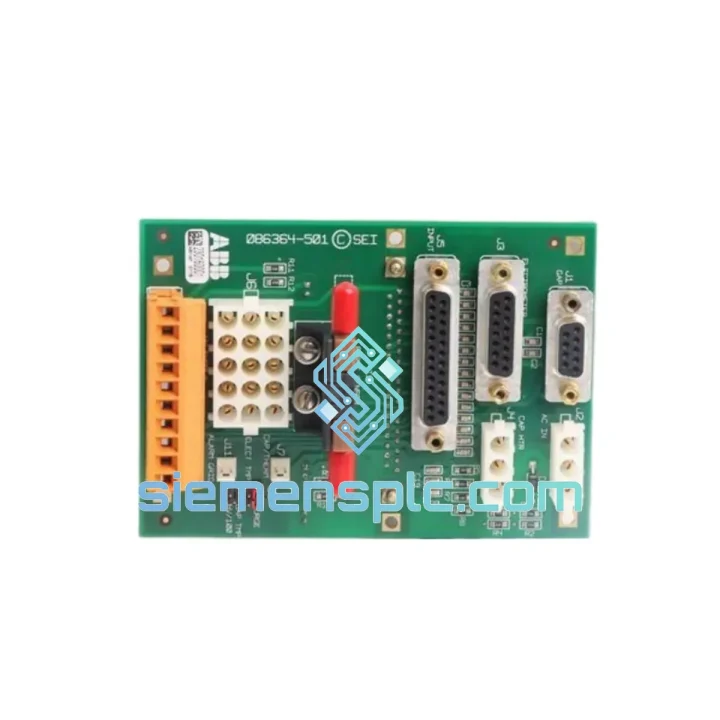
ABB GJR2393200R1210 88TK05B-E Bus Coupler Module – AC500 Series
AC500
Origin SE
Bus Coupler Module
Request verified availability, condition, replacement risk review, packing options and courier lead time for 07SK90R1.
Click Request Quote and the part number is inserted into the inquiry form automatically.
Core fields for model confirmation and RFQ routing. Detailed product narrative remains below.
Every minute your AC500 PLC sits offline without a working programming cable, your line is bleeding money. A corrupted firmware upload, a failed parameter restore, a commissioning window that closes at midnight — these are not theoretical risks. They happen. And when they do, the difference between a 2-hour fix and a 48-hour nightmare is whether you have the right cable in your hand right now.
The ABB 07SK90R1 is the OEM-specified 5-meter programming and configuration cable for ABB’s AC500 PLC family, Freelance DCS, and Symphony+ control systems. We stock it. We ship it today. From Xiamen, via DHL or FedEx Express, to your plant gate — typically within 48–72 hours to most global destinations.
This is not a generic USB-to-serial adapter. It is not a third-party clone with an unverified pinout. It is the factory-referenced cable with impedance-matched conductors, full foil-plus-braid EMI shielding, and ABB-certified connector geometry. When you plug it in, it works — first attempt, no driver conflicts, no signal retries, no aborted uploads.
URGENT REQUIREMENT? Contact: [email protected] | WhatsApp: +86 18359268345
| Parameter | Specification | Status |
|---|---|---|
| Part Number | 07SK90R1 | Ready to Ship |
| Manufacturer | ABB | 100% Original OEM |
| Cable Length | 5 meters (16.4 ft) | — |
| Compatible Controllers | AC500 PLC (PM5xx series), Freelance DCS, Symphony+ DCS | — |
| Interface | ABB proprietary serial programming port | — |
| Shielding | Full foil + braid, 100% coverage | — |
| Operating Temperature | -20 to +70 degrees C | — |
| Connector A | ABB controller programming port (keyed, mis-insertion proof) | — |
| Connector B | PC serial / USB interface | — |
| Compliance | CE, RoHS | — |
| Weight | ~200 g | — |
| Origin | Germany | — |
Field experience with the 07SK90R1 across AC500 and Freelance installations surfaces the same failure patterns repeatedly. Here is what to check before you assume the cable is the problem — and what to do when it is.
Fault: Automation Builder cannot detect the controller after cable connection.
Step 1 — Verify COM port assignment in Device Manager. Generic USB-to-serial adapters frequently grab a COM port above COM9; Automation Builder’s serial driver does not enumerate above COM9 by default. Reassign to COM1–COM4.
Step 2 — Confirm baud rate in Automation Builder communication settings matches the AC500 CPU’s configured programming port baud rate (default: 115200 baud for PM5xx series).
Step 3 — Check the 07SK90R1 connector seating at the CPU front-panel port. The locking tab must click fully. A partial connection causes intermittent TX/RX errors that mimic driver faults.
Fault: Firmware upload aborts at 60–80% with a communication timeout error.
Root cause is almost always EMI injection into an unshielded or poorly shielded cable. The 07SK90R1’s full braid shield must be grounded at the PC end via the connector shell. If you are using a USB-to-serial adapter, confirm its housing is metallic and bonded to the cable shield. Plastic-body adapters break the shield continuity and make the cable useless in VFD-dense environments.
Secondary cause: laptop power-save mode throttling the USB controller mid-transfer. Disable USB selective suspend in Windows power settings before starting any firmware upload.
Fault: Parameter download succeeds but controller throws a configuration mismatch fault on restart.
This is not a cable fault — it is a firmware version mismatch. The AC500 CPU firmware version must match the Automation Builder project version. Check CPU firmware via the front-panel display (Menu – Diagnostics – Firmware Version) and compare against the project’s target firmware in Automation Builder. Mismatched versions cause the CPU to reject downloaded configuration blocks silently during the first scan cycle.
Replacement configuration checklist for AC500 CPU swap:
The 07SK90R1 is not designed for a climate-controlled server room. It is designed for the environments where ABB AC500 PLCs actually live: automotive body shops with welding spatter and 55 degrees C ambient, chemical plant marshalling rooms with 90% relative humidity, offshore platform control cabinets with constant vibration from diesel generators, and water treatment pump stations where condensation forms on every surface every morning.
The cable’s full foil-plus-braid shield provides 100% EMI coverage, rejecting the 150 kHz switching noise from nearby VFDs and the 50 Hz inductive coupling from power cables running parallel in the same cable tray. The PVC outer jacket is rated to -20 degrees C, so it does not crack when you pull it out of a cold-store panel in winter. The strain-relief boots at both connectors are designed for repeated connect/disconnect cycles — field service cables get plugged and unplugged hundreds of times over their service life, and the 07SK90R1’s connector geometry maintains contact integrity through all of them.
Every unit we ship passes a four-point inspection: visual and marking verification against ABB factory specifications, full conductor and shield continuity test, connector integrity check, and a live functional communication test with an AC500 CPU running Automation Builder. If it does not pass all four, it does not ship.
Our warehouse is in Xiamen, China — one of the most logistics-connected export hubs in Asia, with direct DHL and FedEx Express gateway access. Here is how your order moves from our shelf to your plant gate:
We have shipped ABB components to automotive plants in Germany, petrochemical facilities in Saudi Arabia, food processing lines in Australia, and mining operations in Chile. The logistics process is the same every time: fast, documented, and tracked end-to-end.
Email: [email protected]
WhatsApp: +86 18359268345
Web: siemensplc.com
2026. All rights reserved.
We check the full part number, brand, series and visible nameplate information before quotation.
Sales confirms stock path, condition option, quantity and realistic lead time for export dispatch.
DHL, FedEx, UPS or buyer courier arrangements can be reviewed with packing requirements.
Similar brand or category products for fast comparison and multi-item RFQ lists.