Allen-Bradley
RFQ Ready
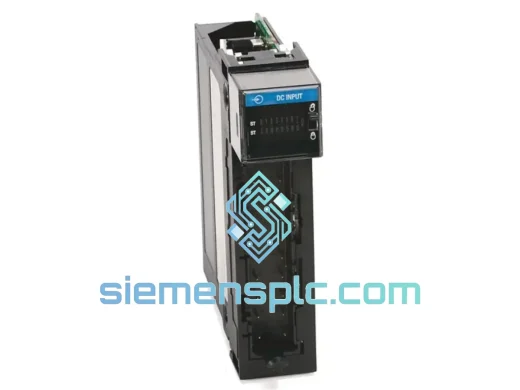
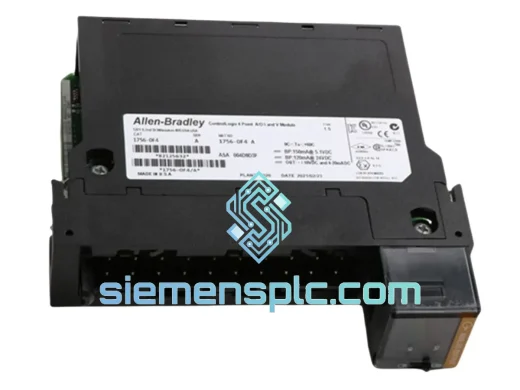
Allen-Bradley 1756-OF4 PLC Analog Output Module
ControlLogix
Origin US
PLC Analog Output Module
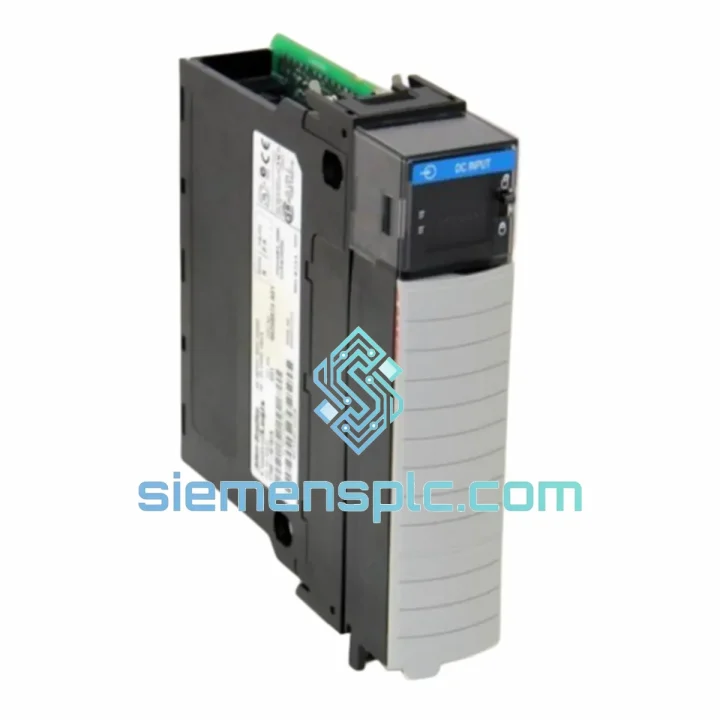
Request verified availability, condition, replacement risk review, packing options and courier lead time for 1756-IB16.
Click Request Quote and the part number is inserted into the inquiry form automatically.
Core fields for model confirmation and RFQ routing. Detailed product narrative remains below.
Your ControlLogix rack just threw a fault. Sixteen input channels are dead. The line is stopped. Maintenance is on the phone, production is breathing down your neck, and the OEM lead time is six weeks. This is exactly the situation the Allen-Bradley 1756-IB16 stock at siemensplc.com was built for. We hold verified units ready to pull, pack, and hand to DHL before your shift ends. No waiting on distributor allocation. No back-order queues. One call, one part, line back up.
The 1756-IB16 is a 16-point, 10–31V DC sourcing input module for the ControlLogix 1756 platform — Rockwell Automation’s flagship modular PLC architecture. It is one of the highest-volume digital input cards in global discrete manufacturing, deployed across automotive body shops, oil & gas wellhead panels, food filling lines, and water treatment facilities. When this card fails, there is no workaround. You need the exact part, fast.
URGENT REQUIREMENT? Contact: [email protected] | WhatsApp: +86 18359268345
| Parameter | Specification | Status |
|---|---|---|
| Catalog Number | 1756-IB16 | ✅ Ready to Ship |
| Platform | ControlLogix 1756 | |
| Input Points | 16 (sourcing / current sinking) | |
| Input Voltage Range | 10–31V DC | |
| Nominal Input Current | 2–8 mA per point | |
| ON-State Voltage Min | 10V DC | |
| OFF-State Voltage Max | 5V DC | |
| Backplane Current (5V DC) | 75 mA | |
| Backplane Current (24V DC) | 2 mA | |
| Operating Temperature | 0–60°C (32–140°F) | |
| Storage Temperature | -40–85°C | |
| Channel-to-Backplane Isolation | 100V DC continuous | |
| Terminal Block | Removable (RTB), 20-point | |
| Per-Point Indicators | LED status per channel | |
| Module Weight | ~1200 g (with RTB) | |
| Certifications | UL, CE, C-Tick, IEC 61131-2 | |
| Ship Origin | Xiamen, China | ✅ Same-Day Dispatch Available |
Most common failure modes on the 1756-IB16:
1. Partial channel loss (4–8 points dead, rest OK)
This is the most frequent field failure. Root cause is almost always moisture ingress or a sustained over-voltage event on a subset of input terminals — typically from a shorted field device or a wiring fault that fed 48V DC into a 24V input. Before swapping the card, measure voltage at every terminal on the RTB. If any terminal reads above 31V DC, find and isolate that field device first or you will kill the replacement module within hours.
2. All 16 points show OFF in Studio 5000 but field devices are energized
Check the module status LED first. If it is solid red, the module has lost backplane communication — reseat the card. If the status LED is green but all input LEDs are off, suspect the 24V DC field power supply feeding the input commons. Measure voltage between the COM terminal and chassis ground. A reading below 10V DC confirms a dead field supply, not a dead module. Do not replace the card until you have ruled out the supply.
3. Intermittent faults — inputs toggling without field device change
Noise coupling from adjacent VFD output cables is the usual culprit. The 1756-IB16 has 100V DC channel-to-backplane isolation but it is not immune to high-frequency common-mode noise on long cable runs. Separate input wiring from power cables by at least 150 mm, use shielded cable with shield grounded at one end only, and verify the chassis ground bond is solid (less than 1 ohm to earth).
Replacement procedure — step by step:
Common fault codes:
The 1756-IB16 is not a lab instrument — it is built to run continuously in environments that would destroy consumer-grade electronics. The module meets IEC 61131-2 input specifications, validated against the full range of industrial stress conditions that field engineers actually encounter.
Vibration: Rated to IEC 60068-2-6 sinusoidal vibration profiles. Survives installation in steel cabinets mounted directly to press frames, compressor skids, and mobile equipment where vibration is constant and broadband. The backplane connector uses a positive-locking mechanism that does not work loose under sustained vibration — a failure mode that plagues cheaper third-party I/O cards.
Thermal cycling: Operating range 0–60°C, storage down to -40°C. In outdoor switchgear enclosures in northern climates, the module handles the full thermal swing from a cold start in winter to a fully loaded cabinet in summer. The conformal coating on the PCB prevents condensation-related corrosion during these cycles. Units stored in unheated warehouses can be put directly into service — no warm-up period required.
Humidity and contamination: Rated for 5–95% relative humidity, non-condensing. In food and beverage plants where washdown is routine and ambient humidity is permanently elevated, the 1756-IB16 consistently outperforms its rated service life when enclosure door seals are maintained. The RTB design keeps field wiring terminations away from the module PCB, reducing contamination tracking from dirty field cables into the electronics.
Electrical noise immunity: The 100V DC channel-to-backplane isolation is the barrier that keeps a field-side wiring fault from propagating into the controller backplane and taking down the entire rack. In plants with large motor drives, welding equipment, or induction heaters sharing the same electrical infrastructure, this isolation has prevented countless cascade failures.
Our warehouse is in Xiamen, Fujian Province, China — one of the most logistics-efficient export hubs in Southeast China, with direct access to Xiamen Gaoqi International Airport and Xiamen Port. Daily cut-off times allow us to dispatch orders placed before 16:00 CST on the same business day.
How your order moves:
For genuine plant-down emergencies, contact us directly on WhatsApp before placing an order. We can confirm stock, quote freight, and have a unit moving within the hour.
📧 Email: [email protected]
💬 WhatsApp: +86 18359268345
🌐 Web: siemensplc.com
© 2026 siemensplc.com. All rights reserved.
We check the full part number, brand, series and visible nameplate information before quotation.
Sales confirms stock path, condition option, quantity and realistic lead time for export dispatch.
DHL, FedEx, UPS or buyer courier arrangements can be reviewed with packing requirements.
Similar brand or category products for fast comparison and multi-item RFQ lists.