Allen-Bradley
RFQ Ready
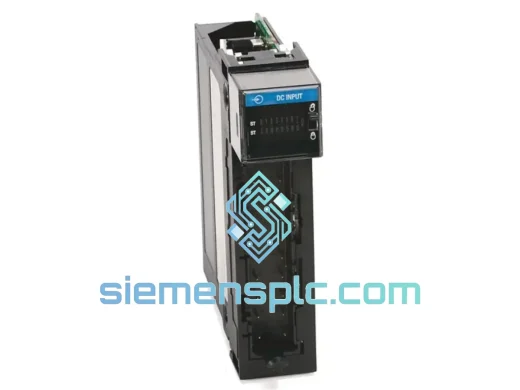
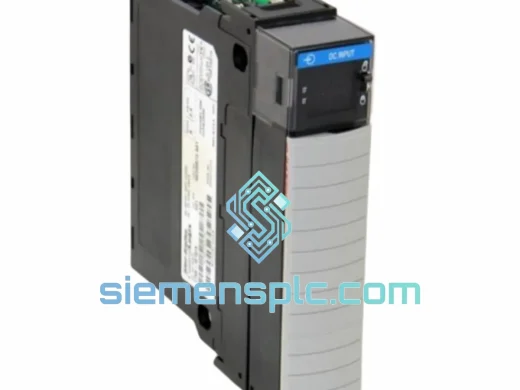
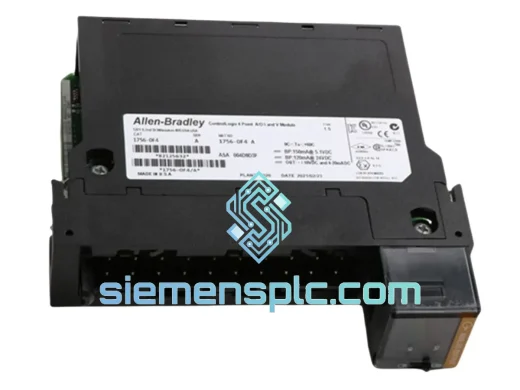
Allen-Bradley 1756-OF4 PLC Analog Output Module
ControlLogix
Origin US
PLC Analog Output Module
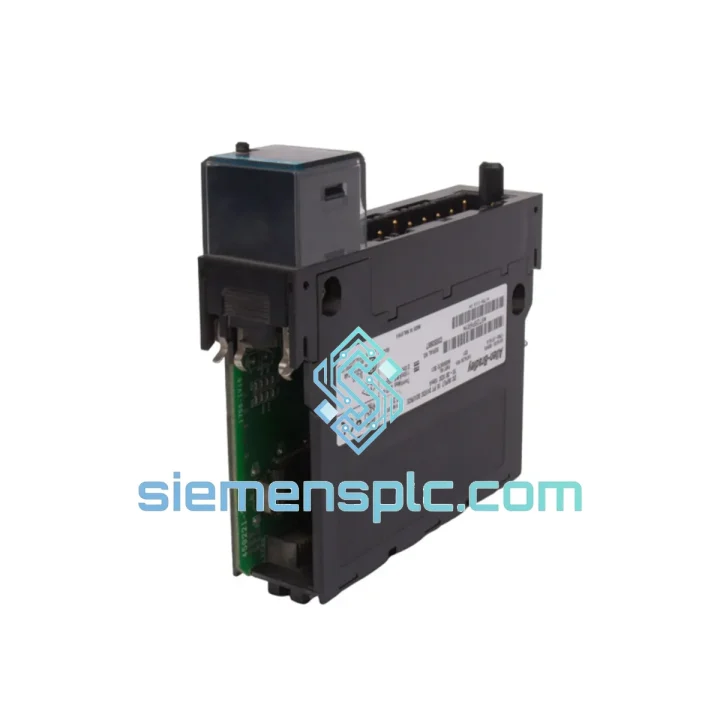
Request verified availability, condition, replacement risk review, packing options and courier lead time for 1756-IV16.
Click Request Quote and the part number is inserted into the inquiry form automatically.
Core fields for model confirmation and RFQ routing. Detailed product narrative remains below.
Your line stopped. The HMI is throwing faults. Maintenance pulled the card and confirmed it: the Allen-Bradley 1756-IV16 is dead. You know what comes next — the frantic calls to distributors, the “4–6 week lead time” answers, the plant manager breathing down your neck. We’ve been there. That’s exactly why we stock this module, tested and ready, in Xiamen — so you can get back online before the shift ends, not next month.
The 1756-IV16 is a 16-point, 12/24V DC sourcing discrete input module for the Rockwell Automation ControlLogix 1756 platform. It sits in a single chassis slot, draws 120 mA from the 5.1V backplane rail, and maps 16 independent field-device states directly into the ControlLogix I/O tree. Hot-swap capable. Per-point diagnostics. No chassis shutdown required for replacement. When this card fails, the fix is straightforward — if you have the part.
We have the part.
⚡ URGENT REQUIREMENT? Contact: [email protected] | WhatsApp: +86 18359268345
| Catalog Number | 1756-IV16 ✔ Ready to Ship |
| Platform | Allen-Bradley ControlLogix (1756 chassis) |
| Input Points | 16 points, independently addressable |
| Input Voltage | 10–30V DC (nominal 12/24V DC) |
| ON-State Current | ≥ 3 mA (reliable on cable runs up to 500 m) |
| OFF-State Current | ≤ 1.5 mA (no false triggers from sensor leakage) |
| Input Impedance | 5.7 kΩ |
| Isolation | 1500V AC field-to-backplane |
| Input Filter | 0–32 ms, software configurable per point |
| Backplane Current | 120 mA @ 5.1V DC |
| Operating Temp | 0–60 °C (no derating) |
| Storage Temp | -40 to +85 °C |
| Humidity | 5–95% non-condensing |
| Form Factor | Single-slot, 1756 standard (94 × 35 × 87 mm) |
| Hot-Swap | Yes — replace live, no chassis power-down |
| Diagnostics | Per-point status bits in Studio 5000 tag browser |
| Certifications | UL, CE, C-Tick, ATEX Zone 2 |
| Weight | ~200 g |
| Stock Status | In Stock — Ships within 24 hours |
Before you pull the card, run through this checklist. Half the time the module isn’t actually dead — it’s a configuration mismatch or a wiring fault that looks like hardware failure.
Step 1 — Confirm the fault is the module, not the field wiring. In Studio 5000, open the I/O tree and check the module’s fault code. Fault Type 16 (Connection Timeout) usually means the module lost backplane communication — reseat it first. Fault Type 10 (Module Mismatch) means the firmware or catalog number in your project doesn’t match the physical card. Don’t replace the module; update the project configuration to match the installed revision.
Step 2 — Check input filter settings before assuming sensor failure. If specific points are reading erratically, open the module properties in Studio 5000 → Input Filter tab. A 0 ms filter on a long cable run in a high-EMI environment (welding cells, VFD cabinets) will cause noise-induced false transitions. Set the filter to 2–4 ms for inductive proximity sensors, 8–16 ms for mechanical limit switches. This fix takes 30 seconds and eliminates 80% of “intermittent input” complaints.
Step 3 — Verify the replacement module’s firmware revision matches your project. The 1756-IV16 does not have a user-settable DIP switch or address jumper — slot addressing is automatic via the ControlLogix backplane. However, firmware revision matters. In Studio 5000, right-click the module in the I/O tree → Properties → General tab → note the “Revision” field. Your replacement must match this revision, or you’ll get a Module Mismatch fault on first connection. If the revision doesn’t match, use RSLogix 5000 / Studio 5000 to update the project’s expected revision before going online.
Step 4 — Hot-swap procedure. The 1756-IV16 supports live replacement without chassis shutdown. Grip the module by the top and bottom tabs, press the release lever, and slide it straight out. Insert the replacement until the backplane connector seats fully and the locking tabs click. The controller will automatically re-establish the I/O connection within 2–3 scan cycles. Verify all 16 input points show correct states in the Studio 5000 tag monitor before releasing the line.
Common Fault Codes:
The 1756-IV16 wasn’t designed for a climate-controlled server room. It was built for the floor — and the floor is brutal.
In automotive body shops, the module runs continuously in panels mounted 3 meters from resistance welding guns generating 10 kA fault currents and broadband EMI from 60 Hz to 150 kHz. The 1500V AC field-to-backplane isolation prevents ground-loop transients from reaching the controller backplane. The module’s input circuitry is designed to reject common-mode noise up to 500V peak without latching or requiring a power cycle.
In outdoor oil and gas installations, panels see diurnal temperature swings from -20 °C at night to +55 °C in direct sun. The 1756-IV16’s operating range of 0–60 °C covers the full panel interior temperature after solar loading, with a storage rating of -40 °C for modules kept in unheated warehouses between turnarounds. Conformal coating on the PCB provides additional protection against humidity and condensation during seasonal transitions.
In food processing facilities, high-pressure washdown cycles drive moisture into every unsealed enclosure. The module is housed in NEMA 12 or NEMA 4X panels with filtered ventilation; the PCB’s conformal coating resists the corrosive cleaning agents (sodium hypochlorite, peracetic acid) that migrate as vapor into panel interiors during CIP cycles.
Vibration is the silent killer of I/O modules in press rooms and compressor stations. The 1756-IV16 meets IEC 60068-2-6 sinusoidal vibration testing (5–500 Hz, 2g) and IEC 60068-2-27 shock testing (15g, 11 ms half-sine). The backplane connector is a high-retention design that maintains electrical contact under continuous vibration — unlike DIN-rail terminal blocks that loosen over time.
Our warehouse is in Xiamen, China — one of the country’s primary export hubs with direct access to Xiamen Gaoqi International Airport and Xiamen Port. This geography is deliberate: it puts us within 24–48 hours of most major industrial markets by air freight.
How your order moves:
For genuine emergencies — line-down situations where every hour has a dollar figure attached — contact us directly on WhatsApp before placing the order. We can arrange same-day dispatch for orders confirmed before 14:00 CST and coordinate with your freight forwarder if you have a preferred carrier account.
📧 Email: [email protected]
💬 WhatsApp: +86 18359268345
🌐 Web: siemensplc.com
© 2026 siemensplc.com. All rights reserved.
We check the full part number, brand, series and visible nameplate information before quotation.
Sales confirms stock path, condition option, quantity and realistic lead time for export dispatch.
DHL, FedEx, UPS or buyer courier arrangements can be reviewed with packing requirements.
Similar brand or category products for fast comparison and multi-item RFQ lists.