
Allen-Bradley
In Stock OK
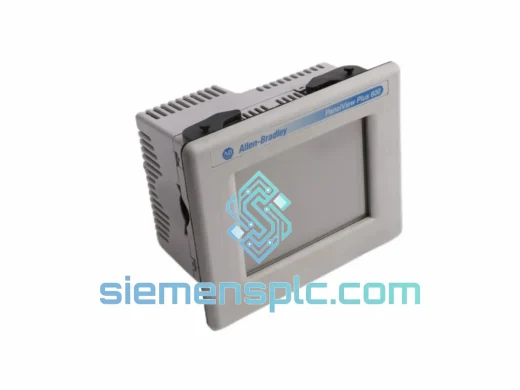
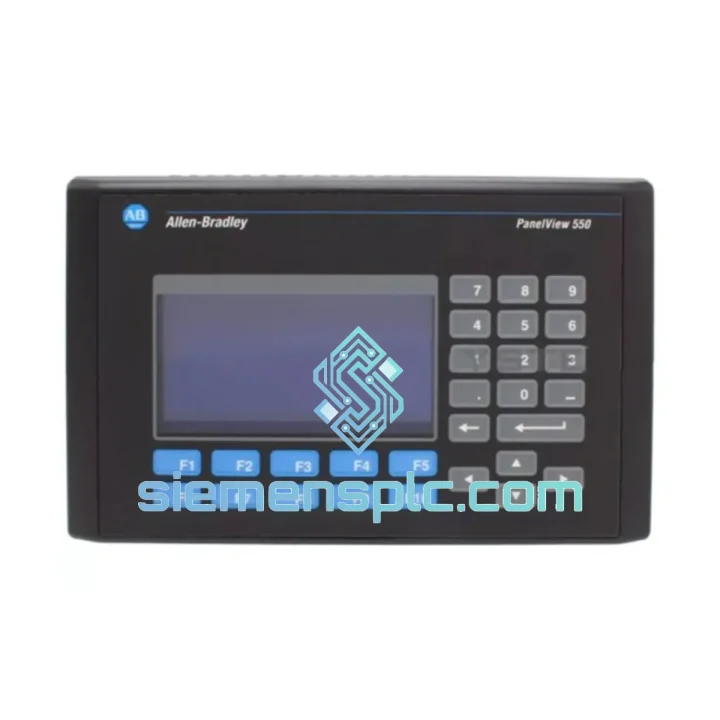
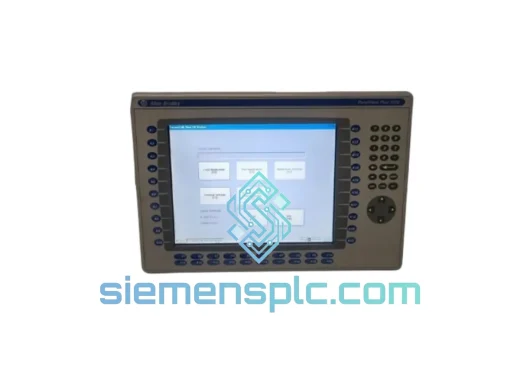
Allen-Bradley 2711-B5A1 HMI Terminal
Request verified availability, condition, replacement risk review, packing options and courier lead time for 2711-B5A1.
BrandAllen-Bradley
Part Number2711-B5A1
ConditionAvailability Check
Lead TimeRFQ Confirmation
DocumentsDatasheet / photos by RFQ
ShippingExport packing available
Auto-filled RFQ
2711-B5A1
Click Request Quote and the part number is inserted into the inquiry form automatically.
- Reply by email: [email protected]
- WhatsApp / Tel: +86 18359268345
- Mon-Sat 9:00-18:00 GMT+8
Procurement Data
Key Product Information
Core fields for model confirmation and RFQ routing. Detailed product narrative remains below.
- Brand
- Allen-Bradley
- Primary Part Number
- 2711-B5A1
- Product Type
- HMI Terminal
- Series / Family
- PanelView
- Country of Origin
- US
- Catalog Category
- HMI Panels
Model confirmed for inquiry
2711-B5A1
Send quantity, destination and urgency. The RFQ form keeps this part number attached.
Request Quote
Product Overview
2711-B5A1 PanelView 550 Down? Every Minute Costs Money — We Ship Today
Your line stopped. The HMI is dead. Maintenance is standing by and production is bleeding cash at whatever your per-hour downtime rate is. You don’t need a brochure — you need a replacement Allen-Bradley 2711-B5A1 on a truck today. That’s exactly what we do.
We stock the 2711-B5A1 in Xiamen and ship via DHL Express and FedEx International Priority. Most orders placed before 14:00 CST clear customs documentation the same day. Whether you’re in Germany, Australia, Mexico, or the UAE, we’ve moved this part to your door in under 72 hours.
⚡ URGENT REQUIREMENT? Contact: [email protected] | WhatsApp: +86 18359268345
Quick Technical Datasheet
| Parameter | Specification | Status |
|---|---|---|
| Part Number | 2711-B5A1 | ✔ Ready to Ship |
| Brand | Allen-Bradley / Rockwell Automation | |
| Series | PanelView 550 | |
| Display | 5.5″ Monochrome LCD | |
| Input Type | Touchscreen | |
| Communication | DH-485 | |
| Application Memory | 512 KB | |
| Supply Voltage | 24 VDC | |
| Operating Temp | 0 °C to +55 °C | |
| Enclosure Rating | NEMA 4 / 4X / 12 / 13 (front face) | |
| Programming Software | PanelBuilder 1400e / PanelBuilder32 | |
| Country of Origin | USA | |
| Weight | Approx. 1.2 kg | |
| Condition Available | New / Refurbished / Tested-Used | ✔ In Stock |
Troubleshooting & Replacement Tips
Fifteen years of field calls on PanelView 550 units teach you the same failure patterns every time. Here’s what to check before you pull the trigger on a replacement, and what to watch when you install the new one.
Common Failure Modes on the 2711-B5A1:
- Blank screen, backlight dead: The CCFL backlight tube fails after 30,000–50,000 hours. Power LED still on, DH-485 comms still alive. Confirm by shining a flashlight at the screen — if you see a faint image, it’s the backlight, not the logic board. A full unit swap is faster than sourcing a replacement tube.
- Touch input drift or dead zones: The resistive touch overlay degrades with UV exposure and repeated contact in the same area. Recalibrate first (hold the top-left corner on power-up to enter calibration mode). If drift persists after three calibration attempts, the overlay is worn — replace the unit.
- Fault Code F001 / Communication Error on DH-485: Nine times out of ten this is a termination resistor issue. Verify the 150 Ω termination is only present at the two physical ends of the DH-485 segment. Check node address conflicts — the 2711-B5A1 ships with node address 1 by default. If another device on the segment shares node 1, you’ll get intermittent F001 faults that look like hardware failure but aren’t.
- Application won’t load / memory fault: Battery-backed SRAM loses retention after 5–7 years. The internal lithium cell (CR2032 equivalent) is the culprit. On a replacement unit, reload the application from PanelBuilder32 via the serial port before powering up on the live network.
- Unit powers up but shows wrong application: Previous owner’s application is still resident. Connect PanelBuilder32, go to Transfer → Upload to verify what’s loaded, then Download your correct .pba file.
Swap Checklist — Do This Before You Power Up the Replacement:
- Confirm DH-485 node address on the replacement matches the failed unit (check the original’s configuration or the PLC’s I/O tree).
- Verify termination resistor switch position — some units have a physical DIP switch on the rear for 150 Ω termination. Match the original unit’s setting.
- Download the correct .pba application file before connecting to the live DH-485 network to avoid node conflicts during boot.
- Check 24 VDC supply polarity — reversed polarity on the 2711-B5A1 will blow the internal fuse. Measure before connecting.
- Allow 30 seconds for the unit to complete its self-test sequence before declaring a comms fault.
Reliability in Harsh Conditions
The PanelView 550 platform was engineered for the factory floor, not the office. The 2711-B5A1 carries a NEMA 4/4X front-face rating, meaning it withstands directed water jets and is sealed against dust ingress — critical in food processing, foundry, and outdoor enclosure applications.
The unit is rated to operate continuously at +55 °C ambient without derating. In practice, we’ve seen these terminals running in poorly ventilated enclosures in Southeast Asian foundries for over a decade without thermal failure. The logic board uses conformal coating on production runs, providing baseline protection against condensation in high-humidity environments such as cold-storage facilities and coastal installations.
Vibration tolerance meets IEC 68-2-6 test profiles, making the 2711-B5A1 suitable for mounting on or near press machinery, compressors, and mobile equipment where panel vibration is a constant. The resistive touchscreen has no moving parts and no glass-over-glass construction, so it survives the mechanical shock events that destroy capacitive displays.
Units we ship have been inspected for physical damage to the rear connector housing — a common failure point when panels are removed without releasing the DH-485 locking tab. Every unit is powered on and communication-verified before it leaves our facility.
Global Express Logistics
Our warehouse is located in Xiamen, Fujian Province — one of China’s primary export hubs with direct access to DHL, FedEx, and UPS international gateways. This is not a drop-ship operation. Stock is physically on our shelves.
Standard Dispatch Process:
- Order confirmed before 14:00 CST: Same-day pick, pack, and handoff to carrier.
- Export documentation: Commercial invoice, packing list, and HS code declaration prepared in-house. We handle EEI filing for US-bound shipments and EUR.1 for EU preferential tariff routes.
- DHL Express Worldwide: Xiamen → Europe: 2–3 business days. Xiamen → North America: 2–4 business days. Xiamen → Middle East / Southeast Asia: 1–3 business days.
- FedEx International Priority: Available as an alternative for destinations where FedEx has stronger last-mile coverage (Australia, Canada, parts of Latin America).
- Tracking: AWB number sent within 2 hours of carrier pickup. Real-time tracking link provided via email and WhatsApp.
- Customs clearance: We declare accurate commercial values. For customers with their own customs broker, we provide all documentation in advance to pre-clear shipments and eliminate border delays.
For production-critical emergencies, contact us on WhatsApp before placing the order. We can confirm stock, generate a proforma invoice, and have the unit moving within the hour.
Contact Information
📧 Email: [email protected]
💬 WhatsApp: +86 18359268345
🌐 Web: siemensplc.com
© 2026 siemensplc.com. All rights reserved.
Ready to quote
[email protected]
Send This Part Number to Sales
RFQ workflow
Quality workflow ->
Confirmation Process
01Model confirmation
We check the full part number, brand, series and visible nameplate information before quotation.
02Availability reply
Sales confirms stock path, condition option, quantity and realistic lead time for export dispatch.
03Packing & courier
DHL, FedEx, UPS or buyer courier arrangements can be reviewed with packing requirements.
Continue sourcing
Browse full catalog ->
Related Automation Parts
Similar brand or category products for fast comparison and multi-item RFQ lists.
Allen-Bradley
RFQ Ready
Allen-Bradley 2711P-T15C22D9P HMI Terminal
PanelView
Origin US
HMI Graphic Terminal
Allen-Bradley
RFQ Ready
Allen-Bradley 2711P-T10C21D8S HMI Operator Terminal
PanelView
Origin US
HMI Operator Terminal
Allen-Bradley
RFQ Ready
Allen-Bradley 2711P-RN15S ControlNet Communication Module
PanelView
Origin US
PLC Communication Module