
Allen-Bradley
In Stock OK
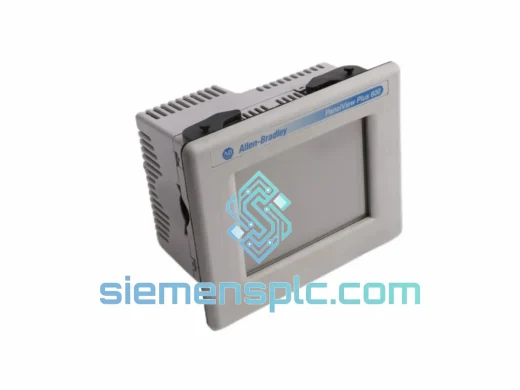
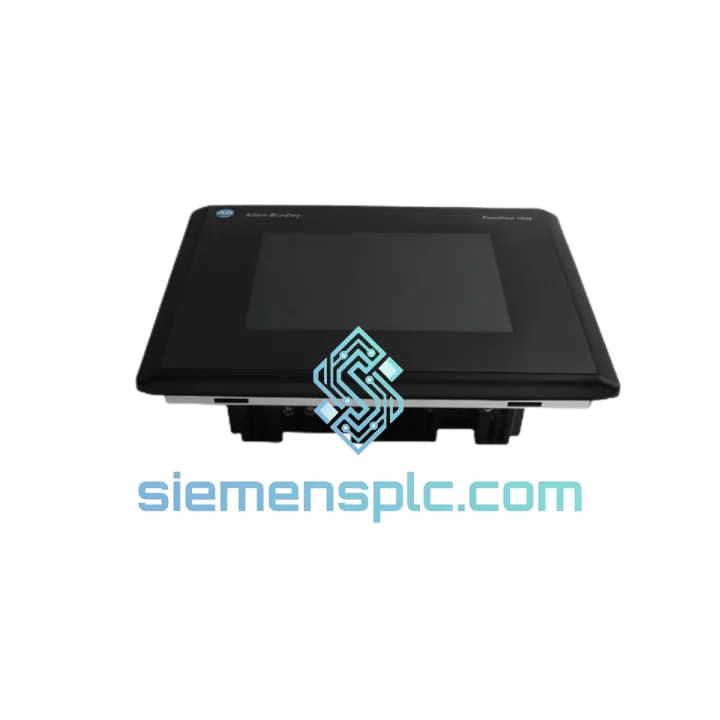
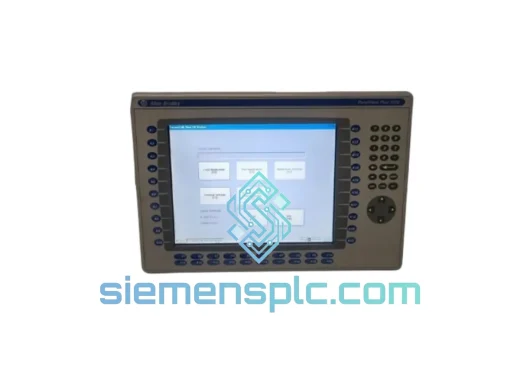
Allen-Bradley 2711-T10C15 HMI Terminal
Request verified availability, condition, replacement risk review, packing options and courier lead time for 2711-T10C15.
BrandAllen-Bradley
Part Number2711-T10C15
ConditionAvailability Check
Lead TimeRFQ Confirmation
DocumentsDatasheet / photos by RFQ
ShippingExport packing available
Auto-filled RFQ
2711-T10C15
Click Request Quote and the part number is inserted into the inquiry form automatically.
- Reply by email: [email protected]
- WhatsApp / Tel: +86 18359268345
- Mon-Sat 9:00-18:00 GMT+8
Procurement Data
Key Product Information
Core fields for model confirmation and RFQ routing. Detailed product narrative remains below.
- Brand
- Allen-Bradley
- Primary Part Number
- 2711-T10C15
- Product Type
- HMI Terminal
- Series / Family
- PanelView
- Country of Origin
- US
- Catalog Category
- HMI Panels
- Operating Temp.
- 0 °C to 55 °C
Model confirmed for inquiry
2711-T10C15
Send quantity, destination and urgency. The RFQ form keeps this part number attached.
Request Quote
Product Overview
2711-T10C15 PanelView 1000: Cut Downtime Before It Cuts Your Margin
Every hour your line sits idle waiting on an HMI costs real money — production losses, labor waste, penalty clauses. The Allen-Bradley 2711-T10C15 PanelView 1000 Color Touch Terminal is physically on our shelf in Xiamen right now. We don’t quote lead times in weeks. We quote in hours. If your terminal has gone dark — blank screen, unresponsive touch, communication fault — stop troubleshooting a dead unit and get a verified replacement moving toward your dock today.
This is not a refurbished grey-market pull. Every 2711-T10C15 we ship is inspected against OEM reference standards, powered on, and touch-verified before it leaves our facility. You get a unit that works on arrival, not one that needs another round of debugging.
URGENT REQUIREMENT? Contact: [email protected] | WhatsApp: +86 18359268345
Quick Technical Datasheet
| Parameter | Specification |
|---|---|
| Part Number | 2711-T10C15 |
| Brand | Allen-Bradley (Rockwell Automation) |
| Series | PanelView 1000 |
| Display Size | 10.4-inch diagonal |
| Display Type | Color Resistive Touch Screen |
| Resolution | 640 × 480 (VGA) |
| Input Method | Touch Screen |
| Communication Ports | DH+ / RS-232 (DH-485) |
| Supply Voltage | 24 VDC |
| Operating Temperature | 0 °C to 55 °C |
| Storage Temperature | -40 °C to 85 °C |
| Enclosure Rating | NEMA 4 / 4X (front bezel) |
| Programming Software | PanelBuilder32 / PanelBuilder 1400e |
| Backlight Type | CCFL (field-replaceable) |
| Weight | Approx. 2.7 kg |
| Certifications | UL 508, CE, CSA, RoHS, FCC Part 15 Class A |
| Stock Status | ✔ Ready to Ship – Xiamen Warehouse |
Troubleshooting & Replacement Tips
After ten years of field calls, these are the failure modes that actually bring a 2711-T10C15 down — and what to check before you assume the terminal itself is dead:
1. Blank Screen / No Backlight
First suspect is the CCFL backlight, not the logic board. Shine a flashlight at an angle across the screen in a dark room — if you can faintly see the application graphics, the backlight has failed. Replacement backlights (catalog 2711-NL2) are available, but field replacement requires full panel disassembly. If the screen is completely dark with no image at all, check 24 VDC supply voltage at the terminal connector before condemning the unit. Undervoltage below 21.6 VDC will cause a hard shutdown with no fault indication.
2. Touch Screen Unresponsive or Drifting
Resistive touch panels degrade over time from repeated point-of-use wear. Before replacing the terminal, attempt a touch calibration from the terminal’s configuration menu (hold the top-left corner on power-up to access the calibration screen). If calibration completes but drift returns within minutes, the resistive overlay is worn and the terminal requires replacement — recalibration is a temporary fix only.
3. DH+ Communication Fault (Error Code 87 / 88)
Error 87 (No Response from Node) and Error 88 (Duplicate Node Address) are the two most common DH+ faults. For Error 87: verify the node address set in the terminal’s configuration matches the address expected by the PLC program, and confirm the DH+ cable termination resistors (82 Ω) are installed at both ends of the trunk. For Error 88: a duplicate node address exists on the network — use RSLinx to scan the DH+ network and identify the conflicting node before powering the replacement terminal.
4. Application File Transfer Failure
PanelBuilder32 runs on 32-bit Windows XP/7. On modern Windows 10/11 hosts, run it inside a VMware or VirtualBox virtual machine with a bridged serial port. Use a USB-to-RS-232 adapter with a genuine FTDI chipset — counterfeit chips cause intermittent transfer failures that are nearly impossible to diagnose. Transfer speed: set PanelBuilder32 to 19200 baud and match the terminal’s RS-232 configuration exactly.
5. Replacement Configuration Checklist
When swapping a 2711-T10C15 in the field, work through this sequence before declaring the replacement live:
- Set DH+ node address to match the failed unit’s address (check the original unit’s configuration screen or the PLC program’s HMI node reference).
- Verify DH+ baud rate matches network setting (57.6 kbps is standard for most SLC 500 / PLC-5 installations).
- Transfer the application file from backup media or re-download from the engineering workstation.
- Perform touch screen calibration on first power-up.
- Confirm all alarm pages, recipe screens, and trend displays render correctly before releasing the line.
- Document the replacement in the panel’s maintenance log with date, serial number of removed unit, and serial number of installed unit.
Reliability in Harsh Conditions
The PanelView 1000 platform was engineered for environments that destroy consumer-grade electronics. The 2711-T10C15 carries a NEMA 4/4X front panel rating, meaning the bezel seals against wash-down water jets and dust ingress — critical for food processing, chemical, and outdoor enclosure applications. The operating temperature range of 0 °C to 55 °C covers the majority of industrial plant environments without forced cooling, and the storage rating of -40 °C to 85 °C means units can be warehoused in unheated facilities without degradation.
The resistive touch panel has no moving parts and is immune to the EMI-induced false triggering that plagues capacitive screens in VFD-heavy environments. The DH+ communication hardware is galvanically isolated, protecting the terminal’s logic from ground loops and surge events common on long cable runs through electrical rooms. The CCFL backlight, while finite in lifespan (~50,000 hours rated), is field-replaceable — meaning a terminal with a failed backlight does not require full unit replacement if the logic board is intact.
Units shipped from our Xiamen facility are packed in ESD-safe anti-static bags, surrounded by custom-cut foam inserts inside double-wall corrugated cartons. Drop tests and vibration simulation are part of our outbound packaging validation. Your replacement arrives in the same condition it left our shelf.
Global Express Logistics
Our Xiamen warehouse sits 40 minutes from Xiamen Gaoqi International Airport (XMN), one of China’s primary cargo hubs with daily freighter connections to DHL and FedEx international sort facilities. This geography is not accidental — it is the reason we can move from your purchase order to airborne cargo in under 24 hours on in-stock items.
Standard Express Routing:
- Day 0 – Order confirmed, unit pulled from shelf, inspected, and packed. Airway bill generated by 18:00 CST.
- Day 1 – Cargo tendered to DHL Express or FedEx International Priority at XMN. Tracking number issued to buyer.
- Day 2–3 – Delivery to most destinations in Southeast Asia, Japan, South Korea, Australia, Middle East, and Europe.
- Day 3–4 – Delivery to North America (US, Canada, Mexico) via FedEx International Priority or DHL Express Worldwide.
All shipments include a commercial invoice, packing list, and HS code documentation (HS: 8537.10.9090) for smooth customs clearance. We have experience with import requirements across 60+ countries and can advise on documentation for your specific destination. For orders requiring formal export licensing or end-user certificates, contact us before placing the order so we can confirm compliance timelines.
Emergency same-day dispatch is available for orders confirmed before 14:00 CST — contact us directly via WhatsApp to arrange.
Contact Information
Email: [email protected]
WhatsApp: +86 18359268345
Web: siemensplc.com
© 2026 siemensplc.com. All rights reserved.
Ready to quote
[email protected]
Send This Part Number to Sales
RFQ workflow
Quality workflow ->
Confirmation Process
01Model confirmation
We check the full part number, brand, series and visible nameplate information before quotation.
02Availability reply
Sales confirms stock path, condition option, quantity and realistic lead time for export dispatch.
03Packing & courier
DHL, FedEx, UPS or buyer courier arrangements can be reviewed with packing requirements.
Continue sourcing
Browse full catalog ->
Related Automation Parts
Similar brand or category products for fast comparison and multi-item RFQ lists.
Allen-Bradley
RFQ Ready
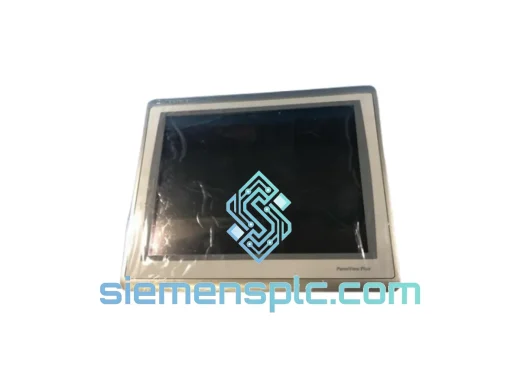
Allen-Bradley 2711P-T15C22D9P HMI Terminal
PanelView
Origin US
HMI Graphic Terminal
Allen-Bradley
RFQ Ready
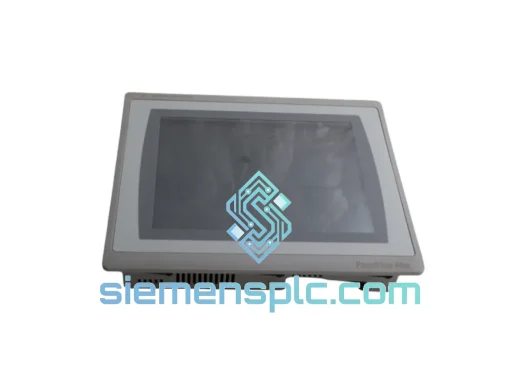
Allen-Bradley 2711P-T10C21D8S HMI Operator Terminal
PanelView
Origin US
HMI Operator Terminal
Allen-Bradley
RFQ Ready
Allen-Bradley 2711P-RN15S ControlNet Communication Module
PanelView
Origin US
PLC Communication Module